

10 Best Free AI Tools for Exterior Design in 2026 (Fully Tested & Compared)

Design any room, shop or space with DecAI in less 30 seconds! It's free!
10 Best Free AI Tools for Exterior Design in 2026 (Fully Tested & Compared)
This post was updated on September 7, 2026
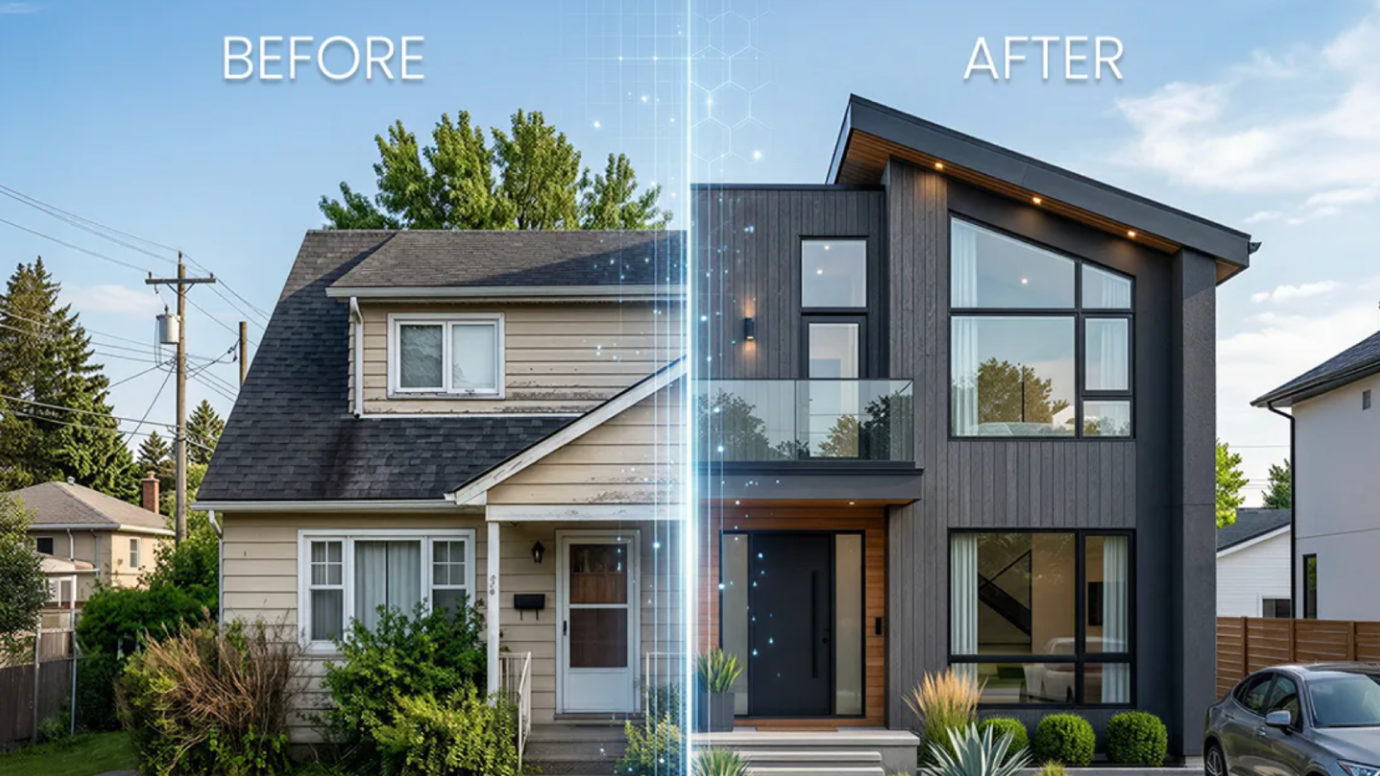
Want to redesign your house exterior but not sure whether new siding, paint colors, landscaping, or a different architectural style will actually work on your home? AI tools for exterior design can now turn a real exterior photo into tangible design previews in seconds—before you spend money on materials or contractors.
Whether you're planning a renovation, improving curb appeal, or just exploring ideas, these tools help you move from “maybe” to “this works” in minutes.
In this updated 2026 guide, we fully tested and compared 10 AI tools that can genuinely support exterior, facade, landscape, or outdoor design. We looked at exterior-specific capability, photo upload, realism, structure preservation, ease of use, customization, and free access—so you can quickly find the right tool for your project.
If you want the fastest way to test multiple exterior styles with minimal effort, tools like our free AI exterior design tool, are a great starting point, especially for beginners who want instant results without complexity.
What can AI exterior design tools actually change?
AI tools for exterior design are some smart, fast AI tools that turn ideas for house facades, gardens, and landscaping into realistic visual designs in seconds. Instead of spending hours sketching, modeling, or rendering from scratch, you can simply upload a photo of your house or storefront and let AI generate different design options in seconds.
Some of these tools are built specifically for home renovation and exterior design, while others are more general AI image generators that can still work well if you use the right prompts.
What makes them so popular is how easy they are to use. There’s almost no learning curve, even if you’ve never done any design work before, you can still create convincing, professional-looking results. So, in this aspect, they are almost useful for anyone, such as:
• Homeowners exploring renovation ideas before hiring a contractor
• Real estate agents showing a property's makeover potential
• Remodelers creating quick concept visuals for clients
• Architects and designers using AI for early-stage ideation
• Store or shop owners testing storefront or facade directions
In short, whether you have a design background or not, the right AI exterior design tool can help you visualize ideas faster, make better decisions, and save both time and money.
What can AI tools for exterior design actually change?
In actual design cases, AI tools for exterior design can help you visualize much more than a new architectural style. Depending on the tool, you can use AI to experiment with:
- Exterior paint colors – compare siding, trim, shutters, doors, and other color combinations.
- Facade materials – preview brick, stone, stucco, wood, metal, or different siding.
- Architectural styles – see your existing home as Modern, Farmhouse, Craftsman, Mediterranean, Colonial, and more.
- Doors and windows – explore different visual directions for entrances, frames, and openings.
- Roof and exterior details – experiment with roof colors, finishes, lighting, and decorative elements.
- Landscaping and curb appeal – visualize plants, pathways, lawns, lighting, patios, and other outdoor changes.
However, not every AI tool can handle all of these equally well. Some focus on full-facade redesign, while others are better for landscaping, paint colors, or professional architectural rendering. That difference matters when choosing the right tool.
10 best free AI tools for exterior design in 2026
To help you choose the best fit quickly, we’ll introduce these tools based on free plan generosity, ease of use, photo upload capability, rendering realism, customization depth, and relevance to exterior design specifically.
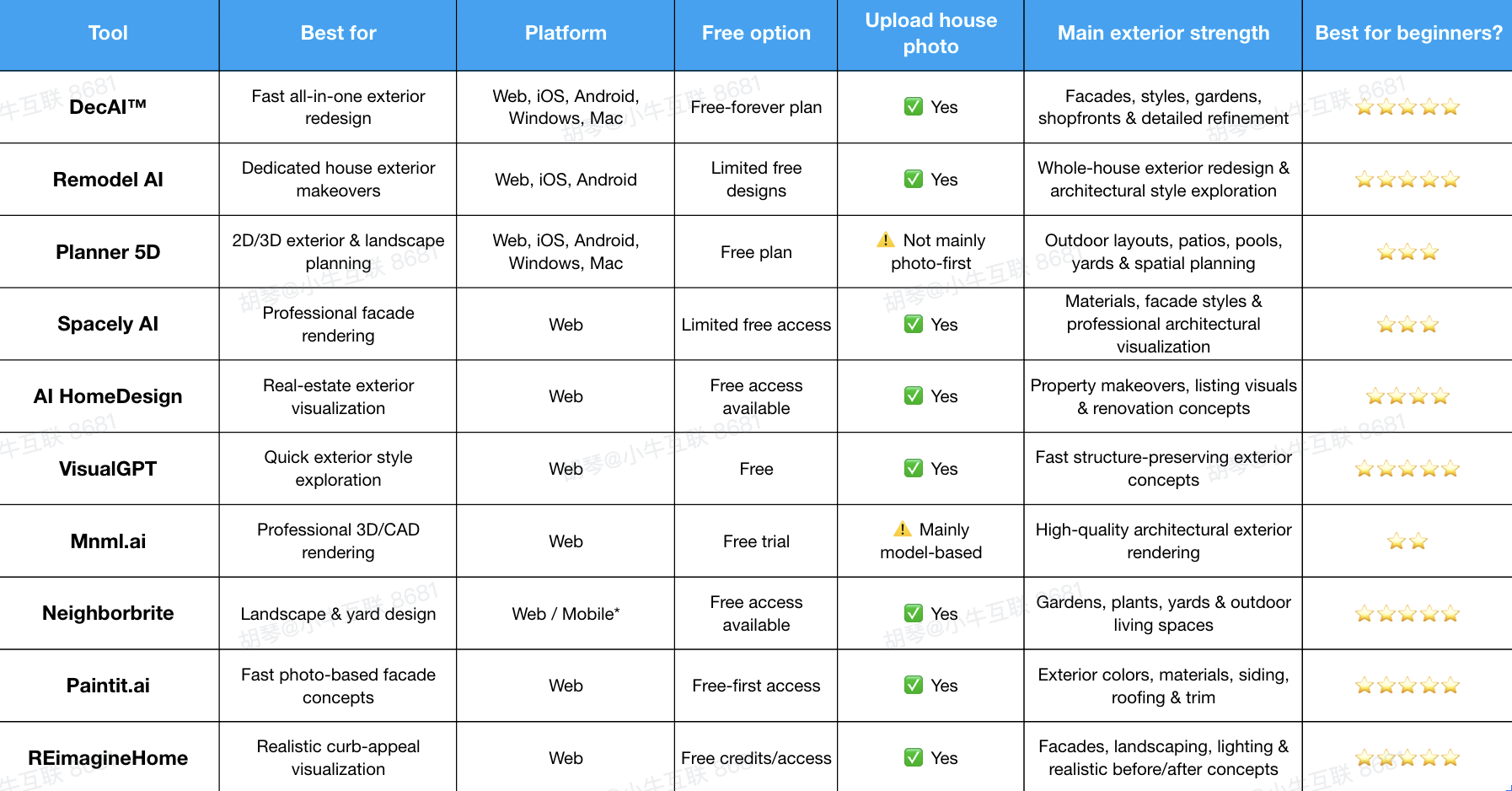
1.DecAITM - best for fast interior and exterior design, all in one place
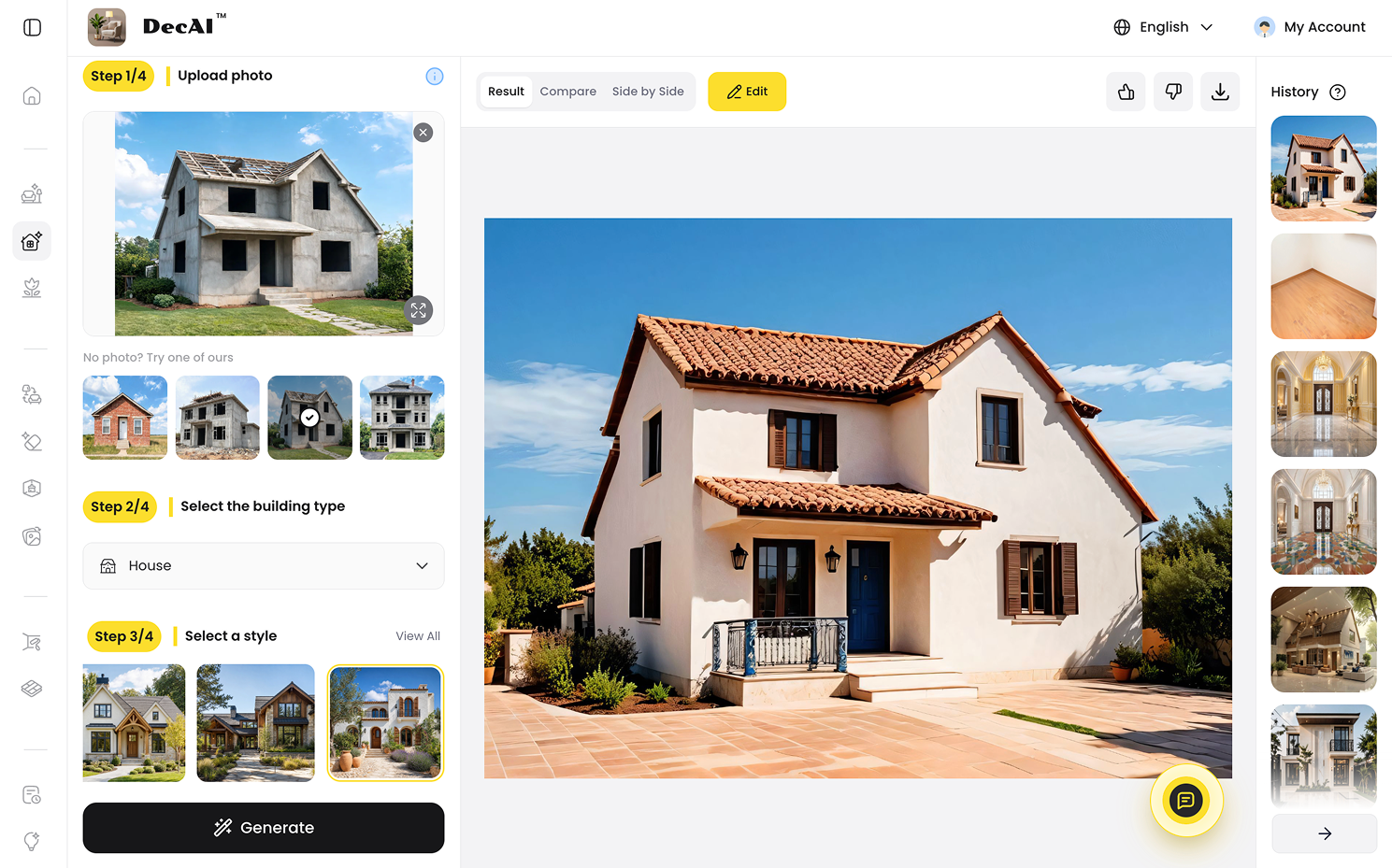
Platform: Web, iOS, Android, Win and Mac
Pricing: Free-forever plan; Premium plans starting at $0.16 per day;
DecAITM is a fast, free AI-powered exterior design tool that brings your ideas, whether it’s new colors, styles, or even seasonal and festive decorations, to life in under 30 seconds.
What makes it stand out is that it is one of the few truly all-in-one online tools that covers exterior facades, garden and landscaping design, shop fronts, interior rooms, floor finishes, and wall treatments — all from a single photo upload workflow.
It’s highly beginner-friendly, making it easy for non-designers to quickly get started, while still offering enough flexibility for professionals to quickly explore concepts, present ideas, and iterate on designs efficiently from start to finish.
Key features:
- Covers exterior, interior, garden, and shopfront design in one platform
- Generate full exterior redesigns or makeovers in under 30 seconds
- 30+ design styles and 15 building types
- Beginner-friendly with no design skills required
- Fine-tune elements like walls, floors, and details after generation
- Works seamlessly on both mobile and desktop
- Easy to explore, compare, and share designs
Pros:
- Fully AI-driven workflow (not partially manual)
- No learning curve, no manual editing
- Whole design workflow covered, from start to finish, inside and out
- A library of design examples and inspirations for ideas
- Material-level or element-specific editing
Cons:
- Inspiration library is still growing
- Free plan comes with limited access
2.Remodel AI - best for dedicated house exterior redesign

Platform: Web, iOS, Android
Pricing: 3 free designs; paid plans available for higher usage;
Remodel AI is built for photo-based home remodeling and includes dedicated exterior design rather than treating outdoor images as an extension of an interior tool. Upload a real house photo, choose an architectural direction, and generate coordinated facade concepts while keeping the original home recognizable.
Key features:
Dedicated exterior redesign from a real house photo
Multiple architectural styles for facade exploration
Fast before-and-after exterior concepts
Also supports garden and broader remodeling workflows
Pros:
Purpose-built exterior workflow
Easy for homeowners to test curb-appeal directions
Free designs available before upgrading
Cons:
Free use is limited to a small number of designs
Not a construction or code-compliance tool
Advanced renovation decisions still require professional verification
3.Planner 5D - best for professional 2D/3D exterior redesign
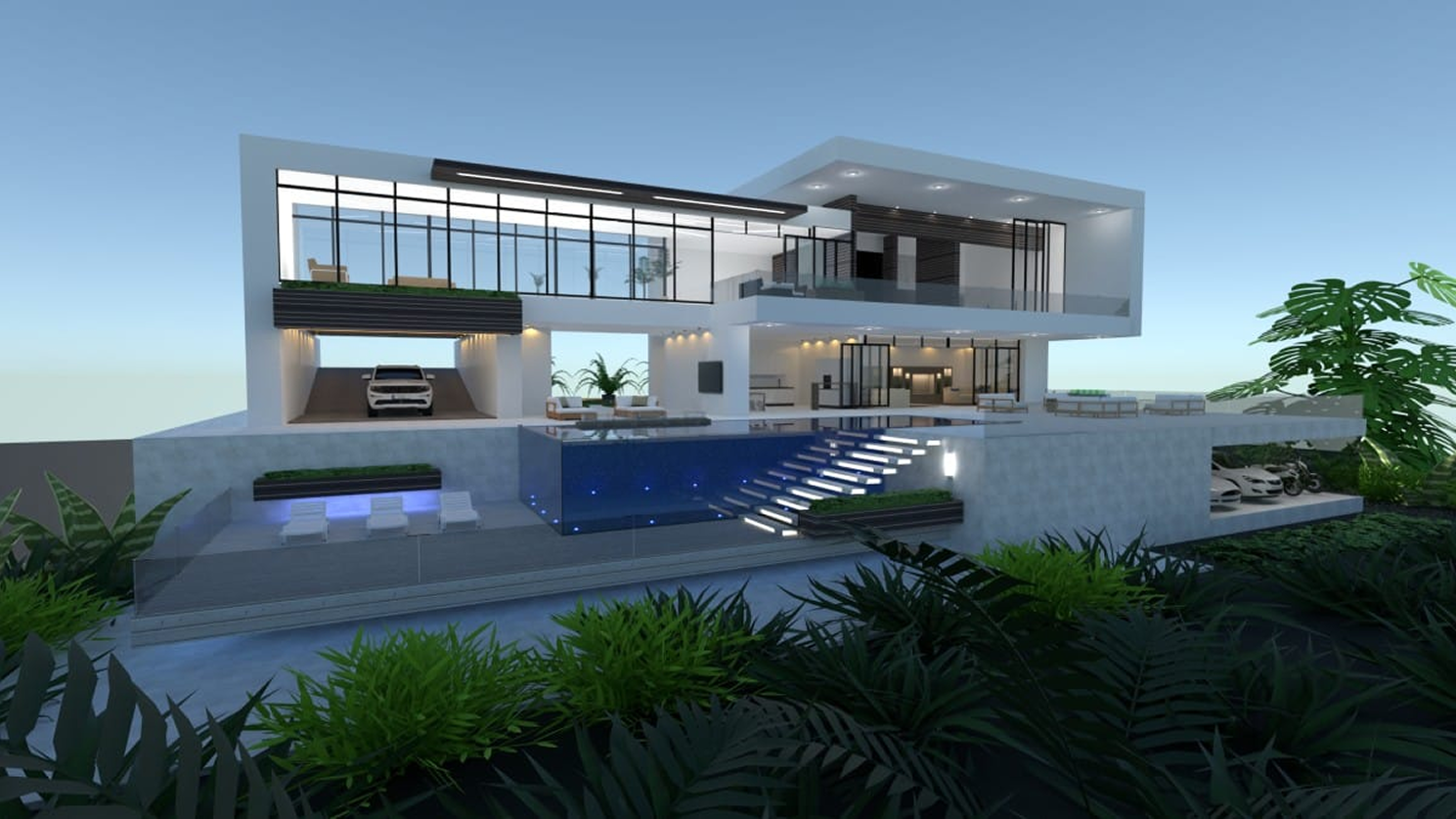
Platform: Web, iOS, Android, Win, Mac
Pricing: Free plan; Premium plans starting at $4.99 per month;
Planner 5D takes a different approach from photo-first AI generators. It combines 2D/3D planning, drag-and-drop editing, rendering, and AI-assisted features for both home and outdoor projects. Its official landscape workflow supports yards, patios, decks, pathways, pools, fences, lawns, plants, outdoor furniture, and other exterior elements.
For exterior design, it is most useful when you need more control over layout, scale, facade structure, or the outdoor area around a house—not just a one-click visual makeover from a photo.
Key features:
• Home planning and visualization
• Interior and exterior support
• Better structured than one-click concept tools
• Useful for renovation planning
Pros:
- 2D and 3D modeling gives you spatial precision
- Good for projects where layout and scale matter
- Works well for under-construction homes where there's no existing photo to upload
- Strong for planning interior layouts alongside exterior concepts
Cons:
- Much steeper learning curve than photo-first tools
- Exterior design support is more limited compared to the interior toolkit
- AI rendering features largely locked behind paywall
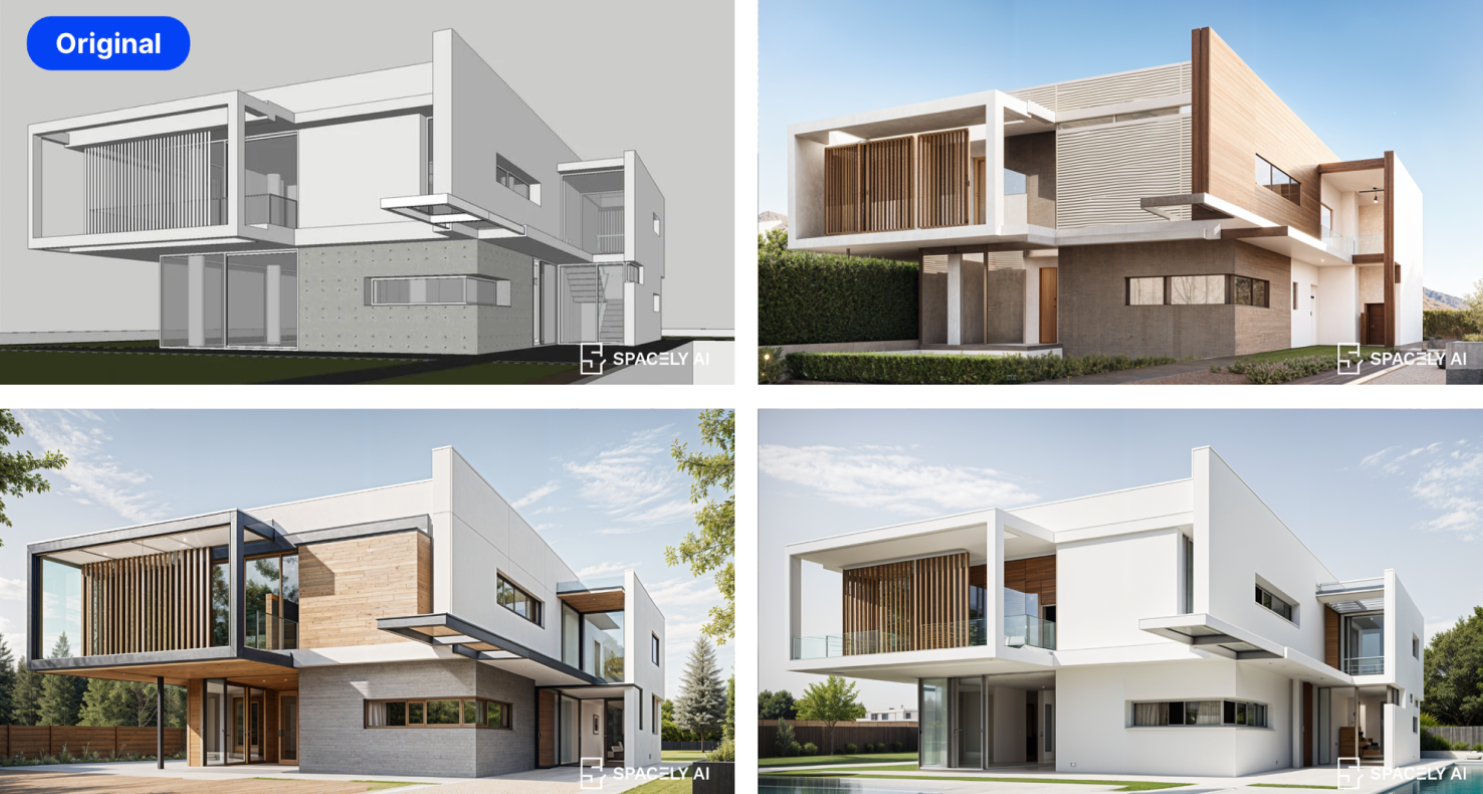
4.Spacely AI - best for professional facade, material and style experiments
Platform: Web, iOS, Android, Win, Mac
Pricing: Free plan; Premium plans starting at $4.99 per month;
Spacely AI is useful when you want fast visual ideas and style experimentation. It excels at turning existing 3D models or photos into photorealistic renders in seconds, and supports professional workflows including AI virtual staging, style transfer, and collage-to-render.
For exterior design, it works best when you have a structured brief — specific style direction, material preferences, and client requirements — rather than open-ended exploration.
Key features:
- Quickly test materials and finishes
- Useful for style exploration
- Supports residential and some commercial directions
- Helpful for inspiration-led workflows
Pros:
- Professional-grade output quality
- Supports 3D model imports
- Excellent for client presentations and architectural pitches
- Strong style transfer and rendering fidelity
Cons:
- Limited free plan
- Not beginner-friendly, designed for professionals
5.AI HomeDesign - best for real estate and listing-oriented visuals

Platform: Web
Pricing: Free plan; Premium plans starting at $19 per month;
AI HomeDesign is a lightweight tool built specifically around photo-based redesigns. It is useful for people who care about presentation value, listing visuals, or renovation-before-and-after concepts.
Though it won't give you the depth of customization or photorealism of the top tools, but for a quick gut-check on whether a style direction works for your property. So, it is especially ideal for agents and marketers, but homeowners can also use it for exterior ideation.
Key features:
Design any room, shop or space with DecAI in less 30 seconds! It's free!
• Property-focused visual enhancement
• Renovation concept support
• Good for presentation-ready output
• Helpful for marketing use cases
Pros:
- Simple, fast, no setup required
- Good for early-stage concept exploration
- Works directly in browser
Cons:
- Limited free access
- Less deep than professional design software
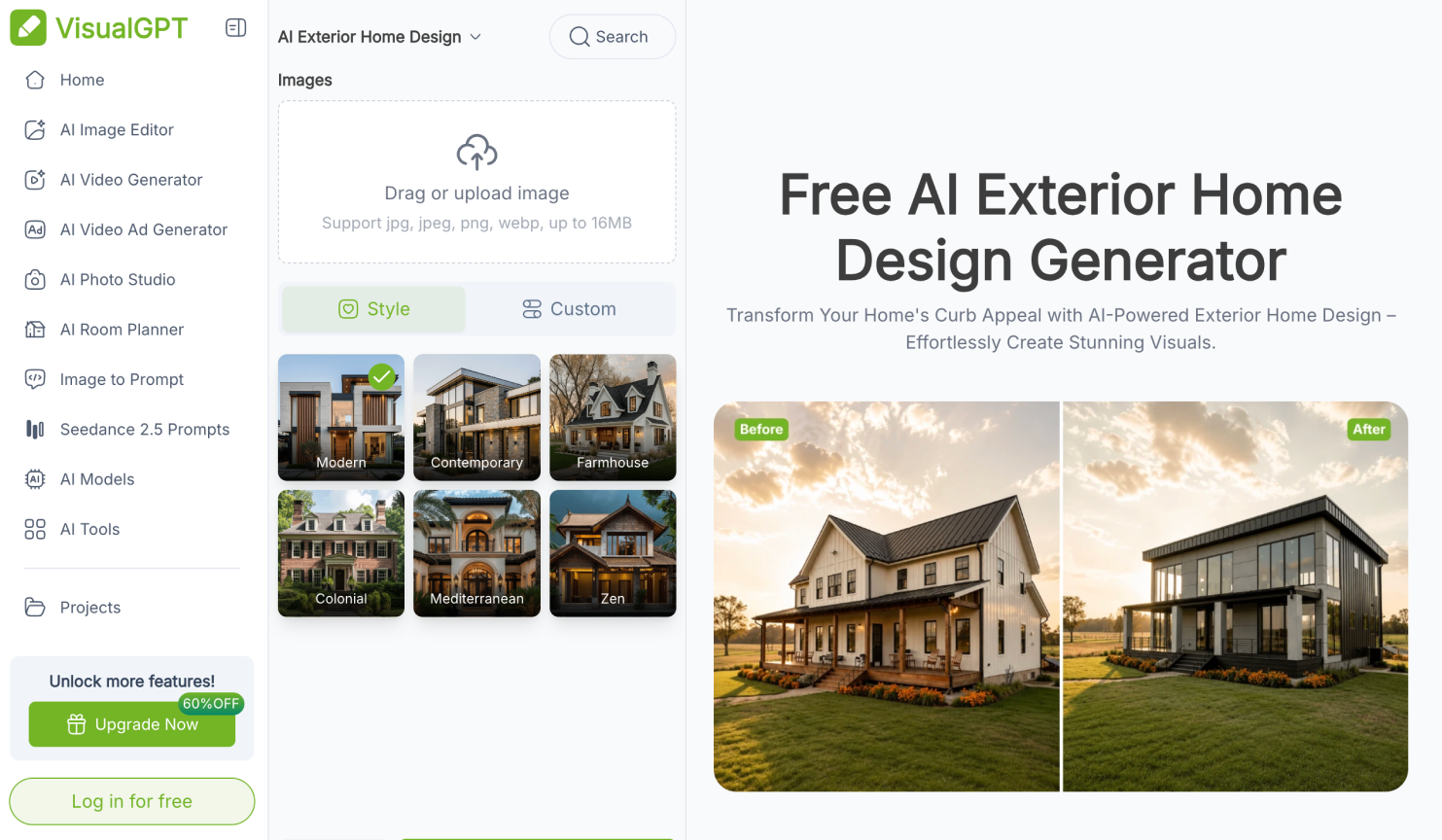
6.VisualGPT - best for exterior style exploration
Platform: Web
Pricing:
VisualGPT is a simple, no-friction tool built around one core strength: the AI detects your home's structure and applies the selected style with minimal modification, maximizing style impact while keeping the architecture intact.
It won't give you the depth of customization or photorealism of the top tools, but for a quick preview on whether a style direction works for your property.
Key features:
- Structure-preserving AI redesign
- Multiple architectural style presets
- No login or account required
- Download and share output directly
Pros:
- Completely free with no signup
- Structure-preservation reduces unrealistic outputs
- Zero learning curve
Cons:
- No material-level or element-specific editing
- Render quality is functional rather than photorealistic
- Not suitable for detailed renovation planning
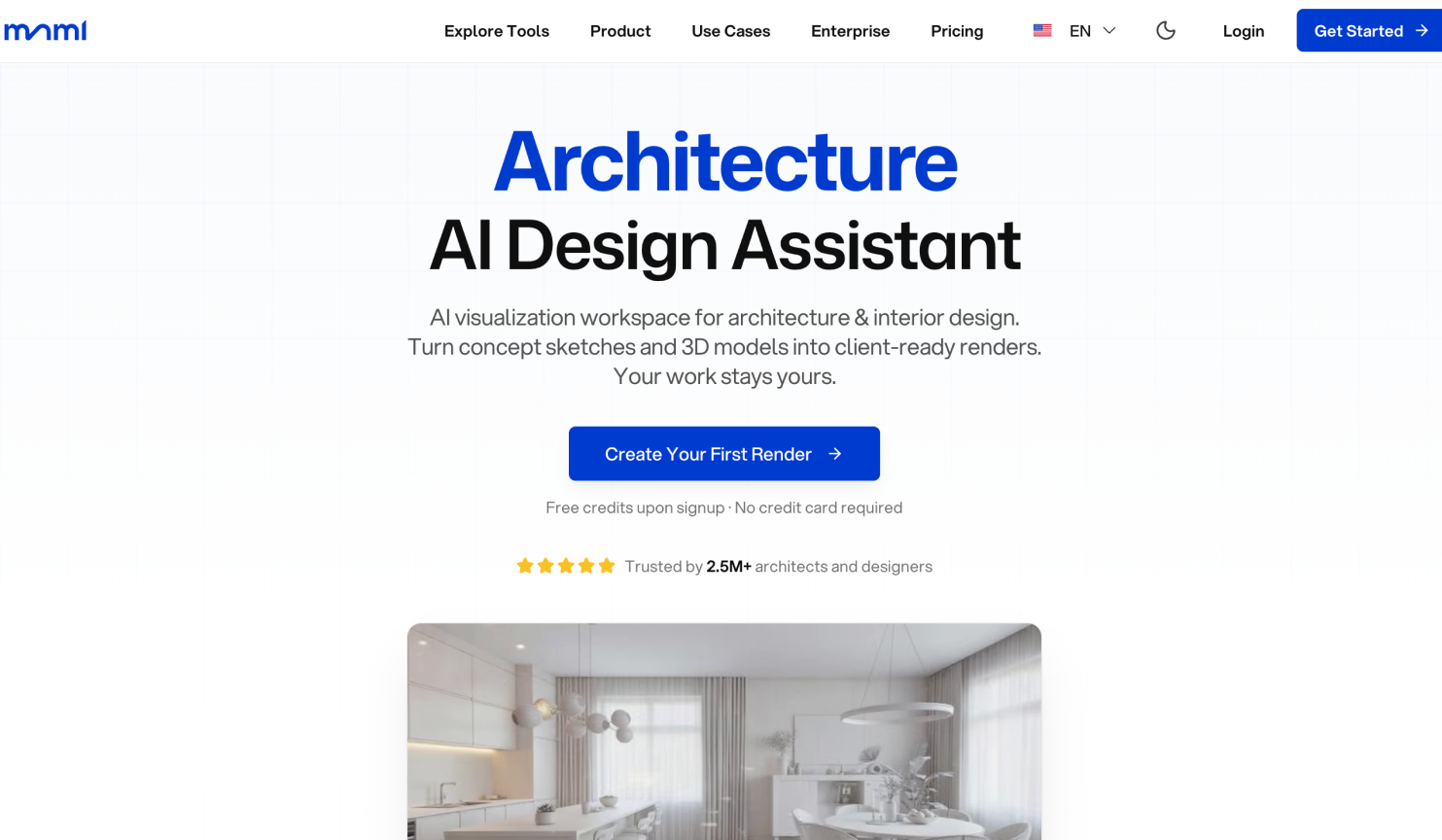
7.Mnml.ai - best for professional 3D or CAD quality design
Platform: Web
Pricing: free trial available; Premium plans starting at $24 per month
Mnml.ai is not a tool for casual homeowners — and it doesn't try to be. It's a professional AI rendering platform built for architects and designers, transforming SketchUp, Revit, Blender, Lumion, and V-Ray models into photorealistic CGI in seconds.
Its free trial gives you enough access to evaluate the output quality, but ongoing use requires a paid plan. For professional studios, the time saved per project easily justifies the cost. For everyday homeowners, one of the consumer-focused tools on this list will serve you better.
Key features:
- integrate with SketchUp, Revit, Blender, and Lumion models
- Photorealistic exterior and interior rendering
- Text prompt and style preset controls
- AI-driven masking for targeted area edits
Pros:
- Production-quality renders suitable for client presentations
- Supports all major 3D modeling software
- Fast rendering without manual lighting setup
Cons:
- Limited free trial
- Not built for photo-upload workflows
- Requires 3D modeling knowledge to get full value
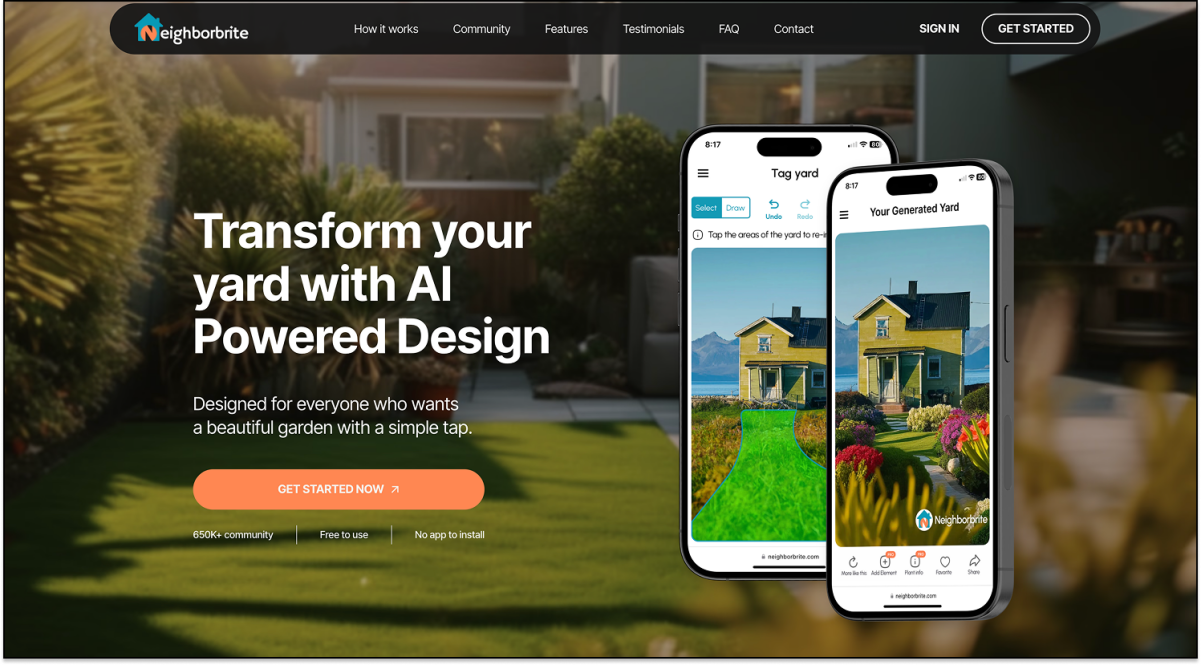
8.Neighborbrite - best for landscape design
Platform: Android and iOS only
Pricing: Free plan; Premium plans starting at $24.99;
Neighborbrite takes a narrower but genuinely useful angle: rather than redesigning your entire exterior, it focuses specifically on yards, gardens, and outdoor spaces. What makes it stand out is its localized plant intelligence — the AI suggests plants matched to your specific climate and growing conditions, something most exterior design tools don't offer at all. It works best alongside a facade-focused tool like DecAITM or REimagineHome: use those for the building, and Neighborbrite for the landscape around it.
Key features:
- AI-powered yard and garden redesign from photo
- Locally appropriate plant suggestions based on your location
- Landscaping style presets
- Outdoor living space visualization
Pros:
- Completely free, no account required
- Localized plant recommendations
- Simple, focused workflow
Cons:
- Covers landscaping only — no facade or building support
- Best used as a supporting tool, not a standalone exterior design solution
- Limited style variety compared to full exterior tools
9.Paintit.ai - best for fast photo-based exterior concepts

Platform: Web
Pricing: Free-first access available; paid options vary by plan;
Paintit.ai is a photo-first AI home design tool that supports exterior concepts as well as interiors. For exterior projects, it is useful when you want to upload a real house photo, test facade directions, materials, colors, and styles, and quickly compare visual options without building a 3D model from scratch.
Key features:
- Photo-based exterior concept generation
- Facade, material, color, and style exploration
- Fast visual comparison for renovation planning
- Useful for homeowners and early-stage design decisions
Pros:
- Strong fit for real-house exterior photos
- Simple workflow with no 3D modeling required
- Useful for testing several visual directions quickly
Cons:
- AI concepts are for visualization, not construction documentation
- Free access and output limits may vary
- Not focused on exterior design
10.REimagineHome - best for realistic exterior and curb-appeal visualization
Platform: Web
Pricing: Free access/credits available; paid options available for continued use;
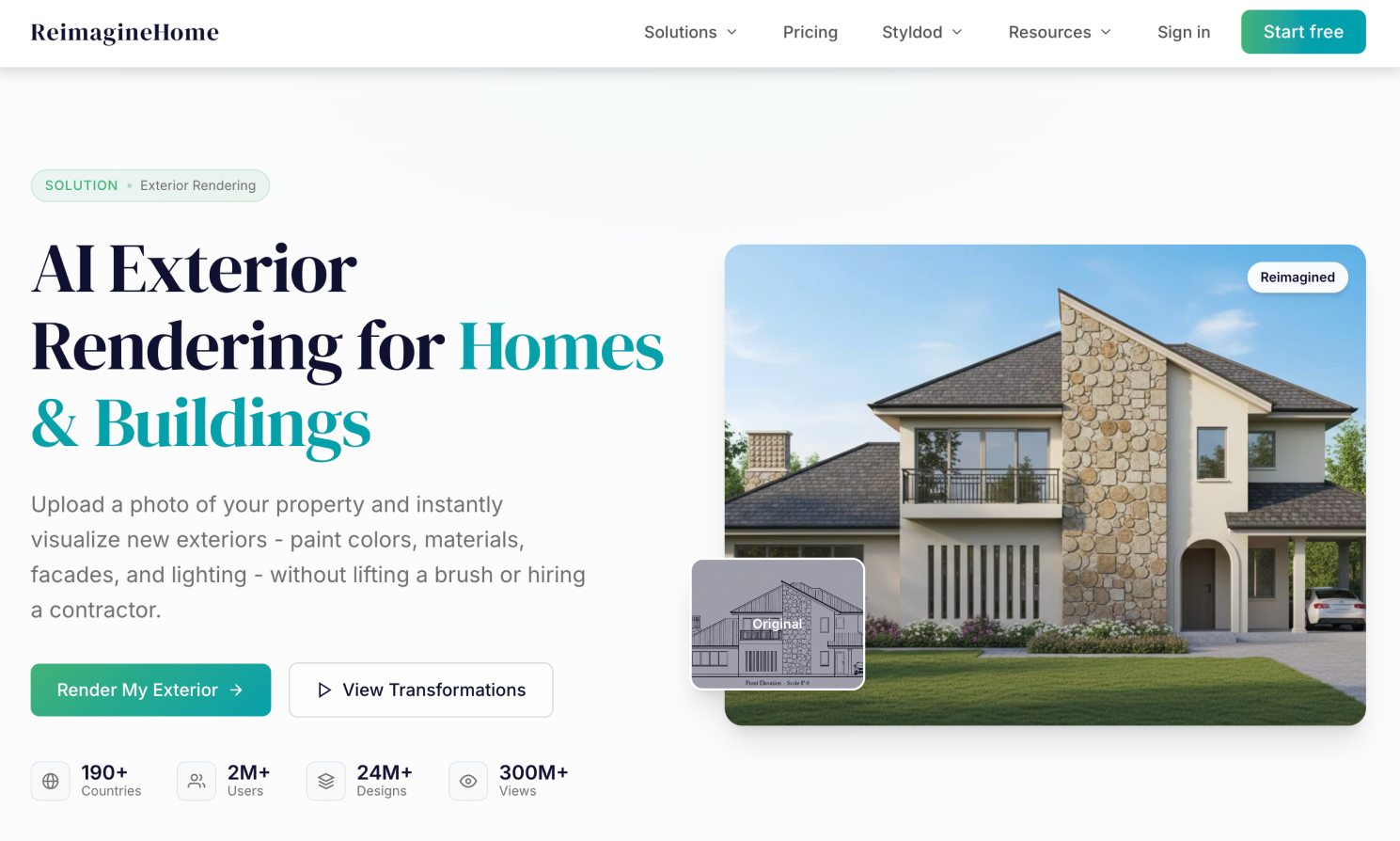
REimagineHome is a photo-first AI home redesign platform that supports both interiors and exteriors. It can rework facades, curb appeal, landscaping, lighting, materials, and overall exterior mood while aiming to preserve the original architecture and proportions of the uploaded property.
It is especially useful when realism and structure preservation matter more than manual 2D/3D planning. Homeowners, agents, and designers can use it to create believable before-and-after concepts for renovation ideas or property presentation.
Key features:
- Photo-based exterior and landscape redesign
- Architecture-aware, structure-preserving transformations
- Facade, landscaping, lighting, and material visualization
- Plain-language prompts for easy refinement
Pros:
- Strong fit for realistic exterior visualization
- Easy to use without CAD or modeling skills
- Useful for curb appeal, renovation ideas, and listings
Cons:
- Not intended for technical construction drawings
- Free usage is limited
- Limited free plan
- Not designed specifically for exterior design
How to choose the right AI tool for exterior design?
Still struggling to decide even after comparing the pros and cons of these 10 AI tools? Here are a few practical tips to help you narrow down your choice based on what your project actually needs:
- Figure out your actual needs first - Are you changing the facade, exterior paint, siding, landscaping, patio, or overall architectural style? Define the job first, because different exterior tools solve very different problems.
- Match the workflow to your project - Photo-first AI tools are best for quick visual concepts; landscape tools focus on yards; 2D/3D planners are better for spatial planning; professional renderers are better for architectural presentations.
- Check whether it works from your house photo - If you already have an existing property, a photo-based tool can be much faster than rebuilding the house in 3D. Also check whether it keeps important features such as rooflines, windows, doors, and proportions recognizable.
- Check what “free” actually includes - A free plan may mean only a few generations, lower-resolution downloads, watermarks, limited styles, or a short trial. Compare what you can actually create and export before paying.
- Match the learning curve to your goal - Homeowners usually benefit from upload-and-generate workflows, while designers may prefer more control even if the software takes longer to learn.
- Think beyond the first render - If you expect to iterate, compare styles, refine materials, or present multiple options, check credit systems, subscriptions, export limits, and whether continued editing is available.
- Finally, remember that a realistic image is not the same as a buildable plan. If your project changes structure, dimensions, drainage, roofing, or other technical details, use the AI concept as a starting point and verify the final decision with the relevant professional.
If possible, also list out all requirements and considerations that you or your team need, and confirm them one by one to ensure that your choice has met the needs of all parts.
Are free AI tools for exterior design worth using?
Absolutely yes! Similar free AI exterior design tools are definitely worth trying, especially when you use them for the right purpose.
They’re particularly useful for:
- Quickly exploring and collecting design ideas
- Comparing different exterior styles and directions
- Communicating ideas with family, clients, or contractors
- Narrowing down style preferences before investing money
In short, they’re perfect for early-stage design work, such as brainstorming ideas, exploring possibilities, supporting decision-making, improving communication, and preparing for real estate or renovation planning, etc.
However, they do have clear limitations.
They are not suitable for tasks like:
- Creating construction-ready drawings
- Ensuring building code compliance
- Producing detailed renovation specifications
- Handling budgeting or contractor-level scoping
- Making final architectural or engineering decisions
So, try to use them at the right stages of your design workflow. In other words, use them as a visual thinking and exploration tool, not as a replacement for professional design or architectural work.
Which AI exterior design tool is best for your project?
You are supposed to choose based on the job you need to do, not simply the longest feature list:
- Choose DecAI™, if you want to upload a real house photo and quickly explore facade or curb-appeal ideas.
- Choose Planner 5D if 222you need more control over outdoor layouts, scale, patios, pools, pathways, or landscaping in 2D/3D.
- Choose Neighborbrite if the project is mainly about gardens, planting, and yard design.
- Choose Mnml.ai or Spacely AI if you are an architect or designer who needs a more professional rendering workflow.
- Choose AI HomeDesign if property presentation and real-estate visualization are the main goals.
How to get better AI exterior design results?
AI exterior design tools can produce impressive results, but the quality of your input matters. A good photo and a few clear instructions can make a big difference. Here are some simple tips to get better results:
- Start with a clear, well-lit photo — Choose an image that shows as much of your home’s exterior as possible, preferably taken straight on or from a natural viewing angle.
- Keep the façade visible — Avoid photos where cars, trees, people, or other objects block important parts of the house.
- Be clear about what you want to change — Instead of simply saying “redesign my house,” mention specific elements such as the siding, paint, trim, stone, windows, landscaping, lighting, or architectural style.
- Tell AI what you want to keep — If you don’t want major structural changes, say so. For example: “Keep the existing roofline, windows, doors, garage, and overall house proportions unchanged.”
- Describe actual materials and finishes — Rather than just asking AI to “make it modern,” try something more specific, such as “warm white stucco, natural wood siding, black window frames, and light stone accents.
- Generate more than one version — Don’t treat your first result as the final design. Try different prompts, materials, colors, and styles, then compare the results to find the direction that works best for your home.
You can try a simple approach: start with the overall look you want, then fine-tune the details one by one, which can make it much easier to turn a rough idea into an exterior design you actually love
FAQs
1.Which AI is best for exterior design?
Honestly, there is no such “best” answer. The answer can vary depending on your goals.
For instance, for most people, DecAITM is the strongest all-round option. It's fast, beginner-friendly, covers exterior facades, gardens, shop fronts, and interiors in one platform, and is free to get started. If photorealistic render quality is your top priority and you're working on a professional project, REimagineHome would be the right tool you should try.
2.Is there a free AI tool to redesign house exterior?
Yes. Tools like DecAITM offer free access with no credit card required. Simply upload a photo of your house exteriors, choose a style, and the AI will auto analyze the architectural features, and apply the professional design principles to generate the best exterior redesign for you in less than 30 seconds.
In just seconds, you can quickly explore and compare multiple design ideas or styles to find the best fit—without any messy manual work or guesswork.
3.What is the best free app for exterior home design?
If you want quick design inspiration and realistic visualization, DecAI™ is a great option. Simply upload a photo and you can visualize different ideas for your home exterior, façade, garden, patio, or other outdoor spaces in about 30 seconds, with no design experience required.
4. How to use AI for exterior design?
The process is straightforward across most tools: take a clear photo of your home or building exterior (ideally in daylight, capturing the full facade), upload it to your chosen AI tool, select a style direction or describe what you want, and hit generate.
Take the free DecAITM as an example, it helps to return a result in less than 30 seconds. From there, you can even continuously refine the details till it fully presents whatever you imagine in your mind for late sharing or demonstration.
5.Is AI exterior design truly free?
Yes. Honestly, most AI tools on the market are free with limits. They may limit the number of renders, add watermarks, require login, or restrict downloads unless you upgrade.
6.Is there a free AI home exterior design without login?
Yes. Some tools may allow limited use without login, but most of them require signup, so even a first-come user can save, track, and manage their designs, projects, and preferences more easily.
7.Can AI redesign the outside of my house?
Yes. AI can help generate redesign ideas for siding, color schemes, roofing, facade styles, windows, and landscaping.
For example, with an AI exterior design tool like DecAITM, you can simply upload a photo of your house exterior and instantly explore different styles, colors, and even seasonal or festive decorations—all within seconds.
8.Can I design a shop front or commercial exterior?
Yes. Several tools above, including DecAI™, Remodel AI, Paintit.ai, REimagineHome, Spacely AI, and Mnml.ai, can support shopfront, facade, or commercial exterior concept work to different degrees. Always check the specific tool and workflow before using the output for a client project, and treat AI results as early-stage visual concepts rather than technical build plans.
9.How accurate are AI exterior design results?
As long as you upload the right, clear photo of your house exterior, the results are usually accurate enough for inspiration and concept comparison.
10.Can I use AI to choose exterior paint colors?
Yes. One of the key advantages of AI exterior design tools is that they allow you to quickly preview how your house would look with different colors, materials, and finishes. So, it would be quite simple to form different exterior paint colors.
11.Is there one AI tool that covers both interior and exterior design?
Yes. Some all-in-one tools like DecAITM and Planner 5D support both interior spaces, exterior facades, and garden or landscaping design within a single platform.
And DecAITM is especially suitable for users without design experience, offering a simple and intuitive workflow. Planner 5D, on the other hand, is often better suited for professional designers and architects who need more control and precision.
--------------------------------------
If you believe that any material on this site infringes your intellectual property rights, please contact the author at decaiwebteam@outlook.com with details of your claim.
Redesign any home interior, exterior & garden in seconds
Share this Post:


Redesign any home interior, exterior & garden in seconds