

How to Design a Practical Home Office With AI: Step-by-Step for Beginners 2026

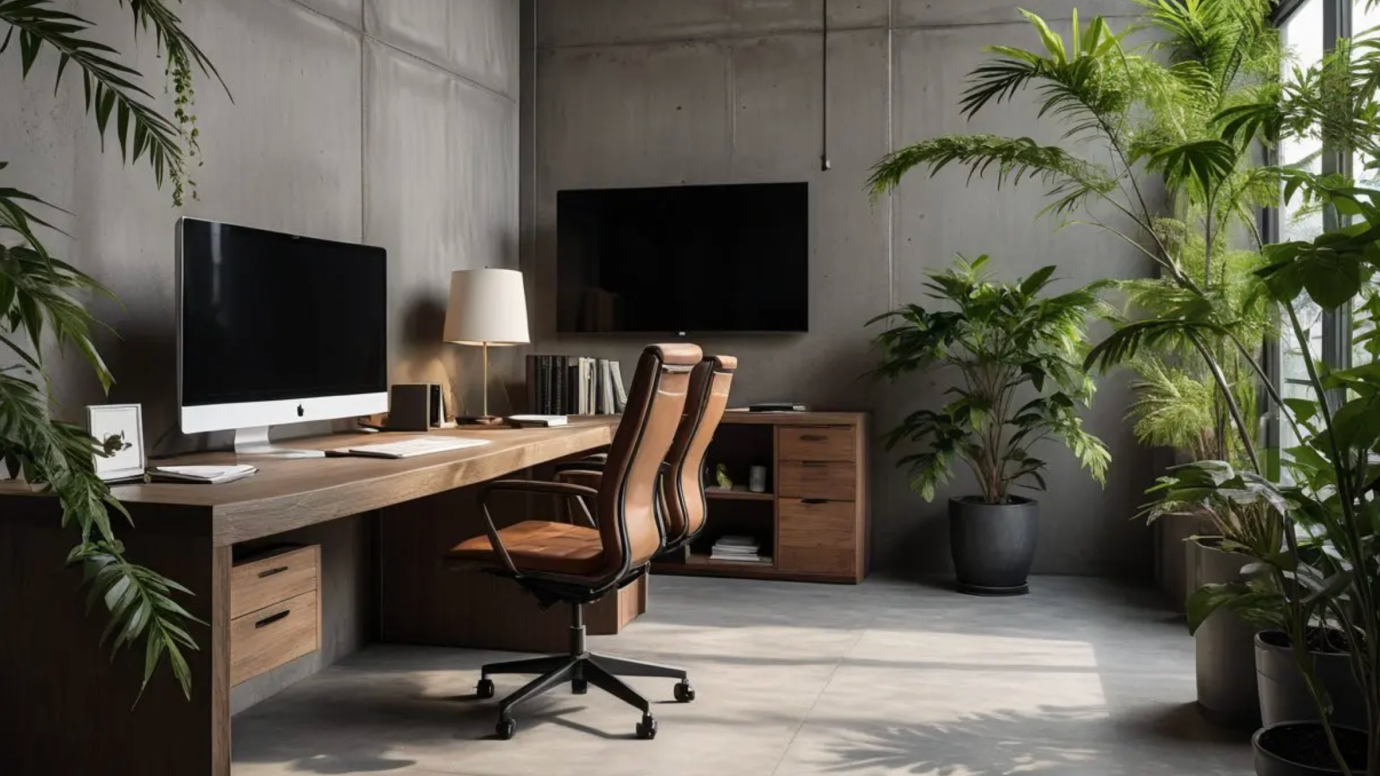
A well-designed home office is essential for anyone who needs to study or work productively at home. Many home offices may look stunning in photos and design renderings, yet prove impractical for daily use. This is why plenty of people, even designers themselves, want to revamp their home offices but but struggle to get started.
The good news is you don’t need professional design skills or experience. Modern AI tools let you visualize concepts quickly, compare different styles and explore various design directions. You no longer have to spend hours drawing sketches or waste money on costly trial-and-error attempts.
Whether you’re a professional interior designer or a complete beginner, we’ve put together this step-by-step guide to help you create your ideal home office with AI. Inside, you’ll find our top 5 AI tools, practical design tips and common pitfalls to avoid, walking you through the entire process.
As you plan your redesign, feel free to try our free home office AI tool to test and iterate your different design ideas effortlessly.
Design any room, shop or space with DecAI in less 30 seconds! It's free!
Why Use AI to Design a Home Office?
Traditional home office planning often starts with saved inspiration photos, vague furniture ideas, and a lot of uncertainty. You may know you want a cleaner, brighter, more productive workspace, but that does not automatically tell you where the desk should go, what style fits the room, or whether your storage ideas will make the space feel better or more crowded.
This is where AI becomes useful.
Instead of guessing, you can upload a real photo of your room or office corner and generate multiple design directions in minutes. That is much faster than collecting dozens of reference images and trying to mentally combine them. AI can also help you compare styles side by side. For example, you may think you want a minimalist office, but after seeing realistic options, you may realize a warm Scandinavian or Japandi setup fits your room better.
AI is especially valuable in a few common situations:
- You are working with a small room and need to use every inch carefully
- Your office is in a bedroom, living room, or shared space
- You are unsure which layout will reduce distractions
- You want a better video-call background
- You want to avoid buying furniture before you see how it could look in the room
Another reason AI is growing so quickly in home design is cost control. A desk, ergonomic chair, lighting upgrade, shelves, and decor can add up quickly. If AI helps you reject bad ideas before you spend money, it can save you far more than the cost of a tool.
Tools like DecAI™ are especially helpful for this early stage because they let you upload a real room photo, test multiple design styles, and generate visual concepts in seconds. That kind of speed makes AI a practical planning partner, not just a novelty.
What AI Can and Cannot Do in Home Office Design
Before choosing a tool or following a tutorial, it helps to be realistic about what AI does well and where it still needs human judgment.
What AI does well
AI is very good at showing visual possibilities quickly. It can help with:
- Style exploration
- Color direction
- Desk and shelf placement ideas
- Storage inspiration
- Furniture mood and proportions
- Lighting mood
- Video-call background styling
- Before-and-after comparisons
This makes AI excellent for reducing indecision. Instead of asking, “What should this room become?” you can start asking better questions, such as, “Which of these three directions feels more focused, practical, and realistic for my work style?”
What AI does not do well
AI is not a perfect technical planner. It is weaker at:
- Exact measurements
- Electrical outlet planning
- Cable routing details
- HVAC or ventilation upgrades
- Structural changes
- Window performance and real glare behavior
- Guaranteed furniture fit
- Product availability and exact pricing
That means you should treat AI as a concept tool, not a final authority. It helps you decide where to go, but you still need to verify whether the design works in real life.
A good rule is simple: if the decision affects comfort, safety, fit, or money, measure and verify it yourself before you buy.
Top 5 AI Tools for Home Office Design in 2026
Not all AI design tools solve the same problem. Some are best for fast room makeovers from a real photo, while others are better for detailed planning or furniture testing. Here are five strong options for home office design in 2026.
1. DecAI™ - Best for fast home office redesign from a real room photo
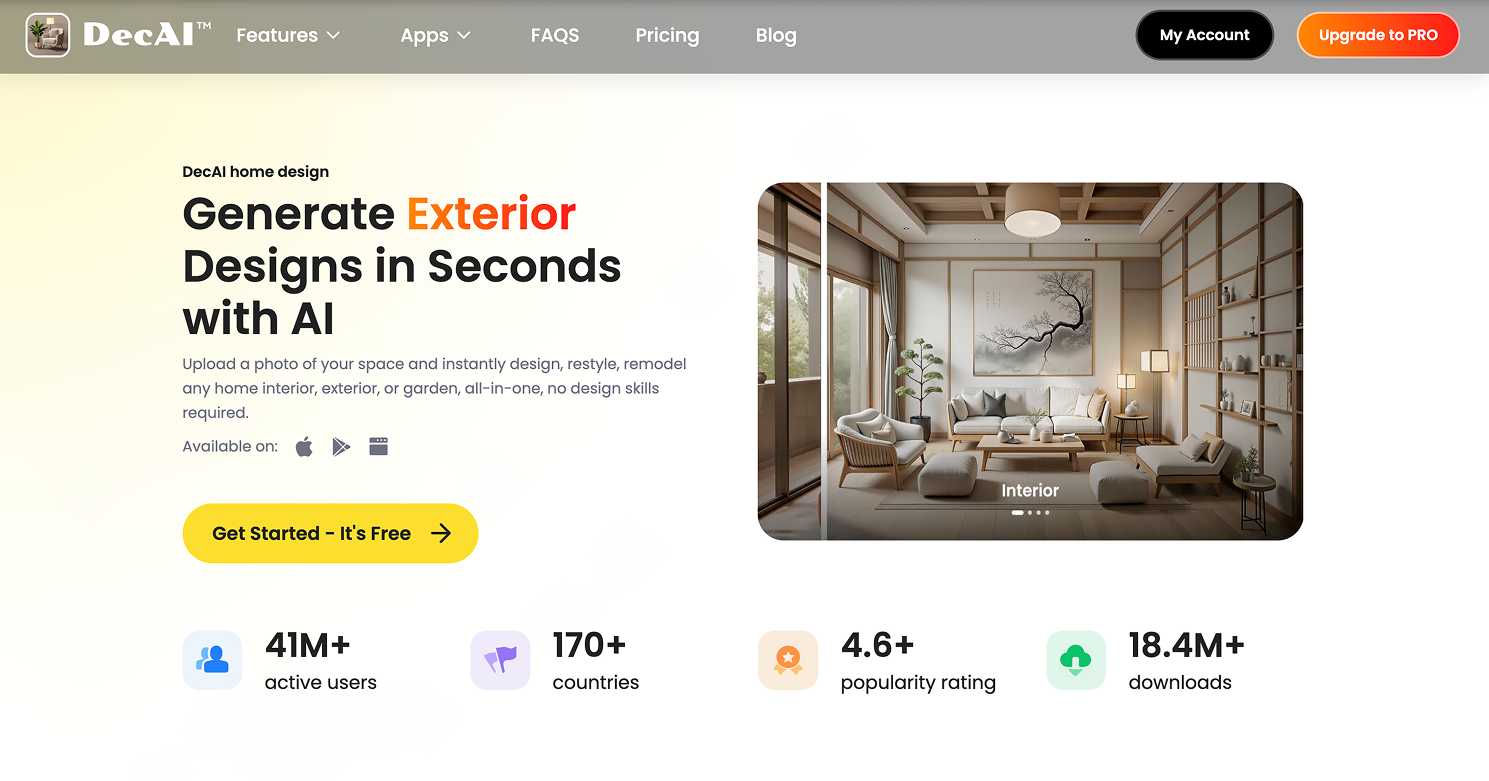
DecAI™ is the most practical first tool for many homeowners and remote workers because it makes the design process feel easy. You upload a real photo, choose a style, and quickly see new possibilities for your space. That is useful when you are still deciding between design directions and want immediate visual feedback.
- Best for: quick home office inspiration and style testing
- Main strength: fast photo-based redesigns with a simple workflow
- Main limitation: not built for precise measured planning
- Free option: yes
In short, DecAI™ is a strong fit when you want to test multiple office styles, desk areas, storage ideas, or visual upgrades before spending money. It also fits naturally into a beginner workflow because you do not need technical drafting skills to get useful results.
2. Planner 5D - Best for structured layout planning and 2D/3D visualization

Planner 5D is better for readers who want more layout control. If you need to think about room shape, furniture placement, walkways, and more detailed space planning, this kind of tool can be a better next step after early AI ideation.
- Best for: structured room planning
- Main strength: more editable 2D and 3D design workflow
- Main limitation: slower and more involved than one-click AI tools
- Free option: yes
In one sentence, Planner 5D makes sense when your home office project is moving from inspiration into a more defined furniture and layout plan.
3. IKEA Kreativ - Best for testing furniture in your actual space
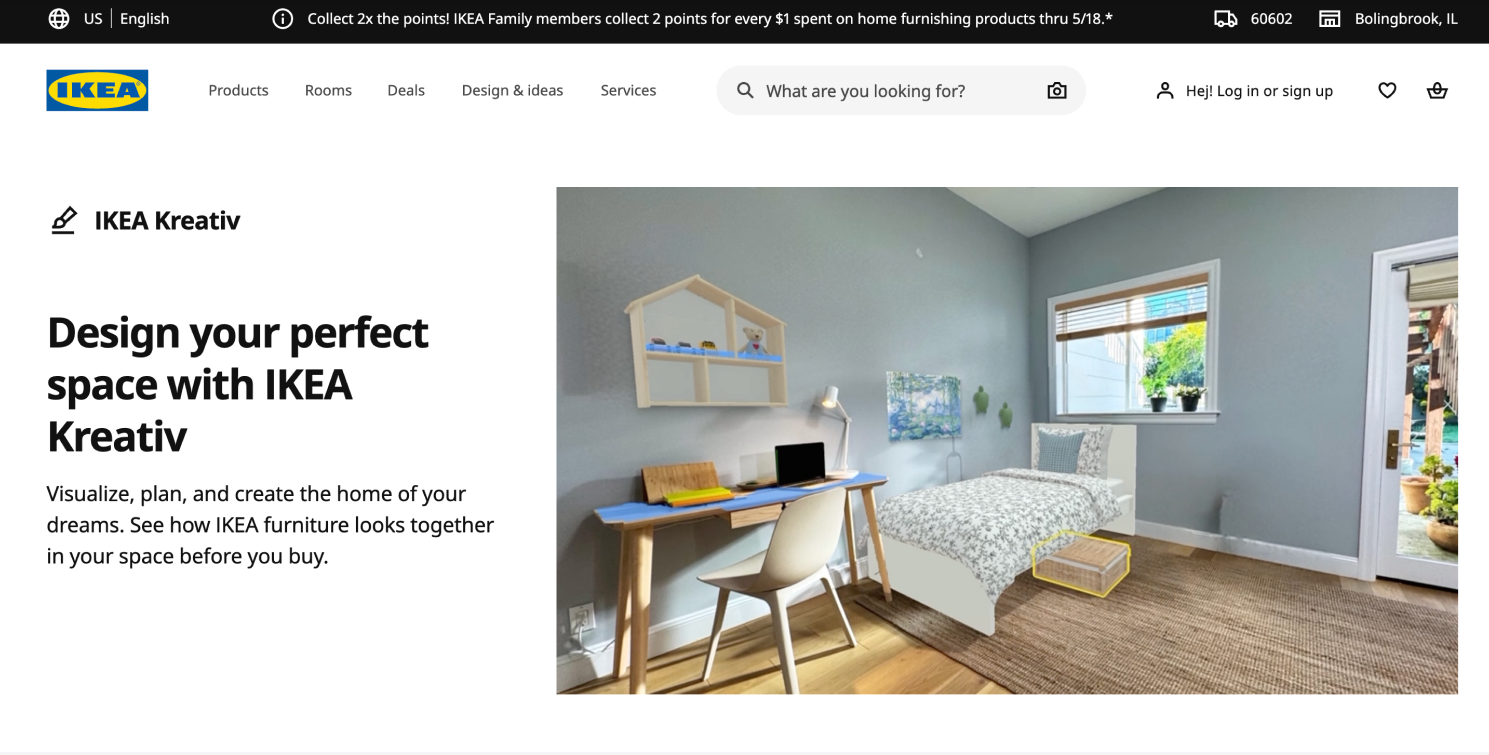
If you already know your office direction and mainly want to test furniture visually, IKEA Kreativ is a practical option. It works well when the main question is not “What style should I choose?” but “Will this desk, shelf, or storage unit feel right in my room?”
- Best for: visual furniture testing
- Main strength: try-before-you-buy experience tied to a real product catalog
- Main limitation: limited to IKEA’s ecosystem
- Free option: yes
This is a useful tool for budget-conscious readers who want to move from concept to purchase with less risk.
4. Homestyler - Best for richer 3D styling concepts
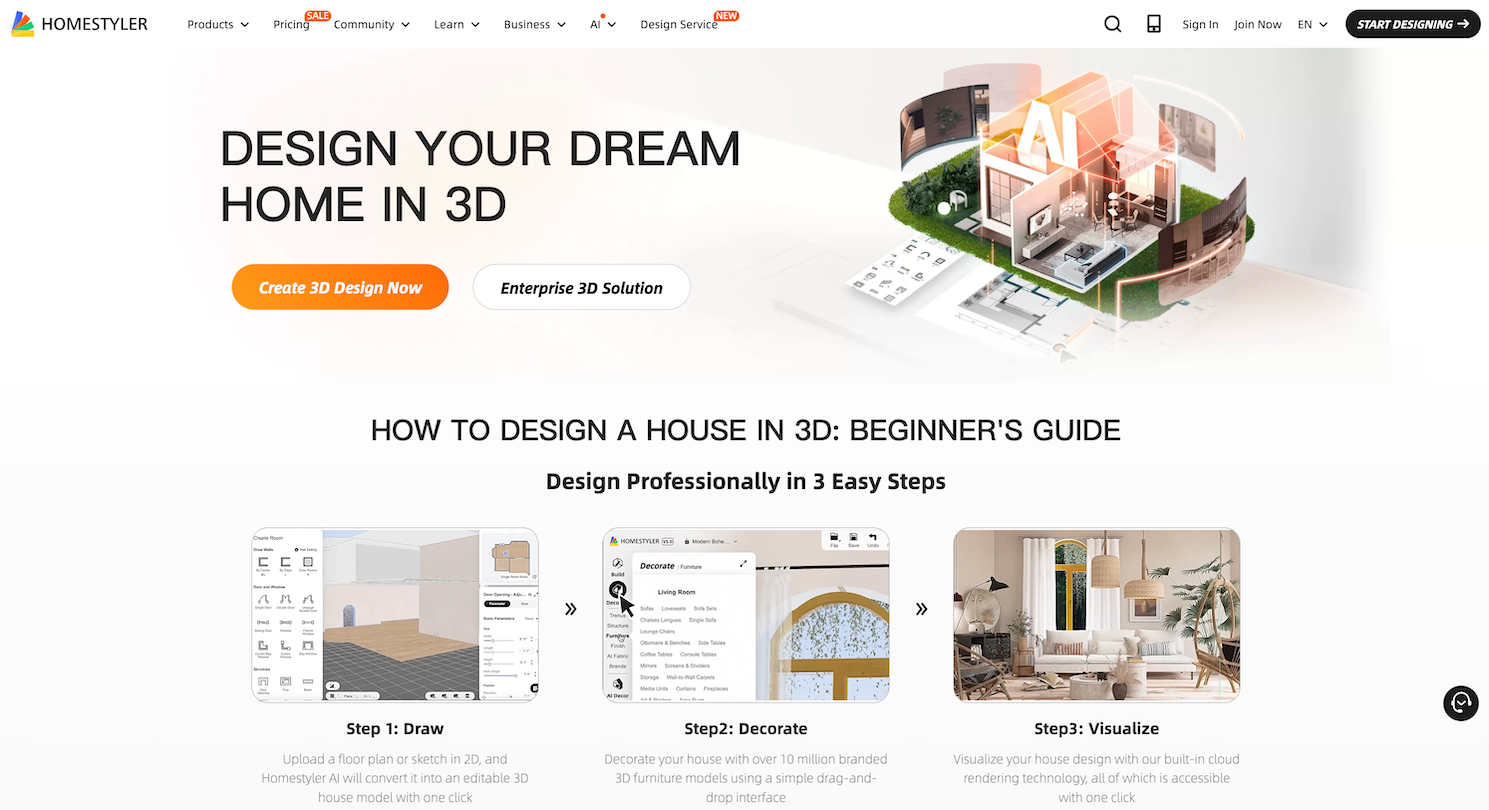
Homestyler is stronger when you want more styled, polished, furniture-heavy concepts. It is often a good fit for people who care a lot about the final look and want more design richness than basic room apps provide.
- Best for: more detailed visual styling
- Main strength: richer 3D room concepts and decor options
- Main limitation: can feel more complex for casual users
- Free option: yes
Homestyler works well if aesthetics matter heavily and you want to explore a more layered office design.
5. RoomSketcher - Best for measurement-focused room planning
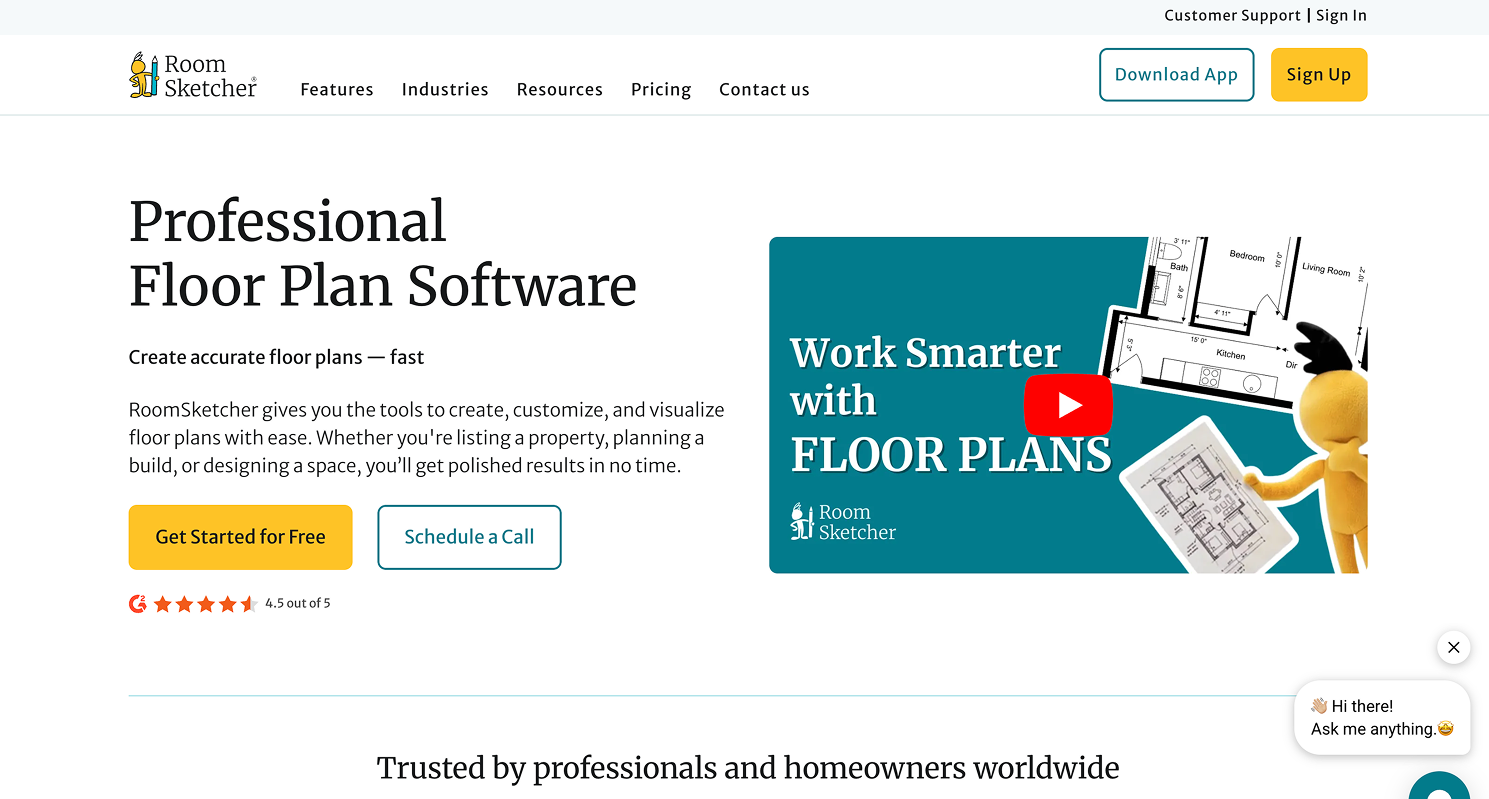
RoomSketcher is one of the better choices for layout accuracy. It is not the first tool to use for style exploration, but it is a very helpful one when you want to confirm whether your office furniture actually fits and whether circulation around the room feels practical.
- Best for: layout verification and measurements
- Main strength: practical planning value
- Main limitation: less inspiration-focused than AI photo tools
- Free option: yes
If you tend to regret furniture purchases because of sizing or fit, a tool like this can help you make better decisions.
How to Design a Home Office With DecAI™ for Free: Step-by-Step Tutorial
In case that you don't know how to design your home office with AI in details, here, let's take DecAI™ as an example to show you how to do this step by step:
Step 1 - Take a clear photo of your space
The quality of your input affects the quality of your output. Before uploading anything, take a clear, well-lit photo of the room or office area you want to redesign.
Try to:
- Capture the whole working zone if possible
- Use daylight or balanced indoor light
- Avoid extreme shadows
- Stand far enough back to show walls, floor, and current furniture
- Remove loose clutter that could confuse the AI
If your office is only one corner of a larger room, photograph the whole area you plan to influence, not just the desk.
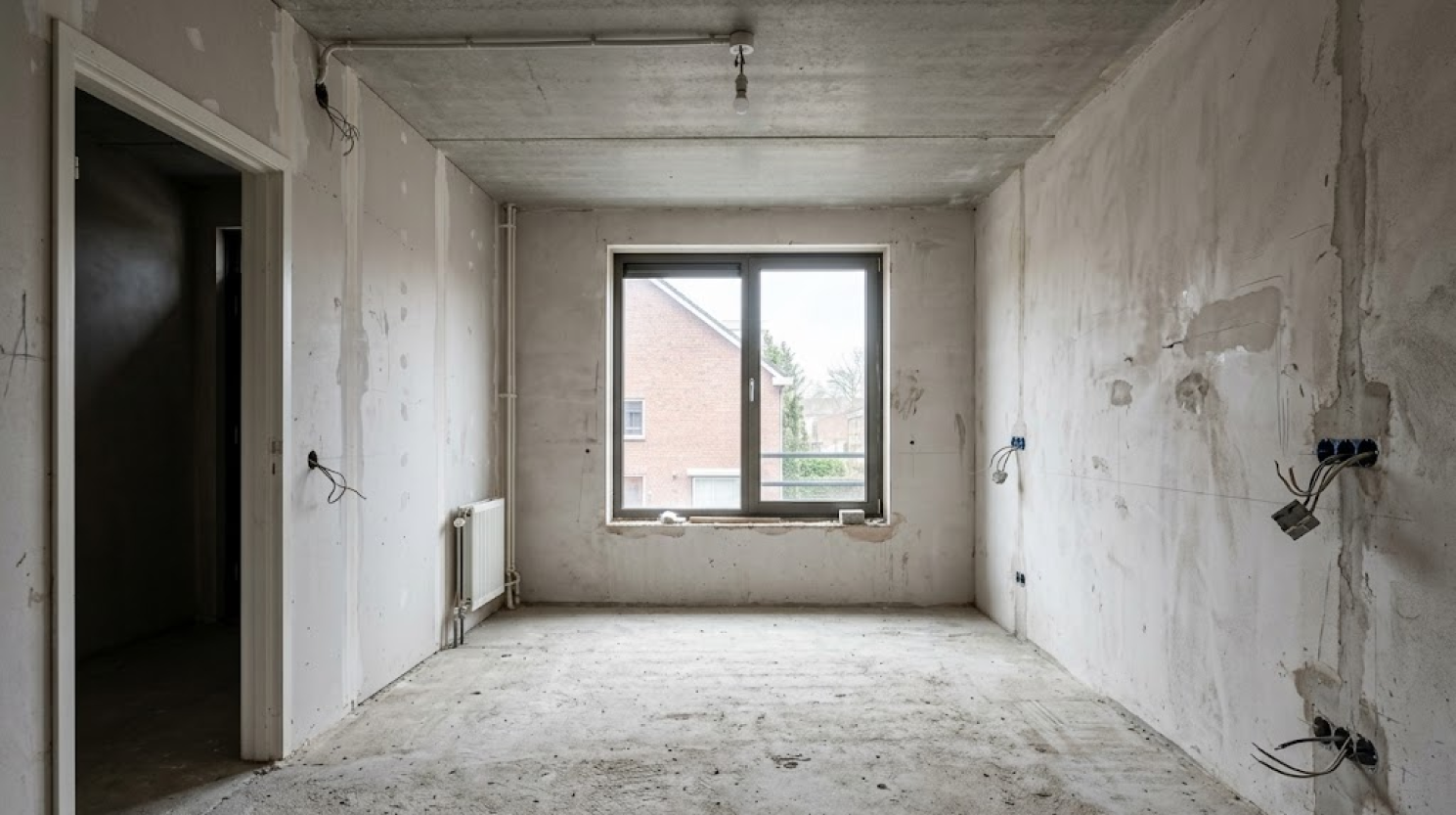
Take a clear photo of your space
Step 2 - Upload the photo to DecAI™
Once you have a usable image, upload it to DecAI™ and start with the free workflow. This is where the tool becomes practical. Instead of designing in the abstract, you are working with your real room, your real lighting, and your real spatial limitations.
That matters because a home office is rarely a blank showroom. It usually exists inside a spare bedroom, apartment corner, guest room, or shared living space. Using a real image gives you more grounded inspiration from the start.
Step 3 - Choose a home office style
Now choose a style direction. This part is fun, but it should still be strategic. Do not only pick what looks trendy. Pick styles that fit how you want to feel while working.
Some useful home office directions include:
- Modern: clean lines, simple shapes, low clutter
- Minimalist: very focused, little visual noise
- Scandinavian: bright, soft, functional, friendly
- Japandi: calm, warm, restrained, balanced
- Warm professional: polished but comfortable
- Contemporary cozy: useful for multi-use home spaces
Generate more than one version. This is important. The value of AI is not that it gives you the perfect result on the first try. The value is that it helps you compare multiple possible directions quickly.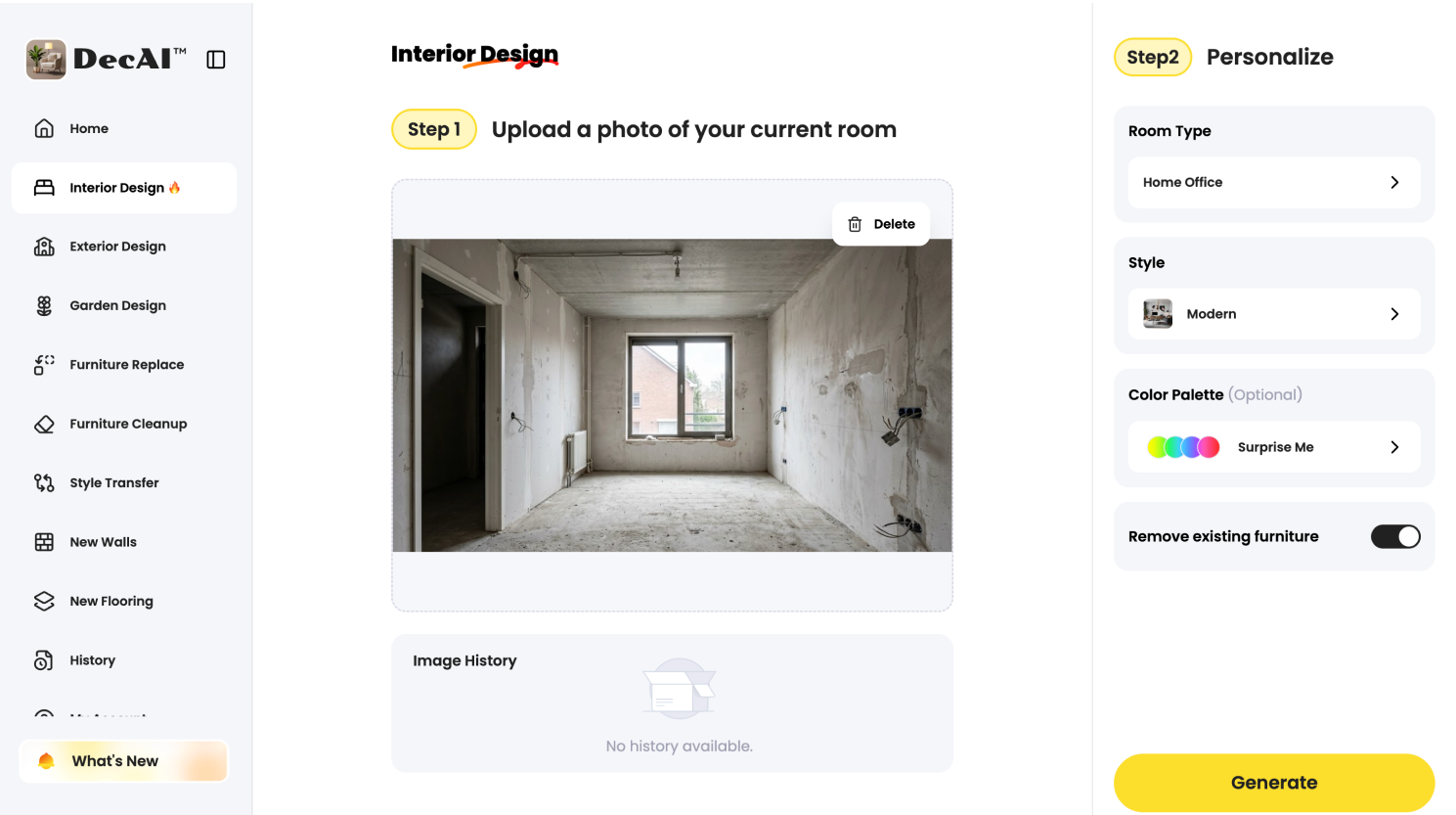
Upload your photo and choose a style and room type
Step 4 - Generate the design in one click
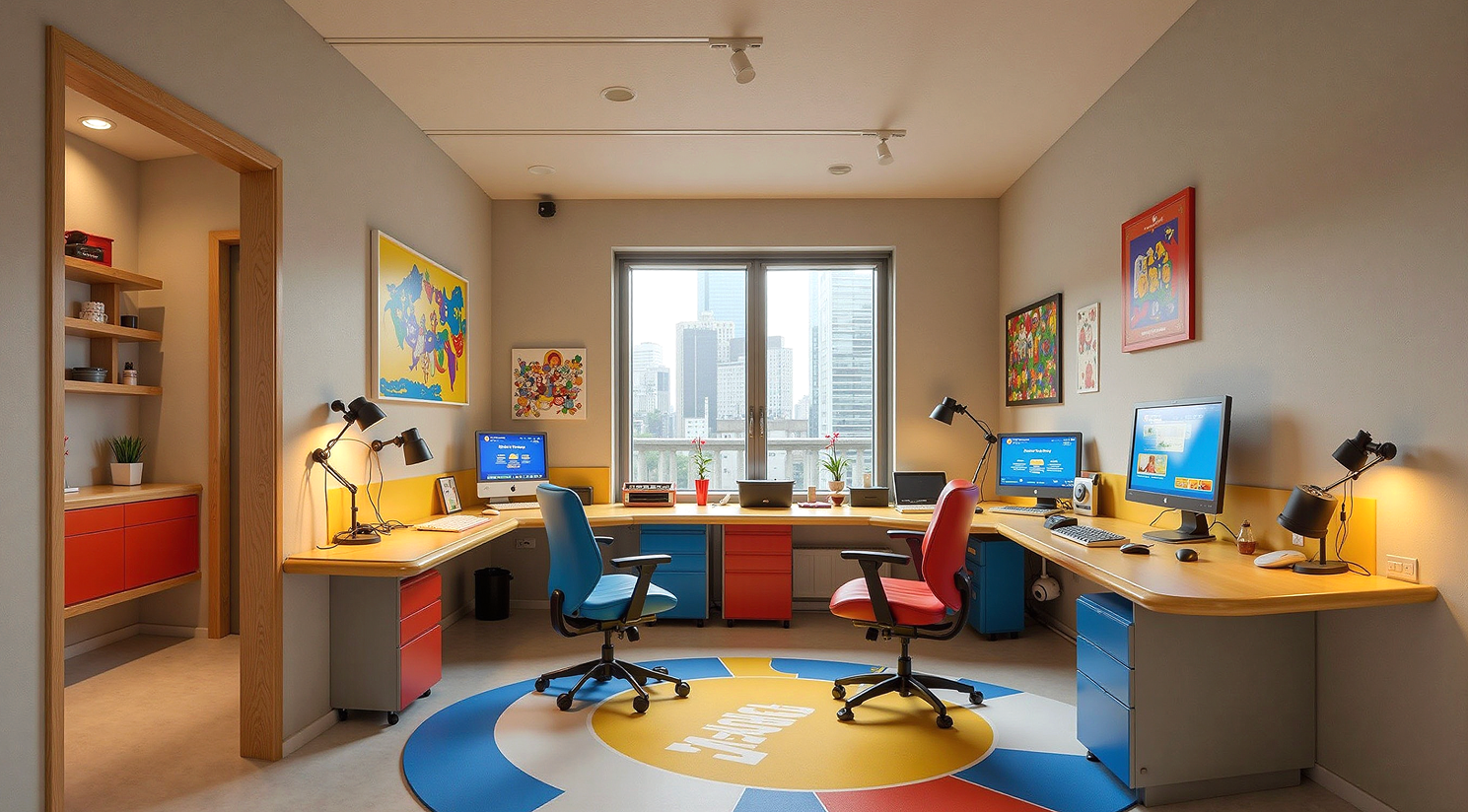
Click "Generate" to generate the home office design you need. And you are also recommended to try more styles and choose the one that you like best.
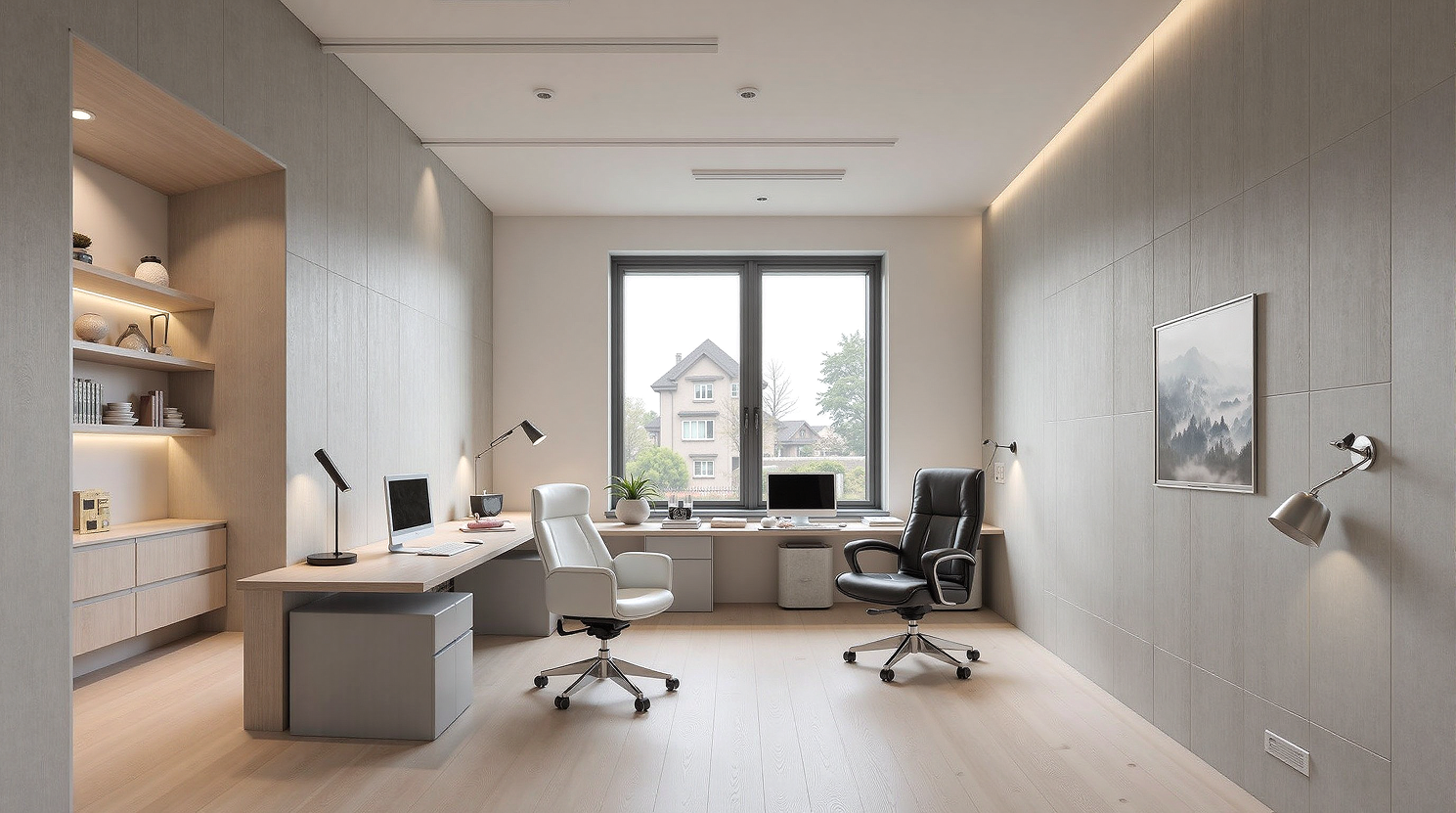
Modern style home office design generated with AI
Design any room, shop or space with DecAI in less 30 seconds! It's free!
Japandi style home office design generated with AI
Step 4 - Refine the design details
Once you have a few generated outputs, check the details and confirm whether they all, like the furniture, decors, wall color or floor material, are exactly what you need. If not, try the "Edit" feature to further refine the details till they all vision what you imagine.
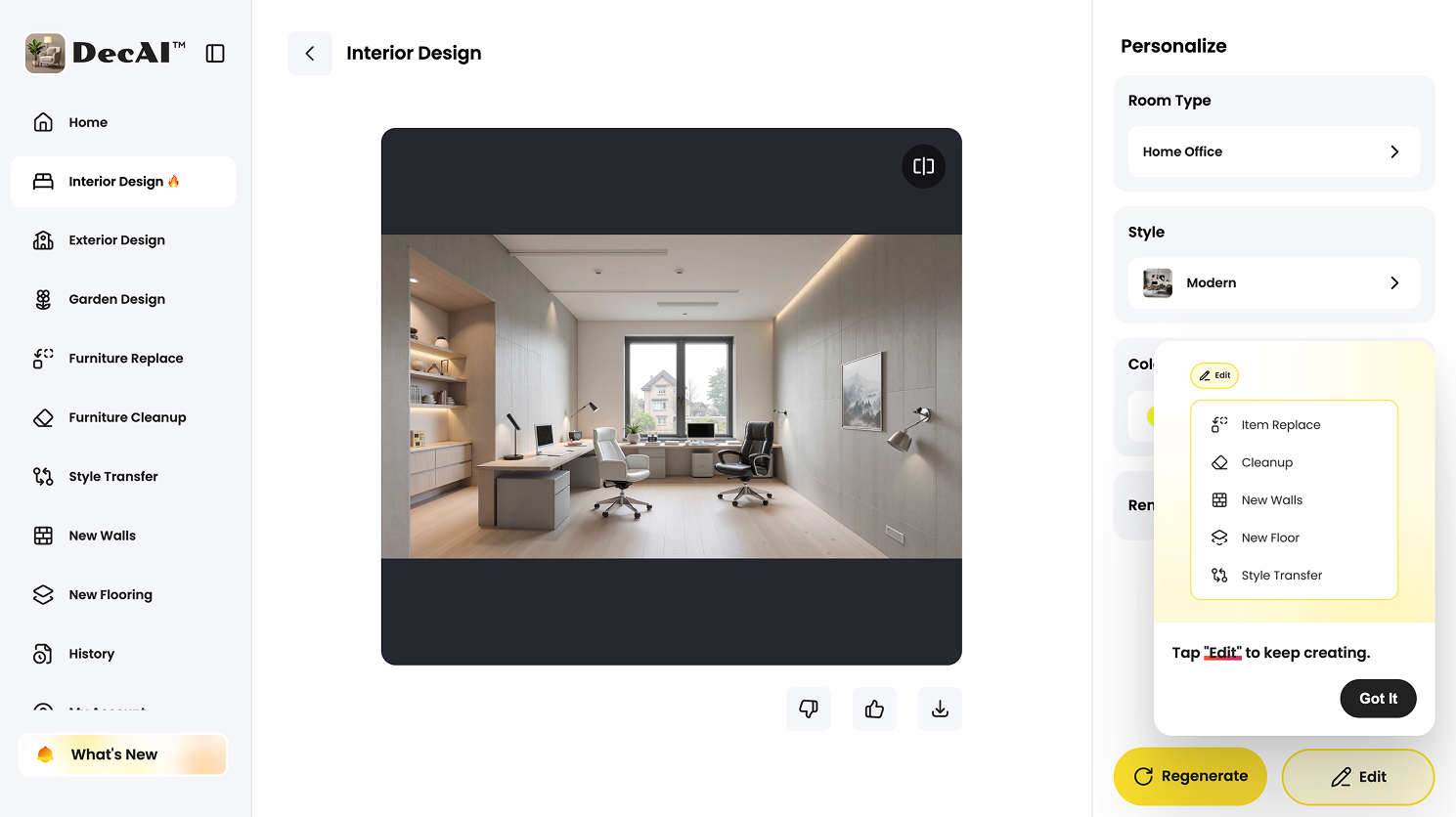
Also refine the design details after the AI generation
This ability to further refine details after the AI generation is exactly where DecAI™ easily stands out from the similar AI tools, so you must also give it a try if you also want to design your home office with AI tools.
Step 5 - Share with others
Once the design exactly visualize whatever in your imagination, it is time to download the design and share it with your families or workers to make sure all of your design details can be perfectly implemented.
How to Make an AI Home Office Design Actually Comfortable
If the step-by-step guide is not enough. Here, we also have picked several tips that you can follow to make a much more confirtable home office with the aid of AI tools:
Start with posture, not decor
The desk, chair, and monitor should work together. A home office is a performance space, not just a styled corner. That means your body should not need to compensate for bad furniture decisions.
Aim for:
- a chair that supports your lower back
- elbows close to your body while typing
- wrists in a neutral position
- feet flat on the floor or on a footrest
- a screen height that does not force you to tilt your neck
If your chosen design only works with a dining chair or an undersized vanity desk, it is probably not the right design for daily work.
Control glare and lighting
Lighting can completely change whether a workspace feels energizing or exhausting. Many people only think about brightness, but glare matters just as much.
A practical rule is to avoid placing the monitor directly in front of or directly behind a bright window. A monitor positioned at a right angle to the window often works better. Add blinds, curtains, or a diffused light source if needed.
A good home office usually uses layered lighting:
- ambient light for overall comfort
- task light for focused work
- softer accent light for warmth and visual balance
If you spend a lot of time on video calls, face lighting matters too. A dim backlit room may look dramatic, but it often creates an unflattering or distracting call setup.
Improve air and sound
Comfort is not only visual. Temperature, airflow, and noise matter more than people expect.
Try to improve:
- ventilation
- air freshness
- fan or HVAC comfort
- echo control
- outside noise reduction
Soft materials such as rugs, curtains, upholstered chairs, and fabric panels can help reduce harsh sound. This matters in rooms with hard floors and empty walls, where every keyboard click or voice reflection feels amplified.
Add plants and soft visual balance
Plants are one of the easiest upgrades in a home office. They add softness, visual relief, and a sense of liveliness to a room that might otherwise feel sterile. They can also help the workspace feel less like a temporary setup and more like a place you want to spend time in.
You do not need a jungle. Even one or two well-placed plants can improve the mood of the room.
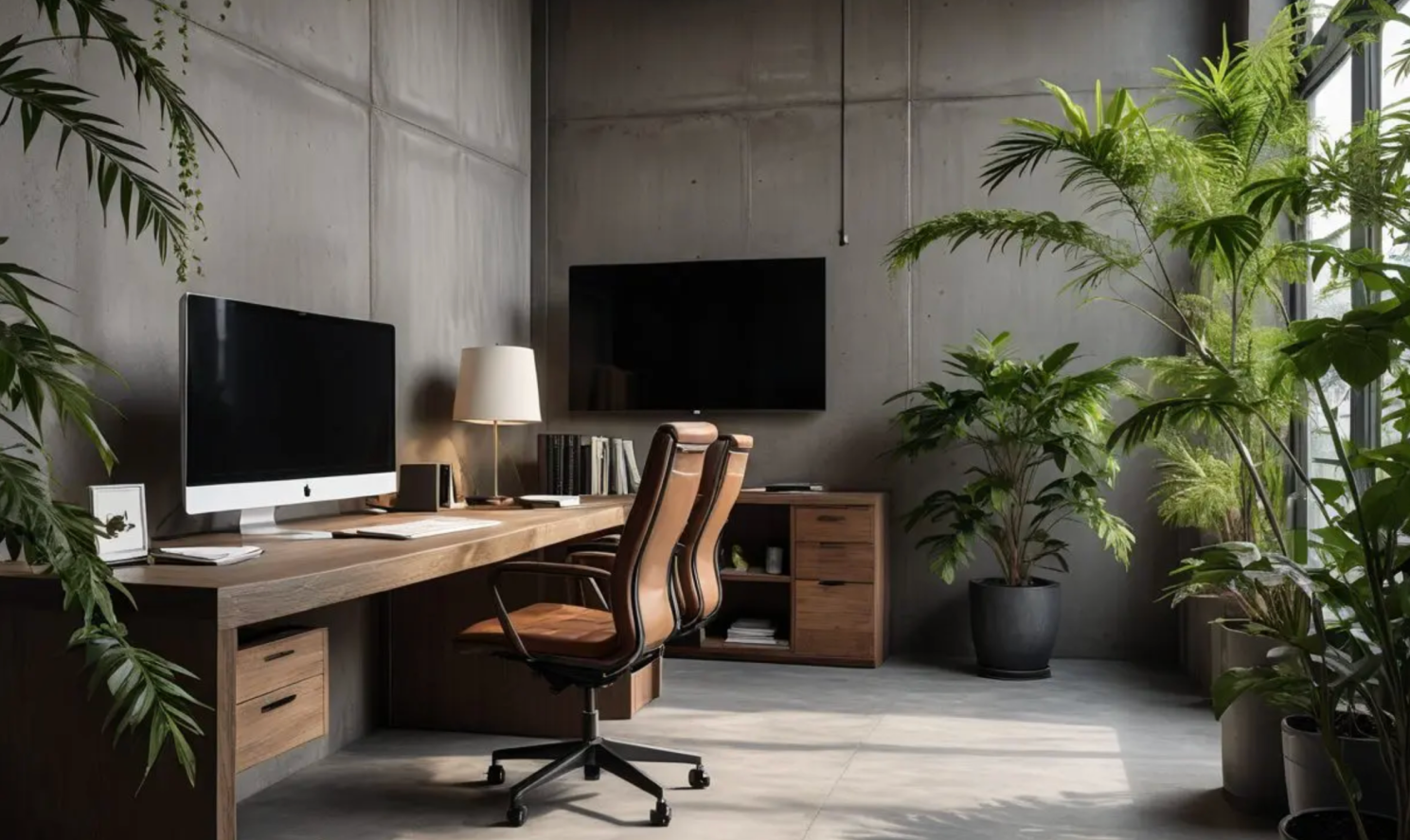
Add plants and soft visual balance
Give everything a place
Clutter is one of the biggest reasons home offices feel stressful. A successful office design includes intentional storage, even in small spaces.
Your setup should have a place for:
- everyday tools
- chargers and cables
- notebooks
- documents
- headphones
- temporary mess
If the room has no system for visual reset, it will gradually lose the calm, focused feeling that made the AI concept look appealing in the first place.
Common Mistakes When Designing a Home Office With AI
AI makes design easier, but it also creates new ways to make mistakes. Here are the most common ones.
1. Choosing a style before defining work needs
This is the biggest mistake. People start with “I want this aesthetic” before asking how the room actually needs to function.
A better order is:
- define your work type
- define your equipment needs
- define your comfort priorities
- then choose the visual style
A content creator, therapist, software developer, and part-time admin worker may all need very different offices.
2. Trusting AI layouts without measuring the room
AI can make a small room look spacious or make furniture seem more proportional than it really is. That visual optimism is useful for inspiration, but dangerous for purchasing.
Always measure:
- available wall width
- chair movement area
- shelf clearance
- doorway and walkway space
- monitor depth and desk depth
A room that works visually but fails physically will frustrate you quickly.
3. Ignoring glare, cables, and video-call lighting
These are practical issues that often get overlooked because they are less exciting than color palettes and decor.
But in daily life, they matter a lot:
- glare causes eye strain
- visible cables create visual stress
- poor lighting makes video calls look worse
- awkward outlet locations can limit desk placement
A functional office usually comes from solving these quiet problems well.
4. Overfilling a small space with shelves and decor
Storage is useful, but too much of it can make a home office feel heavy and crowded. This is especially common in small bedrooms or corner offices where every added object competes for visual space.
If your room is small, use AI to test lighter solutions first:
- floating shelves
- narrow drawers
- vertical storage
- closed storage instead of open clutter
- fewer, better accessories
5. Copying Pinterest-style setups that are not built for real work
Many beautiful office images are designed for visual impact, not eight-hour use. They may feature tiny desks, decorative chairs, poor monitor placement, or almost no practical storage.
AI can help here if you use it correctly. Instead of copying a trend image, you can generate a similar atmosphere inside a setup that is based on your real space and your actual working habits.
6. Treating AI output as a final plan instead of a first draft
This is the mindset shift that makes AI useful rather than misleading. AI gives you a design direction. You still need to refine it through measurement, ergonomics, and budget decisions.
Think of AI as the fast first draft of your home office. The final version comes from editing that draft intelligently.
FAQs
1.How do I design a home office with AI for a small room?
Start with a clear photo of the room and define your top priorities before generating ideas. In small spaces, AI tools like DecAI™ is most useful for testing on the macro design directions, style, furniture types and arrangement, color direction, and clutter-reducing layouts.
2.Can AI create a functional home office layout?
AI can suggest useful layout ideas, but it should not be trusted blindly for final room planning. It works best as an inspiration and comparison tool. You still need to check ergonomics, walking clearance, glare, and furniture fit in real life.
3.What is the best AI tool for home office design?
The best tool depends on your needs. DecAI™ is one of the best options for fast visual redesign from a real room photo. Planner 5D is better if you need more structured layout planning. IKEA Kreativ can help if you want to test furniture in your actual space.
4.Can AI help me choose colors and furniture for a home office?
Yes. This is one of AI’s strongest uses. Tools like DecAI™ can help you compare warm and cool palettes, test different wood tones, preview storage types, and see how desk and shelf combinations may look before you commit.
5.Can I use AI to design a home office on a budget?
Yes. AI is especially useful for budget planning because it helps you prioritize. You can test ideas first, then buy only what supports the final direction. Start with essentials such as chair, desk, lighting, and monitor support before spending on decor.
6.Should I use AI before or after measuring my room?
Ideally, both. Use AI early to generate ideas and narrow your style and layout direction. Then measure carefully before finalizing purchases. If you already know your room dimensions, the process becomes even more reliable.
Final Thoughts
Learning how to design a home office with AI is really about combining speed with judgment. AI helps you see possibilities faster, compare styles more easily, and avoid random trial and error. But the best home office is not just attractive. It is comfortable, productive, and realistic for the way you actually work.
The strongest workflow is simple: define your work needs, use AI to test ideas, narrow the options, verify dimensions and ergonomics, and then upgrade the room in phases. If you want the easiest place to start, a tool like DecAI™ can help you visualize a better home office from a real room photo in minutes, giving you a clearer direction before you spend money on furniture or decor.
--------------------------------------
If you believe that any material on this site infringes your intellectual property rights, please contact the author at decaiwebteam@outlook.com with details of your claim.
Redesign any home interior, exterior & garden in seconds
Share this Post:
'%3e%3cpath%20d='M17.9995%2035.999C17.0317%2035.999%2016.0619%2035.9219%2015.1161%2035.7696C10.9414%2035.0973%207.11524%2032.9513%204.34408%2029.7273C1.54287%2026.4683%200%2022.3035%200%2017.9995C0%208.07403%208.07503%200%2017.9995%200C27.924%200%2036%208.07503%2036%2017.9995C36%2022.3696%2034.4151%2026.5835%2031.5357%2029.8646C28.6844%2033.1156%2024.7671%2035.2326%2020.5052%2035.8267C19.6806%2035.9419%2018.8371%2036%2017.9995%2036V35.999ZM17.9995%201.20123C8.73726%201.20123%201.20224%208.73626%201.20224%2017.9985C1.20224%2026.2919%207.13427%2033.2659%2015.3075%2034.5814C16.9546%2034.8469%2018.6808%2034.8659%2020.3389%2034.6345C28.5812%2033.4863%2034.7968%2026.334%2034.7968%2017.9985C34.7968%208.73626%2027.2617%201.20123%2017.9985%201.20123H17.9995Z'%20fill='%23FF0209'/%3e%3cpath%20d='M29.0557%2014.3621C28.9184%2013.0276%2028.6208%2011.5539%2027.5268%2010.7784C26.6782%2010.1773%2025.5642%2010.1553%2024.5242%2010.1563C22.3251%2010.1583%2020.126%2010.1603%2017.9269%2010.1623C15.812%2010.1643%2013.6971%2010.1663%2011.5821%2010.1683C10.6985%2010.1683%209.8399%2010.1002%209.01937%2010.4819C8.31406%2010.8105%207.76303%2011.4347%207.43241%2012.1289C6.97156%2013.0957%206.87438%2014.1898%206.81927%2015.2588C6.71708%2017.2044%206.7281%2019.156%206.85133%2021.0996C6.9405%2022.5193%207.16792%2024.0872%208.26496%2024.9919C9.23777%2025.7934%2010.6103%2025.8325%2011.8707%2025.8335C15.8741%2025.8365%2019.8776%2025.8395%2023.881%2025.8435C24.394%2025.8435%2024.93%2025.8345%2025.453%2025.7774C26.4829%2025.6661%2027.4637%2025.3716%2028.1249%2024.6092C28.7922%2023.8407%2028.9635%2022.7698%2029.0657%2021.7569C29.3121%2019.3003%2029.3091%2016.8177%2029.0557%2014.3621ZM15.6116%2021.4453V14.5545L21.5797%2017.9999L15.6116%2021.4453Z'%20fill='%23FF0209'/%3e%3c/g%3e%3cdefs%3e%3cclipPath%20id='clip0_13816_41422'%3e%3crect%20width='36'%20height='36'%20fill='white'/%3e%3c/clipPath%3e%3c/defs%3e%3c/svg%3e)
'%3e%3cpath%20d='M17.9995%2036C17.0327%2036%2016.0619%2035.9229%2015.1161%2035.7696C10.9414%2035.0973%207.11524%2032.9513%204.34408%2029.7273C1.54287%2026.4683%200%2022.3035%200%2017.9995C0%208.07403%208.07503%200%2017.9995%200C27.924%200%2036%208.07503%2036%2017.9995C36%2022.3696%2034.4151%2026.5835%2031.5357%2029.8646C28.6844%2033.1156%2024.7671%2035.2326%2020.5052%2035.8267C19.6806%2035.9419%2018.8371%2036%2017.9995%2036ZM17.9995%201.20224C8.73726%201.20224%201.20224%208.73726%201.20224%2017.9995C1.20224%2026.2919%207.13427%2033.2669%2015.3075%2034.5824C16.9556%2034.8479%2018.6808%2034.8669%2020.3389%2034.6355C28.5812%2033.4873%2034.7968%2026.335%2034.7968%2017.9995C34.7968%208.73726%2027.2617%201.20224%2017.9985%201.20224H17.9995Z'%20fill='url(%23paint0_linear_13816_41436)'/%3e%3cpath%20d='M23.4463%207.55469H12.549C9.53841%207.55469%207.08984%2010.0032%207.08984%2013.0138V22.9834C7.08984%2025.994%209.53841%2028.4426%2012.549%2028.4426H23.4463C26.4569%2028.4426%2028.9054%2025.994%2028.9054%2022.9834V13.0138C28.9054%2010.0032%2026.4569%207.55469%2023.4463%207.55469ZM9.01543%2013.0138C9.01543%2011.0652%2010.6004%209.48027%2012.549%209.48027H23.4463C25.3949%209.48027%2026.9799%2011.0652%2026.9799%2013.0138V22.9834C26.9799%2024.932%2025.3949%2026.517%2023.4463%2026.517H12.549C10.6004%2026.517%209.01543%2024.932%209.01543%2022.9834V13.0138Z'%20fill='url(%23paint1_linear_13816_41436)'/%3e%3cpath%20d='M17.9964%2023.0749C20.7966%2023.0749%2023.0749%2020.7966%2023.0749%2017.9964C23.0749%2015.1962%2020.7966%2012.918%2017.9964%2012.918C15.1962%2012.918%2012.918%2015.1962%2012.918%2017.9964C12.918%2020.7966%2015.1962%2023.0749%2017.9964%2023.0749ZM17.9964%2014.8446C19.7346%2014.8446%2021.1483%2016.2582%2021.1483%2017.9964C21.1483%2019.7347%2019.7346%2021.1483%2017.9964%2021.1483C16.2582%2021.1483%2014.8446%2019.7347%2014.8446%2017.9964C14.8446%2016.2582%2016.2582%2014.8446%2017.9964%2014.8446Z'%20fill='url(%23paint2_linear_13816_41436)'/%3e%3cpath%20d='M23.5482%2013.741C24.3026%2013.741%2024.9168%2013.1269%2024.9168%2012.3725C24.9168%2011.618%2024.3026%2011.0039%2023.5482%2011.0039C22.7938%2011.0039%2022.1797%2011.618%2022.1797%2012.3725C22.1797%2013.1269%2022.7938%2013.741%2023.5482%2013.741Z'%20fill='url(%23paint3_linear_13816_41436)'/%3e%3c/g%3e%3cdefs%3e%3clinearGradient%20id='paint0_linear_13816_41436'%20x1='5.27482'%20y1='30.7312'%20x2='30.7242'%20y2='5.28083'%20gradientUnits='userSpaceOnUse'%3e%3cstop%20stop-color='%23FAAD4F'/%3e%3cstop%20offset='0.35'%20stop-color='%23DD2A7B'/%3e%3cstop%20offset='0.62'%20stop-color='%239537B0'/%3e%3cstop%20offset='1'%20stop-color='%23515BD4'/%3e%3c/linearGradient%3e%3clinearGradient%20id='paint1_linear_13816_41436'%20x1='8.92225'%20y1='27.074'%20x2='27.073'%20y2='8.92324'%20gradientUnits='userSpaceOnUse'%3e%3cstop%20stop-color='%23FAAD4F'/%3e%3cstop%20offset='0.35'%20stop-color='%23DD2A7B'/%3e%3cstop%20offset='0.62'%20stop-color='%239537B0'/%3e%3cstop%20offset='1'%20stop-color='%23515BD4'/%3e%3c/linearGradient%3e%3clinearGradient%20id='paint2_linear_13816_41436'%20x1='14.4077'%20y1='21.5861'%20x2='21.5861'%20y2='14.4077'%20gradientUnits='userSpaceOnUse'%3e%3cstop%20stop-color='%23FAAD4F'/%3e%3cstop%20offset='0.35'%20stop-color='%23DD2A7B'/%3e%3cstop%20offset='0.62'%20stop-color='%239537B0'/%3e%3cstop%20offset='1'%20stop-color='%23515BD4'/%3e%3c/linearGradient%3e%3clinearGradient%20id='paint3_linear_13816_41436'%20x1='22.5814'%20y1='13.3393'%20x2='24.515'%20y2='11.4057'%20gradientUnits='userSpaceOnUse'%3e%3cstop%20stop-color='%23FAAD4F'/%3e%3cstop%20offset='0.35'%20stop-color='%23DD2A7B'/%3e%3cstop%20offset='0.62'%20stop-color='%239537B0'/%3e%3cstop%20offset='1'%20stop-color='%23515BD4'/%3e%3c/linearGradient%3e%3cclipPath%20id='clip0_13816_41436'%3e%3crect%20width='36'%20height='36'%20fill='white'/%3e%3c/clipPath%3e%3c/defs%3e%3c/svg%3e)
'%3e%3cpath%20d='M17.9995%2035.999C17.0317%2035.999%2016.0619%2035.9219%2015.1161%2035.7696C10.9414%2035.0973%207.11524%2032.9513%204.34408%2029.7273C1.54287%2026.4683%200%2022.3035%200%2017.9995C0%208.07403%208.07502%200%2017.9995%200C27.924%200%2036%208.07503%2036%2017.9995C36%2022.3696%2034.415%2026.5835%2031.5357%2029.8646C28.6844%2033.1156%2024.7671%2035.2326%2020.5052%2035.8267C19.6806%2035.9419%2018.8371%2036%2017.9995%2036V35.999ZM17.9995%201.20123C8.73725%201.20123%201.20224%208.73626%201.20224%2017.9985C1.20224%2026.2919%207.13427%2033.2659%2015.3075%2034.5814C16.9545%2034.8469%2018.6808%2034.8659%2020.3388%2034.6345C28.5812%2033.4863%2034.7968%2026.334%2034.7968%2017.9985C34.7968%208.73626%2027.2617%201.20123%2017.9985%201.20123H17.9995Z'%20fill='%23007EBB'/%3e%3cpath%20d='M9.06639%2012.124C8.60253%2011.6932%208.37109%2011.1602%208.37109%2010.526C8.37109%209.89184%208.60253%209.33481%209.06639%208.90401C9.53026%208.47321%2010.1274%208.25781%2010.8587%208.25781C11.5901%208.25781%2012.1642%208.47321%2012.627%208.90401C13.0909%209.33481%2013.3223%209.87581%2013.3223%2010.526C13.3223%2011.1762%2013.0909%2011.6932%2012.627%2012.124C12.1631%2012.5548%2011.5741%2012.7702%2010.8587%2012.7702C10.1434%2012.7702%209.52926%2012.5548%209.06639%2012.124ZM12.9326%2014.5946V27.7962H8.76182V14.5946H12.9326Z'%20fill='%23007EBB'/%3e%3cpath%20d='M26.8196%2015.9006C27.7283%2016.8875%2028.1832%2018.243%2028.1832%2019.9682V27.5663H24.2208V20.5042C24.2208%2019.6346%2023.9954%2018.9583%2023.5445%2018.4764C23.0937%2017.9945%2022.4876%2017.7541%2021.7262%2017.7541C20.9647%2017.7541%2020.3586%2017.9955%2019.9078%2018.4764C19.4569%2018.9583%2019.2315%2019.6346%2019.2315%2020.5042V27.5663H15.2461V14.5611H19.2315V16.2863C19.6353%2015.7113%2020.1793%2015.2574%2020.8636%2014.9228C21.5468%2014.5892%2022.3163%2014.4219%2023.1708%2014.4219C24.6937%2014.4219%2025.9099%2014.9158%2026.8186%2015.9016L26.8196%2015.9006Z'%20fill='%23007EBB'/%3e%3c/g%3e%3cdefs%3e%3cclipPath%20id='clip0_13816_41425'%3e%3crect%20width='36'%20height='36'%20fill='white'/%3e%3c/clipPath%3e%3c/defs%3e%3c/svg%3e)
'%3e%3cpath%20d='M18%2035.999C17.0322%2035.999%2016.0623%2035.9219%2015.1166%2035.7696C10.9417%2035.0973%207.11544%2032.9513%204.3442%2029.7273C1.54291%2026.4683%200%2022.3035%200%2017.9995C0%208.07403%208.07526%200%2018%200C27.9248%200%2036%208.07503%2036%2017.9995C36%2022.3696%2034.415%2026.5835%2031.5356%2029.8646C28.6842%2033.1156%2024.7668%2035.2326%2020.5047%2035.8267C19.6802%2035.9419%2018.8366%2036%2017.999%2036L18%2035.999ZM18%201.20123C8.73751%201.20123%201.20227%208.73626%201.20227%2017.9985C1.20227%2026.2919%207.13448%2033.2659%2015.3079%2034.5814C16.955%2034.8469%2018.6813%2034.8659%2020.3394%2034.6345C28.582%2033.4863%2034.7977%2026.334%2034.7977%2017.9985C34.7977%208.73626%2027.2625%201.20123%2018%201.20123Z'%20fill='black'/%3e%3cpath%20d='M7%208.09163H13.5067L19.521%2016.1816L27.0073%207.90625L28.786%207.93715L20.4078%2017.3454L29%2028.901H22.4959L16.8193%2021.362L9.8847%2029.0864H8.13428L15.9583%2020.26L7%208.09163ZM12.8931%209.28633H9.45676L23.2048%2027.6754H26.5793L12.8931%209.28633Z'%20fill='black'/%3e%3c/g%3e%3cdefs%3e%3cclipPath%20id='clip0_13886_43848'%3e%3crect%20width='36'%20height='36'%20fill='white'/%3e%3c/clipPath%3e%3c/defs%3e%3c/svg%3e)
'%3e%3cpath%20d='M17.9995%2035.999C17.0327%2035.999%2016.0619%2035.9219%2015.1161%2035.7686C10.9414%2035.0963%207.11524%2032.9503%204.34408%2029.7263C1.54287%2026.4673%200%2022.3025%200%2017.9995C0%208.07403%208.07503%200%2017.9995%200C27.924%200%2036%208.07503%2036%2017.9995C36%2022.3696%2034.415%2026.5835%2031.5357%2029.8646C28.6844%2033.1156%2024.7671%2035.2326%2020.5052%2035.8267C19.6806%2035.9419%2018.8371%2036%2017.9995%2036V35.999ZM17.9995%201.20123C8.73726%201.20123%201.20224%208.73626%201.20224%2017.9985C1.20224%2026.2909%207.13428%2033.2659%2015.3075%2034.5814C16.9556%2034.8469%2018.6808%2034.8659%2020.3389%2034.6345C28.5812%2033.4863%2034.7968%2026.334%2034.7968%2017.9985C34.7968%208.73626%2027.2617%201.20123%2017.9985%201.20123H17.9995Z'%20fill='%231877F7'/%3e%3cpath%20d='M20.5337%2014.9635V18.7536H25.2225L24.4801%2023.8601H20.5337V35.624C19.7423%2035.7342%2018.9328%2035.7913%2018.1112%2035.7913C17.1625%2035.7913%2016.2317%2035.7151%2015.324%2035.5689V23.8601H11V18.7536H15.324V14.1169C15.324%2011.2396%2017.6564%208.90625%2020.5347%208.90625V8.90926C20.5428%208.90926%2020.5508%208.90625%2020.5588%208.90625H25.2235V13.3215H22.1758C21.2691%2013.3215%2020.5347%2014.0558%2020.5347%2014.9625L20.5337%2014.9635Z'%20fill='%231877F7'/%3e%3c/g%3e%3cdefs%3e%3cclipPath%20id='clip0_13816_41433'%3e%3crect%20width='36'%20height='36'%20fill='white'/%3e%3c/clipPath%3e%3c/defs%3e%3c/svg%3e)
'%3e%3cpath%20d='M17.9995%2035.999C17.0327%2035.999%2016.0619%2035.9219%2015.1161%2035.7686C10.9414%2035.0963%207.11524%2032.9503%204.34408%2029.7263C1.54287%2026.4673%200%2022.3025%200%2017.9995C0%208.07403%208.07503%200%2017.9995%200C27.924%200%2036%208.07503%2036%2017.9995C36%2022.3696%2034.415%2026.5835%2031.5357%2029.8646C28.6844%2033.1156%2024.7671%2035.2326%2020.5052%2035.8267C19.6806%2035.9419%2018.8371%2036%2017.9995%2036V35.999ZM17.9995%201.20123C8.73726%201.20123%201.20224%208.73626%201.20224%2017.9985C1.20224%2026.2909%207.13428%2033.2659%2015.3075%2034.5814C16.9556%2034.8469%2018.6808%2034.8659%2020.3389%2034.6345C28.5812%2033.4863%2034.7968%2026.334%2034.7968%2017.9985C34.7968%208.73626%2027.2617%201.20123%2017.9985%201.20123H17.9995Z'%20fill='%232A91F7'/%3e%3cg%20clip-path='url(%23clip1_13816_41442)'%3e%3cpath%20d='M16.3345%2018.834C16.6924%2019.3124%2017.149%2019.7083%2017.6733%2019.9947C18.1976%2020.2812%2018.7774%2020.4516%2019.3734%2020.4942C19.9693%2020.5369%2020.5675%2020.4509%2021.1273%2020.2421C21.6871%2020.0333%2022.1954%2019.7065%2022.6178%2019.284L25.1178%2016.784C25.8768%2015.9981%2026.2968%2014.9456%2026.2873%2013.8531C26.2778%2012.7606%2025.8396%2011.7156%2025.0671%2010.943C24.2946%2010.1705%2023.2495%209.73231%2022.157%209.72281C21.0645%209.71332%2020.012%2010.1333%2019.2262%2010.8923L17.7928%2012.3173M19.6678%2017.1673C19.3099%2016.6889%2018.8533%2016.293%2018.329%2016.0065C17.8047%2015.7201%2017.2249%2015.5497%2016.6289%2015.507C16.033%2015.4643%2015.4348%2015.5503%2014.875%2015.7592C14.3152%2015.968%2013.8069%2016.2947%2013.3845%2016.7173L10.8845%2019.2173C10.1255%2020.0031%209.70551%2021.0557%209.715%2022.1481C9.72449%2023.2406%2010.1627%2024.2857%2010.9352%2025.0582C11.7078%2025.8307%2012.7528%2026.269%2013.8453%2026.2784C14.9378%2026.2879%2015.9903%2025.868%2016.7761%2025.109L18.2011%2023.684'%20stroke='%232A91F7'%20stroke-width='1.66667'%20stroke-linecap='round'%20stroke-linejoin='round'/%3e%3c/g%3e%3c/g%3e%3cdefs%3e%3cclipPath%20id='clip0_13816_41442'%3e%3crect%20width='36'%20height='36'%20fill='white'/%3e%3c/clipPath%3e%3cclipPath%20id='clip1_13816_41442'%3e%3crect%20width='20'%20height='20'%20fill='white'%20transform='translate(8%208)'/%3e%3c/clipPath%3e%3c/defs%3e%3c/svg%3e)
Redesign any home interior, exterior & garden in seconds