

12 Best Free House Remodel Apps for Beginners in 2026 (Easy & Powerful)


A house remodel often starts with a simple thought: “This room could be better.” Then reality arrives. You have to choose colors, measure rooms, compare furniture sizes, picture flooring changes, plan exterior updates, talk to contractors, and somehow avoid spending money on ideas that do not work in real life. For beginners, that is the stressful part.
That is why finding the right house remodel app for beginners matters. This guide compares 12 beginner-friendly tools by real use case, so you can choose the right app for the stage you are actually in.
Design any room, shop or space with DecAI in less 30 seconds! It's free!
What Makes a Good House Remodel App for Beginners?
The best house remodel app for beginners is not always the most advanced app. In fact, it usually is not. Beginners need tools that reduce uncertainty without adding a new learning curve.
A good beginner remodel app should help you answer practical questions:
- What could this room look like after a remodel?
- Will this furniture fit?
- What color should I paint the wall?
- What does the current floor plan actually look like?
- What do I need to show a contractor?
- How do I keep ideas, costs, and decisions organized?
For most first-time remodelers, the ideal tool has five qualities.
It should be easy to start.
If an app requires CAD experience, complicated setup, or hours of tutorials, it may be useful later but frustrating at the beginning.
It should work with your real space.
Uploading a room photo, scanning a room, or drawing your actual floor plan is more useful than looking at generic design examples.
It should support decision-making.
A remodel app should not just create pretty visuals. It should help you compare options and move closer to a real choice.
It should fit your remodel stage.
A paint visualizer is perfect when you are choosing wall colors, but it will not help much with contractor quotes. A room scanner is helpful for measurements, but it will not tell you whether your home should feel modern, rustic, coastal, or warm minimalist.
Best Starting Point by Beginner Need
If you are still unsure what you want the remodel to look like, start with an AI visualization tool. These apps are useful when you want to upload a real room photo and quickly see different remodel directions before committing to paint, flooring, furniture, or decor.
If your remodel depends on layout, start with Roomle, Space Designer 3D, or DreamPlan. These tools are better for building floor plans, arranging furniture, and understanding how rooms connect.
If measurements are your biggest worry, start with CubiCasa or RoomScan Pro. These apps help you create floor plans from scans, which is useful before you talk to contractors or compare room layouts.
If paint color is the main decision, use Benjamin Moore Color Portfolio. It lets you try colors on photos or surfaces before buying samples.
If you need a mood board, materials list, or visual direction, use Morpholio Board. It is especially useful for collecting finishes, furniture, and color ideas in one place.
If the remodel includes the yard, patio, garden, or curb appeal, use iScape. It is built for outdoor visualization rather than interior rooms.
If you need to organize budgets, home records, maintenance, and remodel projects, use HomeZada. It is less of a design app and more of a home project command center.
If the job is too big for DIY, use Thumbtack to compare local pros, read reviews, message contractors, and request pricing.
Quick Comparison: Best House Remodel Apps for Beginners

12 Best House Remodel Apps for Beginners
1. DecAI - Best for quick AI remodel visualization from real room photos

Platform: Web, iPhone, Android
Pricing: Free plan available; paid plans from $4.99/month billed yearly or $19.99/month billed monthly
DecAI is one of the easiest starting points for beginners because it does not ask you to draw a floor plan first. You upload a photo of your room, choose a design direction, and let the AI generate visual remodel ideas in seconds. According to its official site, DecAI supports interior design, exterior design, garden design, furniture replacement, furniture cleanup, wall design, and floor design.
That makes it useful at the “I know this space needs a change, but I do not know what kind” stage. You can test whether a living room looks better in modern, Japandi, farmhouse, coastal, rustic, minimalist, or another style before you buy anything. You can also use it to explore wall, floor, or furniture changes visually.
Key features:
- Photo-based interior, exterior, and garden redesign
- 30+ design styles
- 15+ room types
- Furniture replacement and cleanup
- Wall and floor design tools
Pros:
- Very easy for non-designers
- Fast enough for comparing multiple ideas
- Works across browser and mobile
- Helpful before choosing colors, furniture, or style direction
Cons:
- Not a technical floor plan or contractor documentation tool
Why choose this tool:
Choose DecAI if you want the fastest way to visualize remodel ideas from your actual space. It is especially helpful before moving into a more detailed planning app, because it gives beginners a clearer style direction first.
Remodel AI - Best for mobile AI interior and exterior makeover previews

Platform: iPhone, iPad
Pricing: Free download; in-app purchases listed from $4.99/week, with monthly and yearly options also shown in the App Store
Remodel AI is another beginner-friendly AI remodel app built around fast photo transformation. The App Store listing positions it for interior design, landscape, and home renovation visualization. You can snap or upload a picture and generate a remodeled version of the space.
Its biggest strength is convenience. If you are walking through your home and wondering what a kitchen, hallway, bathroom, exterior, or yard could look like with a new direction, a mobile AI app lets you experiment immediately. Recent App Store version notes also mention improvements to AI results, paint tools, masking, lasso editing, roof AI, and partial remodel features, which makes it more flexible than a basic one-click style filter.
Key features:
- AI room and exterior redesign
- Photo upload workflow
- Paint and masking-related tools
- Partial remodel editing
- Mobile-first experience
Pros:
- Easy to use on the spot
- Useful for quick interior and exterior concepts
- Good for visual brainstorming
- Includes editing improvements beyond full-image restyling
Cons:
- AI remodel images still need real-world measurement and feasibility checks
Why choose this tool:
Choose Remodel AI if you prefer designing from your phone and want fast visual options for both indoor and outdoor remodel ideas.
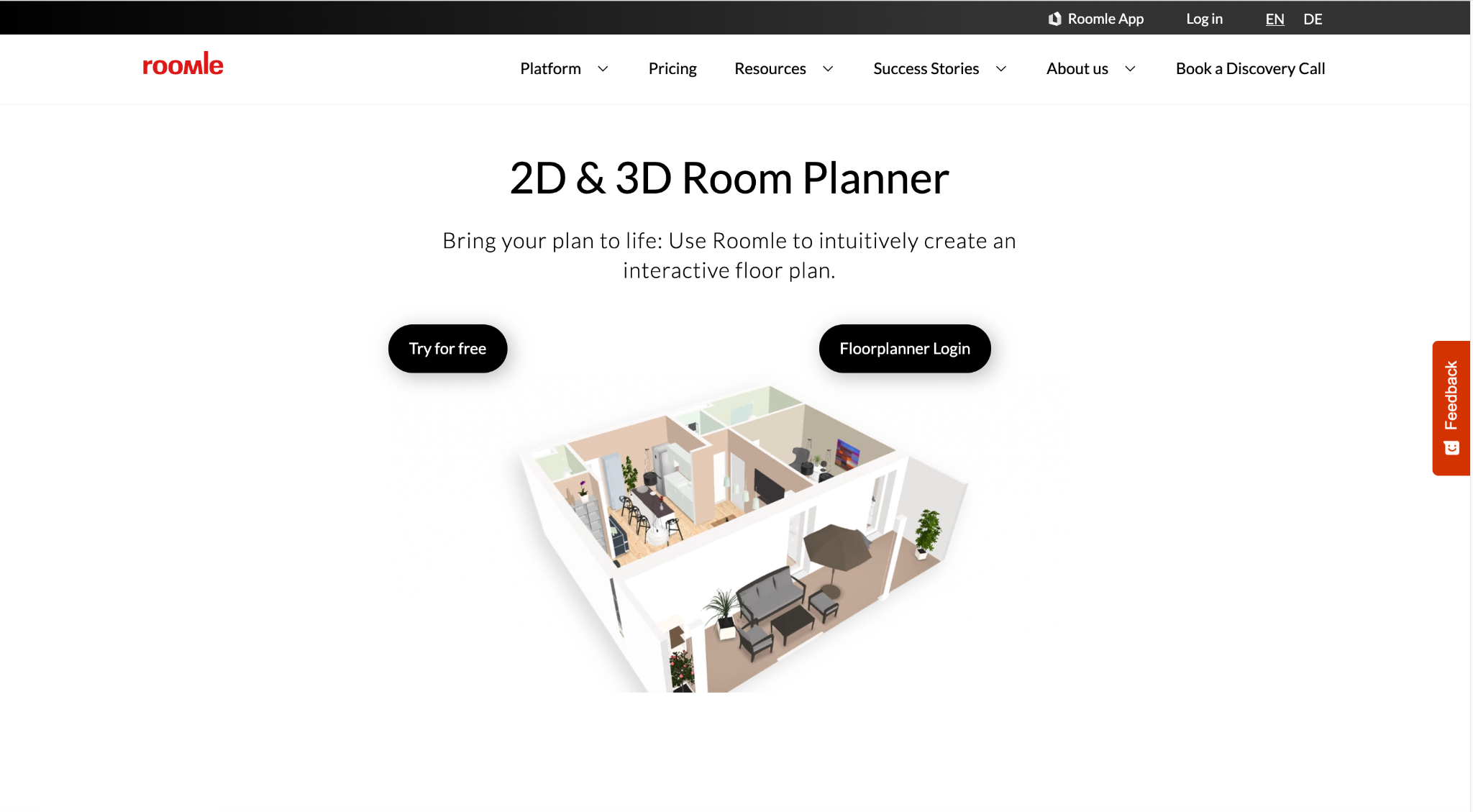
3. Roomle - Best for simple 2D/3D room planning with AR furniture previews
Platform: Web, iPhone, iPad, Android
Pricing: Free account includes one plan; App Store in-app purchases are listed from $1.99, with Plus and Professional options available
Roomle is a strong choice when you want something more structured than an AI makeover image but less intimidating than professional CAD software. It lets users draw floor plans, furnish rooms, view designs in 3D, and use AR to preview furniture. The official Roomle floorplanner page says it works across web and mobile, and the App Store listing highlights true-to-scale floor plan drawing, AR furniture placement, and a catalog of thousands of 3D furniture items.
For beginners, Roomle is useful because it connects two important remodel questions: “What fits?” and “What will it look like?” If you are rearranging a bedroom, testing sofa placement, or planning an office setup, seeing furniture in 2D, 3D, and AR can reduce buying mistakes.
Key features:
- 2D and 3D floor planning
- AR furniture preview
- Furniture catalog
- Plan sharing
- Web and mobile access
Pros:
- Easier than technical modeling software
- Good for furniture fit and layout planning
- AR helps with real-world scale
- Useful for single-room remodels
Cons:
- Free access is limited, and more plans/features require upgrades
Why choose this tool:
Choose Roomle if your remodel is furniture-heavy and you want a beginner-friendly way to plan layouts and preview pieces in the room.
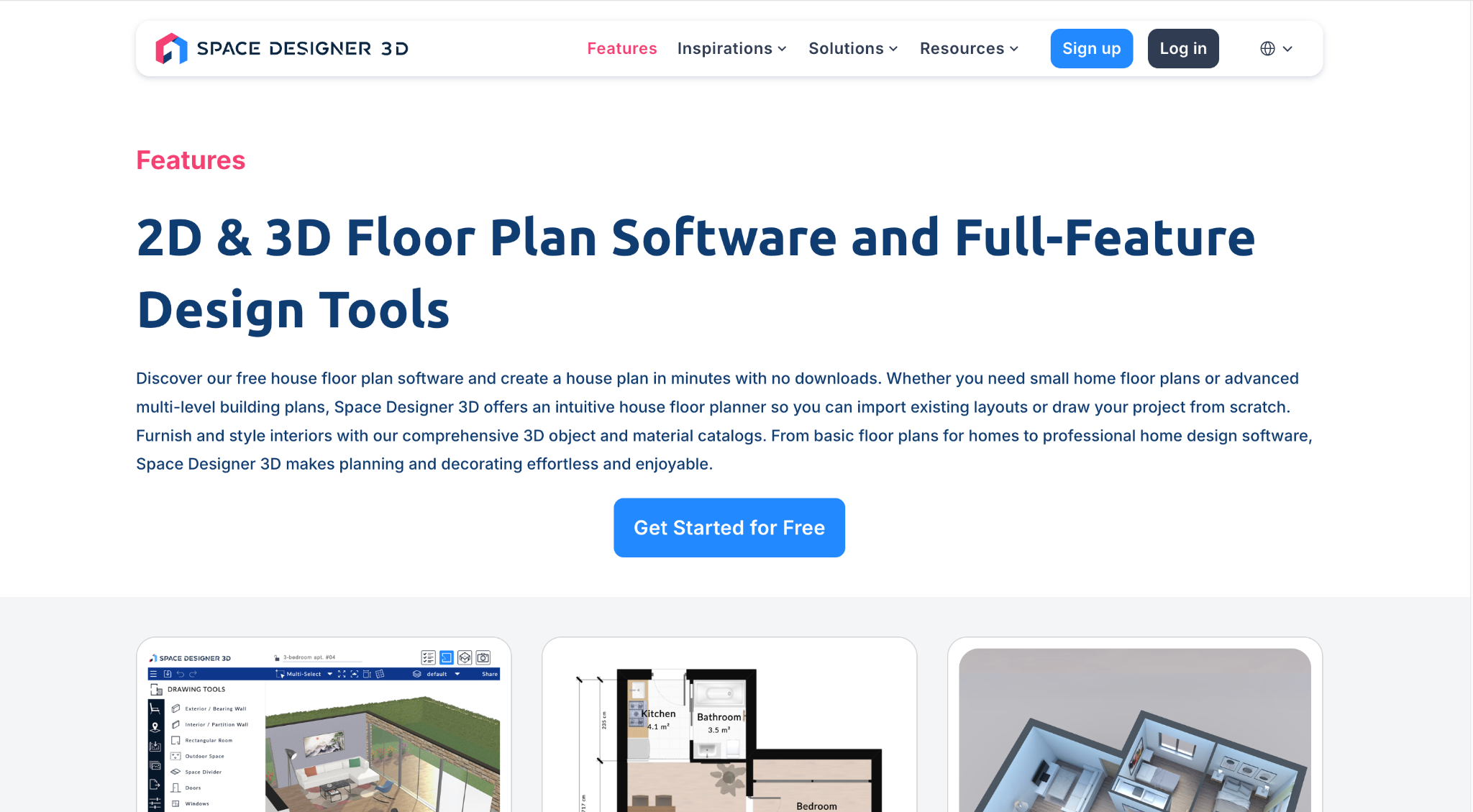
4. Space Designer 3D - Best for browser-based whole-house floor planning
Platform: Web
Pricing: Free Starter plan; Premium from $25/month; Ultimate from $45/month
Space Designer 3D is a browser-based 2D and 3D planning tool for users who want to design more than a single corner. Its free Starter plan includes one free project, limited catalog access, PNG/JPG/PDF exports, and rendering credits. Paid plans unlock more projects, larger catalogs, DXF exports, blueprint tracing, multi-story building design, roof tools, and more advanced modeling options.
For beginners, the appeal is that you do not need to install desktop software. You can start in the browser, sketch a home plan, switch to 3D, and gradually refine the design. It is more structured than an AI room redesign app, so it is better for remodelers who need to understand walls, rooms, stairs, levels, and circulation.
Key features:
- 2D and 3D floor plans
- Browser-based workflow
- Ready-made floor plans
- Rendering credits
- Exports including PNG, JPG, PDF, and DXF on paid plans
Pros:
- No software installation
- Useful for whole-home planning
- Free plan available for testing
- More structural than photo-only tools
Cons:
- The free plan is limited to one project
Why choose this tool:
Choose Space Designer 3D if you want to plan a larger remodel in the browser and need more structure than a simple room makeover app.
5. DreamPlan - Best free desktop app for indoor, outdoor, and landscape planning

Platform: Windows, Mac
Pricing: Free version available for non-commercial home use; Mac App Store lists a DreamPlan Professional Upgrade at $39.99
DreamPlan by NCH Software is a practical desktop option for beginners who prefer offline software. Its official site says the free version is available for non-commercial home use with no signup required. DreamPlan lets users design floor plans, switch between 3D, 2D rendered, and 2D blueprint views, import existing floor plans in trace mode, use pre-built rooms, and export projects in multiple formats.
What makes DreamPlan useful for a house remodel article is its scope. It is not only about interiors. It also supports landscape design, decks, patios, pools, gardens, and exterior planning. That makes it a good fit for homeowners who want to sketch several remodel ideas in one place without jumping straight into subscription software.
Key features:
- 2D, 3D, and blueprint views
- Floor plan tracing
- Indoor and outdoor planning
- Garden, deck, patio, and pool design
- Desktop software for Windows and Mac
Pros:
- Free for personal home use
- Covers interiors and exteriors
- Good for broad remodel planning
- Useful when you prefer desktop software
Cons:
- Interface may feel less modern than newer web apps
Why choose this tool:
Choose DreamPlan if you want a free desktop remodel planning app that covers both the inside and outside of the home.
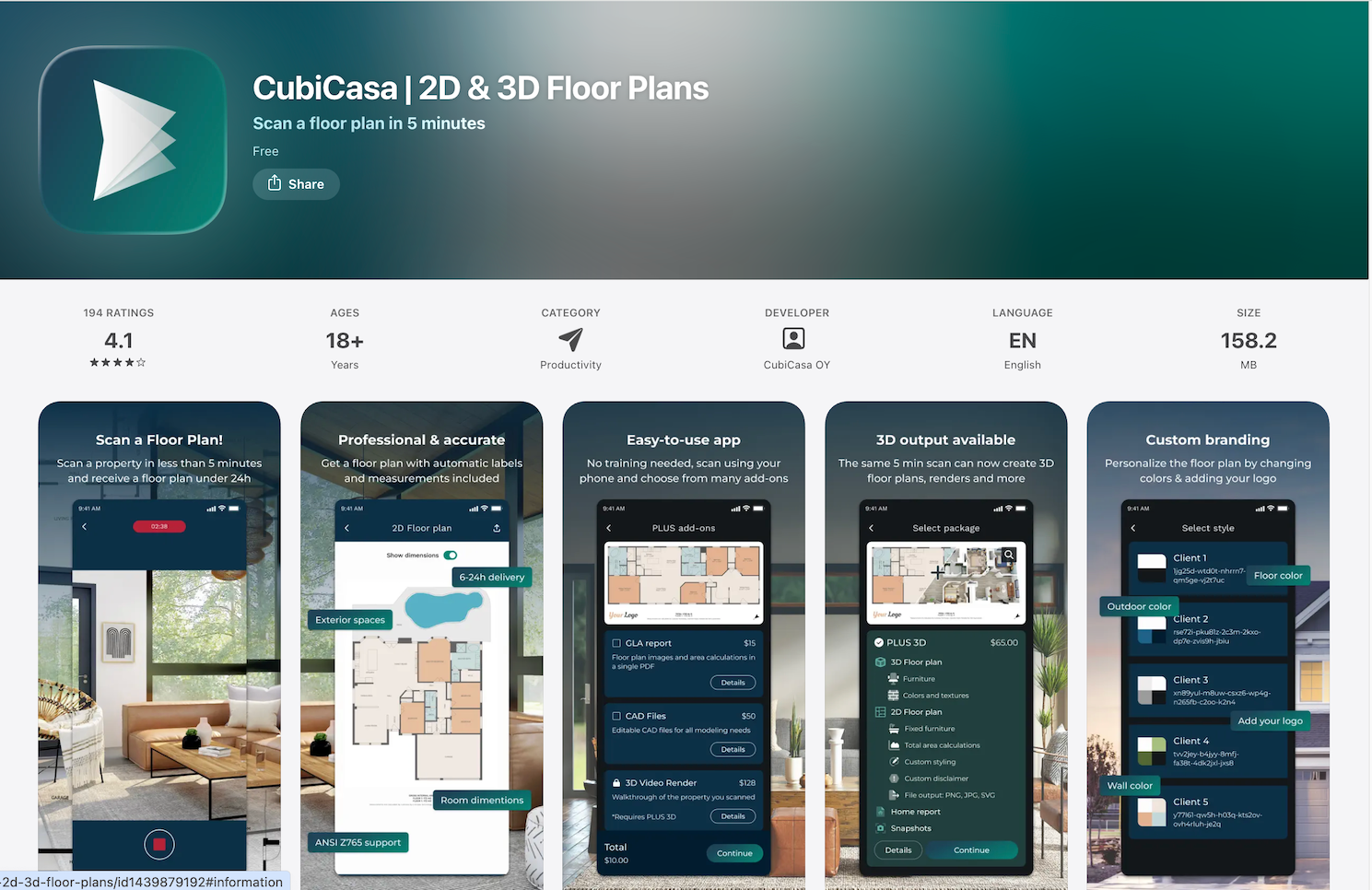
6. CubiCasa - Best for creating a floor plan from a quick home scan
Platform: iPhone, iPad
Pricing: Free app; Lite floor plans are available free for properties up to 5,000 sq ft according to the App Store listing. Paid Plus and Plus 3D packages are available, but the current App Store listing does not show full per-order pricing.
CubiCasa is built around fast floor plan creation from a home scan. Its App Store listing describes it as a tool that can scan a floor plan in about five minutes, create 2D and 3D floor plans, and generate property measurements automatically. It is especially popular in real estate, appraisals, listings, inspections, and property documentation.
Design any room, shop or space with DecAI in less 30 seconds! It's free!
For beginner remodelers, CubiCasa is useful when you do not want to manually draw the whole house. If you are preparing for a contractor conversation, comparing layout options, or trying to understand room relationships, having a clean floor plan can help. It is not the same as a construction-ready plan, but it can give you a much better starting point than rough notes.
Key features:
- Scan-based floor plan creation
- 2D and 3D floor plan options
- Room measurements
- PNG, JPG, PDF, and SVG outputs depending on package
- Home report features on higher packages
Pros:
- Very fast compared with manual drawing
- Useful before hiring pros
- Good for whole-property documentation
- Free Lite floor plans are available
Cons:
- More oriented toward real estate professionals than casual design exploration
Why choose this tool:
Choose CubiCasa if your first remodel task is getting a floor plan of the existing home without drawing everything by hand.
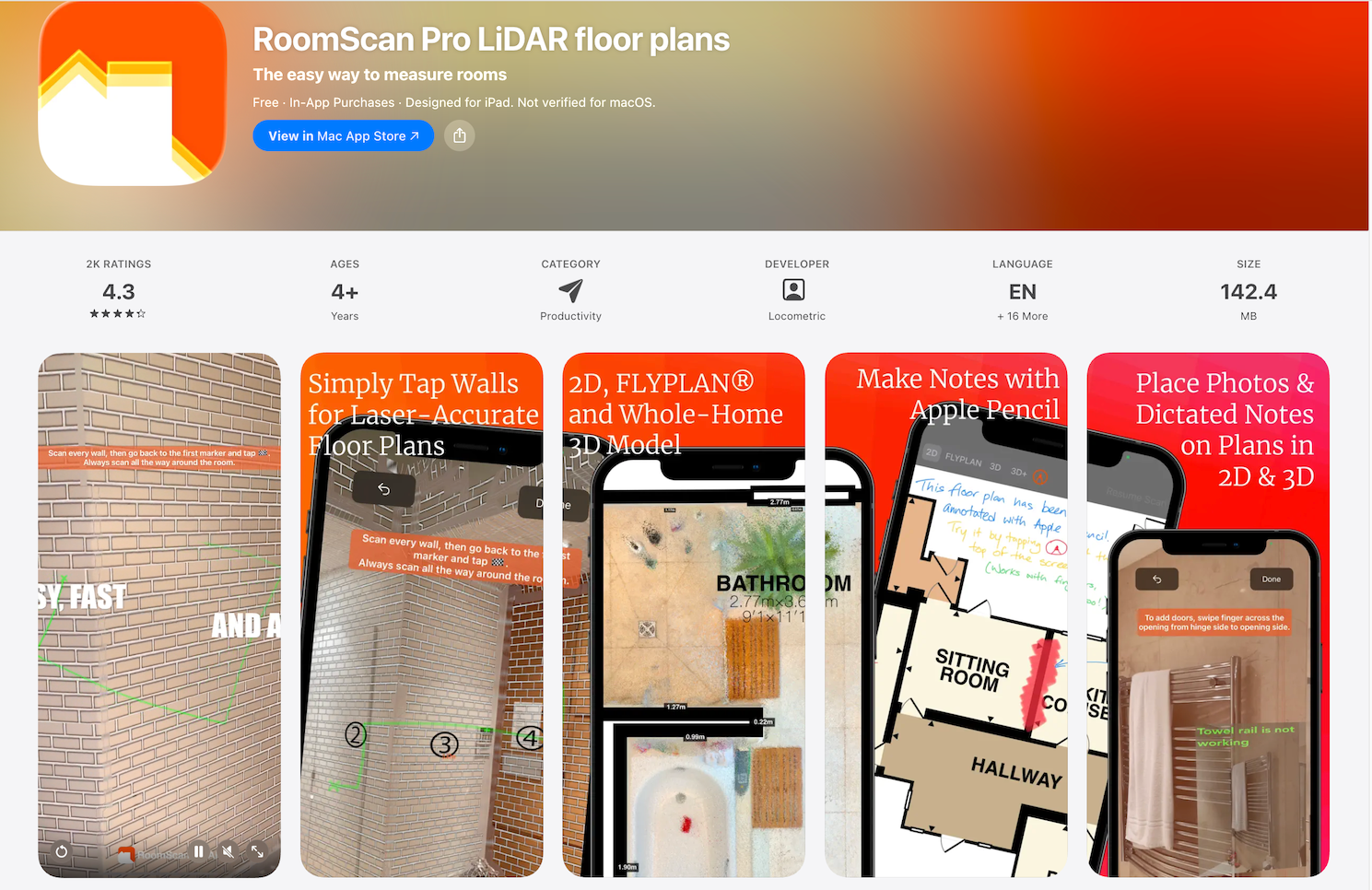
7. RoomScan Pro - Best for LiDAR-based room measurements and floor plan exports
Platform: iPhone, iPad, Mac
Pricing: Free download; LiDAR subscription listed at $9.99/month; annual subscription listed at $119.99
RoomScan Pro is designed for floor plan scanning and measurement. The App Store listing says it includes Apple RoomPlan, RoomScan Brick Mode for LiDAR devices, and Touch Mode for other conditions. It can export to PNG, PDF, DXF, IFC, OBJ, and other formats, which makes it more technical than many beginner remodel apps.
This tool is best for homeowners who want measurements and exports, not just inspiration. If you are planning built-ins, flooring, HVAC conversations, furniture fit, or contractor discussions, measurement accuracy matters. RoomScan Pro can help you document ceiling height, wall areas, exterior scans, photos, and notes.
Key features:
- LiDAR-based room scanning
- Touch Mode and Brick Mode
- Exports to PDF, DXF, IFC, OBJ, and more
- Ceiling height and wall area calculations
- Photos and notes attached to plans
Pros:
- Strong export options
- Useful for measurements and documentation
- Good for contractor-ready conversations
- Supports more technical remodel workflows
Cons:
- More than many casual beginners need for a small cosmetic remodel
Why choose this tool:
Choose RoomScan Pro if you want to turn your phone or tablet into a measurement and floor plan tool before making layout or contractor decisions.
8. Morpholio Board - Best for remodel mood boards, materials, and shopping lists

Platform: iPhone, iPad, Mac
Pricing: Free features available; in-app purchases listed from $0.99, with subscription options such as Board Essentials and Board Pro listed in the App Store
Morpholio Board is not a floor plan app, and that is exactly why it deserves a place in a remodel workflow. Many beginner remodels get messy because ideas live everywhere: screenshots, Pinterest boards, paint chips, furniture links, tile photos, contractor notes, and random saved posts. Morpholio Board helps turn those scattered ideas into visual mood boards, product lists, color charts, shopping lists, and presentations.
The App Store listing says the free version includes up to five projects, Pinterest Portal, AR furniture, markup tools, curated galleries, image export, and a swatch maker. Paid tiers add tools for color palettes, PDF/Excel/PSD exports, presentation mode, smart layers, folders, auto shopping lists, and furniture books.
Key features:
- Mood boards and material boards
- Curated and custom libraries
- Product lists and shopping lists
- AR furniture
- Export and presentation tools
Pros:
- Excellent for organizing design direction
- Helpful before buying materials or furniture
- Great for sharing remodel ideas with family or contractors
- More visual than spreadsheets
Cons:
- Does not replace a floor plan or measurement app
Why choose this tool:
Choose Morpholio Board if you need to organize the look and feel of the remodel before making purchases.
9. Benjamin Moore Color Portfolio - Best for paint color visualization
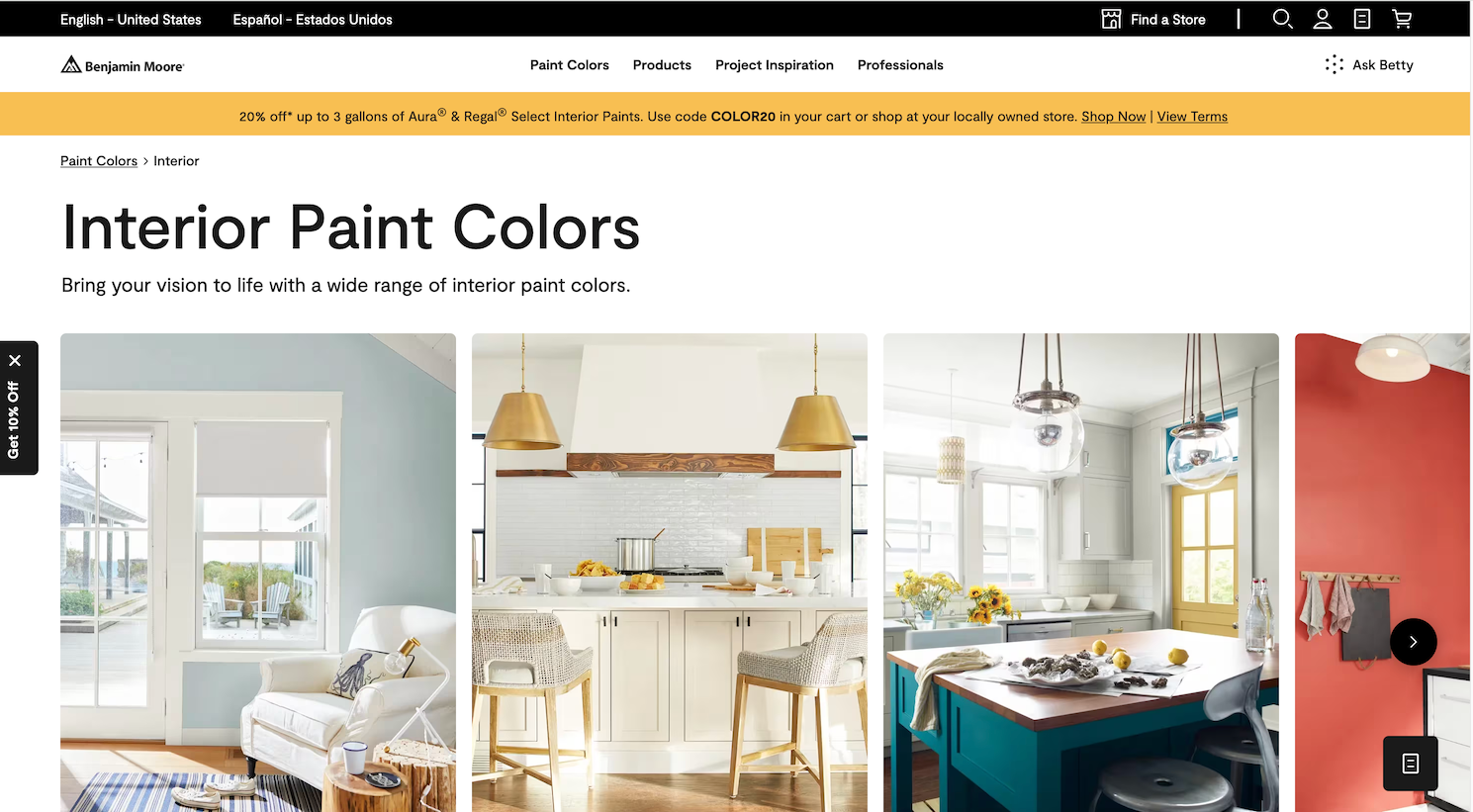
Platform: iPhone, iPad, Android
Pricing: Free app; optional Benjamin Moore Color Match Tool listed at $49.99
Benjamin Moore Color Portfolio is a focused tool for one of the most common beginner remodel decisions: paint. The official page says the app lets users apply paint color to photos, access fan decks, match favorite hues to Benjamin Moore colors, and visualize paint colors on walls and surfaces. The app also includes a photo and video visualizer, virtual fan deck, color catalog, and color capture.
This is not a whole-house remodel planner, but it can prevent a very common mistake: choosing a paint color from a small swatch without seeing it in context. Screens are not perfect representations of real paint, so you should still order samples. But the app can help narrow your shortlist before you spend money on sample cans or repaint a room twice.
Key features:
- Photo visualizer
- Video visualizer
- Virtual fan deck
- Color capture
- Color catalog
Pros:
- Free and easy to use
- Great for narrowing paint choices
- Useful for both interior and exterior paint planning
- Connects directly to Benjamin Moore color collections
Cons:
- Best for Benjamin Moore colors, not multi-brand paint comparison
Why choose this tool:
Choose Benjamin Moore Color Portfolio if paint is your first remodel decision and you want a fast way to test colors visually.
10. iScape - Best for exterior, yard, and curb appeal remodel planning

Platform: iOS, Android
Pricing: Free limited trial; Pro from $29.99/month or $299.99/year
iScape is built for landscape and outdoor living design. Its pricing page says the free version is free to download and trial with limited features, while the Pro plan includes full access to the database, thousands of plants, hardscapes, and products, a proposal tool, and the ability to upload your own images. The page also notes that 2D and 3D designs are iOS-only.
This makes iScape a smart pick for remodels that do not stop at the front door. If you are planning curb appeal, a patio refresh, a backyard seating area, garden beds, hardscape, or a front entry update, a traditional interior app will not be enough. iScape helps you preview outdoor changes before buying plants, pavers, furniture, or lighting.
Key features:
- Landscape visualization
- 2D and 3D outdoor design on iOS
- Plant, hardscape, and product database
- Image upload on Pro
- Proposal tool for professional use
Pros:
- Strong for yard and exterior remodels
- Useful for DIY homeowners and landscape pros
- Helps visualize curb appeal before spending
- Includes outdoor-specific product categories
Cons:
- Full access is relatively expensive for casual one-time users
Why choose this tool:
Choose iScape if your remodel includes landscaping, patios, gardens, or exterior curb appeal.
11. HomeZada - Best for remodel project organization, budgets, and home records

Platform: Web
Pricing: Essentials plan is free; Premium is $99/year or $15.95/month; Deluxe is $189/year
HomeZada is different from most tools in this list. It is not mainly for visual design. It is a home management platform that helps homeowners organize inventory, documents, maintenance, remodel projects, home finances, and reports. The current pricing page lists a free Essentials plan, a Premium plan that includes home maintenance, home remodel projects, home finances, dashboards, and AI features, and a Deluxe plan for multiple homes or home marketing.
For beginners, this can be surprisingly useful. A remodel is not only about choosing a beautiful style. It also involves receipts, product links, warranties, contractor notes, budgets, timelines, photos, and future maintenance. HomeZada gives you a place to keep that information together instead of losing it across texts, emails, and spreadsheets.
Key features:
- Home inventory
- Home documents
- Remodel project management
- Maintenance tracking
- Home finance tools
- Homeowner AI and visual design AI credits on plans
Pros:
- Great for staying organized
- Useful beyond a single remodel
- Helps track costs and documents
- Free plan available
Cons:
- Not the best option for visual layout or design generation
Why choose this tool:
Choose HomeZada if you want to manage the remodel as a project, not just create design images.
12. Thumbtack - Best for comparing local remodel pros and getting quotes
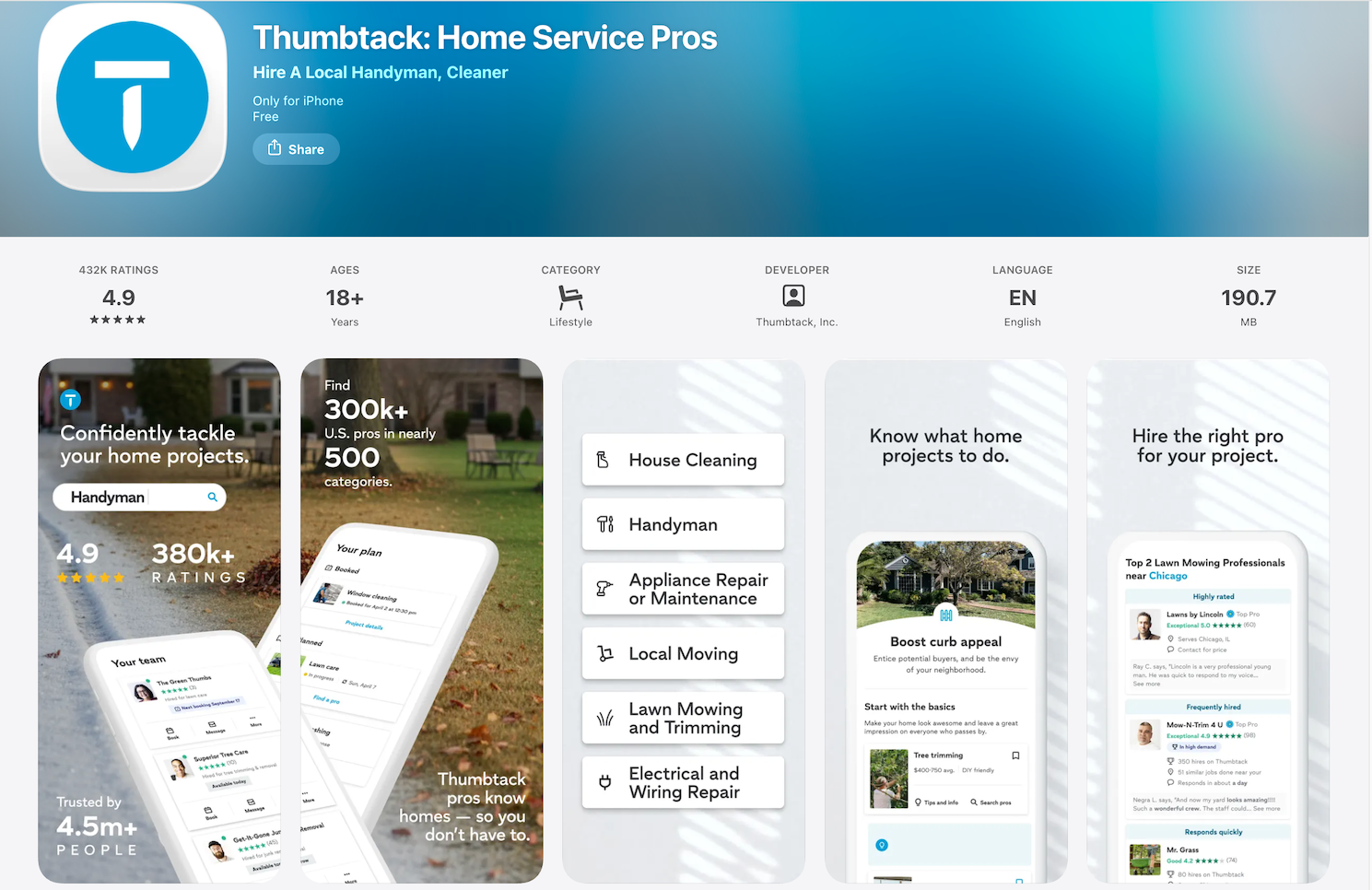
Platform: iPhone, Android
Pricing: Free for homeowners to download and use; project costs vary by professional and location
Thumbtack helps homeowners connect with local professionals. The App Store listing says users can get prices, read reviews, message pros, and hire directly in the app. It covers home improvement and repair categories such as handymen, painters, roofers, flooring experts, contractors, builders, and home design experts.
For beginners, Thumbtack becomes useful when the remodel moves beyond inspiration. Maybe you can visualize the room, choose a paint color, and sketch the layout, but you still need a contractor, painter, flooring installer, plumber, or electrician. The app helps you compare options instead of calling random businesses one by one.
Key features:
- Local pro search
- Reviews and business details
- Messaging inside the app
- Cost estimates
- Booking and comparison tools
Pros:
- Helpful when DIY is not enough
- Lets beginners compare multiple pros
- Useful for many remodel categories
- Free for homeowners to use
Cons:
- Pro quality, availability, and pricing vary by location
Why choose this tool:
Choose Thumbtack when your remodel needs real labor and you want a faster way to compare local professionals.
Common Mistakes Beginners Make With Remodel Apps
- Expecting one app to do everything.
A photo redesign app can help you see style ideas, but it cannot replace a measured floor plan. A floor plan app can help with layout, but it will not automatically pick the right paint color. A contractor marketplace can help you hire a pro, but it will not make your design decisions for you.
- Treating AI remodel images as construction plans.
AI visuals are excellent for inspiration, mood, color direction, furniture concepts, and before-and-after thinking. They are not proof that a wall can move, a cabinet will fit, or a floor material will work with your subfloor.
- Skipping measurements.
Even a small remodel can go wrong if you buy a sofa, vanity, dining table, rug, or appliance without confirming dimensions, clearance, and circulation. Before you buy, use a measuring tool, room scanner, or floor plan app.
- Choosing paint only from a screen.
Paint changes with daylight, artificial light, trim color, flooring, and surrounding furniture. A paint visualizer is a great starting point, but always test physical samples before committing to a full room.
- Forgetting to organize decisions.
Beginners often save ideas in ten different places and then struggle to explain the remodel to a partner, contractor, or designer. A mood board or project management tool can make the whole process calmer.
The best house remodel app for beginners is the one that fits the decision you need to make right now. A remodel becomes much less intimidating when every tool has a clear role. Start with visual clarity, confirm the layout, test materials and colors, organize the project, and bring in professionals when the work requires it.
FAQs
Are free house remodel apps good enough?
Yes, free apps can be enough for early planning, inspiration, paint testing, and basic layouts. You may need paid features when you want unlimited projects, watermark-free exports, advanced scans, professional reports, or deeper design controls.
Can I remodel my house using only an app?
You can plan and visualize many parts of a remodel with apps, but you should not rely on apps alone for structural changes, electrical work, plumbing, permits, or construction documents. For bigger projects, use apps to prepare better ideas before working with professionals.
Which app is best for visualizing a remodel before spending money?
DecAI is a strong option for quick AI remodel visualization because it lets you upload a real photo and test interior, exterior, garden, wall, floor, and furniture ideas. Remodel AI is also useful for mobile AI previews.
What is the best app for exterior remodels?
For AI exterior ideas, DecAI and Remodel AI can help. For landscaping, curb appeal, patios, and outdoor living areas, iScape is more specialized.
Do remodel apps replace contractors?
No. Remodel apps help you visualize, plan, organize, and communicate. Contractors are still important for feasibility, labor, permits, structural work, safety, and final execution.
--------------------------------------
If you believe that any material on this site infringes your intellectual property rights, please contact the author at decaiwebteam@outlook.com with details of your claim.
Redesign any home interior, exterior & garden in seconds
Share this Post:
'%3e%3cpath%20d='M17.9995%2035.999C17.0317%2035.999%2016.0619%2035.9219%2015.1161%2035.7696C10.9414%2035.0973%207.11524%2032.9513%204.34408%2029.7273C1.54287%2026.4683%200%2022.3035%200%2017.9995C0%208.07403%208.07503%200%2017.9995%200C27.924%200%2036%208.07503%2036%2017.9995C36%2022.3696%2034.4151%2026.5835%2031.5357%2029.8646C28.6844%2033.1156%2024.7671%2035.2326%2020.5052%2035.8267C19.6806%2035.9419%2018.8371%2036%2017.9995%2036V35.999ZM17.9995%201.20123C8.73726%201.20123%201.20224%208.73626%201.20224%2017.9985C1.20224%2026.2919%207.13427%2033.2659%2015.3075%2034.5814C16.9546%2034.8469%2018.6808%2034.8659%2020.3389%2034.6345C28.5812%2033.4863%2034.7968%2026.334%2034.7968%2017.9985C34.7968%208.73626%2027.2617%201.20123%2017.9985%201.20123H17.9995Z'%20fill='%23FF0209'/%3e%3cpath%20d='M29.0557%2014.3621C28.9184%2013.0276%2028.6208%2011.5539%2027.5268%2010.7784C26.6782%2010.1773%2025.5642%2010.1553%2024.5242%2010.1563C22.3251%2010.1583%2020.126%2010.1603%2017.9269%2010.1623C15.812%2010.1643%2013.6971%2010.1663%2011.5821%2010.1683C10.6985%2010.1683%209.8399%2010.1002%209.01937%2010.4819C8.31406%2010.8105%207.76303%2011.4347%207.43241%2012.1289C6.97156%2013.0957%206.87438%2014.1898%206.81927%2015.2588C6.71708%2017.2044%206.7281%2019.156%206.85133%2021.0996C6.9405%2022.5193%207.16792%2024.0872%208.26496%2024.9919C9.23777%2025.7934%2010.6103%2025.8325%2011.8707%2025.8335C15.8741%2025.8365%2019.8776%2025.8395%2023.881%2025.8435C24.394%2025.8435%2024.93%2025.8345%2025.453%2025.7774C26.4829%2025.6661%2027.4637%2025.3716%2028.1249%2024.6092C28.7922%2023.8407%2028.9635%2022.7698%2029.0657%2021.7569C29.3121%2019.3003%2029.3091%2016.8177%2029.0557%2014.3621ZM15.6116%2021.4453V14.5545L21.5797%2017.9999L15.6116%2021.4453Z'%20fill='%23FF0209'/%3e%3c/g%3e%3cdefs%3e%3cclipPath%20id='clip0_13816_41422'%3e%3crect%20width='36'%20height='36'%20fill='white'/%3e%3c/clipPath%3e%3c/defs%3e%3c/svg%3e)
'%3e%3cpath%20d='M17.9995%2036C17.0327%2036%2016.0619%2035.9229%2015.1161%2035.7696C10.9414%2035.0973%207.11524%2032.9513%204.34408%2029.7273C1.54287%2026.4683%200%2022.3035%200%2017.9995C0%208.07403%208.07503%200%2017.9995%200C27.924%200%2036%208.07503%2036%2017.9995C36%2022.3696%2034.4151%2026.5835%2031.5357%2029.8646C28.6844%2033.1156%2024.7671%2035.2326%2020.5052%2035.8267C19.6806%2035.9419%2018.8371%2036%2017.9995%2036ZM17.9995%201.20224C8.73726%201.20224%201.20224%208.73726%201.20224%2017.9995C1.20224%2026.2919%207.13427%2033.2669%2015.3075%2034.5824C16.9556%2034.8479%2018.6808%2034.8669%2020.3389%2034.6355C28.5812%2033.4873%2034.7968%2026.335%2034.7968%2017.9995C34.7968%208.73726%2027.2617%201.20224%2017.9985%201.20224H17.9995Z'%20fill='url(%23paint0_linear_13816_41436)'/%3e%3cpath%20d='M23.4463%207.55469H12.549C9.53841%207.55469%207.08984%2010.0032%207.08984%2013.0138V22.9834C7.08984%2025.994%209.53841%2028.4426%2012.549%2028.4426H23.4463C26.4569%2028.4426%2028.9054%2025.994%2028.9054%2022.9834V13.0138C28.9054%2010.0032%2026.4569%207.55469%2023.4463%207.55469ZM9.01543%2013.0138C9.01543%2011.0652%2010.6004%209.48027%2012.549%209.48027H23.4463C25.3949%209.48027%2026.9799%2011.0652%2026.9799%2013.0138V22.9834C26.9799%2024.932%2025.3949%2026.517%2023.4463%2026.517H12.549C10.6004%2026.517%209.01543%2024.932%209.01543%2022.9834V13.0138Z'%20fill='url(%23paint1_linear_13816_41436)'/%3e%3cpath%20d='M17.9964%2023.0749C20.7966%2023.0749%2023.0749%2020.7966%2023.0749%2017.9964C23.0749%2015.1962%2020.7966%2012.918%2017.9964%2012.918C15.1962%2012.918%2012.918%2015.1962%2012.918%2017.9964C12.918%2020.7966%2015.1962%2023.0749%2017.9964%2023.0749ZM17.9964%2014.8446C19.7346%2014.8446%2021.1483%2016.2582%2021.1483%2017.9964C21.1483%2019.7347%2019.7346%2021.1483%2017.9964%2021.1483C16.2582%2021.1483%2014.8446%2019.7347%2014.8446%2017.9964C14.8446%2016.2582%2016.2582%2014.8446%2017.9964%2014.8446Z'%20fill='url(%23paint2_linear_13816_41436)'/%3e%3cpath%20d='M23.5482%2013.741C24.3026%2013.741%2024.9168%2013.1269%2024.9168%2012.3725C24.9168%2011.618%2024.3026%2011.0039%2023.5482%2011.0039C22.7938%2011.0039%2022.1797%2011.618%2022.1797%2012.3725C22.1797%2013.1269%2022.7938%2013.741%2023.5482%2013.741Z'%20fill='url(%23paint3_linear_13816_41436)'/%3e%3c/g%3e%3cdefs%3e%3clinearGradient%20id='paint0_linear_13816_41436'%20x1='5.27482'%20y1='30.7312'%20x2='30.7242'%20y2='5.28083'%20gradientUnits='userSpaceOnUse'%3e%3cstop%20stop-color='%23FAAD4F'/%3e%3cstop%20offset='0.35'%20stop-color='%23DD2A7B'/%3e%3cstop%20offset='0.62'%20stop-color='%239537B0'/%3e%3cstop%20offset='1'%20stop-color='%23515BD4'/%3e%3c/linearGradient%3e%3clinearGradient%20id='paint1_linear_13816_41436'%20x1='8.92225'%20y1='27.074'%20x2='27.073'%20y2='8.92324'%20gradientUnits='userSpaceOnUse'%3e%3cstop%20stop-color='%23FAAD4F'/%3e%3cstop%20offset='0.35'%20stop-color='%23DD2A7B'/%3e%3cstop%20offset='0.62'%20stop-color='%239537B0'/%3e%3cstop%20offset='1'%20stop-color='%23515BD4'/%3e%3c/linearGradient%3e%3clinearGradient%20id='paint2_linear_13816_41436'%20x1='14.4077'%20y1='21.5861'%20x2='21.5861'%20y2='14.4077'%20gradientUnits='userSpaceOnUse'%3e%3cstop%20stop-color='%23FAAD4F'/%3e%3cstop%20offset='0.35'%20stop-color='%23DD2A7B'/%3e%3cstop%20offset='0.62'%20stop-color='%239537B0'/%3e%3cstop%20offset='1'%20stop-color='%23515BD4'/%3e%3c/linearGradient%3e%3clinearGradient%20id='paint3_linear_13816_41436'%20x1='22.5814'%20y1='13.3393'%20x2='24.515'%20y2='11.4057'%20gradientUnits='userSpaceOnUse'%3e%3cstop%20stop-color='%23FAAD4F'/%3e%3cstop%20offset='0.35'%20stop-color='%23DD2A7B'/%3e%3cstop%20offset='0.62'%20stop-color='%239537B0'/%3e%3cstop%20offset='1'%20stop-color='%23515BD4'/%3e%3c/linearGradient%3e%3cclipPath%20id='clip0_13816_41436'%3e%3crect%20width='36'%20height='36'%20fill='white'/%3e%3c/clipPath%3e%3c/defs%3e%3c/svg%3e)
'%3e%3cpath%20d='M17.9995%2035.999C17.0317%2035.999%2016.0619%2035.9219%2015.1161%2035.7696C10.9414%2035.0973%207.11524%2032.9513%204.34408%2029.7273C1.54287%2026.4683%200%2022.3035%200%2017.9995C0%208.07403%208.07502%200%2017.9995%200C27.924%200%2036%208.07503%2036%2017.9995C36%2022.3696%2034.415%2026.5835%2031.5357%2029.8646C28.6844%2033.1156%2024.7671%2035.2326%2020.5052%2035.8267C19.6806%2035.9419%2018.8371%2036%2017.9995%2036V35.999ZM17.9995%201.20123C8.73725%201.20123%201.20224%208.73626%201.20224%2017.9985C1.20224%2026.2919%207.13427%2033.2659%2015.3075%2034.5814C16.9545%2034.8469%2018.6808%2034.8659%2020.3388%2034.6345C28.5812%2033.4863%2034.7968%2026.334%2034.7968%2017.9985C34.7968%208.73626%2027.2617%201.20123%2017.9985%201.20123H17.9995Z'%20fill='%23007EBB'/%3e%3cpath%20d='M9.06639%2012.124C8.60253%2011.6932%208.37109%2011.1602%208.37109%2010.526C8.37109%209.89184%208.60253%209.33481%209.06639%208.90401C9.53026%208.47321%2010.1274%208.25781%2010.8587%208.25781C11.5901%208.25781%2012.1642%208.47321%2012.627%208.90401C13.0909%209.33481%2013.3223%209.87581%2013.3223%2010.526C13.3223%2011.1762%2013.0909%2011.6932%2012.627%2012.124C12.1631%2012.5548%2011.5741%2012.7702%2010.8587%2012.7702C10.1434%2012.7702%209.52926%2012.5548%209.06639%2012.124ZM12.9326%2014.5946V27.7962H8.76182V14.5946H12.9326Z'%20fill='%23007EBB'/%3e%3cpath%20d='M26.8196%2015.9006C27.7283%2016.8875%2028.1832%2018.243%2028.1832%2019.9682V27.5663H24.2208V20.5042C24.2208%2019.6346%2023.9954%2018.9583%2023.5445%2018.4764C23.0937%2017.9945%2022.4876%2017.7541%2021.7262%2017.7541C20.9647%2017.7541%2020.3586%2017.9955%2019.9078%2018.4764C19.4569%2018.9583%2019.2315%2019.6346%2019.2315%2020.5042V27.5663H15.2461V14.5611H19.2315V16.2863C19.6353%2015.7113%2020.1793%2015.2574%2020.8636%2014.9228C21.5468%2014.5892%2022.3163%2014.4219%2023.1708%2014.4219C24.6937%2014.4219%2025.9099%2014.9158%2026.8186%2015.9016L26.8196%2015.9006Z'%20fill='%23007EBB'/%3e%3c/g%3e%3cdefs%3e%3cclipPath%20id='clip0_13816_41425'%3e%3crect%20width='36'%20height='36'%20fill='white'/%3e%3c/clipPath%3e%3c/defs%3e%3c/svg%3e)
'%3e%3cpath%20d='M18%2035.999C17.0322%2035.999%2016.0623%2035.9219%2015.1166%2035.7696C10.9417%2035.0973%207.11544%2032.9513%204.3442%2029.7273C1.54291%2026.4683%200%2022.3035%200%2017.9995C0%208.07403%208.07526%200%2018%200C27.9248%200%2036%208.07503%2036%2017.9995C36%2022.3696%2034.415%2026.5835%2031.5356%2029.8646C28.6842%2033.1156%2024.7668%2035.2326%2020.5047%2035.8267C19.6802%2035.9419%2018.8366%2036%2017.999%2036L18%2035.999ZM18%201.20123C8.73751%201.20123%201.20227%208.73626%201.20227%2017.9985C1.20227%2026.2919%207.13448%2033.2659%2015.3079%2034.5814C16.955%2034.8469%2018.6813%2034.8659%2020.3394%2034.6345C28.582%2033.4863%2034.7977%2026.334%2034.7977%2017.9985C34.7977%208.73626%2027.2625%201.20123%2018%201.20123Z'%20fill='black'/%3e%3cpath%20d='M7%208.09163H13.5067L19.521%2016.1816L27.0073%207.90625L28.786%207.93715L20.4078%2017.3454L29%2028.901H22.4959L16.8193%2021.362L9.8847%2029.0864H8.13428L15.9583%2020.26L7%208.09163ZM12.8931%209.28633H9.45676L23.2048%2027.6754H26.5793L12.8931%209.28633Z'%20fill='black'/%3e%3c/g%3e%3cdefs%3e%3cclipPath%20id='clip0_13886_43848'%3e%3crect%20width='36'%20height='36'%20fill='white'/%3e%3c/clipPath%3e%3c/defs%3e%3c/svg%3e)
'%3e%3cpath%20d='M17.9995%2035.999C17.0327%2035.999%2016.0619%2035.9219%2015.1161%2035.7686C10.9414%2035.0963%207.11524%2032.9503%204.34408%2029.7263C1.54287%2026.4673%200%2022.3025%200%2017.9995C0%208.07403%208.07503%200%2017.9995%200C27.924%200%2036%208.07503%2036%2017.9995C36%2022.3696%2034.415%2026.5835%2031.5357%2029.8646C28.6844%2033.1156%2024.7671%2035.2326%2020.5052%2035.8267C19.6806%2035.9419%2018.8371%2036%2017.9995%2036V35.999ZM17.9995%201.20123C8.73726%201.20123%201.20224%208.73626%201.20224%2017.9985C1.20224%2026.2909%207.13428%2033.2659%2015.3075%2034.5814C16.9556%2034.8469%2018.6808%2034.8659%2020.3389%2034.6345C28.5812%2033.4863%2034.7968%2026.334%2034.7968%2017.9985C34.7968%208.73626%2027.2617%201.20123%2017.9985%201.20123H17.9995Z'%20fill='%231877F7'/%3e%3cpath%20d='M20.5337%2014.9635V18.7536H25.2225L24.4801%2023.8601H20.5337V35.624C19.7423%2035.7342%2018.9328%2035.7913%2018.1112%2035.7913C17.1625%2035.7913%2016.2317%2035.7151%2015.324%2035.5689V23.8601H11V18.7536H15.324V14.1169C15.324%2011.2396%2017.6564%208.90625%2020.5347%208.90625V8.90926C20.5428%208.90926%2020.5508%208.90625%2020.5588%208.90625H25.2235V13.3215H22.1758C21.2691%2013.3215%2020.5347%2014.0558%2020.5347%2014.9625L20.5337%2014.9635Z'%20fill='%231877F7'/%3e%3c/g%3e%3cdefs%3e%3cclipPath%20id='clip0_13816_41433'%3e%3crect%20width='36'%20height='36'%20fill='white'/%3e%3c/clipPath%3e%3c/defs%3e%3c/svg%3e)
'%3e%3cpath%20d='M17.9995%2035.999C17.0327%2035.999%2016.0619%2035.9219%2015.1161%2035.7686C10.9414%2035.0963%207.11524%2032.9503%204.34408%2029.7263C1.54287%2026.4673%200%2022.3025%200%2017.9995C0%208.07403%208.07503%200%2017.9995%200C27.924%200%2036%208.07503%2036%2017.9995C36%2022.3696%2034.415%2026.5835%2031.5357%2029.8646C28.6844%2033.1156%2024.7671%2035.2326%2020.5052%2035.8267C19.6806%2035.9419%2018.8371%2036%2017.9995%2036V35.999ZM17.9995%201.20123C8.73726%201.20123%201.20224%208.73626%201.20224%2017.9985C1.20224%2026.2909%207.13428%2033.2659%2015.3075%2034.5814C16.9556%2034.8469%2018.6808%2034.8659%2020.3389%2034.6345C28.5812%2033.4863%2034.7968%2026.334%2034.7968%2017.9985C34.7968%208.73626%2027.2617%201.20123%2017.9985%201.20123H17.9995Z'%20fill='%232A91F7'/%3e%3cg%20clip-path='url(%23clip1_13816_41442)'%3e%3cpath%20d='M16.3345%2018.834C16.6924%2019.3124%2017.149%2019.7083%2017.6733%2019.9947C18.1976%2020.2812%2018.7774%2020.4516%2019.3734%2020.4942C19.9693%2020.5369%2020.5675%2020.4509%2021.1273%2020.2421C21.6871%2020.0333%2022.1954%2019.7065%2022.6178%2019.284L25.1178%2016.784C25.8768%2015.9981%2026.2968%2014.9456%2026.2873%2013.8531C26.2778%2012.7606%2025.8396%2011.7156%2025.0671%2010.943C24.2946%2010.1705%2023.2495%209.73231%2022.157%209.72281C21.0645%209.71332%2020.012%2010.1333%2019.2262%2010.8923L17.7928%2012.3173M19.6678%2017.1673C19.3099%2016.6889%2018.8533%2016.293%2018.329%2016.0065C17.8047%2015.7201%2017.2249%2015.5497%2016.6289%2015.507C16.033%2015.4643%2015.4348%2015.5503%2014.875%2015.7592C14.3152%2015.968%2013.8069%2016.2947%2013.3845%2016.7173L10.8845%2019.2173C10.1255%2020.0031%209.70551%2021.0557%209.715%2022.1481C9.72449%2023.2406%2010.1627%2024.2857%2010.9352%2025.0582C11.7078%2025.8307%2012.7528%2026.269%2013.8453%2026.2784C14.9378%2026.2879%2015.9903%2025.868%2016.7761%2025.109L18.2011%2023.684'%20stroke='%232A91F7'%20stroke-width='1.66667'%20stroke-linecap='round'%20stroke-linejoin='round'/%3e%3c/g%3e%3c/g%3e%3cdefs%3e%3cclipPath%20id='clip0_13816_41442'%3e%3crect%20width='36'%20height='36'%20fill='white'/%3e%3c/clipPath%3e%3cclipPath%20id='clip1_13816_41442'%3e%3crect%20width='20'%20height='20'%20fill='white'%20transform='translate(8%208)'/%3e%3c/clipPath%3e%3c/defs%3e%3c/svg%3e)
Redesign any home interior, exterior & garden in seconds