
Tested 15 Interior Design Apps for Homeowners & Designers in 2026 (Free & AI-Powered)

Looking for a free AI interior design app that actually lets you redesign a room without hitting a paywall right away?
We tested and handpicked 15 of the best free AI interior design app tools in 2026, comparing their free plans, AI capabilities, output quality, ease of use, platforms, and best use cases.
Whether you want to redesign a room from a photo, experiment with new furniture and styles, create a floor plan, or visualize a renovation before spending money, there’s an option here for you.
(To give you the complete picture, we've also included more 5 interior design tools, which might not have an AI, for you to streamline your whole design process.)
Design any room, shop or space with DecAI in less 30 seconds! It's free!
What is an AI interior design app?
An AI interior design app, as the name suggests, is a digital tool that lets you visualize, iterate and test your rough interior design ideas quickly and easily using artificial intelligence.
Some apps are fully AI-driven, handling the entire design process for you—so you can redesign a living room, dining area, or even a retail space without starting from scratch. Others are partially AI-powered, assisting with specific tasks, like suggesting layouts, generating color schemes, or providing access to a large library of images and design resources.
Whether fully or partially AI-integrated, these apps are designed to simplify and speed up your design process, helping you bring your ideas to life faster and with less effort.
How to choose the right AI interior design app?
Seeing tons of AI interior design apps flooding the market in 2026? Here are some factors to help you choose the one that best fits your needs.
1.Know your needs and goals
The right app depends on what you want to achieve. So, start by asking yourself what you want that interior design app to achieve, such as:
- Do you just need quick design inspiration?
- Do you want to create designs entirely on your mobile device?
- Are you looking to redesign, restage, or refurnish a space?
- Do you need realistic 3D renders, or are simple color and furniture previews enough?
If you’re a professional designer or working as part of a team, make sure to clarify these goals and needs with your team or clients as well.
2.Check AI capabilities
AI is the backbone of these design apps—but not all AI is created equal. The next step is to evaluate the app’s AI capabilities by asking:
- Do you need a fully AI-driven app that handles the entire design process, or a partially AI-powered tool that assists with specific tasks?
- Do you want AI to provide style recommendations, design suggestions, or customizable layouts?
- Does the AI need to work effectively across different room types and spaces?
- Does the app need to function offline, or is an internet connection required?
Ultimately, choose the app based on how much automation and AI support you want for your design process.
3.Easy of use
Whether you’re a professional designer or a complete beginner, it’s important to choose an AI design app that’s easy to use. Look for a tool with a minimal learning curve so you can get started quickly, focus on your ideas, and spend less time figuring out the app itself—regardless of your design experience or skills.
4.Cost and free features
In most cases, the cost decides on whether you will finally use it. So, before you make a decision, remember to clearly check the free features and premium limitations. Compare the features, pricing and even support services in advance if possible.
5.Read real user reviews
If you’re still unsure, reviews from real users can provide valuable insights into how an app actually performs. They help you understand real-world strengths and limitations, so you can avoid unnecessary surprises and make a more confident decision.

6.Test, test and test in advance
No matter how impressive an AI design app sounds, always try its free plan or trial before committing. Testing the app yourself allows you to explore key features, usability, and AI quality firsthand. If no free option is available, consider reaching out to the support team to see if a trial or demo can be arranged.
Overall, the app with the most features isn’t always the best choice. The best AI interior design app is the one that fits your needs, skill level, and project scope. Take time to list your priorities first, and you’ll be much more likely to choose the right tool.
How we tested & picked these free AI interior design app tools
To make the comparison as practical as possible, we tested each app using similar room-design tasks and evaluated it across six key areas:
- Free access: How much can you actually do without paying?
- AI capabilities: Can it redesign a room automatically, or does it mainly assist with manual design?
- Output quality: How realistic and usable are the generated designs?
- Ease of use: How quickly can a beginner get a useful result?
- Customization: Can you refine furniture, colors, materials, styles, or individual areas?
- Best use case: Is it better for quick inspiration, renovation visualization, floor planning, professional design, or virtual staging?
We also checked current platform availability and free-plan limitations so you can distinguish genuinely usable free options from tools that offer only a limited trial.
15 best free AI interior design apps for your homes, apartments and shops in 2026
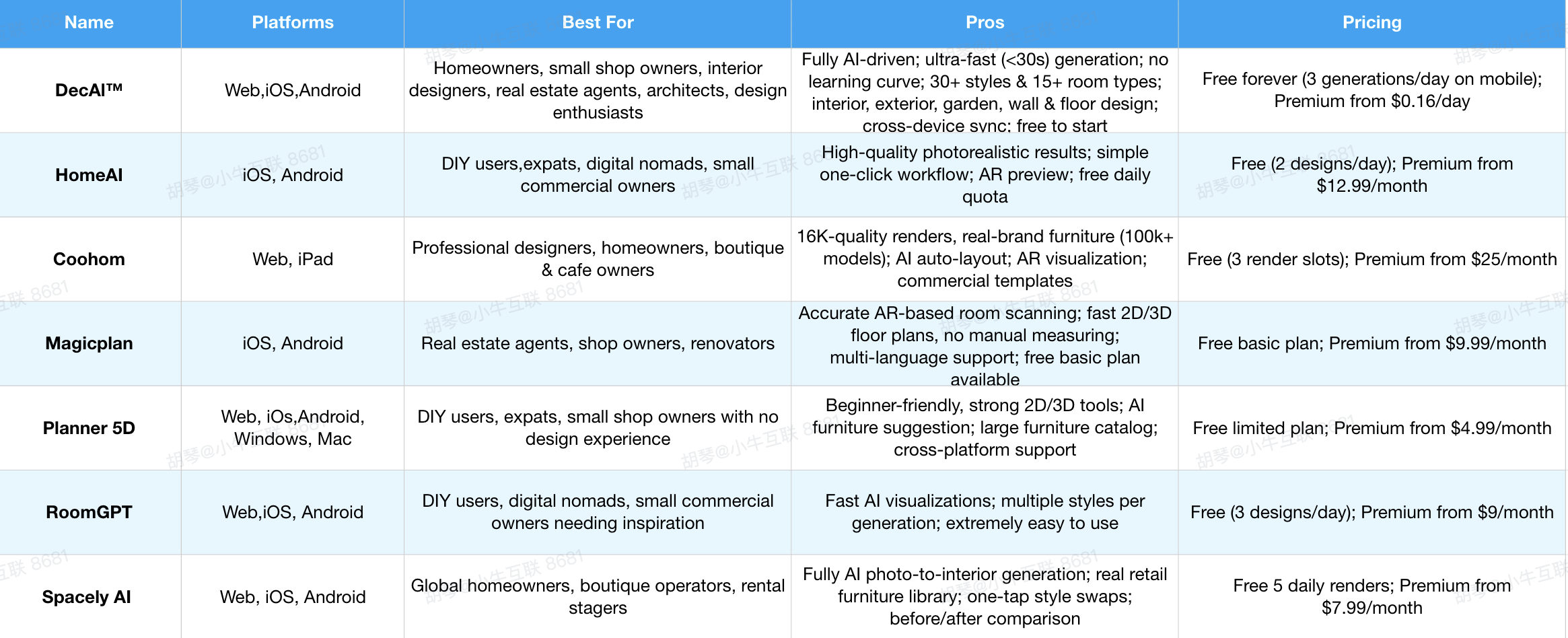
Let's firstly have a quick overview of these 15 free ai interior design tools:
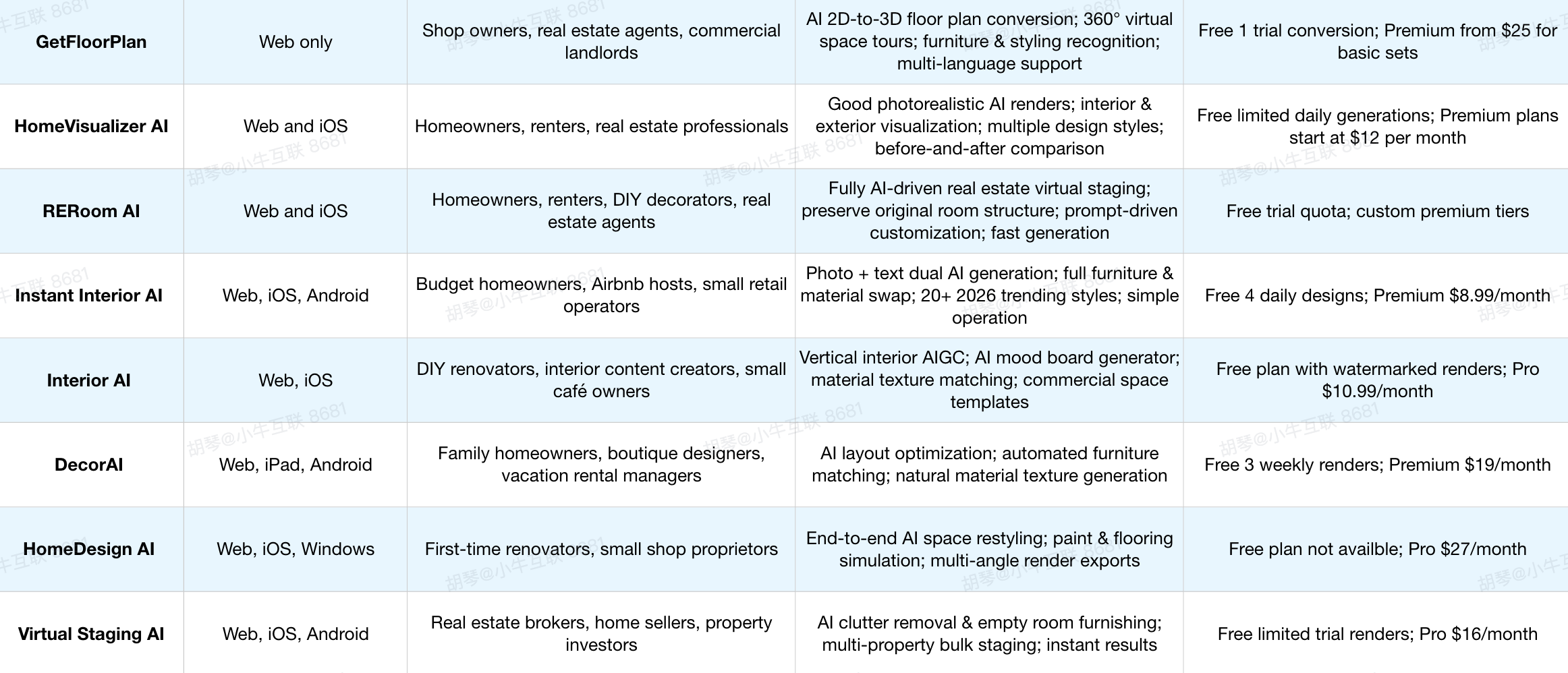
Our quick picks:
- Best overall: DecAI™
- Best for mobile: Home AI
- Best for floor plans: Planner 5D
- Best for room scanning: Magicplan
- Best for real furniture: IKEA Kreativ
- Best for virtual staging: Virtual Staging AI
1.DecAI™ (a free, fully AI-driven interior design app that transforms your space in less 30 seconds)

Platforms supported: Web, iOS and Android devices
DecAI™ is a free, highly-rated interior design app that transforms any empty, furnished or even clustered real room, shop or space into your desired version virtually in just less than 30 seconds.
Once you upload a photo of your homes, apartments, and small commercial shops, the AI will automatically analyze your space’s dimensions, lighting, and existing decor, then generate tailored design concepts that align with your style preferences.
It is perfect for anyone, from complete design beginners to experienced home design experts, who want to quickly visualize, preview and iterate their renovation ideas in a short time.
DecAI™ makes the whole interior design process super easy, fast and fun, no design skills, no physical measuring required.
Key features:
- Fully AI-driven capabilities & analysis
- Fully AI-driven capabilities & analysis
- Less than 30 seconds to generate AI redesign, restaging and festival redecorating
- 30+ design styles to instantly explore different looks and aesthetics
- 15+ room types for designing virtually any space around your home
- 130 floor and wall design textures and materials to find the perfect match for your space
- Easily transfer styles from any reference photo to your own space
- Declutter rooms in just few clicks
- Your personal AI agent to chat with, explore ideas, and keep refining your design
- Easy to export and share
- Accessible from both websites and mobiles
Pros:
- Super fast generation, idea exploration and style transfer
- All-in-one home design workflow covered in just one place
- No learning curve, no manual editings
- Works directly with your own space photos
- 100% free to get started and cost-effective
- Easy to experiment with new styles, colors, materials & more
- Keep refining instead of starting over
- Seamless adaptation to latest design trends
Cons:
- The free‑forever plan carries hard limits: only 1 web generation and 3 mobile generations each day
- Require a stable internet connection
Pricing:
- Free-forever plan comes with 1 web generations and 3 generations per day on mobiles;
- Premium plans start at just $4.99 per month
- If a recurring subscription isn’t for you, DecAI also offers one-time credit packages, starting at $29.99 for 100 generations.
Best for:
Homeowners, small shop owners (gift shops, boutiques), interior designers & decorators, real estate agents, architects, design enthusiasts or anyone that wants to redesign their home or shop with the minimal cost and effort.
User review:
“Love this clean look for the rental property. This design made it easy for me to see a clean look while saving money but make it look nice at the sane time.” –- Rachel (Google Play, 4.6 stars)
Our hands‑on test notes:
We uploaded photos of cluttered rental apartments and empty shop spaces. Redesign outputs generated within 25‑30 seconds; style‑transfer function works reliably for different room types. Stable internet connection is mandatory.
2.HomeAI - (a fully AI-driven photo-based interior design tool for mobile devices only)
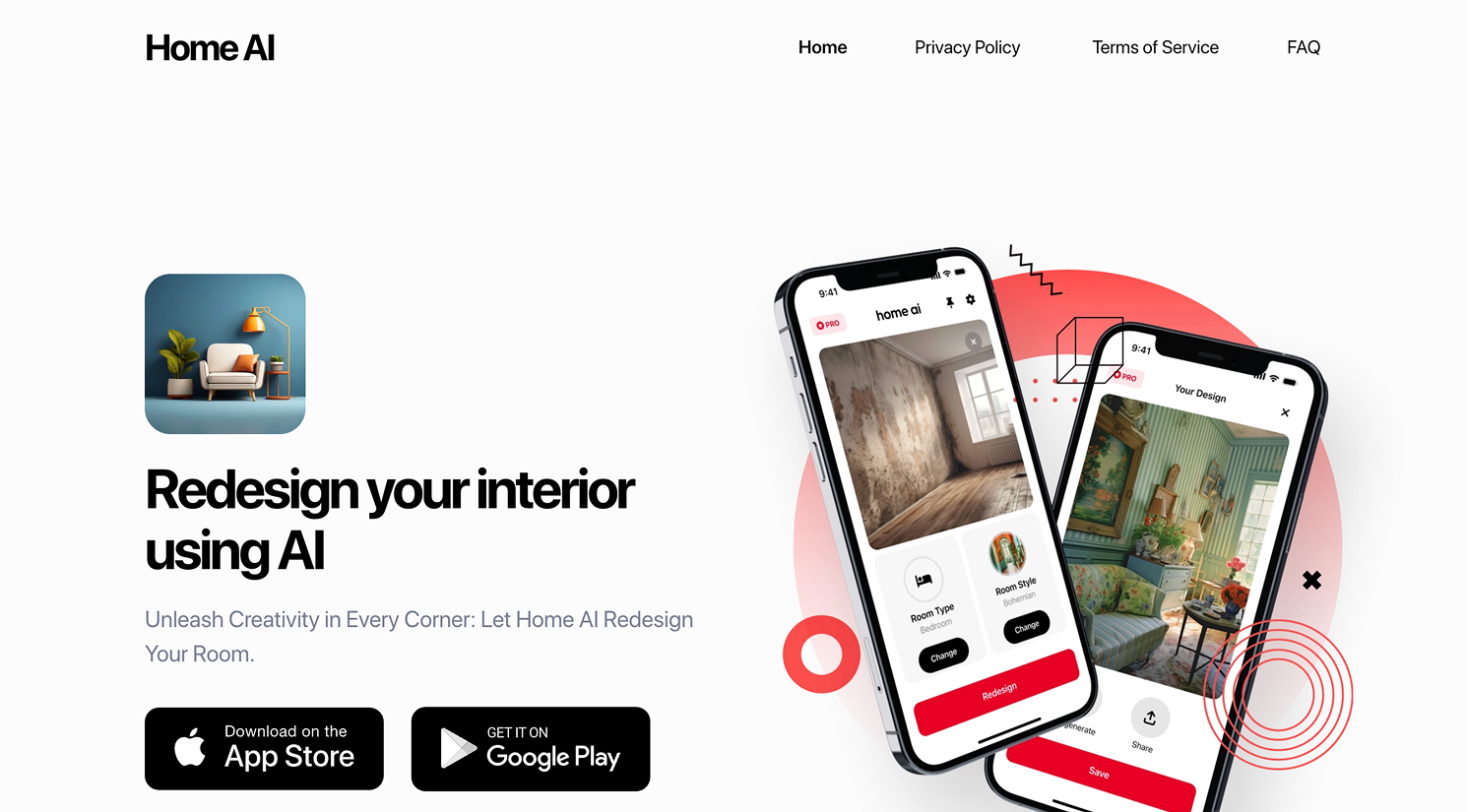
Platform supported: iOS and Android devices
If you’re not a professional designer and simply want to quickly renovate a home or rental apartment for better living or client presentations, Home AI is a great option. Designed for mobile use only, it lets you complete the entire design process on the go.
HomeAI excels at photo-based redesign and style suggestions. Just upload a room photo, and it generates personalized design ideas with furniture and color recommendations in seconds.
Key features:
- AI photo/text-to-design generation
- Multiple decorative styles to choose from
- Furniture & décor optimization
- AR preview for in-space visualization
- Cross-device sync (web version discontinued, mobile-only operation)
Pros:
- Excellent photorealistic redesign results
- Intuitive one-click operation
- Free daily design quota
Cons:
- Free daily quota applies, advanced features are restricted in free tier
- Commercial‑specific templates requires premium access
Pricing:
- Free plan comes with 2 designs per day
- Premium plans start at $12.99/month
Best for:
Global DIY enthusiasts, expats, digital nomads, and small commercial owners.
User Review:
“I have used this app twice and it has creates each time my vision to reality. My living room is now light and bright and my grand daughter now has her tasteful fairy pink bedroom waiting for her visits. (Not something I could design on my own.”
” — Aisha (Google Play, 4.6 stars)
Our hands‑on test notes:
HomeAI delivers realistic photo‑based outputs on mobile phones. Since there is no web version, all edits and iterations must be completed on smartphone screens. Commercial templates lock behind premium paywall.
3.Coohom (a partially AI-integrated 3D home design app for professional designers)
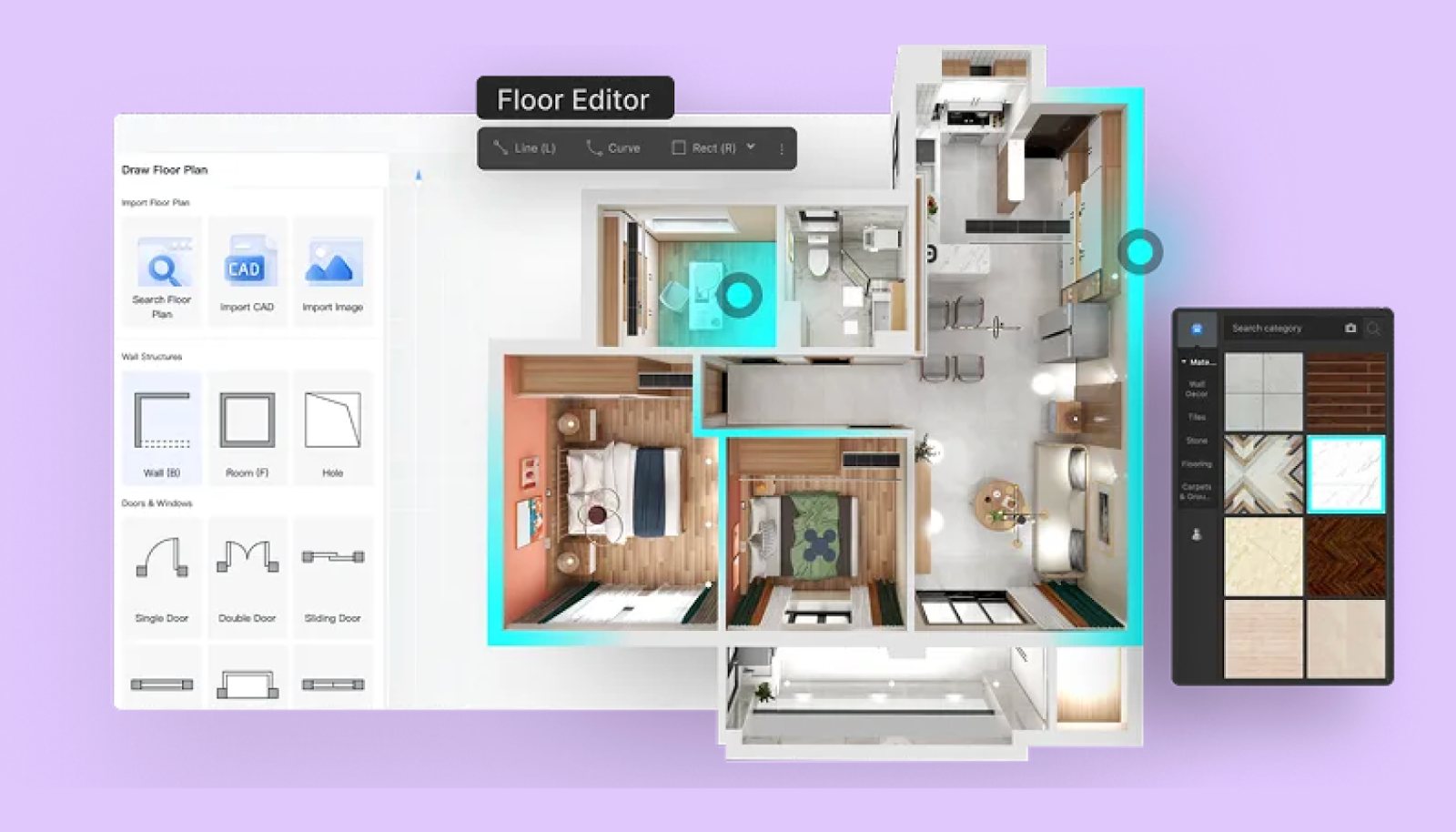
Platforms supported: Web version and iPad app
Coohom is AI-assisted 3D interior design and visualization platform that enables users to create detailed floor plans, drag-and-drop furniture arrangements, and generate stunning photorealistic renders in resolutions up to 16K.
It specializes in 3D home and interior design, allowing professional designers to quickly create edits and high-quality 3D renderings. So, it is quite a good tool for the professionals who need to quicken their design process with the help of AI.
Key features:
- AR visualization (iOS/Android, global compatibility)
- 100k+ real-brand furniture models from global retailers
- AI auto-layout optimization for diverse space types
- Pre-built floor plans for global property styles (apartments, townhouses)
Pros:
- Realistic VR renders
- Free basic functions
- Commercial templates
Cons:
- Steeper learning curve for brand‑new users without CAD background
- Free account limited to only 3 render slots
Pricing:
- Free plan comes with 3 slots per account
- Premium plan starts at $25 per month
Best for:
Global homeowners, professional designers, and small commercial shop owners (cafés, boutiques) needing cross-region design tools with real-brand integration.
User review:
“Used Coohom to design my Paris boutique—loved the AR feature that let me test shelf placement in the actual space. The AI layout suggestion saved me from wasting space, and the international furniture library matched my brand. Only complaint is the free render watermark.” — Emma (Google Play, 4 stars)
Our hands‑on test notes:
Coohom produces outstanding 16K renders; new users will spend time learning floor‑plan drawing. Free renders add visible watermark on output files.
4.Magicplan (an AI-integrated floor plan generator starting from phone camera scan )

Platform supported: iOS and Android mobile devices
Have you ever wanted to scan your space and instantly generate a renovation-ready floor plan? If so, Magicplan is worth trying. Its core strength lies in AI-powered AR room scanning and automatic floor plan generation easily from your phone’s camera—making layout planning much easier before starting any interior design work.
Simply walk your space with your phone camera, and AI instantly calculates accurate room measurements without manual tape measuring. And also export 2D blueprints and basic 3D shell layouts to import into other AI interior design tools for styling later, if necessay.
Key features:
- AR‑powered room scanning
- Automatic 2D/3D floor plan generation
- Object library for furniture placement
- Export plans in multiple formats
Pros:
- Very accurate room measurement
- Easy planning from phone
- Free basic plans
- Multi-language support
Cons:
- Not a full interior redesign app; core function is floor‑plan & measurement
- Advanced export features locked outside free tier
Pricing:
- Free plan comes with limited features
- Premium plans start at $9.99/month
Best for: Global real estate agents, shop owners, and renovators needing quick, accurate floor plans with metric/imperial support.
User review:
“Scanned my 50㎡ shop in Dubai with Magicplan in 3 minutes—got a precise floor plan with metric labels. Exported to Coohom for design, saving hours of measuring. Free watermark is manageable for global planning.” — David (Google play, 4.2 stars)
Our hands‑on test notes:
Camera‑based AR scanning works well for regular‑shaped rooms. Odd‑shaped rooms require manual adjustment. It focuses on measurement & floor‑plan rather than full interior decoration.
5.Planner 5D (an AI-assisted design app that helps to create professional floor plans with manual 2D/3D editings)
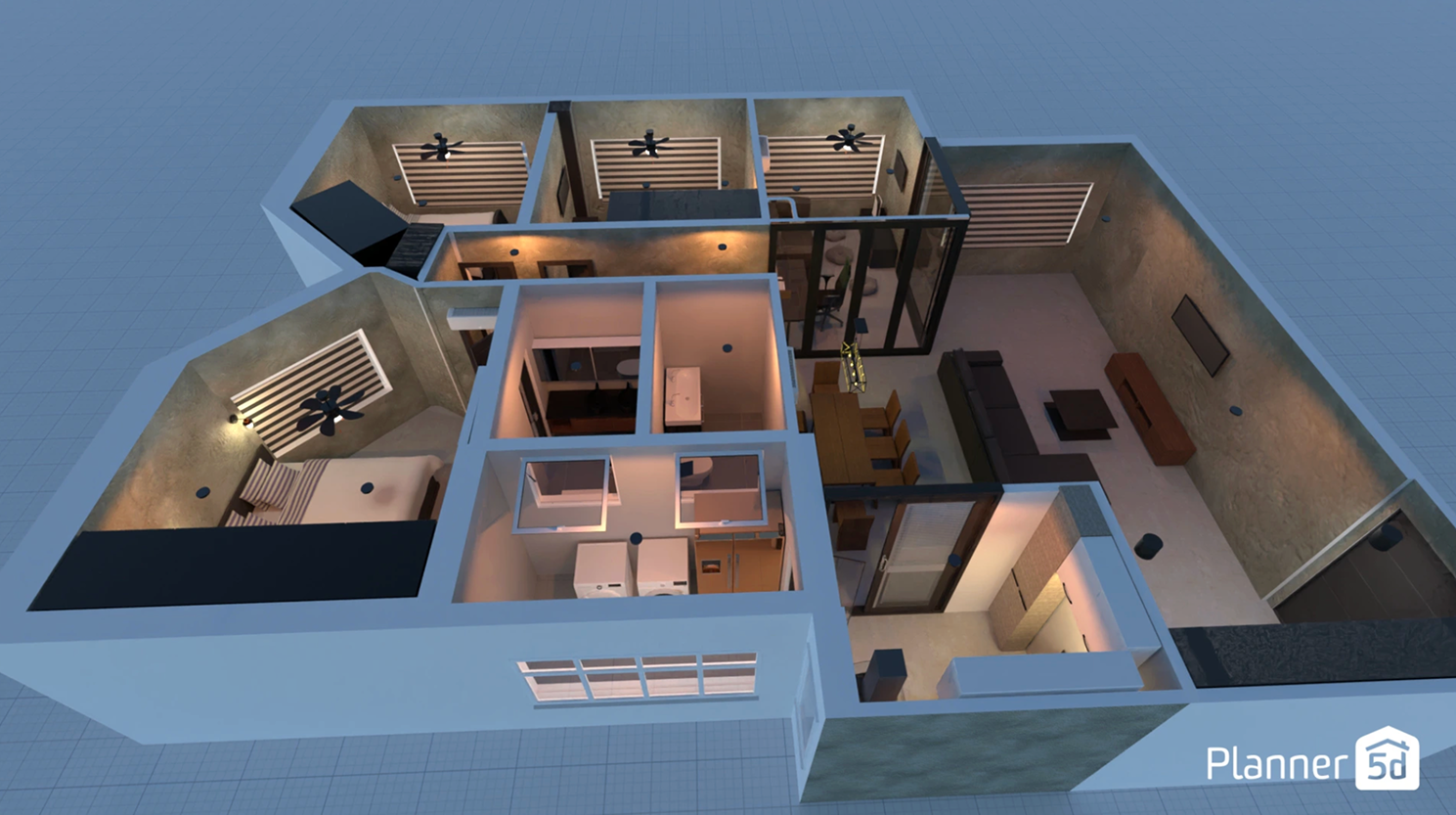
Platforms supported: Web, iOS, Android, Win, Mac
Looking for an AI tool to start with the floor plan of an empty house or apartment? Planner 5D is a great choice. It’s a user-friendly app with partial AI integration that lets you create detailed floor plans in both 2D and 3D, drag and drop furniture from a large catalog, and visualize your space with photorealistic renders.
Key features:
- 2D & 3D floor plan creation with just drag-and-drop
- AI-style furniture recommendations for global aesthetics
- Preset furniture & décor catalog
- Photo-realistic render and snapshot tools
Pros:
- Beginner-friendly
- Cross-platform
- Large item catalog and customization
Cons:
- Free plan only unlocks very basic project models
- Some users report unexpected charges & tricky free‑trial cancellation
- AI only suggests furniture; cannot complete end‑to‑end automatic redesign
Pricing:
- Free plan comes with limited projects and basic models.
- Premium plans start at $4.99 per month
Best for:
Global DIY enthusiasts, expats, and small shop owners (cafés, home offices) with no design experience, prioritizing intuitive 2D/3D tools.
User review:
“Designed my rental apartment in Berlin and a friend’s café with Planner 5D. The AI suggested a perfect industrial-style set for the café, and switching between 2D/3D fixed layout flaws. Great for budget global projects!” — Mike (App Store, 4.4 stars)
Our hands‑on test notes:
Massive furniture catalog for DIY users. AI only gives style suggestions instead of fully automatic redesign; pay attention to free‑trial cancellation policy.
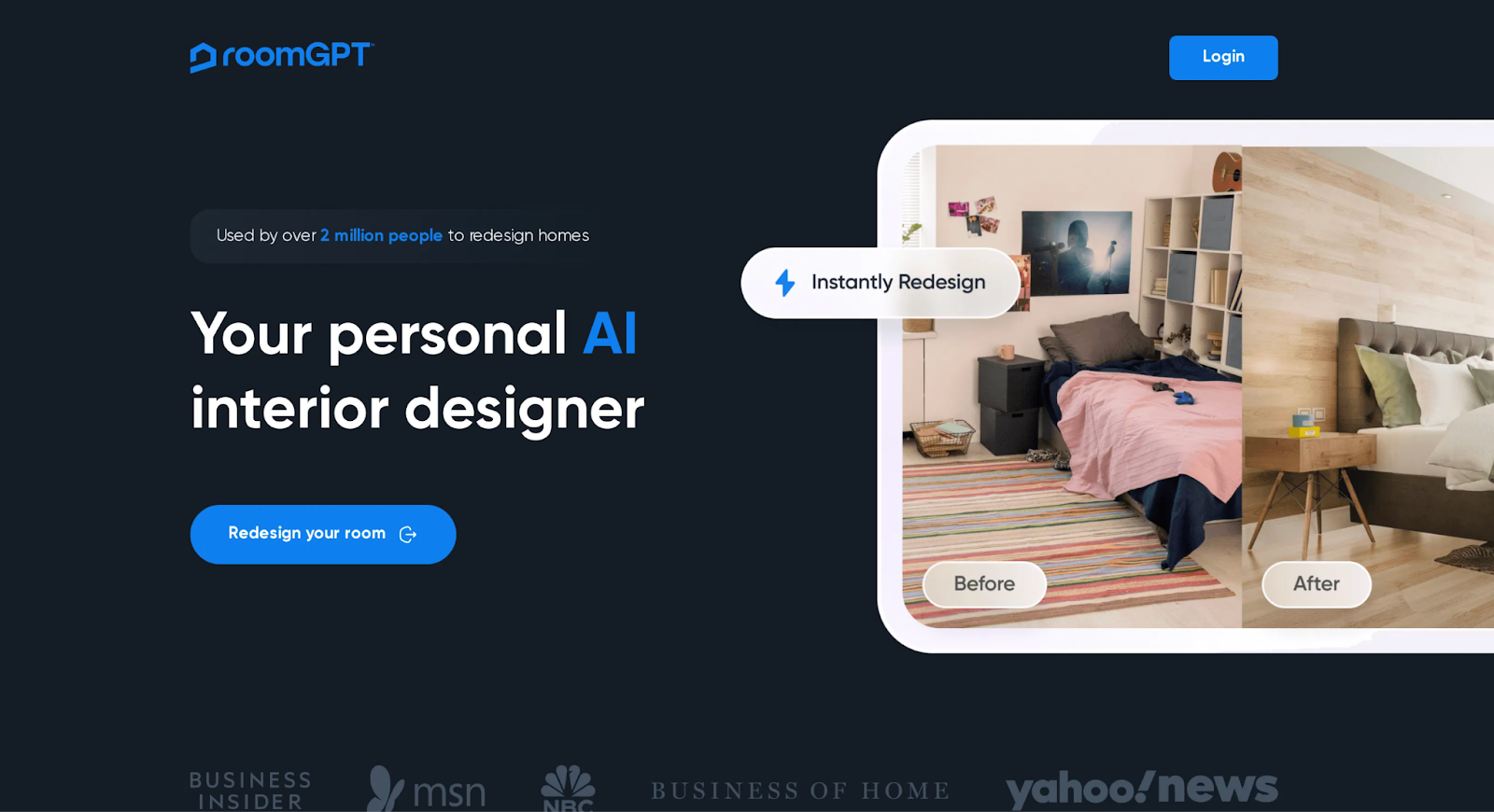
6.RoomGPT(a fully AI-driven photo-based interior design app for quite real space transformation )
Platform supported: web, iOS, Android
While it isn’t a full layout editor, RoomGPT allows you to select different design styles and generates up to four themed design variations at a time, making it easy to compare options and find the best fit. It’s especially well suited for quick design inspiration and concept exploration.
Key features:
- Upload room photo and generate new looks
- Multiple styles and theme options
- Worldwide user base with social proof
- Very easy to use interface
Pros:
- Fast room visualization
- Great for inspiration and quick ideas
Cons:
- Free plan daily AI generation credits are limited
- Occasional latency on Asian and African servers
- 4K exports & advanced templates belong to premium tier
Pricing:
- Free plan comes with 3 designs per day
- Premium plans start at $9 per month
- When using the mobile app, you can also pay by weeks.
Best for: Global DIY enthusiasts, expats, digital nomads, and small commercial owners who need to quickly get design inspiration.
Our hands‑on test notes:
Great for fast concept inspiration, but it does not provide manual layout editing functions. Users in Asia and Africa may encounter slow server response time.
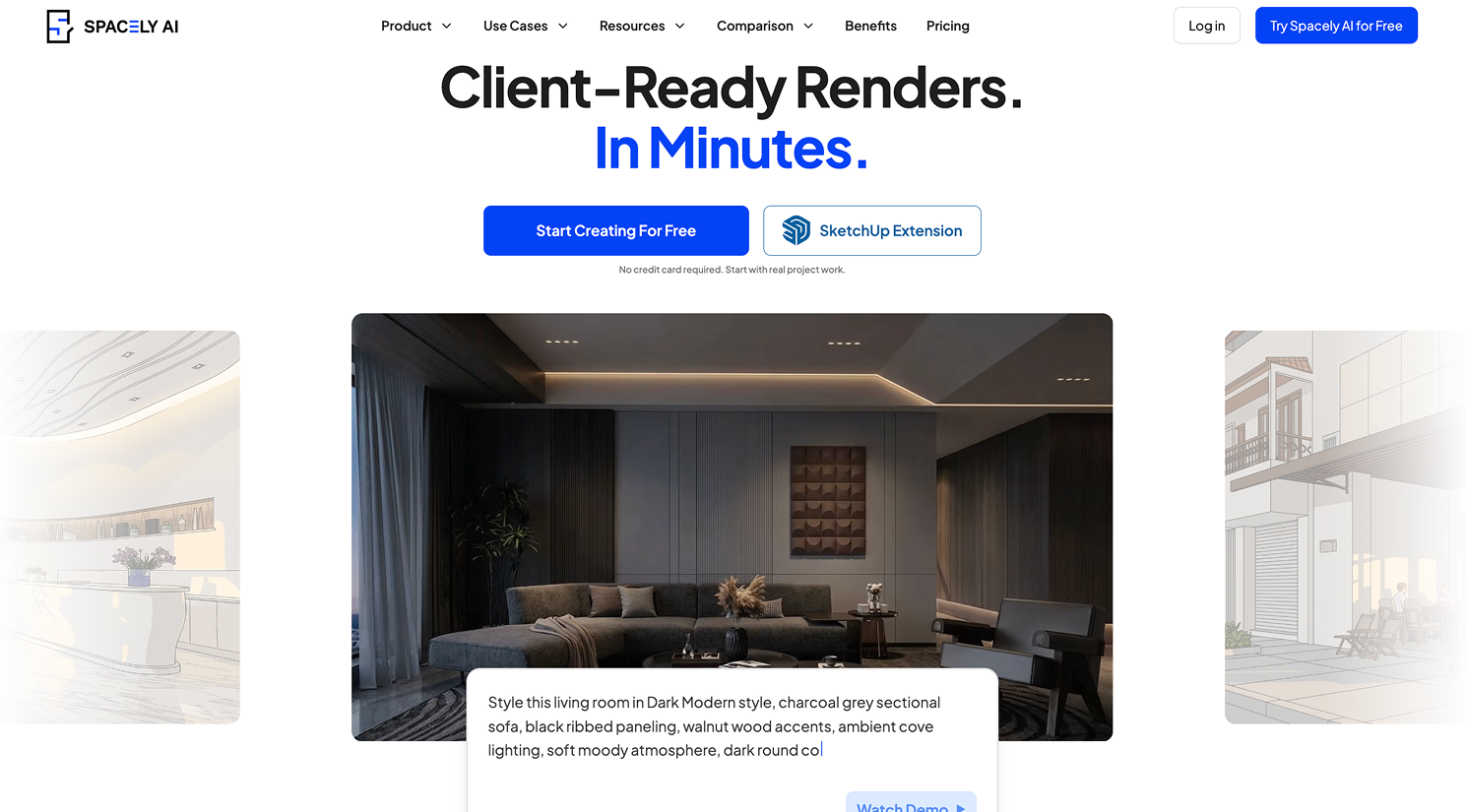
7.Spacely AI (a AI photo-to-interior generation with authentic product matching)
Platform supported: Web, iOS, Android
Spacely AI is a 2025-launched modern AIGC interior tool built around real-world retail furniture assets, designed for homeowners, Airbnb hosts and boutique operators. Unlike legacy layout software, its core functionality is fully AI-powered photo-to-interior generation with authentic product matching.
Key features:
- AI full-room restyling from user uploaded photos
- Integrated catalog of purchasable global brand furniture
- One-click warm/cool/minimalist style conversion
- Split-screen before-and-after render comparison tool
Pros:
- Beginner-friendly,
- No manual layout drawing required
- All generated designs use market-available furniture pieces
Cons:
- Complex multi‑story home layout editing limited in free version
- Slow render speeds when generating ultra‑large retail spaces
Pricing:
- Free plan comes with 5 AI interior renders per day
- Premium plans start at $7.99/month
Best for:
Homeowners, short-term rental stagers, small boutique and café owners wanting market-realistic AI interior previews.
Our hands‑on test notes:
Generated furniture items correspond to real retail products. Complex multi‑story layouts are restricted under free tier; rendering slows down for large retail‑space input.
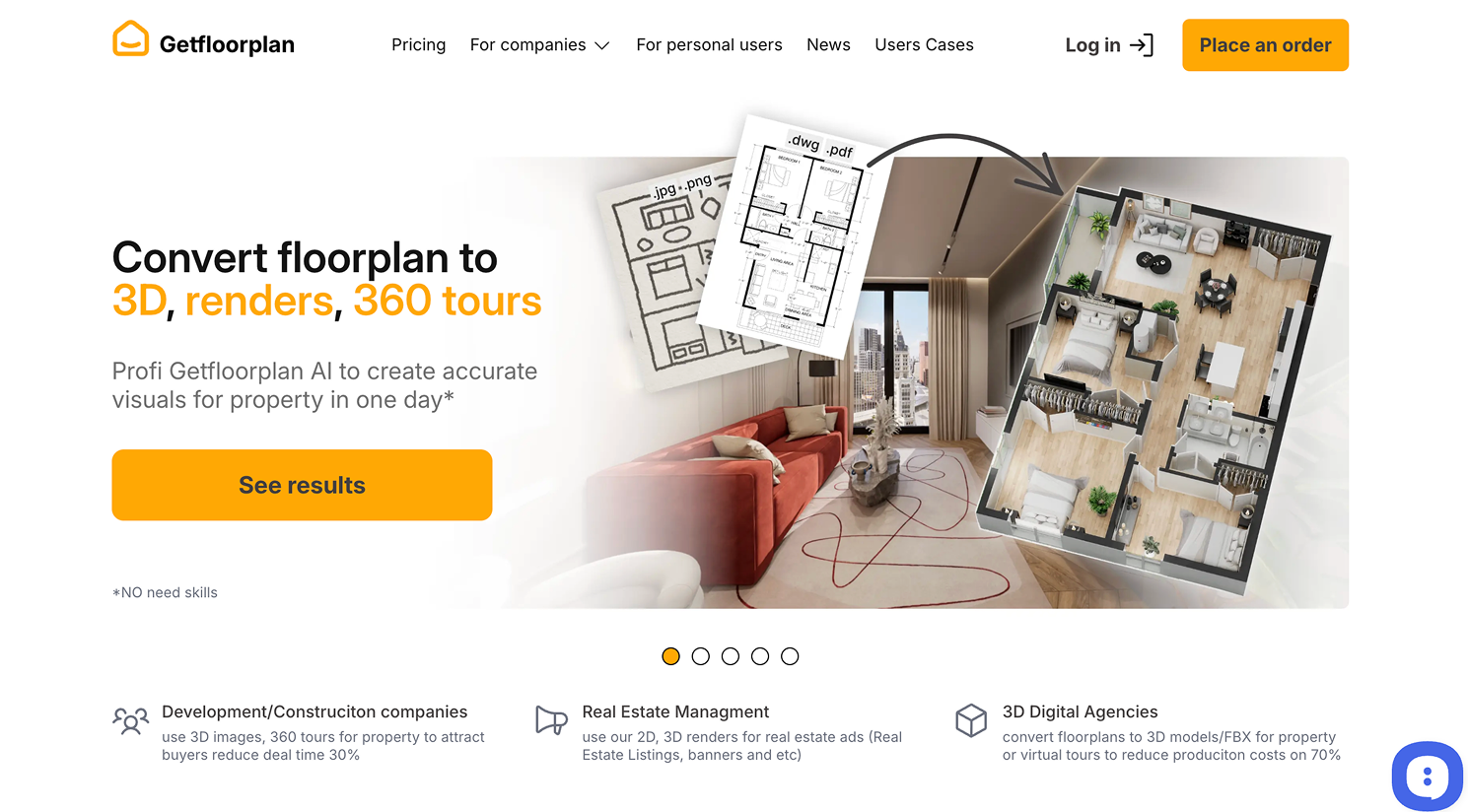
8.GetFloorPlan (a browser-based AI tool for smart 2D-to-3D floor plan conversion)
Platform supported: Web only
GetFloorPlan is a browser-based AI floor plan generator that turns your uploaded sketches, images, JPGs, PNGs, or PDFs into high-quality 2D blueprints, fully furnished 3D floor plans, and 360° virtual tours in minutes.
Its AI engine automatically recognizes room boundaries, furniture, and spatial layout, then builds realistic visuals ideal for listings, portfolios, or property walkthroughs.
It’s designed for both individual users and bulk use by agencies or developers.
Key features:
- AI 2D-to-3D floor plan conversion
- 360° virtual space tours
- Furniture & styling recognition
- High-quality visual rendering
- Custom branding & bulk processing
Pros:
- Fully AI-automated workflow
- High-quality virtual tours
- Commercial branding
- multi-language support
Cons:
- Full processing may take up to 24 hours
- Only one free 3D conversion for trial users
- User‑support response & delivery timelines vary by workload
Pricing:
- Free trial comes with 1 free 3D conversion
- Premium plans start at $25 for the basic sets
Best for:
Global shop owners, real estate agents, and commercial landlords needing immersive 3D tours for international clients.
Our hands‑on test notes:
It automates conversion of drawing files to immersive 3D tours. Processing may take up to 24 hours, turnaround time is not instant.
9.HomeVisualizer AI(a free photo-based AI design app that excels at renders )
Design any room, shop or space with DecAI in less 30 seconds! It's free!

Platform supported: Web and iOS devices
HomeVisualizer AI is a fully AI-powered interior and exterior visualization tool that transforms photos of real spaces into redesigned concepts within seconds.
By uploading a photo and selecting a preferred style, users can instantly see how their home, apartment, or commercial space might look after renovation.
It excels at professional renders, helping to create your desired interior design quickly.
Key features:
- Photo-based AI redesign
- Interior & exterior visualization
- Multiple design styles
- Before-and-after comparison
Pros:
- Good realism and renders
- Good AI automation
- Beginner-friendly interface
Cons:
- Limited manual editing and fine‑tuning controls
- Daily generation quota applies for free tier
- Designs are conceptual and cannot serve as construction‑ready blueprints
Pricing:
- Free plan with limited generations
- Premium plans start at $12 per month
Best for:
Homeowners, renters, and real estate professionals who want to quickly iterate raw design concepts.
Our hands‑on test notes:
It creates impressive conceptual renders, but you cannot fine‑tune individual furniture elements manually. Outputs are for inspiration rather than construction drawings.
10.RERoom AI (a fully AI-powered interior design tool that makes your design ideas shine)

Platform supported: Web and iOS devices
RERoom AI is a real-estate-oriented AI interior design tool built for fast, clean, and market-ready room visualizations.
Unlike inspiration-heavy AI apps, it focuses on realistic, neutral designs that preserve the original room structure while upgrading furniture, colors, and décor. This makes it especially suitable for property listings, virtual staging, and renovation previews, where clarity and realism matter more than artistic experimentation.
The entire workflow is fully automated and requires no design skills.
Key features:
- Photo-based generation
- Style selection and comparison
- Prompt-driven customization
Pros:
- Fully AI-driven
- Fast generation
- Inspiring outputs
- Great for quick concept testing and idea validation
Cons:
- Some generated outputs lean more conceptual
- High‑resolution file exports require premium subscription
Best for:
Homeowners, renters, DIY decorators, and real estate agents who want quick AI-generated room redesigns with minimal effort — ideal for inspiration, staging, and concept testing.
User review:
“RERoom AI gives surprisingly good styled room visuals from just a single photo — perfect for quick ideas before I consult more detailed tools.” — Rebeca (App store, 4.6 stars)
Our hands‑on test notes:
It keeps original room walls & layout unchanged, perfect for property marketing. High‑resolution exports are locked to paid subscription.
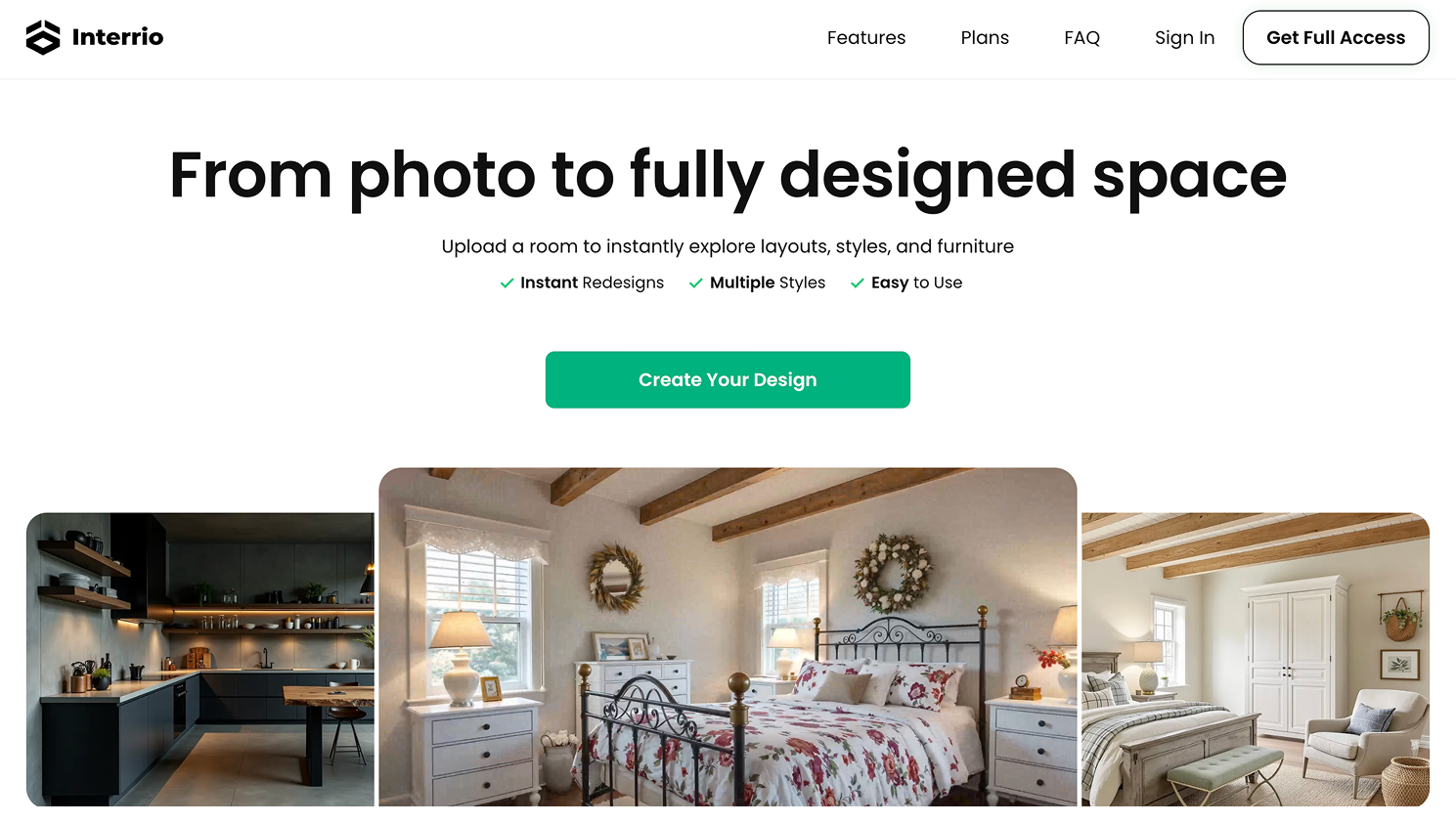
11.Interior AI (a fully AI photo-based interior redesign tool for residential & retail spaces)
Platform supported: Web, iOS
Interior AI is a vertical dedicated AI interior design tool. It focuses purely on interior space generation, with built-in AI automatic mood board generator, intelligent material texture matching, and exclusive templates for residential rooms and small commercial stores. Users can upload room photos or input text descriptions to generate complete styled interiors in one click.
Key features:
- Vertical AIGC for interior space only
- AI automatic interior mood board generation
- Intelligent matching of wood, stone, fabric textures
- Specialized templates for living room, bedroom, café, boutique
Pros:
- Free plan provides watermarked high-definition renders for unlimited inspiration testing
- Exclusive commercial space templates for small shop owners
Cons:
- High-definition bulk export function locked behind Pro subscription
Pricing:
- Free plan available with watermarked renders;
- Pro versions start at $10.99/month
Best for:
DIY renovators, interior social media content creators, small boutique & café owners.
User review:
"This ai tool is best and help full for a person to decorate his house in a good maner so I am very happy to install this app for my house interior decorating.i need a this app to the exterior of my house for their landscaping." — Ilyas Khan (Google play, 4.6 stars)
Our hands‑on test notes:
Free‑tier renders carry watermarks. Mood‑board and commercial templates perform well for social‑media content creation. Bulk high‑resolution export requires Pro plan.
12.Instant Interior AI (a dual photo & text prompt AI interior redesign tool)
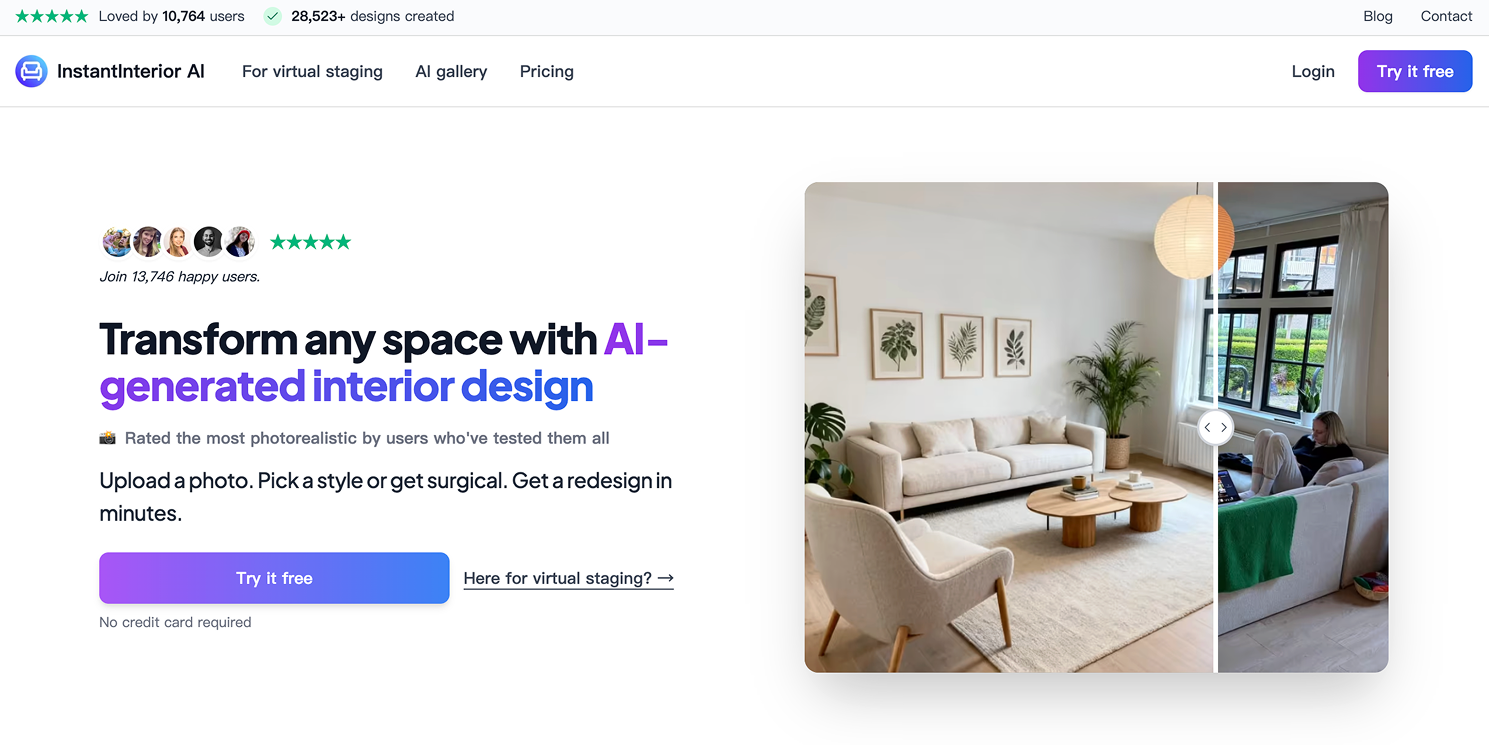
Platform supported: Web, iOS, Android
Instant Interior AI is a mainstream end-to-end AIGC interior tool popular in 2026, supporting both photo upload and text prompt generation. It specializes in one-click furniture replacement, wall paint and flooring texture replacement, covering all mainstream 2026 interior trends including warm minimalism and architectural minimalism.
Key features:
- Dual generation mode: photo upload & text prompt design
- One-tap full furniture, wall and floor material replacement
- 20+ trending 2026 interior style templates
- Quick before-and-after render comparison
Pros:
- Optimized for residential apartments, Airbnb rentals and small retail shops
Cons:
- Free version cannot handle complex multi‑layer structural modification
Pricing:
- Free plan comes with 4 AI interior redesigns per day
- Premium plans start at $8.99/month
Best for:
Budget homeowners, short-term rental hosts, independent café operators on tight budgets.
Our hands‑on test notes:
Supports both photo upload and text prompt generation. Cannot handle complex structural demolition or large‑scale layout reconstruction on free plan.
13.DecorAI (an AI layout & furnishing optimization tool for homes & vacation rentals)

Platform supported: Web, iPad, Android
DecorAI is an AI interior design tool focusing on spatial layout optimization and matching soft furnishings, targeted at family homeowners and vacation rental managers. Its AI algorithm analyzes room proportions to optimize awkward layouts, then generates matched furniture, carpet and curtain combinations according to selected styles.
Key features:
- AI automatic optimization of irregular room layouts
- Intelligent matching of complete furniture & soft furnishing sets
- Natural wood, travertine and linen texture AI generation
- Neutral rental-friendly style templates
Pros:
- Free 3 AI render credits available every week
- Outstanding natural material texture restoration effect
Cons:
- Free version has maximum room‑size limit for rendering input photos
Pricing:
- Free plan comes with 3 weekly AI renders
- Premium plans start at $19/month
Best for:
Family homeowners, freelance boutique interior designers, short-term rental property managers.
Our hands‑on test notes:
Outstanding natural‑material texture rendering. Free render function sets maximum room‑size restrictions for input photos.
14.HomeDesign AI (a beginner-focused full AI space restyling tool)

Platform supported: Web, iOS, Windows
HomeDesign AI is a beginner-oriented full-process AI space restyling tool. Its core automated functions include wall paint color simulation, full floor material replacement, and multi-angle high-definition render export, which can be directly provided to renovation contractors as reference drawings.
Key features:
- End-to-end AI full room restyling from photos
- Realistic paint color and flooring material simulation
- Multi-angle high-res render export for renovation reference
- Cross-device web cloud sync
Pros:
- Simple text prompt control, zero design experience required
Cons:
- Free plans are not available since last year; users must purchase pro subscription
Pricing:
- Pro plans start at $27/month
Best for:
First-time home renovators, small retail shop proprietors with limited budget.
Our hands‑on test notes:
No active free tier available as of 2026. Multi‑angle renders are suitable to hand over as renovation reference for contractors.
15.Virtual Staging AI
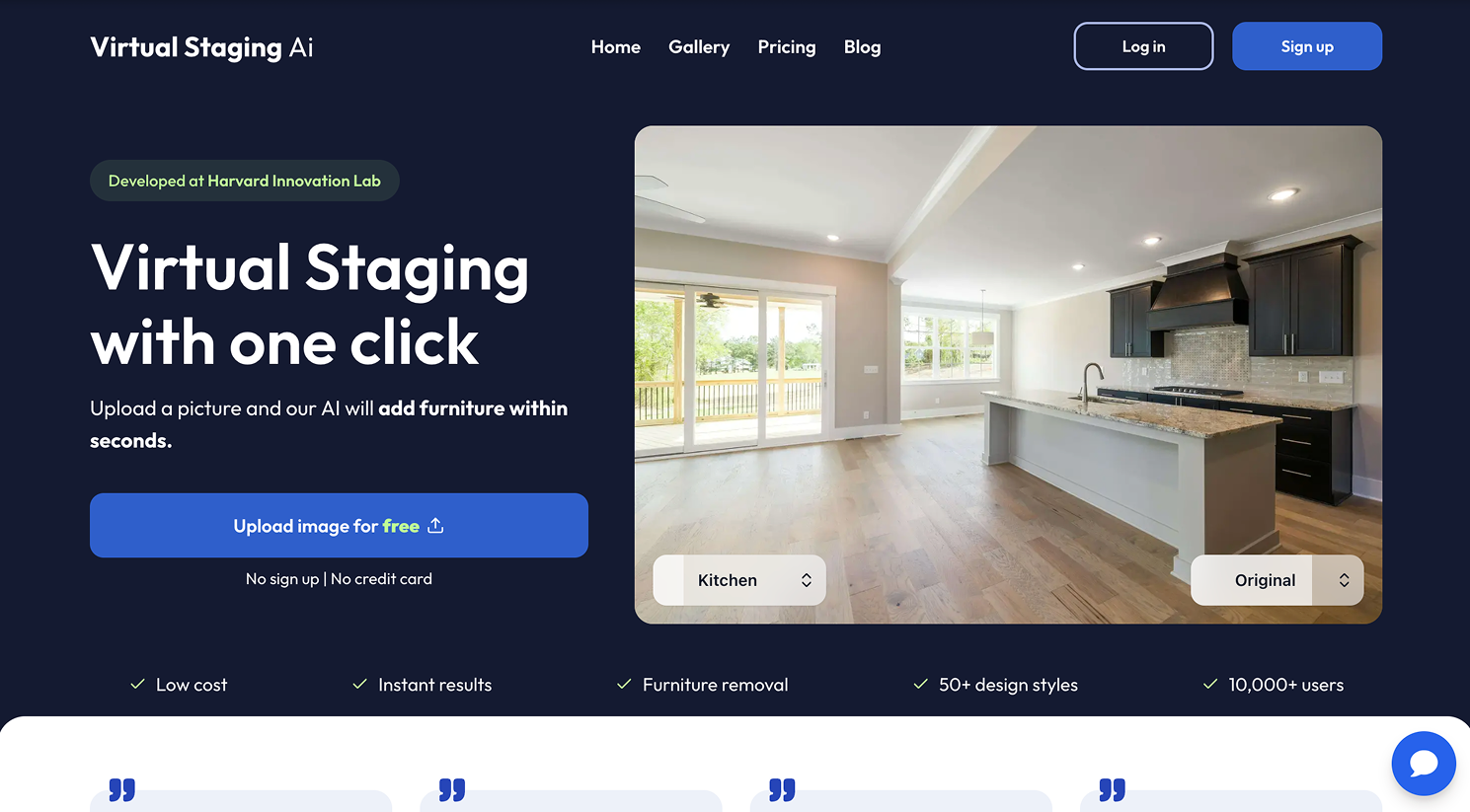
Platform supported: Web, iOS, Android
Virtual Staging AI is designed for people who want to quickly turn empty or messy rooms into move-in-ready spaces using AI. Just upload a photo, choose a style, and the tool automatically adds realistic furniture and décor that looks great in real listings.
It’s an excellent choice for home sellers, real estate agents, or homeowners who need professional-looking staging images without hiring a designer or learning complex tools.
Key features:
- One-click AI clutter removal for messy rooms
- Automatic furnishing for bare empty properties
- Batch multi-photo staging for multiple listing houses
- Multiple buyer-friendly neutral style options
Pros:
Free trial renders available without credit card binding
Instant output, perfectly matching real estate listing needs
Cons:
- Strict quantity cap for free trial renders
Pricing:
- Free limited trial renders
- Premium plans start at $16 per month
Best for:
Real estate brokers, private home sellers, residential property investors
Our hands‑on test notes:
Excellent for empty real‑estate photos. One‑click clutter removal works well for messy rooms; trial renders are limited without credit‑card binding.
6 more interior design apps worth considering
16.SketchUp Free
SketchUp Free is a professional yet user-friendly 3D modeling tool that you can use to remodel interior spaces, design furniture, and create complex layouts. Widely used by architects and home designers in over 190 countries, it offers powerful features for detailed and flexible interior design work.
17.Canva Interior Design
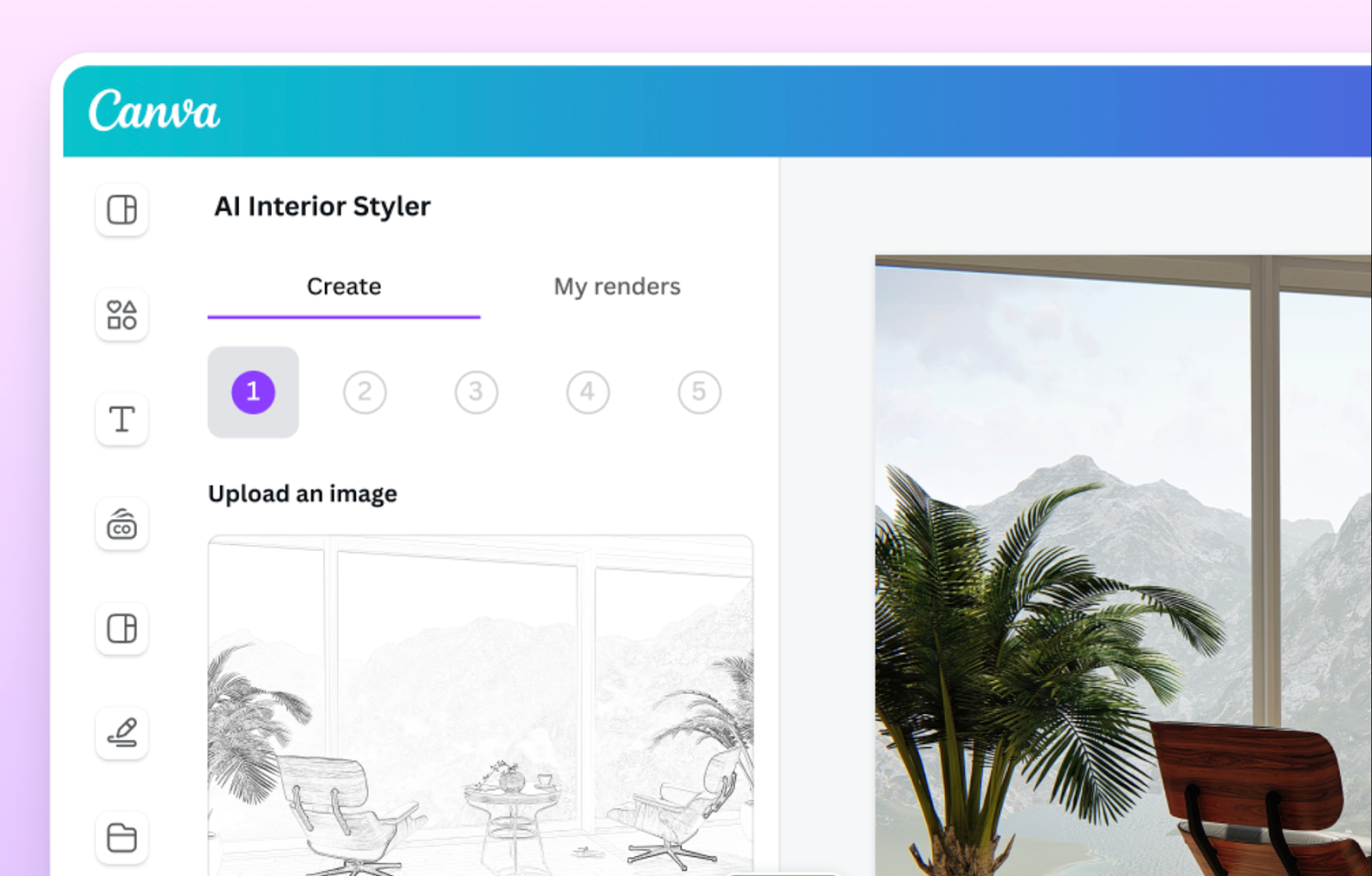
Canva Interior Design is originally a popular design tool for web and app design. It is great for creating interior design mood boards, presentations or simple concept boards. However, its AI features are fairly basic and can't match dedicated AI interior design tools for room redesign or realistic visualization.
18.RoomSketcher
RoomSketcher is a traditional layout tool with no built‑in AI space‑generation engine. All floor plan drawing, furniture placement and styling rely on manual drag‑and‑drop operation. It focuses on precise measured 2D blueprints and basic 3D previews for homeowners and real estate planners.
19.Sweet Home 3D
Sweet Home 3D is free open‑source interior design software purely based on manual operation, without any AI generation modules. Users manually draw room outlines, drag furniture from the built‑in library and adjust materials to complete space planning, suitable for budget DIY users who don’t need AI intelligent rendering.
20.Floorplanner
Floorplanner is a web‑exclusive manual layout tool targeting real estate practitioners, without AI space reconstruction capability. Users manually outline room shapes, input size data and place furniture assets one by one to generate floor plans and simple 3D previews.
21.IKEA Kreativ
IKEA Kreativ is a free decorating tool for trying real IKEA furniture in your own space. If you’re looking to refresh your room with new furniture, it lets you quickly experiment with different IKEA products before buying. Simply photograph your room, remove the existing furniture, and add appropriately scaled IKEA products to see how they could look and fit in your space.
How to get better AI interior design results
Even a strong AI interior design app can produce disappointing results when the input photo or instructions are poor.
So, here are some tips you should keep in mind to improve your results:
1.Start with a better room photo
Shoot your room in bright, natural daylight.
Try to capture the full room in one frame, including walls, windows, doors, and fixed structures.
Keep the camera relatively level so walls and vertical lines don't appear heavily tilted.
For narrow rooms, bathrooms, or entryways, a wider-angle photo can help the AI understand the space.
2.Remove excessive clutter
Too many small objects can make it harder for AI to interpret the room correctly.
Clean the room first—or use an AI decluttering feature if the app provides one.
3.Be specific with your prompt
It would be quite weak if you use "Make my bedroom nice", well, it would be better if you change it into the below:
"Redesign this small bedroom in warm minimalism with warm white walls, a light oak bed, beige linen bedding, two small floating nightstands, and soft ambient lighting. Keep the windows and flooring unchanged."
Just try to add far more details.
4.Tell the AI what NOT to change
This is particularly useful when you like the basic room but only want a partial redesign.
For example, write your prompt like this "Keep the windows, fireplace, flooring, and room layout unchanged. Replace only the furniture and wall colors."
5.Generate more than one version
AI generation naturally produces variations. Instead of judging the tool based on one image, generate several concepts and look for ideas that consistently work.
Can AI interior design apps replace an interior designer?
Not completely—and they don't necessarily need to.
AI interior design apps are particularly good at:
- Exploring design ideas
- Visualizing styles
- Comparing furniture
- Testing colors and materials
- Creating early concepts
- Communicating ideas
- Narrowing down options before spending money
But an AI-generated image is not the same thing as a construction plan.
For major renovations involving structural changes, plumbing, electrical systems, building codes, precise measurements, accessibility, permits, or construction documentation, professional expertise may still be necessary.
A useful way to think about AI is as a visual decision-making tool.
It can help you answer: “What do I want?” before you spend significant time or money figuring out: “Exactly how do we build it?”
FAQs
1.Is there a free app where you can take a picture of a room and design it?
Yes. Let’s take the DecAI™ interior design app as an example, it allows you to upload a photo of your room, choose your preferred style, color palette, and room type, and then let the AI do the rest. In just seconds, you’ll get a redesigned version of your space that you have dreamed of.
2.Is there a free app that can help me rearrange my room?
Yes. There are several free apps, such as DecAI™, that let you rearrange your room virtually. With DecAI™, you can upload a photo of your living room or bedroom and experiment with different styles, colors, furniture, flooring, wall finishes, and décor—so you can see the results before making any changes in real life.
3.Is there a free interior design app?
Yes. DecAI™ is a strong example of a fantasitc free interior design app with powerful features.
It offers over 30 design styles, supports 15 room types, and includes a wide range of popular color palettes. Most importantly, DecAI™ provides a free-forever plan—allowing web users to generate one design and mobile app users to generate up to three designs per day.
Compared to many similar tools on the market, this makes DecAI™ especially user-friendly and accessible.
4.Is there any free AI interior design app without subscription?
Yes. Many AI interior design apps offer a free plan or free trial, allowing you to explore their features without committing to a subscription. DecAI™ is one of them, offering a Free-forever plan with 1 free web generation and 3 free mobile generations per day, plus access to 10+ design styles, 10+ space types, exports, and sharing. No subscription is required to get started.
5. Is there a free interior design app for Android?
Yes. DecAI™ is available on Android and offers free AI-powered interior design features to help you redesign your room directly from your phone.
Simply upload a photo, choose a room type and design style, and generate a new look in seconds. DecAI™ is also available on iOS and the web, so you can design across different devices.
6.What is the best app for interior design?
The best interior design app depends on what you need.
If you want to quickly visualize different design ideas or styles, even without any professional design skills or experience, an AI-powered tool like DecAI™ is a great option. All can simply start from a clear room photo.
For more professional tasks such as detailed floor planning, 3D modeling, or construction drawings, dedicated CAD or 3D design software may be a better fit.
7.What is a good free website for interior design?
From my point of view, a good free website for interior design often refers to the good interior design website app that is easy to access, simple to use, and require no software download. DecAI™ is a great example of that —it runs directly in your browser, so you can access your design tools from virtually any device with a browser and start bringing your interior design ideas to life anytime, anywhere.
8.Can I design my entire house for free?
Yes. If you want to design the entire house for free, remember to upload the photo of your whole house with clear space details while using DecAI™.
9.Which ai interior design app is best for beginners?
DecAI™ is an excellent choice for beginners because it requires no design skills or prior experience. You simply upload a photo of your space, and the AI handles the rest—generating design ideas in seconds. This makes it easy for anyone to get started and see results right away without a learning curve.
10.Where can I design my own room online for free?
Go try DecAI™, which offers a web version that’s accessible directly from any computer or device with a web browser. It allows you to explore and design your space online for free—no downloads or installations required.
11.Do I need professional design skills to use them?
It depends on the app. Some interior design apps, especially those that are only partially AI-powered, may require a basic understanding of design principles to get started. However, fully AI-driven tools—like DecAI™ —make the process extremely easy, letting anyone create stunning room designs without any prior design experience.
12.What is the best AI interior staging app for real‑estate listings?
Virtual Staging AI and RERoom AI are top picks for real‑estate virtual staging, built to furnish empty rooms for property marketing photos.
Conclusion
Designing or refreshing a home or shop interior isn’t always easy. However, since the AI interior design apps appeared, the whole process has been highly accelerated and simplified, which always allows you to draft raw ideas, test color palettes and furniture, floor or wall color swaps in minutes (or even seconds)—no fancy software or design degree required.
We hope this collection of the 15 best free AI interior design apps would help you choose the right one for your home or project, saving time and money with ease.
----------------------------------------------------
If you believe that any material on this site infringes your intellectual property rights, please contact the author at decaiwebteam@outlook.com with details of your claim.
Redesign any home interior, exterior & garden in seconds
Share this Post:
'%3e%3cpath%20d='M17.9995%2035.999C17.0317%2035.999%2016.0619%2035.9219%2015.1161%2035.7696C10.9414%2035.0973%207.11524%2032.9513%204.34408%2029.7273C1.54287%2026.4683%200%2022.3035%200%2017.9995C0%208.07403%208.07503%200%2017.9995%200C27.924%200%2036%208.07503%2036%2017.9995C36%2022.3696%2034.4151%2026.5835%2031.5357%2029.8646C28.6844%2033.1156%2024.7671%2035.2326%2020.5052%2035.8267C19.6806%2035.9419%2018.8371%2036%2017.9995%2036V35.999ZM17.9995%201.20123C8.73726%201.20123%201.20224%208.73626%201.20224%2017.9985C1.20224%2026.2919%207.13427%2033.2659%2015.3075%2034.5814C16.9546%2034.8469%2018.6808%2034.8659%2020.3389%2034.6345C28.5812%2033.4863%2034.7968%2026.334%2034.7968%2017.9985C34.7968%208.73626%2027.2617%201.20123%2017.9985%201.20123H17.9995Z'%20fill='%23FF0209'/%3e%3cpath%20d='M29.0557%2014.3621C28.9184%2013.0276%2028.6208%2011.5539%2027.5268%2010.7784C26.6782%2010.1773%2025.5642%2010.1553%2024.5242%2010.1563C22.3251%2010.1583%2020.126%2010.1603%2017.9269%2010.1623C15.812%2010.1643%2013.6971%2010.1663%2011.5821%2010.1683C10.6985%2010.1683%209.8399%2010.1002%209.01937%2010.4819C8.31406%2010.8105%207.76303%2011.4347%207.43241%2012.1289C6.97156%2013.0957%206.87438%2014.1898%206.81927%2015.2588C6.71708%2017.2044%206.7281%2019.156%206.85133%2021.0996C6.9405%2022.5193%207.16792%2024.0872%208.26496%2024.9919C9.23777%2025.7934%2010.6103%2025.8325%2011.8707%2025.8335C15.8741%2025.8365%2019.8776%2025.8395%2023.881%2025.8435C24.394%2025.8435%2024.93%2025.8345%2025.453%2025.7774C26.4829%2025.6661%2027.4637%2025.3716%2028.1249%2024.6092C28.7922%2023.8407%2028.9635%2022.7698%2029.0657%2021.7569C29.3121%2019.3003%2029.3091%2016.8177%2029.0557%2014.3621ZM15.6116%2021.4453V14.5545L21.5797%2017.9999L15.6116%2021.4453Z'%20fill='%23FF0209'/%3e%3c/g%3e%3cdefs%3e%3cclipPath%20id='clip0_13816_41422'%3e%3crect%20width='36'%20height='36'%20fill='white'/%3e%3c/clipPath%3e%3c/defs%3e%3c/svg%3e)
'%3e%3cpath%20d='M17.9995%2036C17.0327%2036%2016.0619%2035.9229%2015.1161%2035.7696C10.9414%2035.0973%207.11524%2032.9513%204.34408%2029.7273C1.54287%2026.4683%200%2022.3035%200%2017.9995C0%208.07403%208.07503%200%2017.9995%200C27.924%200%2036%208.07503%2036%2017.9995C36%2022.3696%2034.4151%2026.5835%2031.5357%2029.8646C28.6844%2033.1156%2024.7671%2035.2326%2020.5052%2035.8267C19.6806%2035.9419%2018.8371%2036%2017.9995%2036ZM17.9995%201.20224C8.73726%201.20224%201.20224%208.73726%201.20224%2017.9995C1.20224%2026.2919%207.13427%2033.2669%2015.3075%2034.5824C16.9556%2034.8479%2018.6808%2034.8669%2020.3389%2034.6355C28.5812%2033.4873%2034.7968%2026.335%2034.7968%2017.9995C34.7968%208.73726%2027.2617%201.20224%2017.9985%201.20224H17.9995Z'%20fill='url(%23paint0_linear_13816_41436)'/%3e%3cpath%20d='M23.4463%207.55469H12.549C9.53841%207.55469%207.08984%2010.0032%207.08984%2013.0138V22.9834C7.08984%2025.994%209.53841%2028.4426%2012.549%2028.4426H23.4463C26.4569%2028.4426%2028.9054%2025.994%2028.9054%2022.9834V13.0138C28.9054%2010.0032%2026.4569%207.55469%2023.4463%207.55469ZM9.01543%2013.0138C9.01543%2011.0652%2010.6004%209.48027%2012.549%209.48027H23.4463C25.3949%209.48027%2026.9799%2011.0652%2026.9799%2013.0138V22.9834C26.9799%2024.932%2025.3949%2026.517%2023.4463%2026.517H12.549C10.6004%2026.517%209.01543%2024.932%209.01543%2022.9834V13.0138Z'%20fill='url(%23paint1_linear_13816_41436)'/%3e%3cpath%20d='M17.9964%2023.0749C20.7966%2023.0749%2023.0749%2020.7966%2023.0749%2017.9964C23.0749%2015.1962%2020.7966%2012.918%2017.9964%2012.918C15.1962%2012.918%2012.918%2015.1962%2012.918%2017.9964C12.918%2020.7966%2015.1962%2023.0749%2017.9964%2023.0749ZM17.9964%2014.8446C19.7346%2014.8446%2021.1483%2016.2582%2021.1483%2017.9964C21.1483%2019.7347%2019.7346%2021.1483%2017.9964%2021.1483C16.2582%2021.1483%2014.8446%2019.7347%2014.8446%2017.9964C14.8446%2016.2582%2016.2582%2014.8446%2017.9964%2014.8446Z'%20fill='url(%23paint2_linear_13816_41436)'/%3e%3cpath%20d='M23.5482%2013.741C24.3026%2013.741%2024.9168%2013.1269%2024.9168%2012.3725C24.9168%2011.618%2024.3026%2011.0039%2023.5482%2011.0039C22.7938%2011.0039%2022.1797%2011.618%2022.1797%2012.3725C22.1797%2013.1269%2022.7938%2013.741%2023.5482%2013.741Z'%20fill='url(%23paint3_linear_13816_41436)'/%3e%3c/g%3e%3cdefs%3e%3clinearGradient%20id='paint0_linear_13816_41436'%20x1='5.27482'%20y1='30.7312'%20x2='30.7242'%20y2='5.28083'%20gradientUnits='userSpaceOnUse'%3e%3cstop%20stop-color='%23FAAD4F'/%3e%3cstop%20offset='0.35'%20stop-color='%23DD2A7B'/%3e%3cstop%20offset='0.62'%20stop-color='%239537B0'/%3e%3cstop%20offset='1'%20stop-color='%23515BD4'/%3e%3c/linearGradient%3e%3clinearGradient%20id='paint1_linear_13816_41436'%20x1='8.92225'%20y1='27.074'%20x2='27.073'%20y2='8.92324'%20gradientUnits='userSpaceOnUse'%3e%3cstop%20stop-color='%23FAAD4F'/%3e%3cstop%20offset='0.35'%20stop-color='%23DD2A7B'/%3e%3cstop%20offset='0.62'%20stop-color='%239537B0'/%3e%3cstop%20offset='1'%20stop-color='%23515BD4'/%3e%3c/linearGradient%3e%3clinearGradient%20id='paint2_linear_13816_41436'%20x1='14.4077'%20y1='21.5861'%20x2='21.5861'%20y2='14.4077'%20gradientUnits='userSpaceOnUse'%3e%3cstop%20stop-color='%23FAAD4F'/%3e%3cstop%20offset='0.35'%20stop-color='%23DD2A7B'/%3e%3cstop%20offset='0.62'%20stop-color='%239537B0'/%3e%3cstop%20offset='1'%20stop-color='%23515BD4'/%3e%3c/linearGradient%3e%3clinearGradient%20id='paint3_linear_13816_41436'%20x1='22.5814'%20y1='13.3393'%20x2='24.515'%20y2='11.4057'%20gradientUnits='userSpaceOnUse'%3e%3cstop%20stop-color='%23FAAD4F'/%3e%3cstop%20offset='0.35'%20stop-color='%23DD2A7B'/%3e%3cstop%20offset='0.62'%20stop-color='%239537B0'/%3e%3cstop%20offset='1'%20stop-color='%23515BD4'/%3e%3c/linearGradient%3e%3cclipPath%20id='clip0_13816_41436'%3e%3crect%20width='36'%20height='36'%20fill='white'/%3e%3c/clipPath%3e%3c/defs%3e%3c/svg%3e)
'%3e%3cpath%20d='M17.9995%2035.999C17.0317%2035.999%2016.0619%2035.9219%2015.1161%2035.7696C10.9414%2035.0973%207.11524%2032.9513%204.34408%2029.7273C1.54287%2026.4683%200%2022.3035%200%2017.9995C0%208.07403%208.07502%200%2017.9995%200C27.924%200%2036%208.07503%2036%2017.9995C36%2022.3696%2034.415%2026.5835%2031.5357%2029.8646C28.6844%2033.1156%2024.7671%2035.2326%2020.5052%2035.8267C19.6806%2035.9419%2018.8371%2036%2017.9995%2036V35.999ZM17.9995%201.20123C8.73725%201.20123%201.20224%208.73626%201.20224%2017.9985C1.20224%2026.2919%207.13427%2033.2659%2015.3075%2034.5814C16.9545%2034.8469%2018.6808%2034.8659%2020.3388%2034.6345C28.5812%2033.4863%2034.7968%2026.334%2034.7968%2017.9985C34.7968%208.73626%2027.2617%201.20123%2017.9985%201.20123H17.9995Z'%20fill='%23007EBB'/%3e%3cpath%20d='M9.06639%2012.124C8.60253%2011.6932%208.37109%2011.1602%208.37109%2010.526C8.37109%209.89184%208.60253%209.33481%209.06639%208.90401C9.53026%208.47321%2010.1274%208.25781%2010.8587%208.25781C11.5901%208.25781%2012.1642%208.47321%2012.627%208.90401C13.0909%209.33481%2013.3223%209.87581%2013.3223%2010.526C13.3223%2011.1762%2013.0909%2011.6932%2012.627%2012.124C12.1631%2012.5548%2011.5741%2012.7702%2010.8587%2012.7702C10.1434%2012.7702%209.52926%2012.5548%209.06639%2012.124ZM12.9326%2014.5946V27.7962H8.76182V14.5946H12.9326Z'%20fill='%23007EBB'/%3e%3cpath%20d='M26.8196%2015.9006C27.7283%2016.8875%2028.1832%2018.243%2028.1832%2019.9682V27.5663H24.2208V20.5042C24.2208%2019.6346%2023.9954%2018.9583%2023.5445%2018.4764C23.0937%2017.9945%2022.4876%2017.7541%2021.7262%2017.7541C20.9647%2017.7541%2020.3586%2017.9955%2019.9078%2018.4764C19.4569%2018.9583%2019.2315%2019.6346%2019.2315%2020.5042V27.5663H15.2461V14.5611H19.2315V16.2863C19.6353%2015.7113%2020.1793%2015.2574%2020.8636%2014.9228C21.5468%2014.5892%2022.3163%2014.4219%2023.1708%2014.4219C24.6937%2014.4219%2025.9099%2014.9158%2026.8186%2015.9016L26.8196%2015.9006Z'%20fill='%23007EBB'/%3e%3c/g%3e%3cdefs%3e%3cclipPath%20id='clip0_13816_41425'%3e%3crect%20width='36'%20height='36'%20fill='white'/%3e%3c/clipPath%3e%3c/defs%3e%3c/svg%3e)
'%3e%3cpath%20d='M18%2035.999C17.0322%2035.999%2016.0623%2035.9219%2015.1166%2035.7696C10.9417%2035.0973%207.11544%2032.9513%204.3442%2029.7273C1.54291%2026.4683%200%2022.3035%200%2017.9995C0%208.07403%208.07526%200%2018%200C27.9248%200%2036%208.07503%2036%2017.9995C36%2022.3696%2034.415%2026.5835%2031.5356%2029.8646C28.6842%2033.1156%2024.7668%2035.2326%2020.5047%2035.8267C19.6802%2035.9419%2018.8366%2036%2017.999%2036L18%2035.999ZM18%201.20123C8.73751%201.20123%201.20227%208.73626%201.20227%2017.9985C1.20227%2026.2919%207.13448%2033.2659%2015.3079%2034.5814C16.955%2034.8469%2018.6813%2034.8659%2020.3394%2034.6345C28.582%2033.4863%2034.7977%2026.334%2034.7977%2017.9985C34.7977%208.73626%2027.2625%201.20123%2018%201.20123Z'%20fill='black'/%3e%3cpath%20d='M7%208.09163H13.5067L19.521%2016.1816L27.0073%207.90625L28.786%207.93715L20.4078%2017.3454L29%2028.901H22.4959L16.8193%2021.362L9.8847%2029.0864H8.13428L15.9583%2020.26L7%208.09163ZM12.8931%209.28633H9.45676L23.2048%2027.6754H26.5793L12.8931%209.28633Z'%20fill='black'/%3e%3c/g%3e%3cdefs%3e%3cclipPath%20id='clip0_13886_43848'%3e%3crect%20width='36'%20height='36'%20fill='white'/%3e%3c/clipPath%3e%3c/defs%3e%3c/svg%3e)
'%3e%3cpath%20d='M17.9995%2035.999C17.0327%2035.999%2016.0619%2035.9219%2015.1161%2035.7686C10.9414%2035.0963%207.11524%2032.9503%204.34408%2029.7263C1.54287%2026.4673%200%2022.3025%200%2017.9995C0%208.07403%208.07503%200%2017.9995%200C27.924%200%2036%208.07503%2036%2017.9995C36%2022.3696%2034.415%2026.5835%2031.5357%2029.8646C28.6844%2033.1156%2024.7671%2035.2326%2020.5052%2035.8267C19.6806%2035.9419%2018.8371%2036%2017.9995%2036V35.999ZM17.9995%201.20123C8.73726%201.20123%201.20224%208.73626%201.20224%2017.9985C1.20224%2026.2909%207.13428%2033.2659%2015.3075%2034.5814C16.9556%2034.8469%2018.6808%2034.8659%2020.3389%2034.6345C28.5812%2033.4863%2034.7968%2026.334%2034.7968%2017.9985C34.7968%208.73626%2027.2617%201.20123%2017.9985%201.20123H17.9995Z'%20fill='%231877F7'/%3e%3cpath%20d='M20.5337%2014.9635V18.7536H25.2225L24.4801%2023.8601H20.5337V35.624C19.7423%2035.7342%2018.9328%2035.7913%2018.1112%2035.7913C17.1625%2035.7913%2016.2317%2035.7151%2015.324%2035.5689V23.8601H11V18.7536H15.324V14.1169C15.324%2011.2396%2017.6564%208.90625%2020.5347%208.90625V8.90926C20.5428%208.90926%2020.5508%208.90625%2020.5588%208.90625H25.2235V13.3215H22.1758C21.2691%2013.3215%2020.5347%2014.0558%2020.5347%2014.9625L20.5337%2014.9635Z'%20fill='%231877F7'/%3e%3c/g%3e%3cdefs%3e%3cclipPath%20id='clip0_13816_41433'%3e%3crect%20width='36'%20height='36'%20fill='white'/%3e%3c/clipPath%3e%3c/defs%3e%3c/svg%3e)
'%3e%3cpath%20d='M17.9995%2035.999C17.0327%2035.999%2016.0619%2035.9219%2015.1161%2035.7686C10.9414%2035.0963%207.11524%2032.9503%204.34408%2029.7263C1.54287%2026.4673%200%2022.3025%200%2017.9995C0%208.07403%208.07503%200%2017.9995%200C27.924%200%2036%208.07503%2036%2017.9995C36%2022.3696%2034.415%2026.5835%2031.5357%2029.8646C28.6844%2033.1156%2024.7671%2035.2326%2020.5052%2035.8267C19.6806%2035.9419%2018.8371%2036%2017.9995%2036V35.999ZM17.9995%201.20123C8.73726%201.20123%201.20224%208.73626%201.20224%2017.9985C1.20224%2026.2909%207.13428%2033.2659%2015.3075%2034.5814C16.9556%2034.8469%2018.6808%2034.8659%2020.3389%2034.6345C28.5812%2033.4863%2034.7968%2026.334%2034.7968%2017.9985C34.7968%208.73626%2027.2617%201.20123%2017.9985%201.20123H17.9995Z'%20fill='%232A91F7'/%3e%3cg%20clip-path='url(%23clip1_13816_41442)'%3e%3cpath%20d='M16.3345%2018.834C16.6924%2019.3124%2017.149%2019.7083%2017.6733%2019.9947C18.1976%2020.2812%2018.7774%2020.4516%2019.3734%2020.4942C19.9693%2020.5369%2020.5675%2020.4509%2021.1273%2020.2421C21.6871%2020.0333%2022.1954%2019.7065%2022.6178%2019.284L25.1178%2016.784C25.8768%2015.9981%2026.2968%2014.9456%2026.2873%2013.8531C26.2778%2012.7606%2025.8396%2011.7156%2025.0671%2010.943C24.2946%2010.1705%2023.2495%209.73231%2022.157%209.72281C21.0645%209.71332%2020.012%2010.1333%2019.2262%2010.8923L17.7928%2012.3173M19.6678%2017.1673C19.3099%2016.6889%2018.8533%2016.293%2018.329%2016.0065C17.8047%2015.7201%2017.2249%2015.5497%2016.6289%2015.507C16.033%2015.4643%2015.4348%2015.5503%2014.875%2015.7592C14.3152%2015.968%2013.8069%2016.2947%2013.3845%2016.7173L10.8845%2019.2173C10.1255%2020.0031%209.70551%2021.0557%209.715%2022.1481C9.72449%2023.2406%2010.1627%2024.2857%2010.9352%2025.0582C11.7078%2025.8307%2012.7528%2026.269%2013.8453%2026.2784C14.9378%2026.2879%2015.9903%2025.868%2016.7761%2025.109L18.2011%2023.684'%20stroke='%232A91F7'%20stroke-width='1.66667'%20stroke-linecap='round'%20stroke-linejoin='round'/%3e%3c/g%3e%3c/g%3e%3cdefs%3e%3cclipPath%20id='clip0_13816_41442'%3e%3crect%20width='36'%20height='36'%20fill='white'/%3e%3c/clipPath%3e%3cclipPath%20id='clip1_13816_41442'%3e%3crect%20width='20'%20height='20'%20fill='white'%20transform='translate(8%208)'/%3e%3c/clipPath%3e%3c/defs%3e%3c/svg%3e)
Redesign any home interior, exterior & garden in seconds