

10 Best Free Floorplanner Alternatives You Should Stick Around

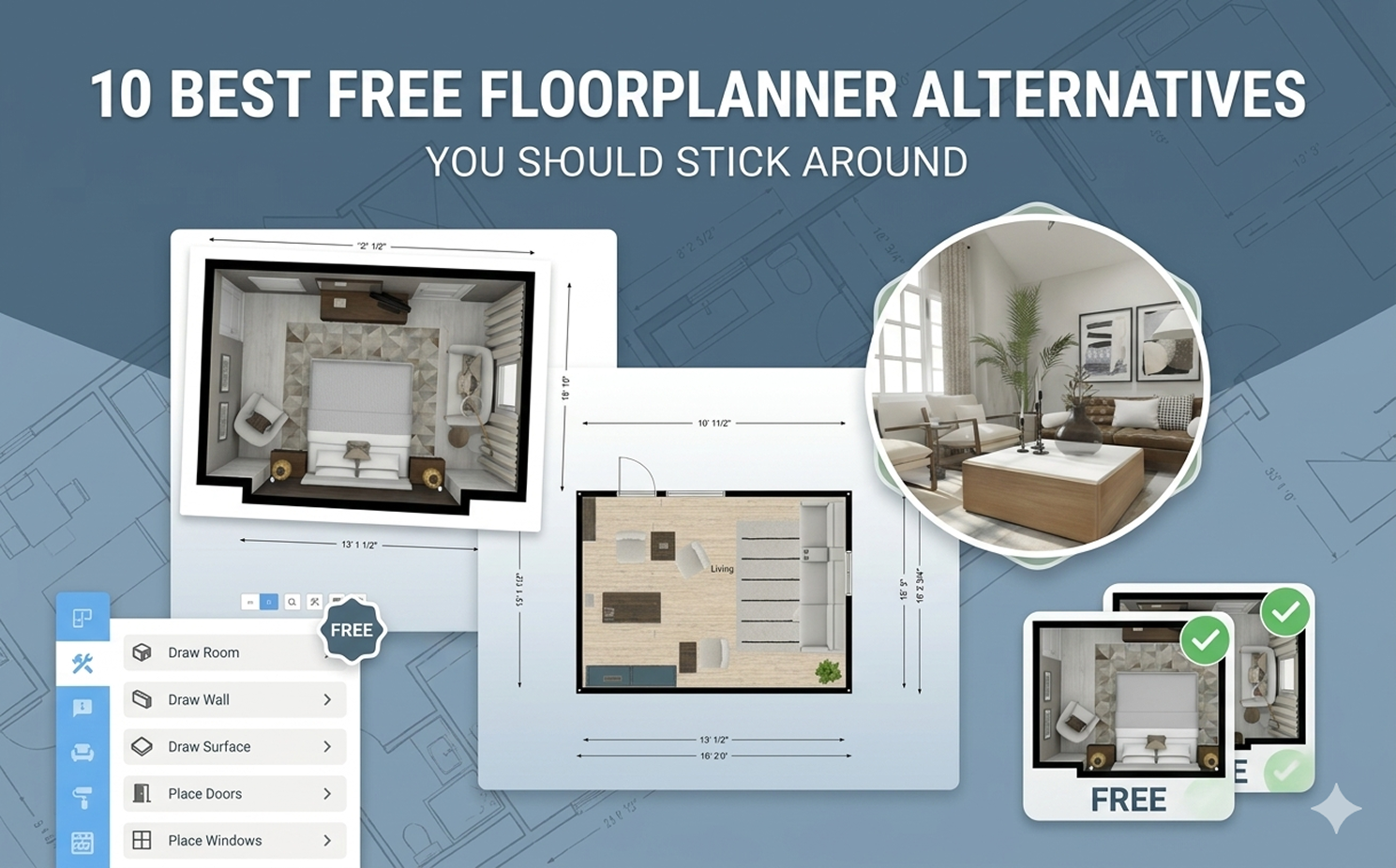
Home and interior design heavily rely on idea visualization, floor planning, and layout design tools to streamline the entire workflow. While Floorplanner has remained a popular choice for years, the growing demand for more flexible, AI-powered, and feature-rich solutions has made many users start searching for better alternatives in 2026.
That’s why, in this guide, we’ll take a closer look at Floorplanner’s pros and cons while exploring 10 of the best Floorplanner alternatives in 2026 to help you quickly find the right fit for your specific design needs.
To make the comparison easier, all these Floorplanner alternatives are evaluated based on ease of use, visualization quality, AI capabilities, pricing, customization flexibility, and overall design workflow experience.
Design any room, shop or space with DecAI in less 30 seconds! It's free!
What Is Floorplanner? A quick overview
Floorplanner is a web-based floor plan and interior layout tool that helps users create 2D plans and visualize them in 3D. It is designed for people who want something easier than traditional architectural software, which is one reason it remains popular with homeowners, real-estate professionals, and light commercial users.
Its biggest strengths are simplicity, browser access, and speed. You can sketch layouts, place furniture, and create presentable visuals without learning a full technical modeling workflow. That makes it appealing for people who need practical visualization rather than deep architectural drafting.
Still, Floorplanner has limits. The free version is restrictive, higher-quality exports often depend on credits, and some users eventually want stronger rendering, better mobile measurement tools, more advanced documentation, or a different kind of design workflow altogether. In other words, Floorplanner is good at what it does, but that does not mean it is the right long-term fit for everyone.
Main pros
- Easy to start in the browser
- Good balance of 2D and 3D planning
- Useful for quick room and layout visualization
Main cons
- Free plan and export limits can feel restrictive
- Credit-based upgrades may not suit frequent users
- Less ideal if you need advanced CAD, AI-first redesign, or field-measurement workflows
Why Are People Looking for a Floorplanner Alternative?
Most users searching for an alternative are not rejecting Floorplanner completely. They are usually trying to solve a more specific problem that Floorplanner does not handle as well for their situation.
Here are the most common reasons:
- The free tier is too limited. Casual users may be happy at first, but once they need better exports, more projects, or more polished outputs, the limitations show up quickly.
- Credits create upgrade friction. Some users prefer straightforward subscriptions instead of mixing plans with pay-per-render or pay-per-export style systems.
- The workflow is not ideal for every job. If your work begins with on-site measurement, real-room scanning, or client documentation, other tools may fit better.
- Some users want a different kind of output. Floorplanner is useful for layout planning, but users looking for highly realistic renders, AI redesigns, or more professional modeling may prefer another platform.
That is why the best Floorplanner alternative depends less on whether a tool is “better” in general and more on what you are trying to do next.
10 Best Free Floorplanner Alternatives You Must Try in 2026
Let's firstly have a quick overview of these 10 best free alternative tools:
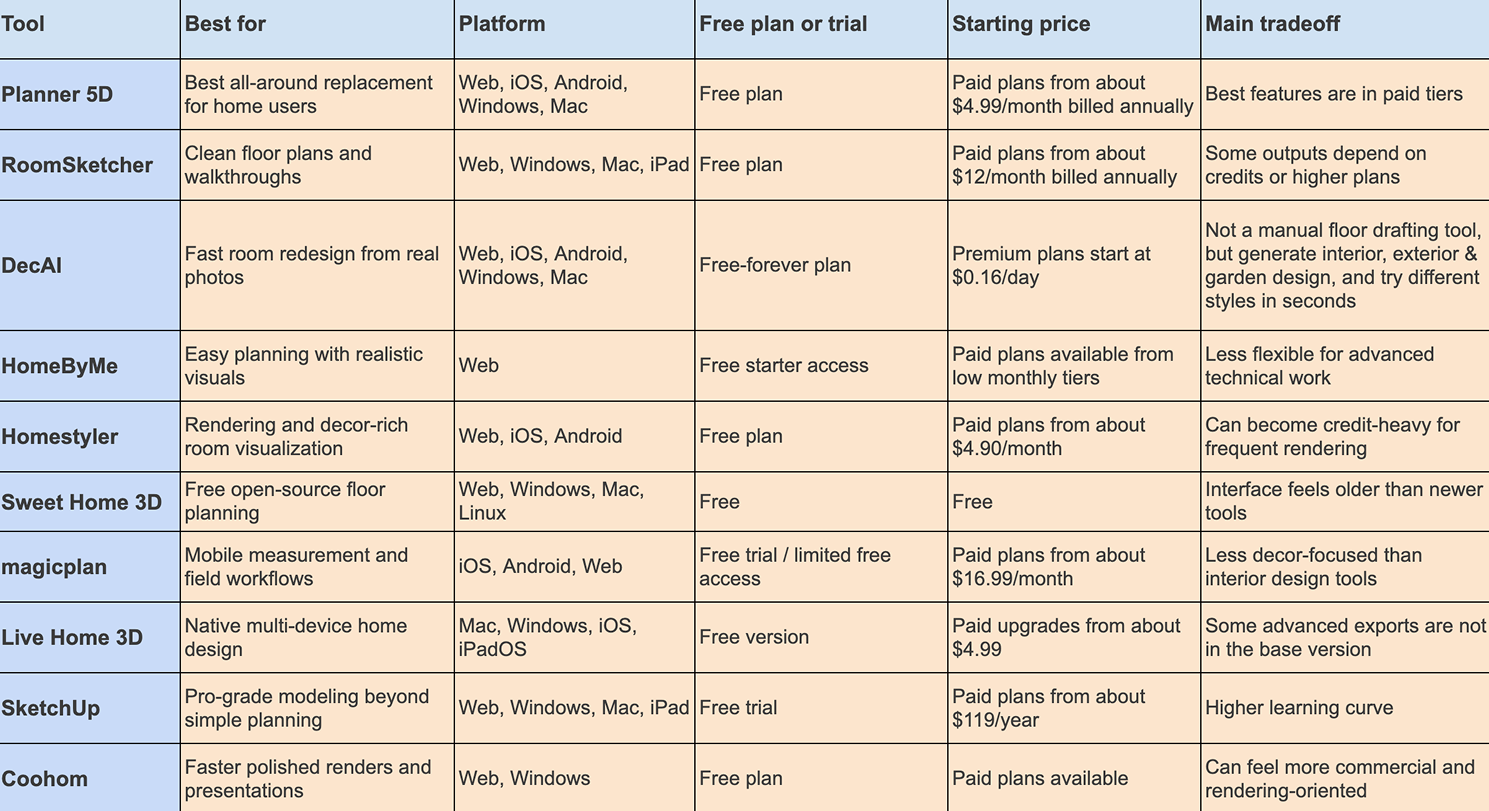
1. Planner 5D
Platform: Web, iOS, Android, Windows, Mac
Pricing: Free plan available; paid plans start from about $4.99/month billed annually
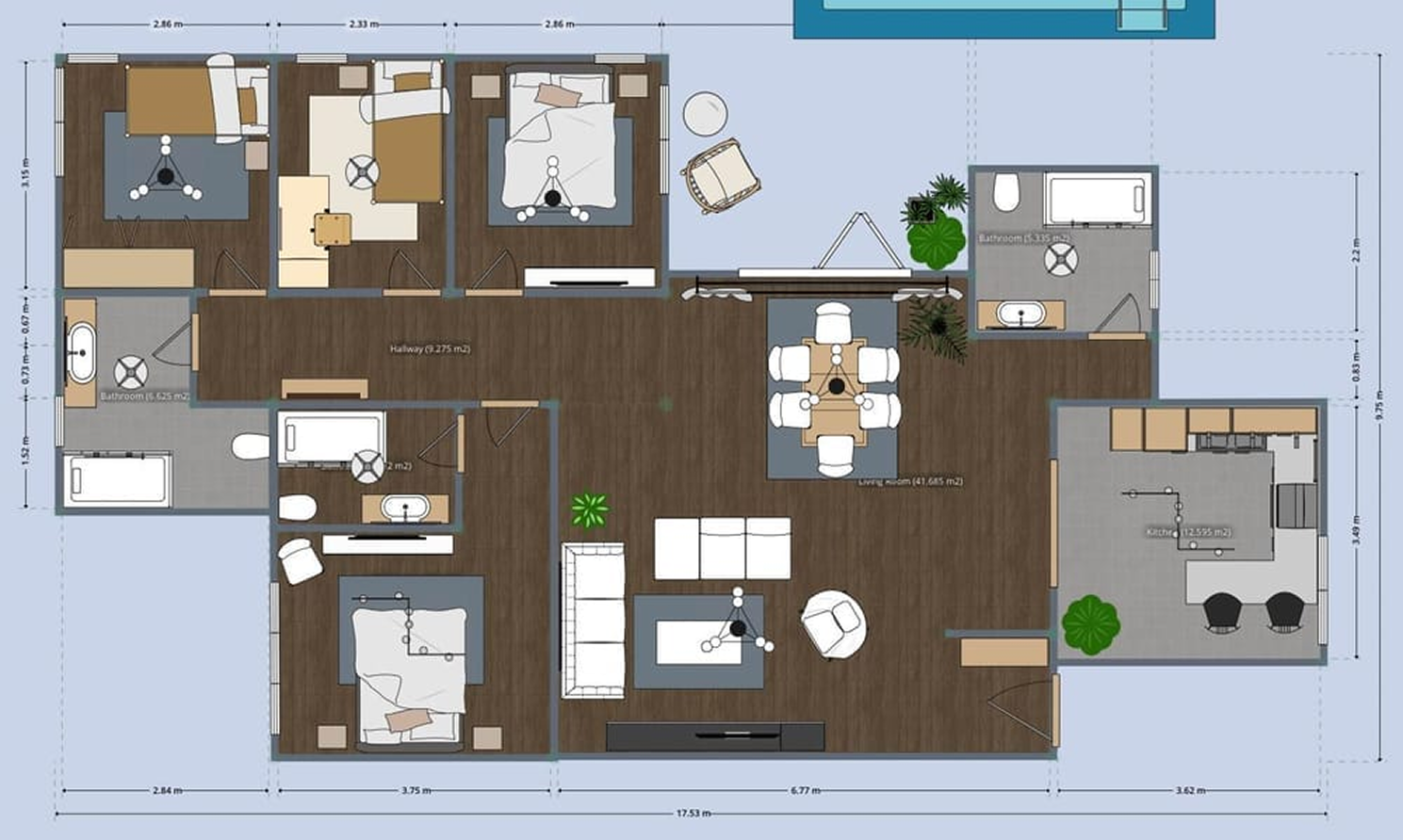
Planner 5D is one of the closest and strongest alternatives to Floorplanner because it serves a similar audience while offering a broader home design experience. It lets users create 2D floor plans, switch into 3D, furnish rooms, and produce more polished visualizations without a steep learning curve. For many homeowners and beginners, it feels like a natural upgrade path when Floorplanner starts to feel limiting. It is especially appealing if you want layout planning and visual inspiration in one place.
Why to choose
- Strong balance of floor planning, furnishing, and 3D visualization
- Easier for non-technical users than more professional design platforms
- Cross-device support makes it practical for flexible workflows
Reasons to avoid
- The most useful features are concentrated in paid plans
- Power users may still outgrow it if they need technical documentation
- Rendering and catalog depth may vary by plan level
2. RoomSketcher
Platform: Web, Windows, Mac, iPad
Pricing: Free plan available; paid plans start from about $12/month billed annually
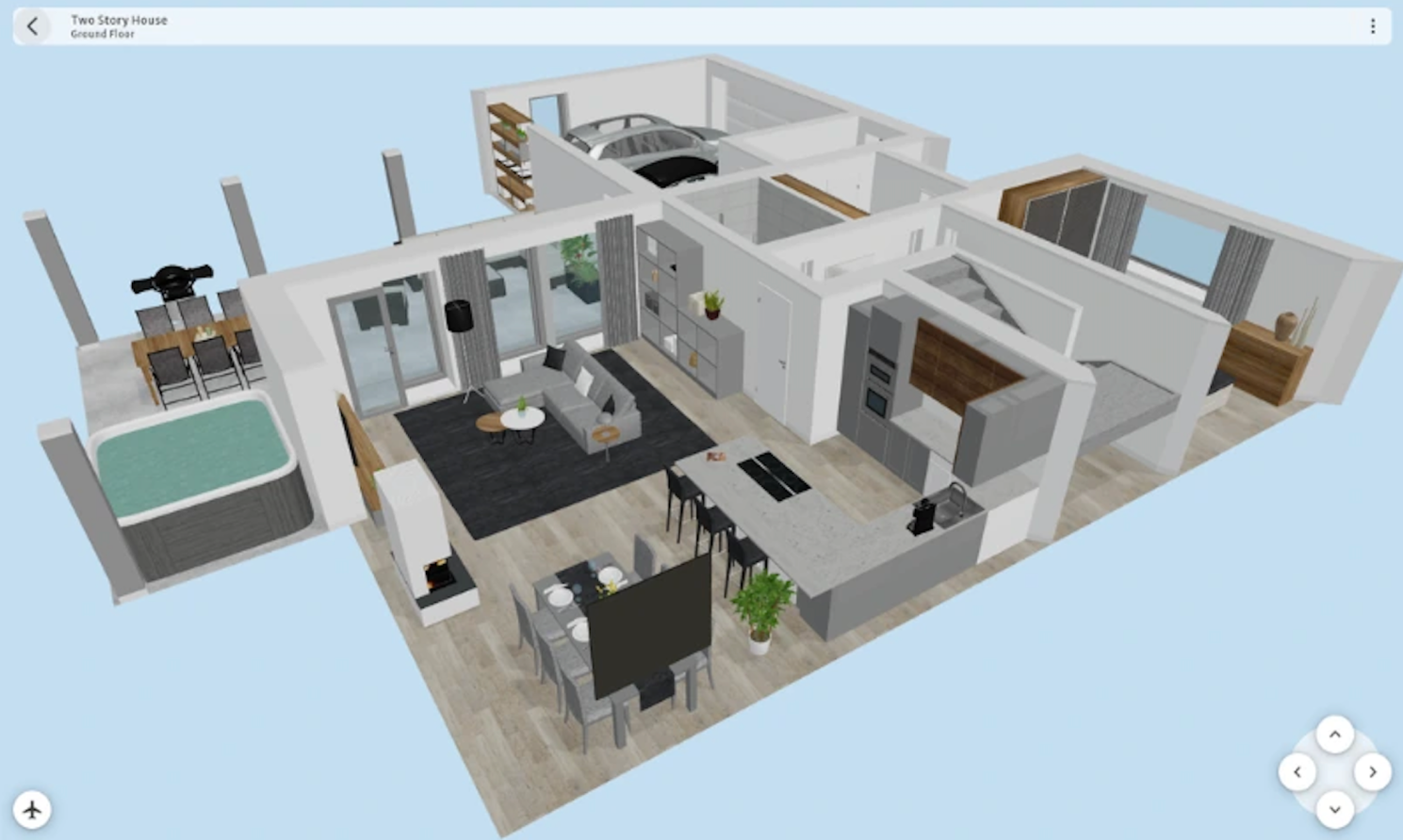
Overview: RoomSketcher is one of the best Floorplanner alternatives for people who care most about clear floor plans, measurements, and walkthrough-friendly layouts. Its workflow feels practical and businesslike, which makes it popular with interior designers, real-estate professionals, and users who want plans that are not just visually appealing but also easy to present. Compared with Floorplanner, it often feels stronger when layout clarity matters more than decor experimentation. It is a particularly smart choice if your planning decisions depend on dimensions and room flow.
Why to choose
- Strong output for 2D plans, dimensions, and visual presentations
- Easy enough for beginners while still useful for professionals
- Good fit for property, renovation, and client-facing workflows
Reasons to avoid
- Some premium outputs require credits or higher tiers
- Less playful than more decor-focused design apps
- Not the cheapest option for casual hobby use
3. DecAI™
Platform: Web, iOS, Android, Windows, Mac
Pricing: Free-forever plan available; premium plans start at $0.16 per day
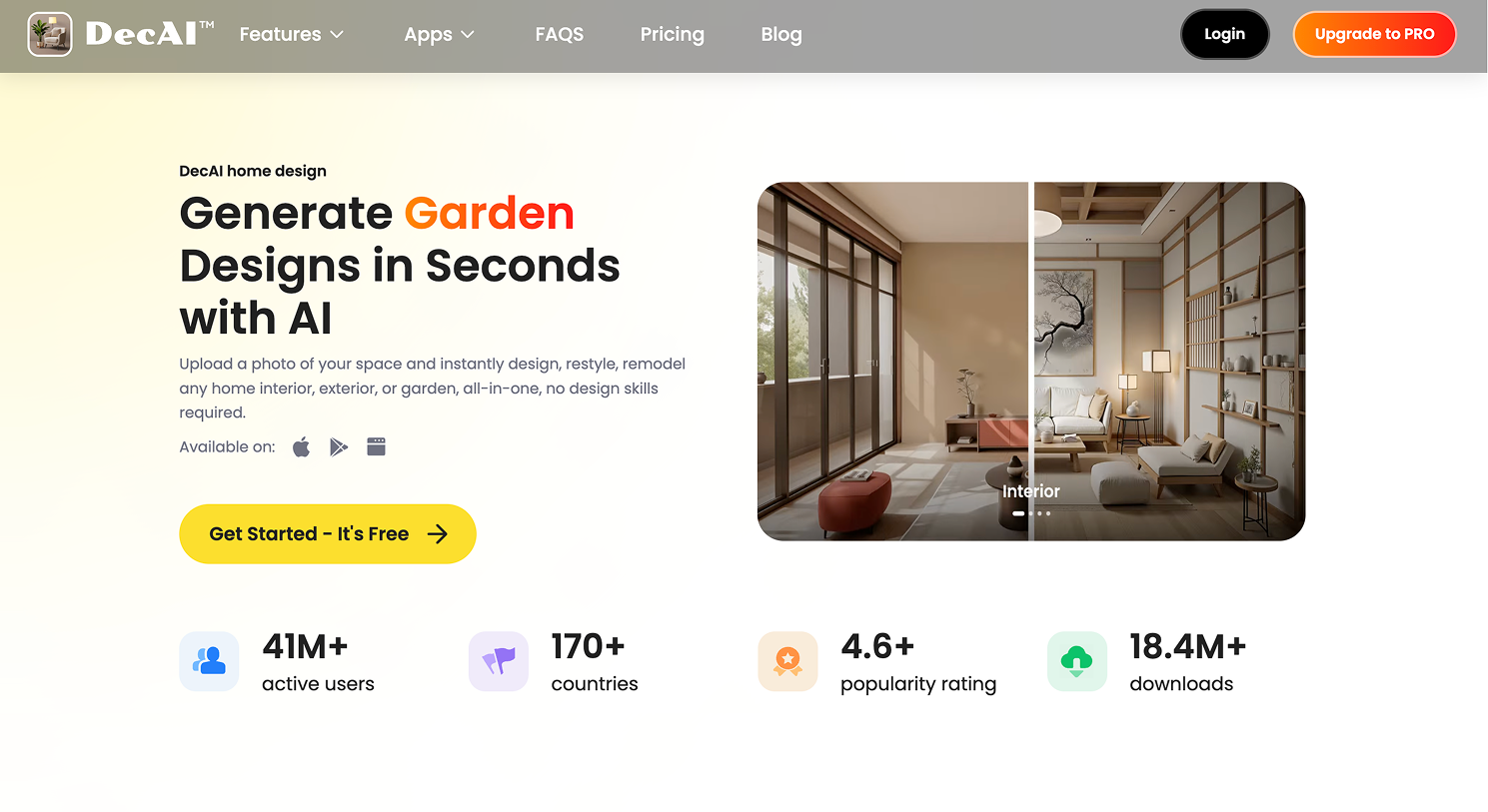
Overview: DecAI™ is not a manual drafting replacement for Floorplanner, but it is one of the most useful alternatives for people who are searching for a different outcome rather than the same workflow. Many users do not actually need another floor plan editor. They need a faster way to visualize how a real room could look after a redesign.
DecAI™ lets you upload a photo, test more than 30 design styles, and generate redesigned interiors, exteriors, gardens, walls, floors, and furniture concepts in under 30 seconds. That makes it a strong alternative for users who want inspiration, direction, and fast decision support before they move into detailed planning.
Why to choose
- Much faster for style testing than manual floor-planning workflows
- Beginner-friendly and available across web and mobile
- Useful for real-photo redesign, not just abstract room planning
Reasons to avoid
- Not the right tool if you need technical measured floor plans
- Free-forever access is limited
- Best used for visualization and idea testing rather than drafting
4. HomeByMe
Platform: Web
Pricing: Free starter access; paid plans available
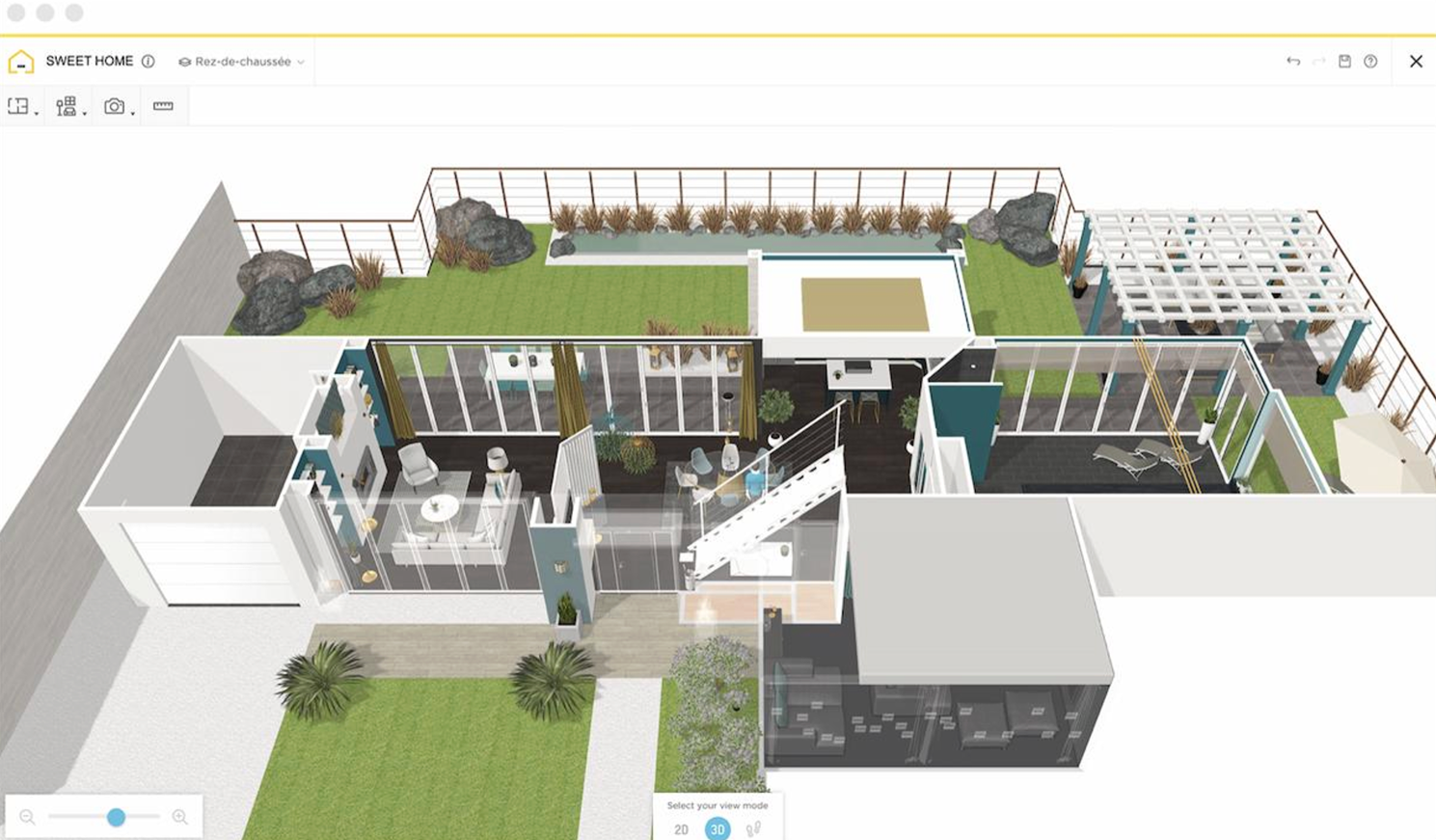
Overview: HomeByMe works well for users who want a smoother path from floor planning to attractive interior visuals. It combines easy online room planning with a style-oriented interface that makes design exploration feel more approachable. Compared with Floorplanner, it can feel more consumer-friendly for people who want a mix of practicality and lifestyle visualization. If your goal is to picture how a room will feel, not just how it will fit, HomeByMe is worth a serious look.
Why to choose
- Beginner-friendly online workflow
- Nice balance between layout planning and visual styling
- Good for homeowners who want realistic design exploration
Reasons to avoid
- Advanced users may want more technical control
- Pricing structure can depend on renders or premium access
- Browser-only workflows do not suit everyone
5. Homestyler

Platform: Web, iOS, Android
Pricing: Free plan available; paid plans start from about $4.90/month
Overview: Homestyler is a strong alternative if Floorplanner feels too focused on basic planning and not strong enough on room visualization. It combines floor planning, room design, large product libraries, and rendering-oriented features in a way that appeals to people who want their ideas to look polished quickly. It is especially useful for users who care about interiors, furniture experimentation, and design style presentation. For visual-first users, Homestyler may feel more inspiring than Floorplanner.
Why to choose
- Better fit for users who value room styling and visual richness
- Large decor and furniture ecosystem
- Mobile access adds flexibility for casual and semi-pro use
Reasons to avoid
- Heavy rendering use may push you toward paid tiers quickly
- Interface can feel busier than simpler tools
- Less ideal for users who only need clean technical plans
6. Sweet Home 3D
Platform: Web, Windows, Mac, Linux
Pricing: Free
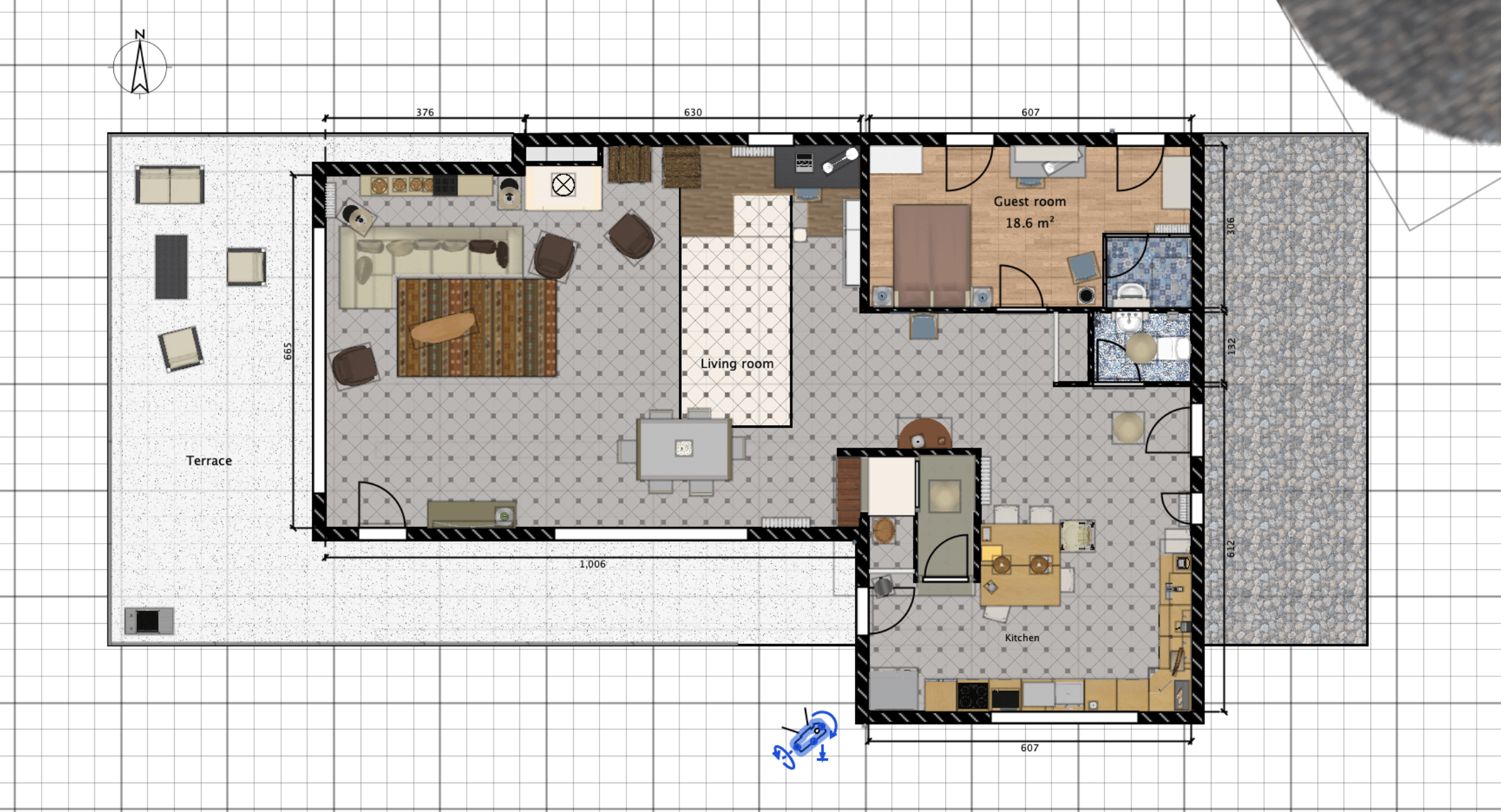
Overview: Sweet Home 3D remains one of the most practical free alternatives to Floorplanner for users who want real floor-planning functionality without a subscription. It lets you draw walls, add windows and doors, place furniture, and see the project in 3D as you work. While it does not look as modern as many newer platforms, it remains reliable, flexible, and surprisingly useful for budget-conscious users. If your main goal is to plan a space well without paying, Sweet Home 3D deserves a place near the top of your list.
Why to choose
- Truly free and open-source
- Strong value for learning room planning fundamentals
- Works offline, which some users still strongly prefer
Reasons to avoid
- Visual design and interface feel dated
- Less polished for presentation-ready rendering
- Not as streamlined for fast modern collaboration
7. magicplan
Platform: iOS, Android, Web
Pricing: Free trial or limited free access; paid plans start from about $16.99/month
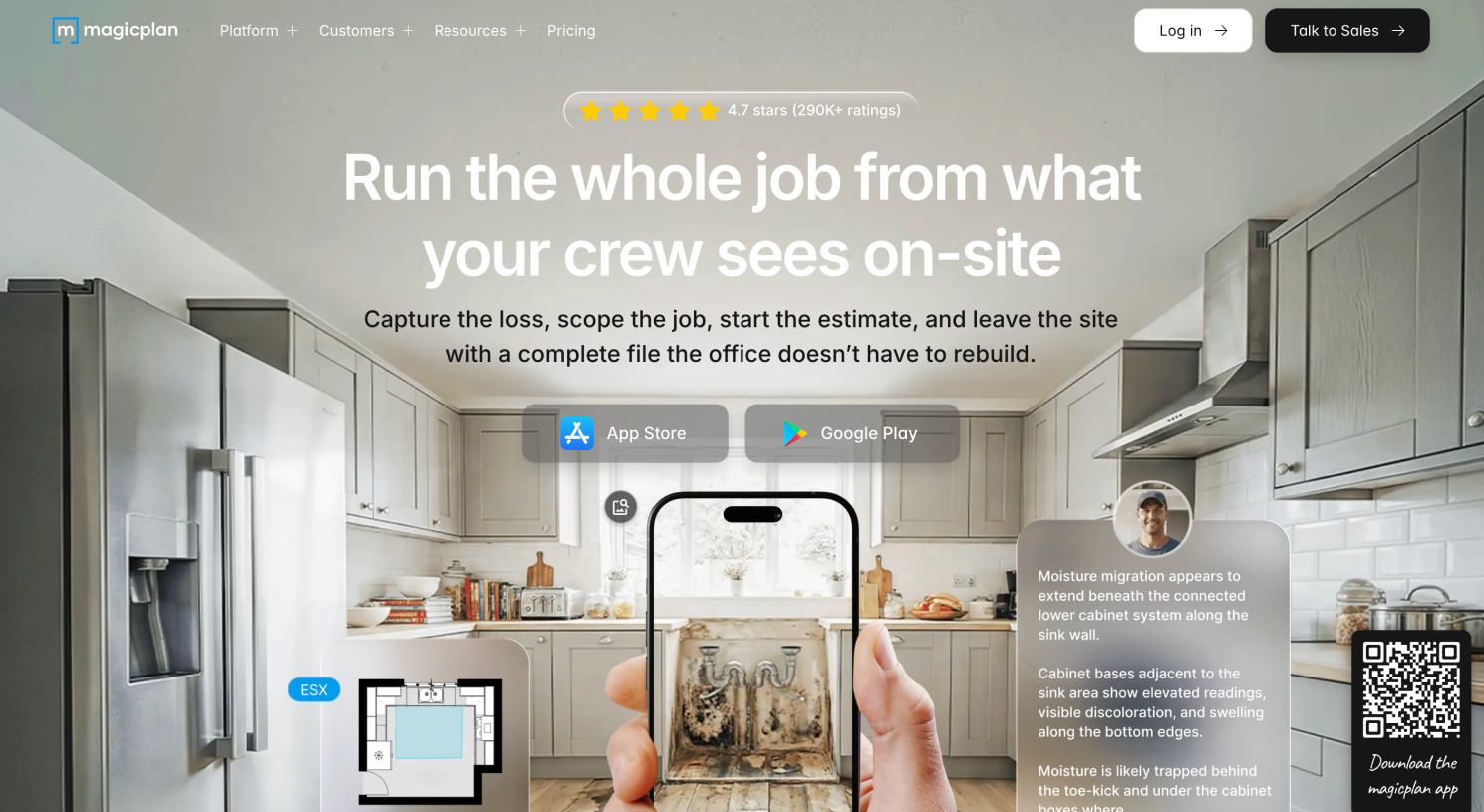
Overview: magicplan is a very different type of Floorplanner alternative, and that is exactly why it belongs in this list. It is especially valuable for contractors, remodelers, estimators, field teams, and property professionals who need to capture spaces on site instead of drawing them manually from scratch. Compared with Floorplanner, it is less about decorating a virtual room and more about documenting real spaces efficiently. If your workflow starts with measurements, scans, notes, or job-site planning, magicplan may solve your problem much better than a traditional browser room planner.
Design any room, shop or space with DecAI in less 30 seconds! It's free!
Why to choose
- Excellent for on-site measurement and documentation workflows
- Strong mobile-first practicality
- Better fit for renovation and field-service professionals
Reasons to avoid
- Overkill for casual home decor users
- Less appealing if your priority is visual styling
- Subscription cost is harder to justify for occasional users
8. Live Home 3D
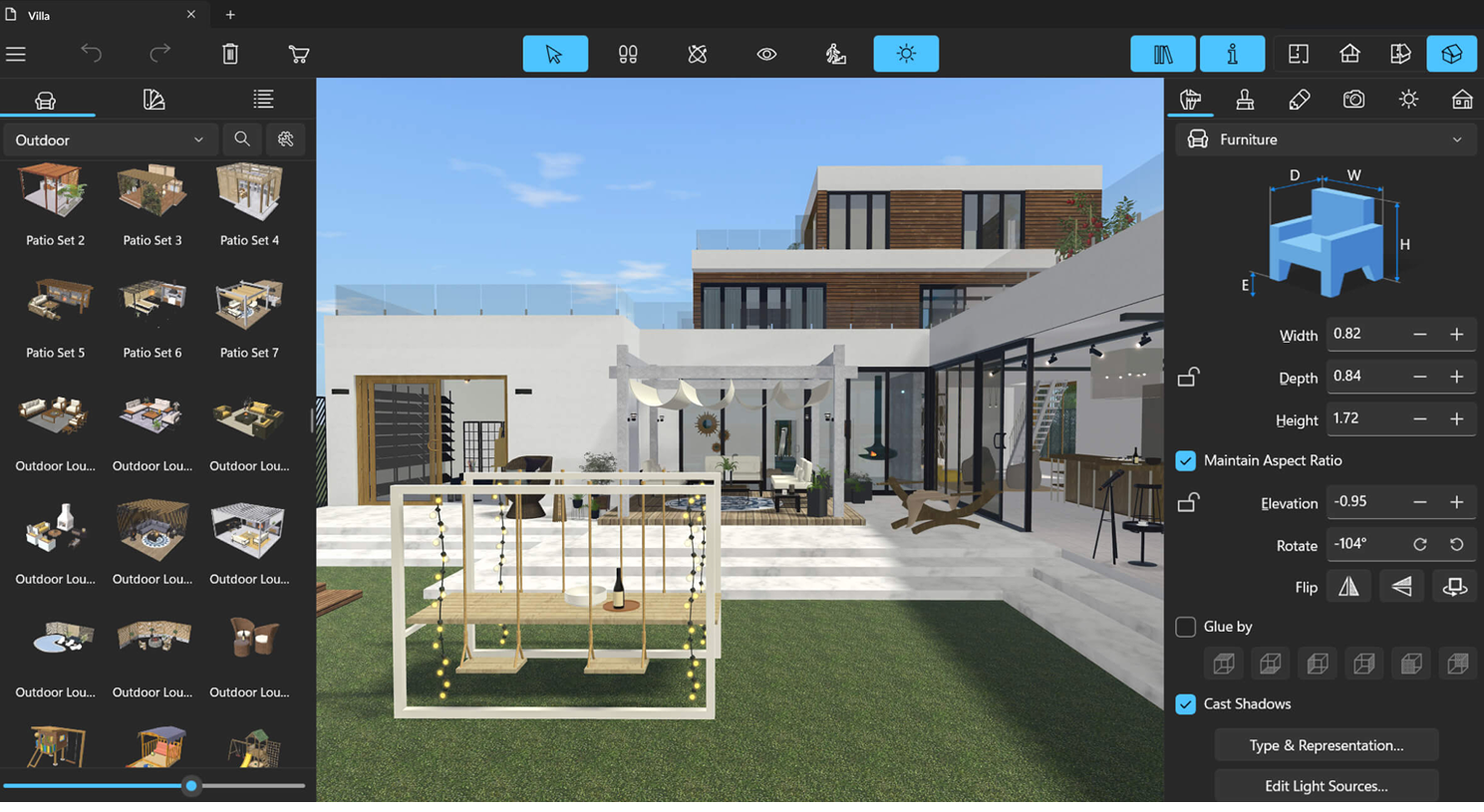
Platform: Mac, Windows, iOS, iPadOS
Pricing: Free version available; paid upgrades start from about $4.99
Overview: Live Home 3D is a good alternative for users who want a native-app experience instead of working mainly in the browser. It supports floor planning, interior design, 3D visualization, and multi-device creation with a workflow that feels more desktop-oriented than Floorplanner. That can be a real advantage if you prefer local app responsiveness or want a more traditional design-software feel without jumping straight into professional CAD. It is especially appealing to Apple-heavy users and people who like working visually across desktop and tablet.
Why to choose
- Good native experience across multiple devices
- Useful middle ground between simple planners and heavier software
- Flexible for both hobby and semi-professional home design work
Reasons to avoid
- Some advanced capabilities are locked behind paid versions
- Not as universally browser-accessible as Floorplanner
- Collaboration workflows may not be as central as in cloud-first tools
9. SketchUp
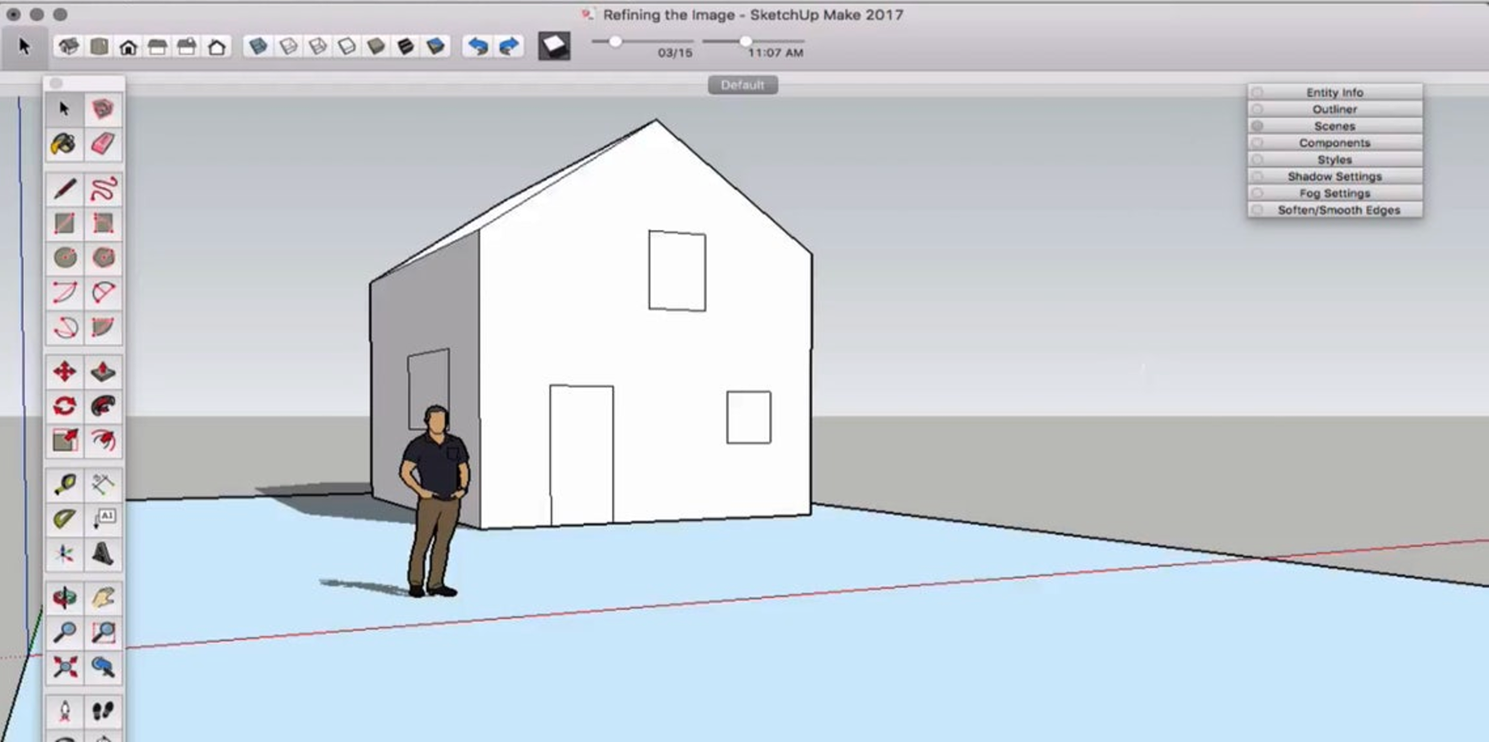
Platform: Web, Windows, Mac, iPad
Pricing: Free trial available; paid plans start from about $119/year
Overview: SketchUp is not the closest substitute to Floorplanner, but it is one of the most relevant alternatives for users who are starting to outgrow simpler planning tools. If you need deeper modeling freedom, custom geometry, stronger professional workflows, or more advanced design control, SketchUp offers a much bigger ceiling. Compared with Floorplanner, it asks more from the user, but it also gives much more in return. It is the right move when your projects are becoming more technical, custom, or client-driven.
Why to choose
- Much stronger long-term modeling flexibility
- Better for custom design work and professional growth
- Large ecosystem, community, and workflow extensions
Reasons to avoid
- Steeper learning curve than most tools in this list
- Higher cost than many beginner-friendly planners
- Too complex if you only need quick room layouts
10. Coohom
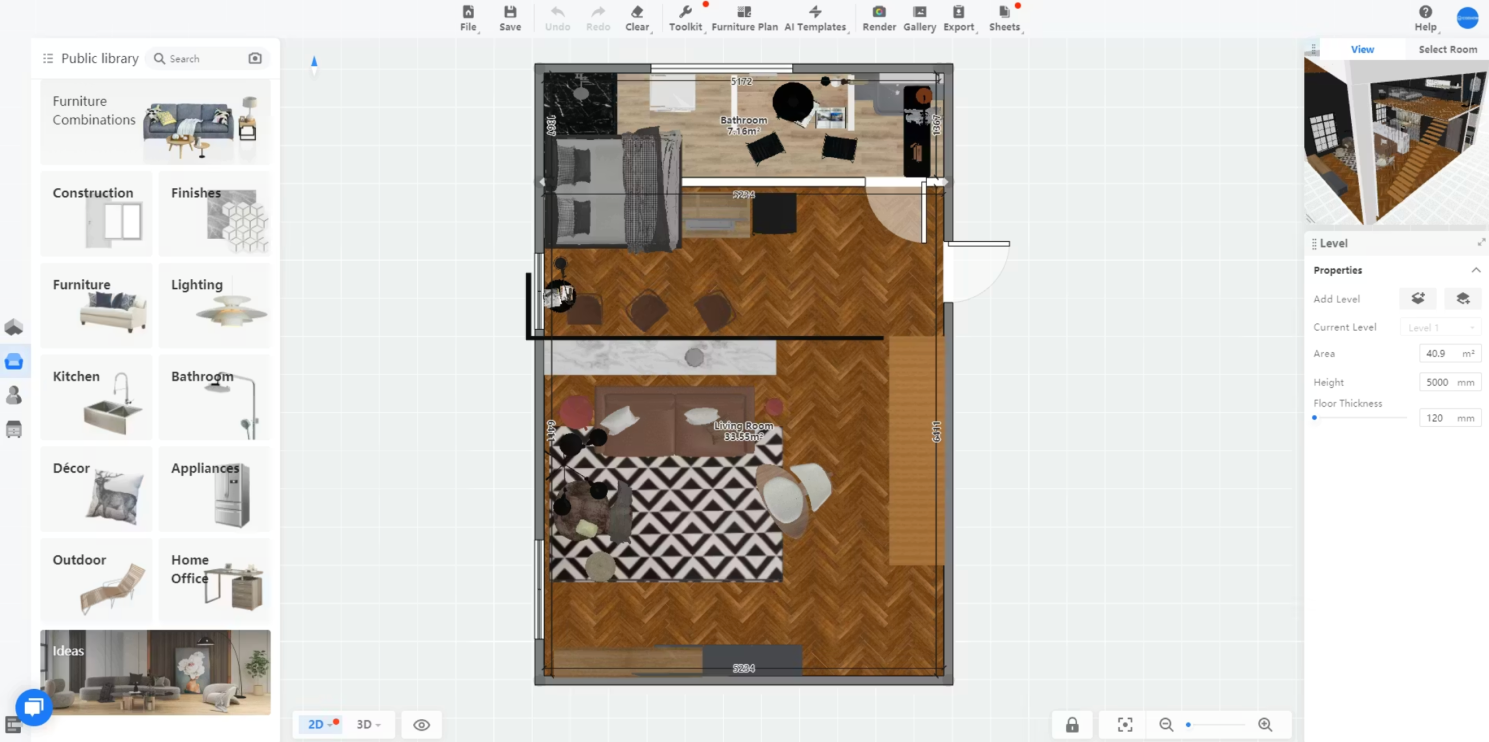
Platform: Web, Windows
Pricing: Free plan available; paid plans available
Overview: Coohom is a smart Floorplanner alternative for users who want faster polished renders, stronger catalog-style visualization, and a more presentation-oriented output. It sits in a useful space between interior planning and visual marketing, which makes it attractive for furniture brands, showrooms, design businesses, and users who care about impressive final images. Compared with Floorplanner, it often feels more output-driven. If presentation quality matters as much as planning, Coohom is a serious contender.
Why to choose
- Better fit for polished render and presentation workflows
- Useful for design businesses and product-driven projects
- Stronger visual payoff for users who pitch or market designs
Reasons to avoid
- May feel heavier than needed for casual users
- Best value appears when you actively use rendering features
- Less attractive if your only goal is simple free planning
Why DecAI™ Stands Out Among These Alternatives
Most tools in this list are trying to replace Floorplanner directly by offering another planning environment. DecAI™ stands out because it solves a different, earlier problem in the design process.
Many users searching for Floorplanner alternatives are not frustrated by drawing tools alone. They are frustrated because they still do not know what direction to take. They are unsure whether the room should become modern, minimalist, farmhouse, warm neutral, or something more dramatic. In that situation, switching from one planner to another does not always solve the real issue.
DecAI™ helps by turning a real room photo into fast redesign concepts. That means you can test styles, compare looks, and reduce uncertainty before spending time building out a detailed layout. For homeowners, renters, decorators, and early-stage design clients, that is often the smarter first step.
DecAI™ stands out most when:
- you want inspiration before technical planning
- you need quick visual decisions from a real room photo
- you want to compare multiple styles in minutes
- you are redesigning more than interiors, such as walls, floors, furniture, exteriors, or gardens
In other words, DecAI™ is not the best choice because it copies Floorplanner. It is a strong choice because it removes friction from a part of the design journey that floor-planning tools often leave untouched.
Anyway,
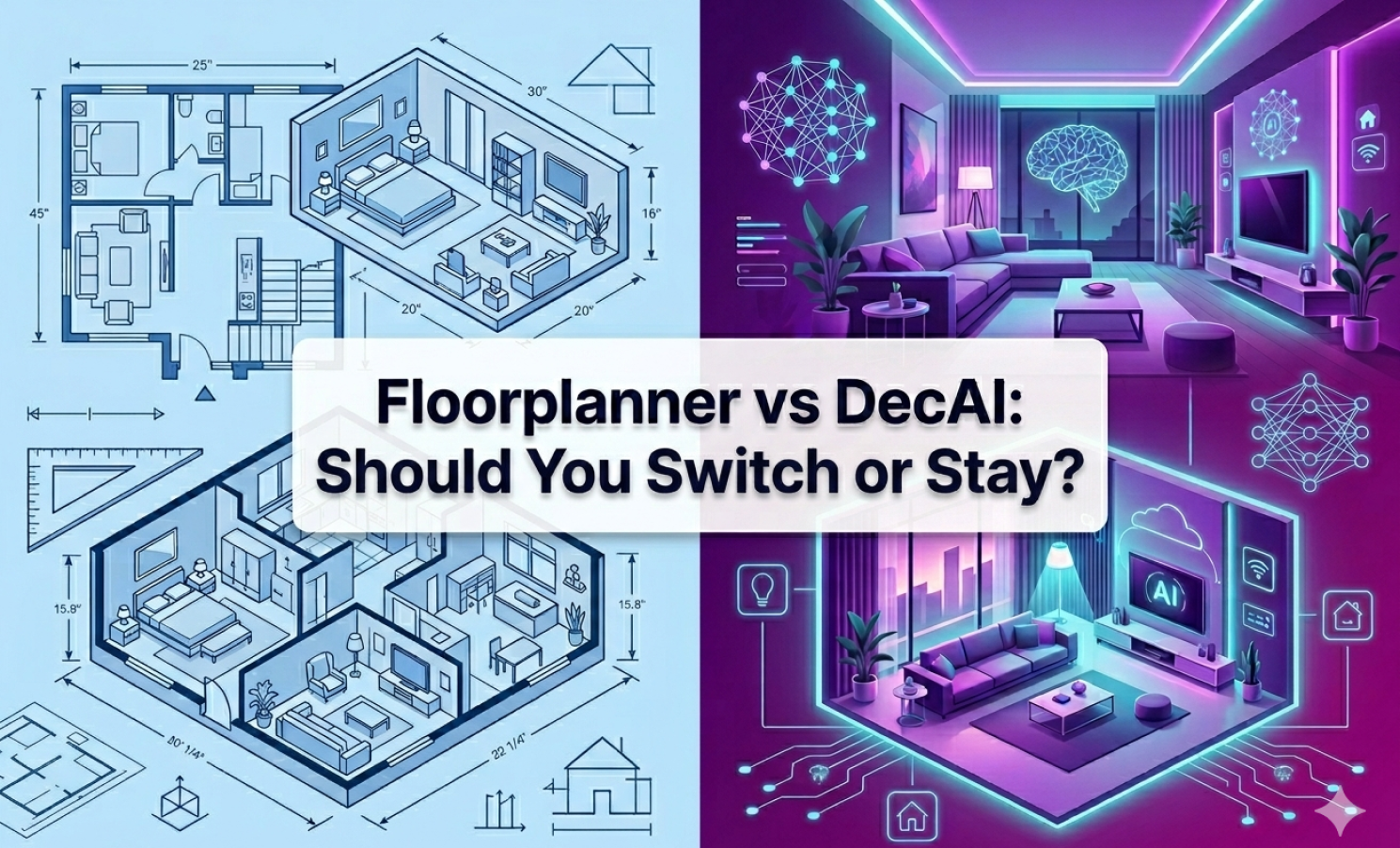
Floorplanner vs DecAI™: Should You Switch or Stay?
Floorplanner and DecAI™ serve overlapping home-design audiences, but they are built around very different workflows. If you compare them directly without understanding that difference, it is easy to choose the wrong one.
What Floorplanner does better
Floorplanner is better when your project depends on manually building a layout. If you need to define room shapes, place walls, test furniture dimensions, or organize a measurable floor plan, Floorplanner is the more practical tool. It is also better when your main task is structured spatial planning instead of visual concept generation.
What DecAI™ does better
DecAI™ is better when you want fast redesign ideas from real photos. Instead of spending time building a room model first, you can upload an image and quickly explore multiple styles and transformation directions. It is especially useful when you are still deciding what the room should become, not just where the furniture should go.
When to stay with Floorplanner
Stay with Floorplanner if:
- you need manual 2D and 3D layout building
- room dimensions and placement logic matter most
- you are comfortable with a browser planning workflow
- your current projects depend more on plans than inspiration
When to switch to DecAI™
Switch to DecAI™ if:
- you want faster design inspiration from real room photos
- you are testing style directions before planning details
- you want a simpler beginner-friendly workflow
- you need support across interior, exterior, garden, wall, floor, and furniture redesign scenarios
Which user profile fits each tool best
Floorplanner fits users who think in layouts first. DecAI™ fits users who think in visual outcomes first. If your process starts with room measurements and arrangement, Floorplanner still makes sense. If your process starts with “show me what this room could become,” DecAI™ may be the better switch.
For many users, the smartest decision is not even choosing one over the other forever. It is using DecAI™ first to discover a direction, then using a floor-plan tool later only if the project needs detailed spatial planning.
Anyway, you can experience the difference on your own, simply free sign up and get started today to see how easily and quickly it goes with different home or interior design projects.
FAQs
1.What is the best alternative to Floorplanner?
The best alternative depends on what you need. Planner 5D is one of the strongest all-around replacements, RoomSketcher is excellent for clear floor plans and walkthroughs, and DecAI™ is a great choice if you want faster room redesign ideas from real photos.
2.Is there a free alternative to Floorplanner?
Yes. DecAI™ offers a free-forever plans for you to fully explore its key features.
3.Which Floorplanner alternative is best for beginners?
Planner 5D, and DecAI™ are especially beginner-friendly. Planner 5D is great for learning floor planning, while DecAI™ is ideal if you want quick visual inspiration without learning a design tool first.
4.Which alternative is best for professional interior designers?
That depends on the type of work. Actually, all of these alternatives mentioned above are good for professional interior designers. You would choose based on your needs. For example, DecAI™ is good for fast idea visualization, iteration, demonstration and more.
5.Can I use a Floorplanner alternative on mobile?
Yes. magicplan, and DecAI™ all support mobile workflows in different ways. magicplan is especially strong for field capture, while DecAI™ is convenient for quick redesign testing on the go.
6.Is SketchUp better than Floorplanner?
Not automatically. SketchUp is more powerful and flexible, but it is also more complex. It is better for users who need deeper modeling control, while Floorplanner is usually easier for quick layout planning.
7.Which alternative is best if I only want fast room ideas?
DecAI™ is one of the best options if your goal is fast room ideas rather than manual planning. You can upload a real photo and test multiple design directions in seconds, which is much faster than building a room model from scratch.
Final Thoughts
The best Floorplanner alternatives are not simply the tools that look similar on a features page. They are the tools that solve the reason you started searching in the first place. We hope these 10 alternatives to Floorplanner would help you find the one that best suits your need soon.
--------------------------
If you believe that any material on this site infringes your intellectual property rights, please contact the author at decaiwebteam@outlook.com with details of your claim.
Redesign any home interior, exterior & garden in seconds
Share this Post:
'%3e%3cpath%20d='M17.9995%2035.999C17.0317%2035.999%2016.0619%2035.9219%2015.1161%2035.7696C10.9414%2035.0973%207.11524%2032.9513%204.34408%2029.7273C1.54287%2026.4683%200%2022.3035%200%2017.9995C0%208.07403%208.07503%200%2017.9995%200C27.924%200%2036%208.07503%2036%2017.9995C36%2022.3696%2034.4151%2026.5835%2031.5357%2029.8646C28.6844%2033.1156%2024.7671%2035.2326%2020.5052%2035.8267C19.6806%2035.9419%2018.8371%2036%2017.9995%2036V35.999ZM17.9995%201.20123C8.73726%201.20123%201.20224%208.73626%201.20224%2017.9985C1.20224%2026.2919%207.13427%2033.2659%2015.3075%2034.5814C16.9546%2034.8469%2018.6808%2034.8659%2020.3389%2034.6345C28.5812%2033.4863%2034.7968%2026.334%2034.7968%2017.9985C34.7968%208.73626%2027.2617%201.20123%2017.9985%201.20123H17.9995Z'%20fill='%23FF0209'/%3e%3cpath%20d='M29.0557%2014.3621C28.9184%2013.0276%2028.6208%2011.5539%2027.5268%2010.7784C26.6782%2010.1773%2025.5642%2010.1553%2024.5242%2010.1563C22.3251%2010.1583%2020.126%2010.1603%2017.9269%2010.1623C15.812%2010.1643%2013.6971%2010.1663%2011.5821%2010.1683C10.6985%2010.1683%209.8399%2010.1002%209.01937%2010.4819C8.31406%2010.8105%207.76303%2011.4347%207.43241%2012.1289C6.97156%2013.0957%206.87438%2014.1898%206.81927%2015.2588C6.71708%2017.2044%206.7281%2019.156%206.85133%2021.0996C6.9405%2022.5193%207.16792%2024.0872%208.26496%2024.9919C9.23777%2025.7934%2010.6103%2025.8325%2011.8707%2025.8335C15.8741%2025.8365%2019.8776%2025.8395%2023.881%2025.8435C24.394%2025.8435%2024.93%2025.8345%2025.453%2025.7774C26.4829%2025.6661%2027.4637%2025.3716%2028.1249%2024.6092C28.7922%2023.8407%2028.9635%2022.7698%2029.0657%2021.7569C29.3121%2019.3003%2029.3091%2016.8177%2029.0557%2014.3621ZM15.6116%2021.4453V14.5545L21.5797%2017.9999L15.6116%2021.4453Z'%20fill='%23FF0209'/%3e%3c/g%3e%3cdefs%3e%3cclipPath%20id='clip0_13816_41422'%3e%3crect%20width='36'%20height='36'%20fill='white'/%3e%3c/clipPath%3e%3c/defs%3e%3c/svg%3e)
'%3e%3cpath%20d='M17.9995%2036C17.0327%2036%2016.0619%2035.9229%2015.1161%2035.7696C10.9414%2035.0973%207.11524%2032.9513%204.34408%2029.7273C1.54287%2026.4683%200%2022.3035%200%2017.9995C0%208.07403%208.07503%200%2017.9995%200C27.924%200%2036%208.07503%2036%2017.9995C36%2022.3696%2034.4151%2026.5835%2031.5357%2029.8646C28.6844%2033.1156%2024.7671%2035.2326%2020.5052%2035.8267C19.6806%2035.9419%2018.8371%2036%2017.9995%2036ZM17.9995%201.20224C8.73726%201.20224%201.20224%208.73726%201.20224%2017.9995C1.20224%2026.2919%207.13427%2033.2669%2015.3075%2034.5824C16.9556%2034.8479%2018.6808%2034.8669%2020.3389%2034.6355C28.5812%2033.4873%2034.7968%2026.335%2034.7968%2017.9995C34.7968%208.73726%2027.2617%201.20224%2017.9985%201.20224H17.9995Z'%20fill='url(%23paint0_linear_13816_41436)'/%3e%3cpath%20d='M23.4463%207.55469H12.549C9.53841%207.55469%207.08984%2010.0032%207.08984%2013.0138V22.9834C7.08984%2025.994%209.53841%2028.4426%2012.549%2028.4426H23.4463C26.4569%2028.4426%2028.9054%2025.994%2028.9054%2022.9834V13.0138C28.9054%2010.0032%2026.4569%207.55469%2023.4463%207.55469ZM9.01543%2013.0138C9.01543%2011.0652%2010.6004%209.48027%2012.549%209.48027H23.4463C25.3949%209.48027%2026.9799%2011.0652%2026.9799%2013.0138V22.9834C26.9799%2024.932%2025.3949%2026.517%2023.4463%2026.517H12.549C10.6004%2026.517%209.01543%2024.932%209.01543%2022.9834V13.0138Z'%20fill='url(%23paint1_linear_13816_41436)'/%3e%3cpath%20d='M17.9964%2023.0749C20.7966%2023.0749%2023.0749%2020.7966%2023.0749%2017.9964C23.0749%2015.1962%2020.7966%2012.918%2017.9964%2012.918C15.1962%2012.918%2012.918%2015.1962%2012.918%2017.9964C12.918%2020.7966%2015.1962%2023.0749%2017.9964%2023.0749ZM17.9964%2014.8446C19.7346%2014.8446%2021.1483%2016.2582%2021.1483%2017.9964C21.1483%2019.7347%2019.7346%2021.1483%2017.9964%2021.1483C16.2582%2021.1483%2014.8446%2019.7347%2014.8446%2017.9964C14.8446%2016.2582%2016.2582%2014.8446%2017.9964%2014.8446Z'%20fill='url(%23paint2_linear_13816_41436)'/%3e%3cpath%20d='M23.5482%2013.741C24.3026%2013.741%2024.9168%2013.1269%2024.9168%2012.3725C24.9168%2011.618%2024.3026%2011.0039%2023.5482%2011.0039C22.7938%2011.0039%2022.1797%2011.618%2022.1797%2012.3725C22.1797%2013.1269%2022.7938%2013.741%2023.5482%2013.741Z'%20fill='url(%23paint3_linear_13816_41436)'/%3e%3c/g%3e%3cdefs%3e%3clinearGradient%20id='paint0_linear_13816_41436'%20x1='5.27482'%20y1='30.7312'%20x2='30.7242'%20y2='5.28083'%20gradientUnits='userSpaceOnUse'%3e%3cstop%20stop-color='%23FAAD4F'/%3e%3cstop%20offset='0.35'%20stop-color='%23DD2A7B'/%3e%3cstop%20offset='0.62'%20stop-color='%239537B0'/%3e%3cstop%20offset='1'%20stop-color='%23515BD4'/%3e%3c/linearGradient%3e%3clinearGradient%20id='paint1_linear_13816_41436'%20x1='8.92225'%20y1='27.074'%20x2='27.073'%20y2='8.92324'%20gradientUnits='userSpaceOnUse'%3e%3cstop%20stop-color='%23FAAD4F'/%3e%3cstop%20offset='0.35'%20stop-color='%23DD2A7B'/%3e%3cstop%20offset='0.62'%20stop-color='%239537B0'/%3e%3cstop%20offset='1'%20stop-color='%23515BD4'/%3e%3c/linearGradient%3e%3clinearGradient%20id='paint2_linear_13816_41436'%20x1='14.4077'%20y1='21.5861'%20x2='21.5861'%20y2='14.4077'%20gradientUnits='userSpaceOnUse'%3e%3cstop%20stop-color='%23FAAD4F'/%3e%3cstop%20offset='0.35'%20stop-color='%23DD2A7B'/%3e%3cstop%20offset='0.62'%20stop-color='%239537B0'/%3e%3cstop%20offset='1'%20stop-color='%23515BD4'/%3e%3c/linearGradient%3e%3clinearGradient%20id='paint3_linear_13816_41436'%20x1='22.5814'%20y1='13.3393'%20x2='24.515'%20y2='11.4057'%20gradientUnits='userSpaceOnUse'%3e%3cstop%20stop-color='%23FAAD4F'/%3e%3cstop%20offset='0.35'%20stop-color='%23DD2A7B'/%3e%3cstop%20offset='0.62'%20stop-color='%239537B0'/%3e%3cstop%20offset='1'%20stop-color='%23515BD4'/%3e%3c/linearGradient%3e%3cclipPath%20id='clip0_13816_41436'%3e%3crect%20width='36'%20height='36'%20fill='white'/%3e%3c/clipPath%3e%3c/defs%3e%3c/svg%3e)
'%3e%3cpath%20d='M17.9995%2035.999C17.0317%2035.999%2016.0619%2035.9219%2015.1161%2035.7696C10.9414%2035.0973%207.11524%2032.9513%204.34408%2029.7273C1.54287%2026.4683%200%2022.3035%200%2017.9995C0%208.07403%208.07502%200%2017.9995%200C27.924%200%2036%208.07503%2036%2017.9995C36%2022.3696%2034.415%2026.5835%2031.5357%2029.8646C28.6844%2033.1156%2024.7671%2035.2326%2020.5052%2035.8267C19.6806%2035.9419%2018.8371%2036%2017.9995%2036V35.999ZM17.9995%201.20123C8.73725%201.20123%201.20224%208.73626%201.20224%2017.9985C1.20224%2026.2919%207.13427%2033.2659%2015.3075%2034.5814C16.9545%2034.8469%2018.6808%2034.8659%2020.3388%2034.6345C28.5812%2033.4863%2034.7968%2026.334%2034.7968%2017.9985C34.7968%208.73626%2027.2617%201.20123%2017.9985%201.20123H17.9995Z'%20fill='%23007EBB'/%3e%3cpath%20d='M9.06639%2012.124C8.60253%2011.6932%208.37109%2011.1602%208.37109%2010.526C8.37109%209.89184%208.60253%209.33481%209.06639%208.90401C9.53026%208.47321%2010.1274%208.25781%2010.8587%208.25781C11.5901%208.25781%2012.1642%208.47321%2012.627%208.90401C13.0909%209.33481%2013.3223%209.87581%2013.3223%2010.526C13.3223%2011.1762%2013.0909%2011.6932%2012.627%2012.124C12.1631%2012.5548%2011.5741%2012.7702%2010.8587%2012.7702C10.1434%2012.7702%209.52926%2012.5548%209.06639%2012.124ZM12.9326%2014.5946V27.7962H8.76182V14.5946H12.9326Z'%20fill='%23007EBB'/%3e%3cpath%20d='M26.8196%2015.9006C27.7283%2016.8875%2028.1832%2018.243%2028.1832%2019.9682V27.5663H24.2208V20.5042C24.2208%2019.6346%2023.9954%2018.9583%2023.5445%2018.4764C23.0937%2017.9945%2022.4876%2017.7541%2021.7262%2017.7541C20.9647%2017.7541%2020.3586%2017.9955%2019.9078%2018.4764C19.4569%2018.9583%2019.2315%2019.6346%2019.2315%2020.5042V27.5663H15.2461V14.5611H19.2315V16.2863C19.6353%2015.7113%2020.1793%2015.2574%2020.8636%2014.9228C21.5468%2014.5892%2022.3163%2014.4219%2023.1708%2014.4219C24.6937%2014.4219%2025.9099%2014.9158%2026.8186%2015.9016L26.8196%2015.9006Z'%20fill='%23007EBB'/%3e%3c/g%3e%3cdefs%3e%3cclipPath%20id='clip0_13816_41425'%3e%3crect%20width='36'%20height='36'%20fill='white'/%3e%3c/clipPath%3e%3c/defs%3e%3c/svg%3e)
'%3e%3cpath%20d='M18%2035.999C17.0322%2035.999%2016.0623%2035.9219%2015.1166%2035.7696C10.9417%2035.0973%207.11544%2032.9513%204.3442%2029.7273C1.54291%2026.4683%200%2022.3035%200%2017.9995C0%208.07403%208.07526%200%2018%200C27.9248%200%2036%208.07503%2036%2017.9995C36%2022.3696%2034.415%2026.5835%2031.5356%2029.8646C28.6842%2033.1156%2024.7668%2035.2326%2020.5047%2035.8267C19.6802%2035.9419%2018.8366%2036%2017.999%2036L18%2035.999ZM18%201.20123C8.73751%201.20123%201.20227%208.73626%201.20227%2017.9985C1.20227%2026.2919%207.13448%2033.2659%2015.3079%2034.5814C16.955%2034.8469%2018.6813%2034.8659%2020.3394%2034.6345C28.582%2033.4863%2034.7977%2026.334%2034.7977%2017.9985C34.7977%208.73626%2027.2625%201.20123%2018%201.20123Z'%20fill='black'/%3e%3cpath%20d='M7%208.09163H13.5067L19.521%2016.1816L27.0073%207.90625L28.786%207.93715L20.4078%2017.3454L29%2028.901H22.4959L16.8193%2021.362L9.8847%2029.0864H8.13428L15.9583%2020.26L7%208.09163ZM12.8931%209.28633H9.45676L23.2048%2027.6754H26.5793L12.8931%209.28633Z'%20fill='black'/%3e%3c/g%3e%3cdefs%3e%3cclipPath%20id='clip0_13886_43848'%3e%3crect%20width='36'%20height='36'%20fill='white'/%3e%3c/clipPath%3e%3c/defs%3e%3c/svg%3e)
'%3e%3cpath%20d='M17.9995%2035.999C17.0327%2035.999%2016.0619%2035.9219%2015.1161%2035.7686C10.9414%2035.0963%207.11524%2032.9503%204.34408%2029.7263C1.54287%2026.4673%200%2022.3025%200%2017.9995C0%208.07403%208.07503%200%2017.9995%200C27.924%200%2036%208.07503%2036%2017.9995C36%2022.3696%2034.415%2026.5835%2031.5357%2029.8646C28.6844%2033.1156%2024.7671%2035.2326%2020.5052%2035.8267C19.6806%2035.9419%2018.8371%2036%2017.9995%2036V35.999ZM17.9995%201.20123C8.73726%201.20123%201.20224%208.73626%201.20224%2017.9985C1.20224%2026.2909%207.13428%2033.2659%2015.3075%2034.5814C16.9556%2034.8469%2018.6808%2034.8659%2020.3389%2034.6345C28.5812%2033.4863%2034.7968%2026.334%2034.7968%2017.9985C34.7968%208.73626%2027.2617%201.20123%2017.9985%201.20123H17.9995Z'%20fill='%231877F7'/%3e%3cpath%20d='M20.5337%2014.9635V18.7536H25.2225L24.4801%2023.8601H20.5337V35.624C19.7423%2035.7342%2018.9328%2035.7913%2018.1112%2035.7913C17.1625%2035.7913%2016.2317%2035.7151%2015.324%2035.5689V23.8601H11V18.7536H15.324V14.1169C15.324%2011.2396%2017.6564%208.90625%2020.5347%208.90625V8.90926C20.5428%208.90926%2020.5508%208.90625%2020.5588%208.90625H25.2235V13.3215H22.1758C21.2691%2013.3215%2020.5347%2014.0558%2020.5347%2014.9625L20.5337%2014.9635Z'%20fill='%231877F7'/%3e%3c/g%3e%3cdefs%3e%3cclipPath%20id='clip0_13816_41433'%3e%3crect%20width='36'%20height='36'%20fill='white'/%3e%3c/clipPath%3e%3c/defs%3e%3c/svg%3e)
'%3e%3cpath%20d='M17.9995%2035.999C17.0327%2035.999%2016.0619%2035.9219%2015.1161%2035.7686C10.9414%2035.0963%207.11524%2032.9503%204.34408%2029.7263C1.54287%2026.4673%200%2022.3025%200%2017.9995C0%208.07403%208.07503%200%2017.9995%200C27.924%200%2036%208.07503%2036%2017.9995C36%2022.3696%2034.415%2026.5835%2031.5357%2029.8646C28.6844%2033.1156%2024.7671%2035.2326%2020.5052%2035.8267C19.6806%2035.9419%2018.8371%2036%2017.9995%2036V35.999ZM17.9995%201.20123C8.73726%201.20123%201.20224%208.73626%201.20224%2017.9985C1.20224%2026.2909%207.13428%2033.2659%2015.3075%2034.5814C16.9556%2034.8469%2018.6808%2034.8659%2020.3389%2034.6345C28.5812%2033.4863%2034.7968%2026.334%2034.7968%2017.9985C34.7968%208.73626%2027.2617%201.20123%2017.9985%201.20123H17.9995Z'%20fill='%232A91F7'/%3e%3cg%20clip-path='url(%23clip1_13816_41442)'%3e%3cpath%20d='M16.3345%2018.834C16.6924%2019.3124%2017.149%2019.7083%2017.6733%2019.9947C18.1976%2020.2812%2018.7774%2020.4516%2019.3734%2020.4942C19.9693%2020.5369%2020.5675%2020.4509%2021.1273%2020.2421C21.6871%2020.0333%2022.1954%2019.7065%2022.6178%2019.284L25.1178%2016.784C25.8768%2015.9981%2026.2968%2014.9456%2026.2873%2013.8531C26.2778%2012.7606%2025.8396%2011.7156%2025.0671%2010.943C24.2946%2010.1705%2023.2495%209.73231%2022.157%209.72281C21.0645%209.71332%2020.012%2010.1333%2019.2262%2010.8923L17.7928%2012.3173M19.6678%2017.1673C19.3099%2016.6889%2018.8533%2016.293%2018.329%2016.0065C17.8047%2015.7201%2017.2249%2015.5497%2016.6289%2015.507C16.033%2015.4643%2015.4348%2015.5503%2014.875%2015.7592C14.3152%2015.968%2013.8069%2016.2947%2013.3845%2016.7173L10.8845%2019.2173C10.1255%2020.0031%209.70551%2021.0557%209.715%2022.1481C9.72449%2023.2406%2010.1627%2024.2857%2010.9352%2025.0582C11.7078%2025.8307%2012.7528%2026.269%2013.8453%2026.2784C14.9378%2026.2879%2015.9903%2025.868%2016.7761%2025.109L18.2011%2023.684'%20stroke='%232A91F7'%20stroke-width='1.66667'%20stroke-linecap='round'%20stroke-linejoin='round'/%3e%3c/g%3e%3c/g%3e%3cdefs%3e%3cclipPath%20id='clip0_13816_41442'%3e%3crect%20width='36'%20height='36'%20fill='white'/%3e%3c/clipPath%3e%3cclipPath%20id='clip1_13816_41442'%3e%3crect%20width='20'%20height='20'%20fill='white'%20transform='translate(8%208)'/%3e%3c/clipPath%3e%3c/defs%3e%3c/svg%3e)
Redesign any home interior, exterior & garden in seconds