
Top 15 AI Tools for Study Room Design: Which One Best Fits Your Needs?


Have a study room that feels too cramped, cluttered, boring, or simply doesn’t make you want to sit down and focus?
The right AI tool can make changing that much easier. With today’s AI tools for study room design, you can quickly experiment with different styles, colors, furniture, layouts, and storage ideas—and see how they could look in your actual space before making any real changes.
But with so many AI design tools available, which one should you choose?
To make it easier, we’ve rounded up 15 of the best AI tools for study room design in 2026, helping you find the right fit for your space, budget, design needs, and skill level.
Design any room, shop or space with DecAI in less 30 seconds! It's free!
What Can AI Actually Help With When Designing a Study Room?
AI can help a lot with the early stages of study room design, but it’s important to know what it can—and can’t—do. It’s great for exploring ideas, visualizing possibilities, and comparing different options, but it can’t replace accurate measurements, furniture dimensions, electrical planning, or contractor-ready drawings.
For most homeowners, renters, students, and parents, AI can easily help with:
- Generating study room ideas
- Visualizing different styles
- Experimenting with colors and materials
- Exploring furniture ideas
- Removing or replacing existing elements
- Brainstorming layouts
- Creating 2D/3D concepts with certain tools
- Exploring small-space solutions
- Comparing multiple design directions
And one of the biggest advantages? Speed. Instead of staring at an empty room or scrolling through dozens of disconnected Pinterest images, you can test several ideas in minutes. You might compare a warm minimalist study room with a dark academia look, see whether a floating desk works better, or find out if built-in shelving makes the room feel too crowded.
Of course, AI still has its limits. A generated image might look realistic while changing the size of a window, making furniture smaller than it really is, or overlooking the space you actually need to move around comfortably.
So, think of AI as a design and visualization assistant. It’s incredibly useful for exploring styles, colors, décor, furniture, and early layout ideas. But when exact dimensions, electrical work, built-ins, permits, or construction are involved, you’ll still need accurate measurements—and professional advice when necessary.
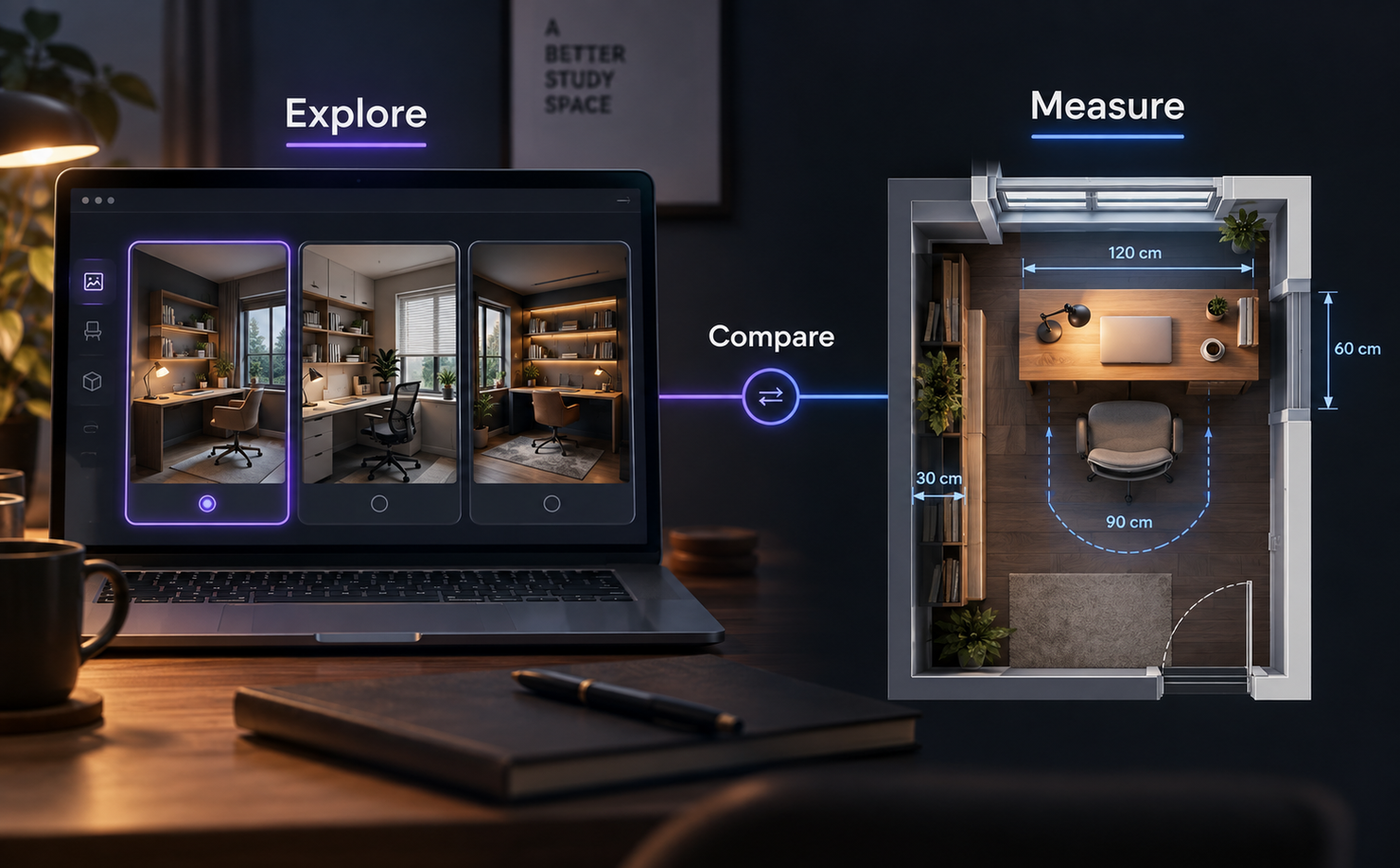
How We Selected the AI Tools for Study Room Design
The best AI tool for study room design really depends on what you need it to do.
A student designing a study corner in a small bedroom won’t need the same tool as an interior designer preparing a client presentation. A parent creating a homework space might care more about storage and lighting, while a remote worker may prioritize ergonomics, desk placement, and a professional video-call background.
So, rather than simply picking the most popular tools, we compared each option based on 7 practical criteria:
- Photo redesign ability: Can you start with a photo of your actual room? This is especially useful for study spaces carved out of bedrooms, spare rooms, or existing home offices.
- Layout usefulness: Can the tool help with more than aesthetics? We looked at whether it could help explore desk placement, chair clearance, shelving, storage, walking space, and overall room function.
- Study room relevance: Does it directly support study rooms, or offer related room types such as home offices, libraries, bedrooms, or kids’ rooms that can work for study spaces?
- Ease of use: How quickly can a beginner go from uploading a photo or entering room details to getting a useful result? No complicated learning curve is a big plus.
- Level of accuracy: Not every AI tool serves the same purpose. Some are best for quick inspiration, while others offer measured layouts, floor plans, 2D/3D planning, or more advanced rendering. We’ve kept those differences in mind rather than comparing them as if they were the same.
- Pricing and free access: We also considered whether each tool offers a free plan, trial, credits, or affordable entry point, checking official pricing information where possible.
- Best use case: Finally, every tool needed a clear reason to be on the list. In other words: What is this tool best at, who is it for, and when should you choose it over the others?
This way, instead of simply giving you 15 similar AI tools, the list should make it easier to find the one that actually fits your space, needs, skills, and budget.

15 Best AI Tools for Study Room Design in 2026
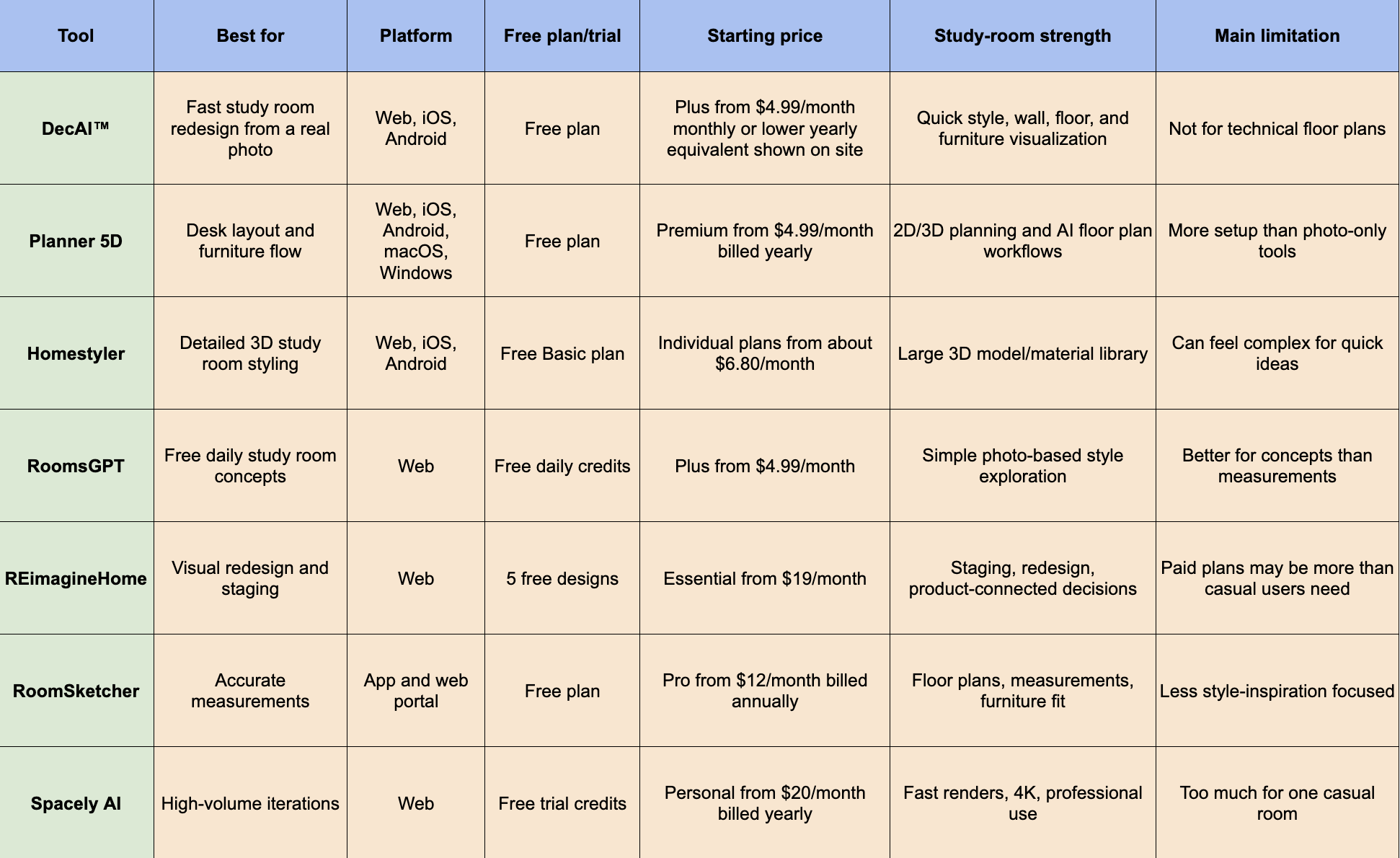
1. DecAI™ - Best for Fast Study Room Redesign From a Real Photo
Platform: Web, iOS, Android
Pricing: Free plan available; paid plans start at $4.99 per month; one-time credit packages are also available.
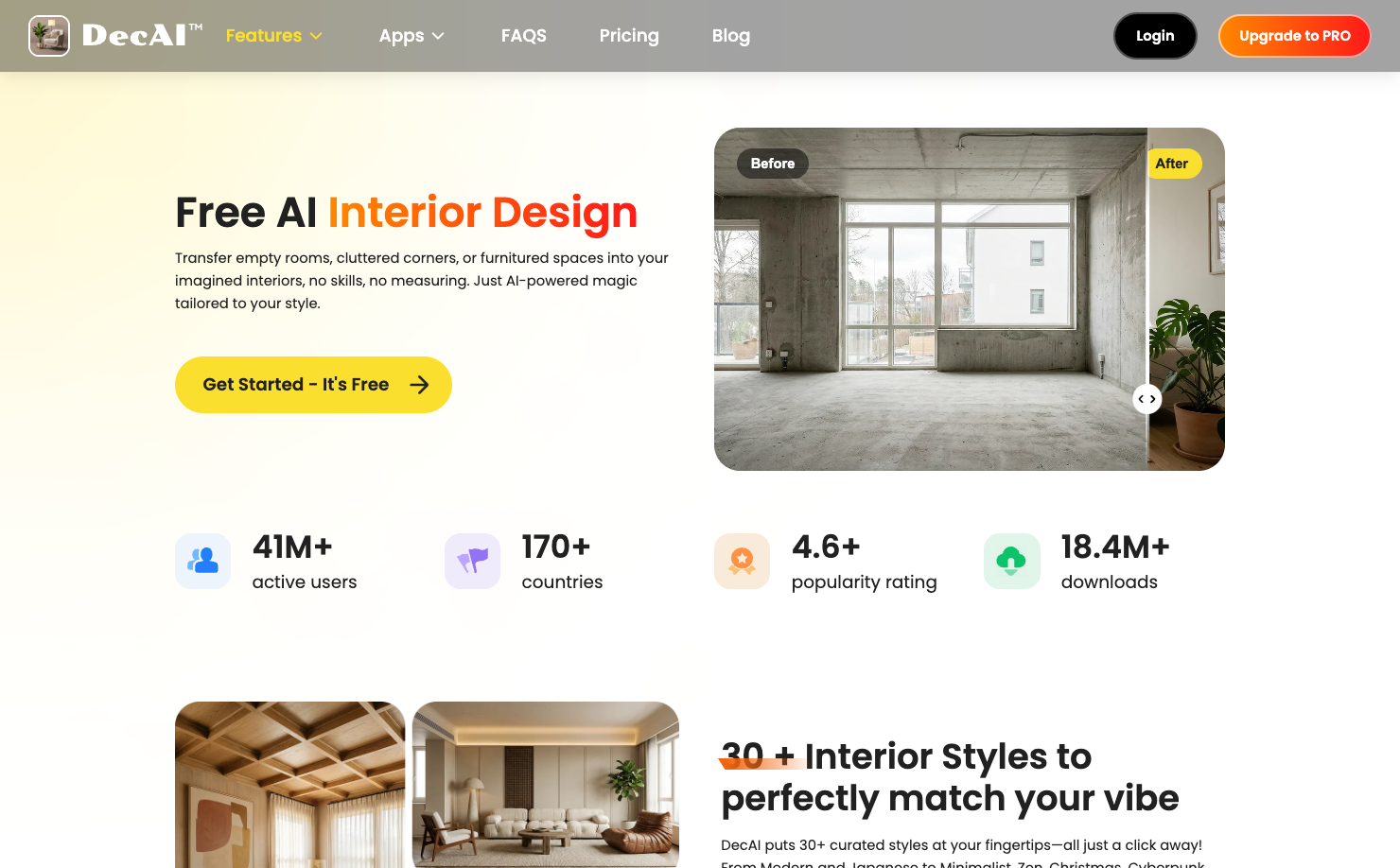
DecAI™ is a powerful AI study room design tool and a practical starting point if you want to redesign your actual space without learning complicated 3D software or having any design experience.
Simply upload a photo of your study room, choose a design direction, and generate new ideas in just a few clicks. This makes it especially useful when you want to quickly see how different design choices could look in your own space before making any real changes.
What makes DecAI™ stand out is that it goes beyond one-time image generation. You can experiment with different styles, colors, furniture, décor, flooring, and walls, then continue refining the design with its AI Designer until you find a direction you like.
Why to choose:
- Great for quickly generating study room ideas from a real photo.
- Beginner-friendly, with no design, CAD, or 3D modeling skills required.
- Makes it easy to test furniture, walls, floors, colors, and styles before spending money.
- Works well as an early idea iteration before moving on to more technical planning.
Reasons to avoid:
- Better suited to visual redesign and idea exploration than precise, measurement-based planning.
2. Planner 5D - Best for Planning Desk Layout and Furniture Flow
Platform: Web, iOS, Android, macOS, Windows
Pricing: Free plan available; Premium starts at $4.99/month.
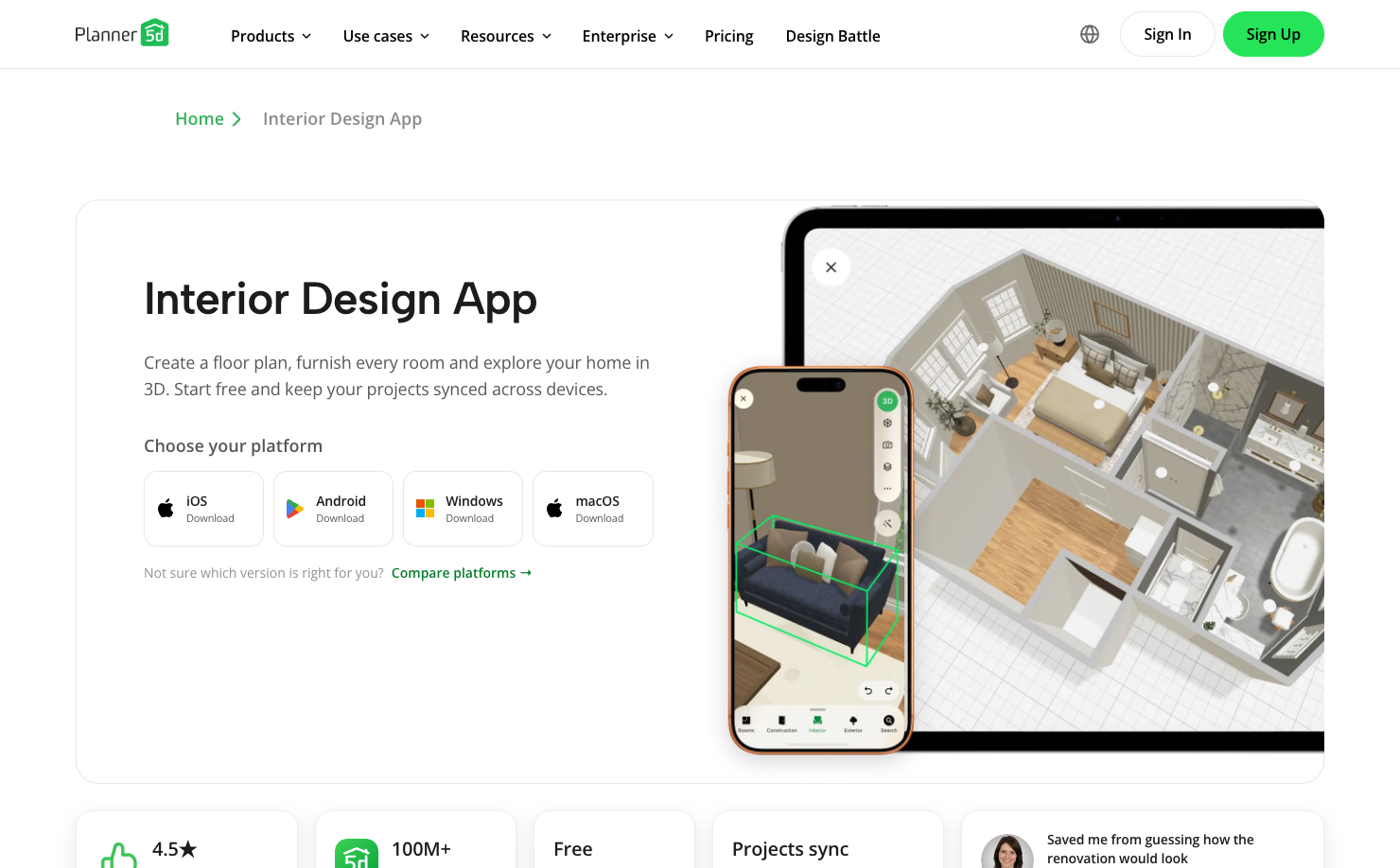
Planner 5D is a better fit when your study room problem is layout rather than just style. If you need to know whether a desk fits under a window, whether a chair has enough pull-back space, or whether shelves will make the room feel cramped, a 2D/3D planning tool is more useful than a one-click image generator. Planner 5D lets users create rooms, arrange furniture, switch between 2D and 3D, and use AI-assisted planning features.
For study room design, Planner 5D is especially helpful in hybrid rooms. Many study spaces are not dedicated offices. They are part bedroom, part guest room, part storage zone, or part gaming setup. In those cases, layout flow matters more than a beautiful image. Planner 5D helps you test zones and proportions before committing.
Why to choose:
- Choose Planner 5D if desk placement and walking space matter.
- It is stronger than photo-only tools for furniture scale and room planning.
- Its cross-platform support makes it useful for users who want to work across devices.
- It is a strong option for DIY homeowners who want both design ideas and layout control.
Reasons to avoid:
- It takes more time to set up than instant AI redesign tools.
- If you only want quick visual inspiration, it may feel more detailed than necessary.
3. Homestyler - Best for Detailed 3D Study Room Styling
Platform: Web, iOS, Android
Pricing: Free Basic plan available; paid individual plans start from about $6.80/month.
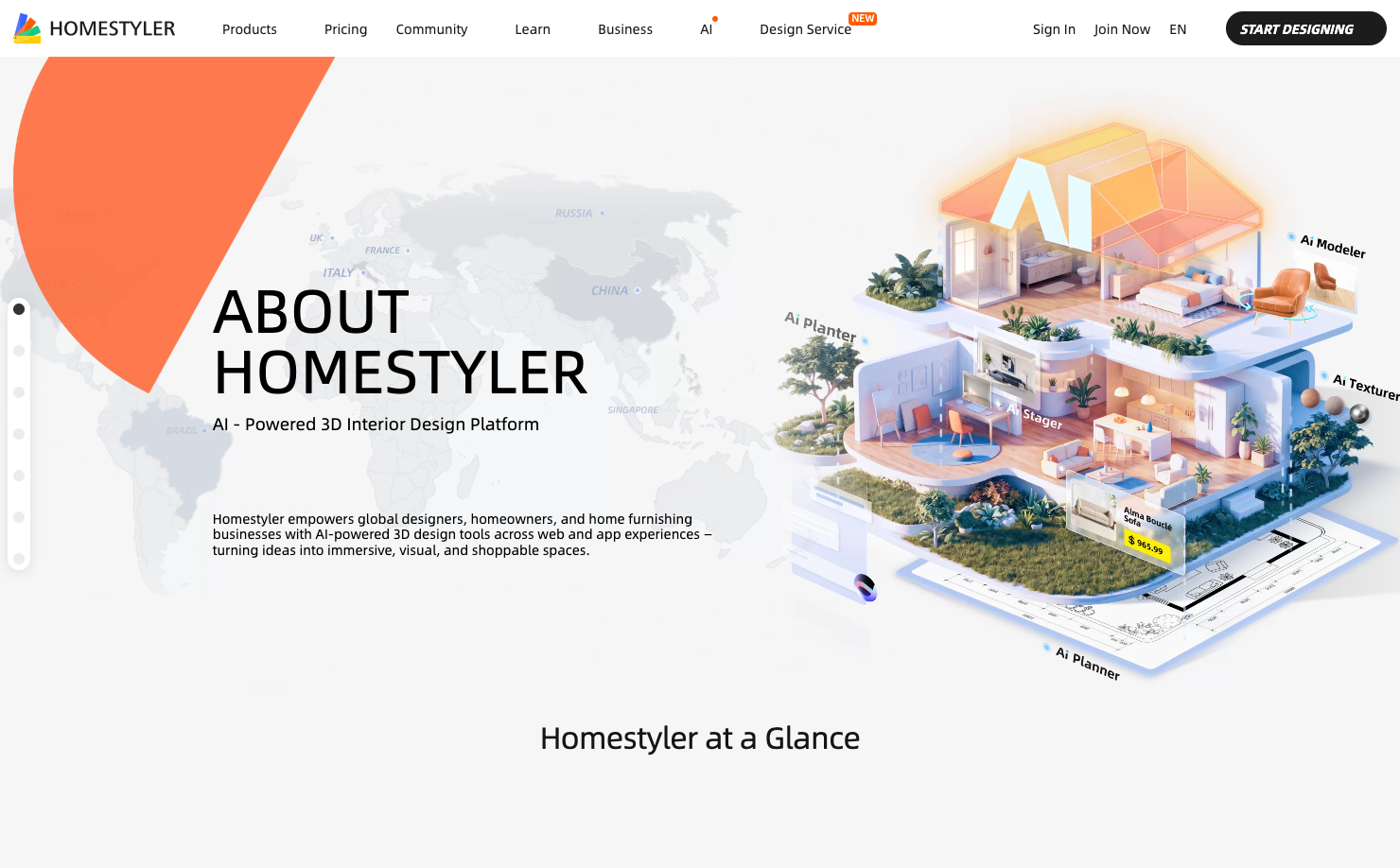
Homestyler is ideal for study room design when you want more control over furniture, materials, lighting, and presentation. It includes a cloud-based 3D floor planner, large model and material libraries, AI tools, rendering options, and mobile access. That makes it useful for users who want to refine a study space instead of accepting a single AI-generated image.
For example, if your study room includes a built-in shelf wall, reading chair, desk lamp, area rug, window treatment, and storage cabinet, Homestyler gives you a more hands-on environment for testing those pieces together. It is also useful if you want a polished visual for a renovation discussion, not just a quick idea.
Why to choose:
- Choose Homestyler if you want detailed 3D styling control.
- It is strong for furniture-heavy and decor-heavy study rooms.
- The large model and material library helps users test realistic combinations.
- It works well for users who enjoy refining details.
Reasons to avoid:
- It can feel more complex than needed for a simple study corner.
- Users who want an instant photo makeover may prefer a lighter tool.
4. RoomsGPT - Best for Free Daily Study Room Concepts

Platform: Web
Pricing: Free daily designs available; paid plans start at $4.99/month.
RoomsGPT is a good option if you want a quick and low-friction AI study room generator. Its study room page focuses on transforming real room photos into study-focused spaces, and its pricing page lists free daily designs. That makes it useful for beginners who want to test whether AI room design is helpful before paying.
For study room design, RoomsGPT works best at the “does this direction make sense?” stage. Upload your room, choose a style, and compare a few versions. You might use it to test a Scandinavian study room, a warmer library-style space, or a clean modern setup. It is not the best choice for technical layout planning, but it can quickly show whether a design direction is worth developing.
Why to choose:
- Choose RoomsGPT if you want free daily room design experiments.
- It is easy to use for photo-based study room ideas.
- It works well for comparing styles quickly.
- It is a low-risk tool for early inspiration.
Reasons to avoid:
- It is better for visual concepts than precise furniture planning.
- If your main concern is exact desk or shelf dimensions, use a floor-planning tool.
5. REimagineHome - Best for Confident Visual Redesign and Staging
Platform: Web
Pricing: 5 free designs for new users; paid plans start at $19/month.
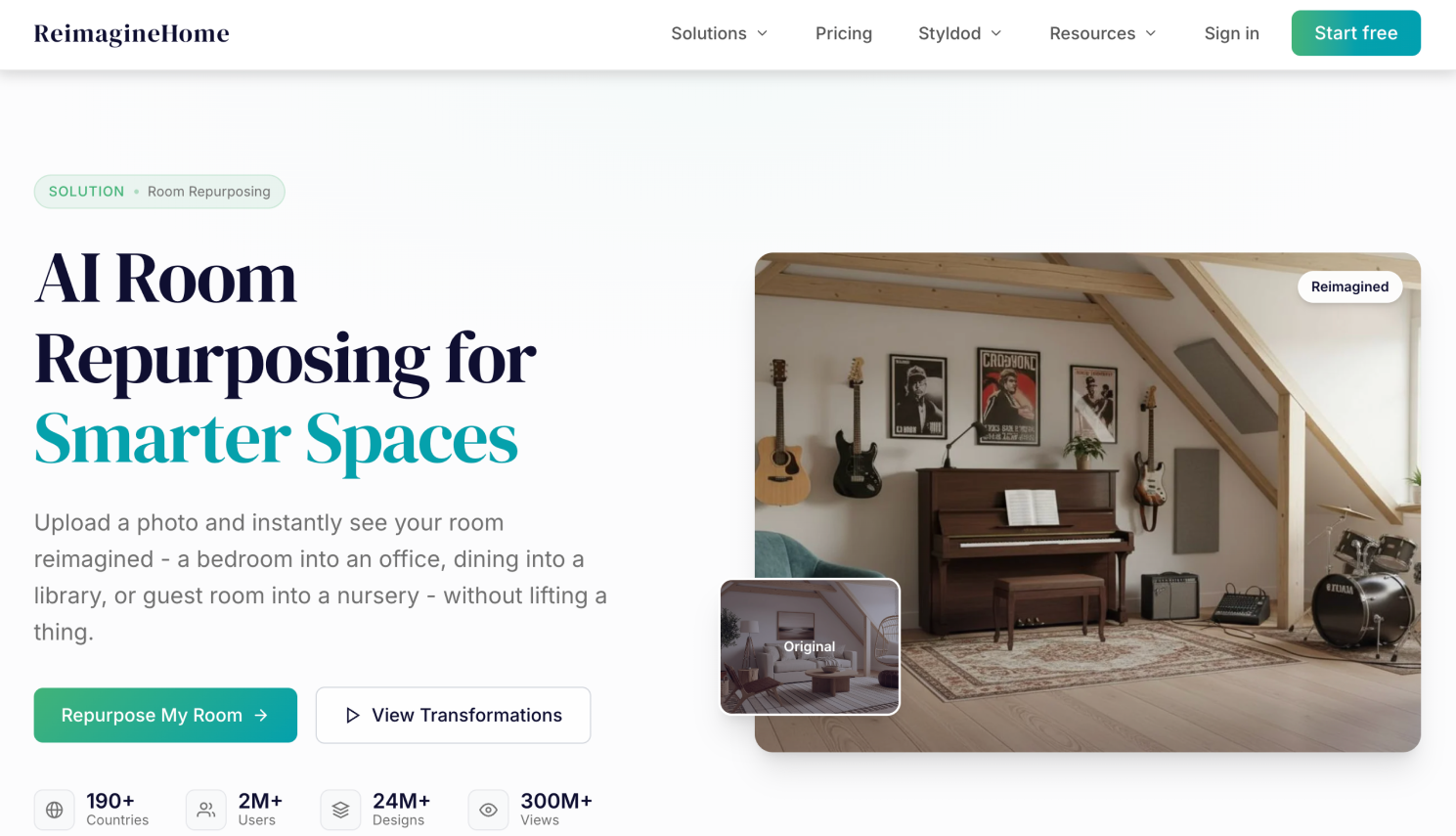
ReimagineHome is useful when you want a more polished AI redesign workflow for an existing room. It supports redesign, virtual staging, outdoor edits, product visualization, and conversational design features on higher plans. For study room design, it is especially helpful when you are working with a furnished room that needs to feel calmer, clearer, and more intentional.
This tool can fit several study room scenarios. A realtor may want to stage a spare room as a study. A homeowner may want to repurpose a guest bedroom into a work-and-study space. A parent may want to see how an empty bedroom could become a homework zone. REimagineHome’s strength is not measured drafting; it is helping users see a more finished visual direction.
Why to choose:
- Choose REimagineHome if you want polished redesign and staging outputs.
- It is useful for empty or furnished study rooms.
- Higher plans support more controlled, conversational refinement.
- It can help bridge visual design and real product decisions.
Reasons to avoid:
- The paid plans may be more than casual users need for one small room.
- It is not the first choice for exact measured layout planning.
6. RoomSketcher - Best for Accurate Study Room Measurements
Platform: RoomSketcher app and web portal
Pricing: Free plan available; Pro starts at $12/month.
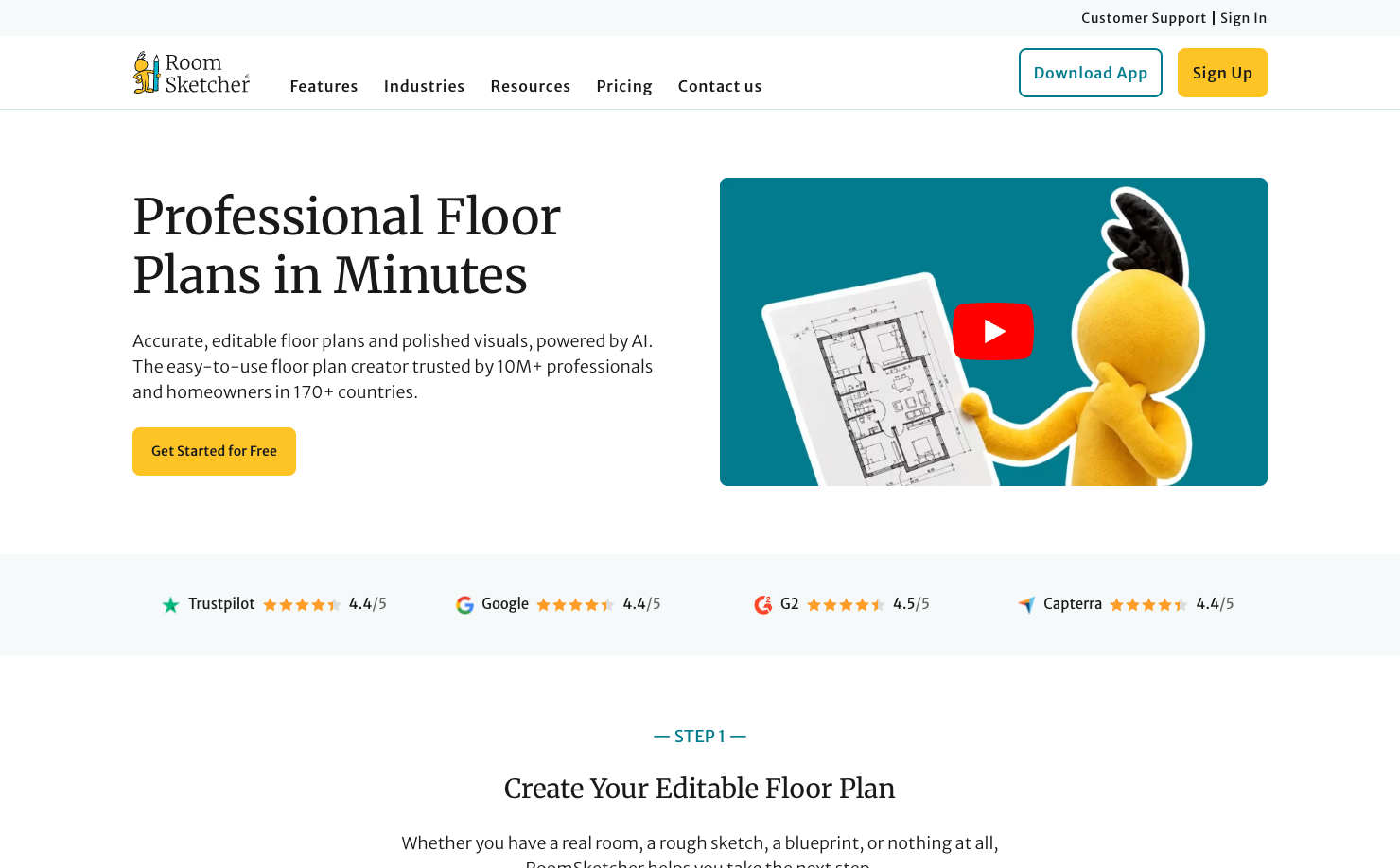
RoomSketcher is one of the best tools on this list when accuracy matters. It is not just about generating a pretty study room image. It helps users create floor plans, work with measurements, view spaces in 2D and 3D, and produce practical room visuals. For study rooms, this can prevent expensive furniture mistakes.
This matters more than many people realize. A study room often needs tight clearances: chair movement, drawer access, door swing, bookshelf depth, printer storage, and enough surface area for a laptop, notebook, monitor, and lamp. If your study room is small, a few inches can decide whether the room feels comfortable or awkward.
Why to choose:
- Choose RoomSketcher if furniture fit and measurements are your top concern.
- It is practical for desk, shelf, chair, and circulation planning.
- It is useful before buying large furniture.
- It works well for users who want fewer surprises in the real room.
Reasons to avoid:
- It is less focused on instant AI style inspiration.
- If you want quick before-and-after visuals, start with a photo-based AI tool first.
7. Spacely AI - Best for High-Volume Design Iterations
Platform: Web
Pricing: Free plan with trial credits; Personal plan starts at $20/month.
Design any room, shop or space with DecAI in less 30 seconds! It's free!
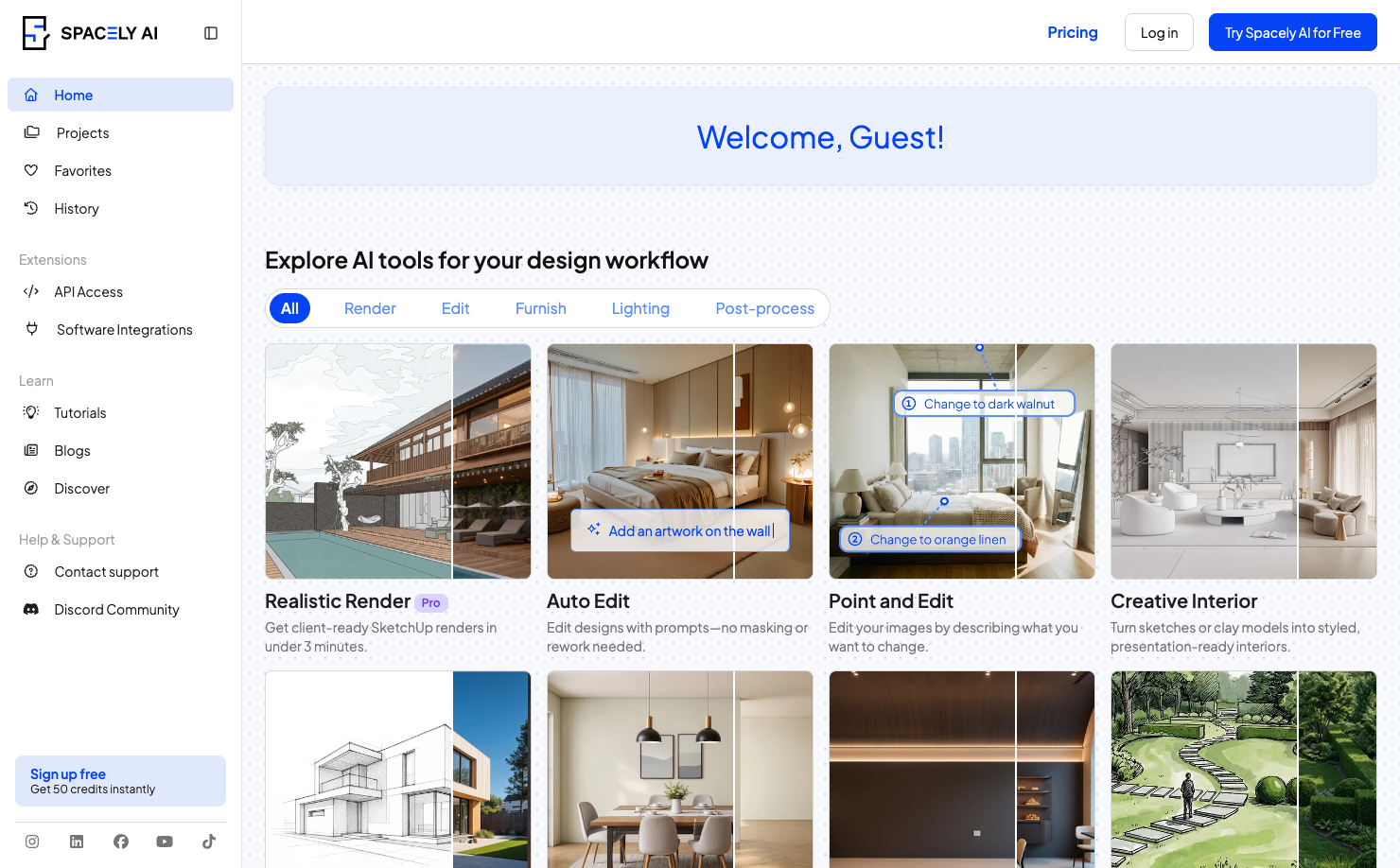
Spacely AI is useful for designers, realtors, and serious users who need repeated design iterations. It supports features such as realistic renders, auto furnish, 4K downloads, material settings, design tools, commercial licensing, and integrations with software like SketchUp, Revit, AutoCAD, and Rhino on supported plans.
For study room design, Spacely AI is a good fit when one or two generations are not enough. Maybe you are designing several study rooms for apartment listings, creating options for clients, or comparing multiple desk-wall configurations. In those cases, speed and output volume matter.
Why to choose:
- Choose Spacely AI if you need many study room variations.
- It is strong for professional or commercial design workflows.
- It supports high-resolution output and advanced rendering features.
- It is useful for designers who already work across other design software.
Reasons to avoid:
- It may be more than a casual homeowner needs.
- If you only want one free study room idea, simpler tools are easier.
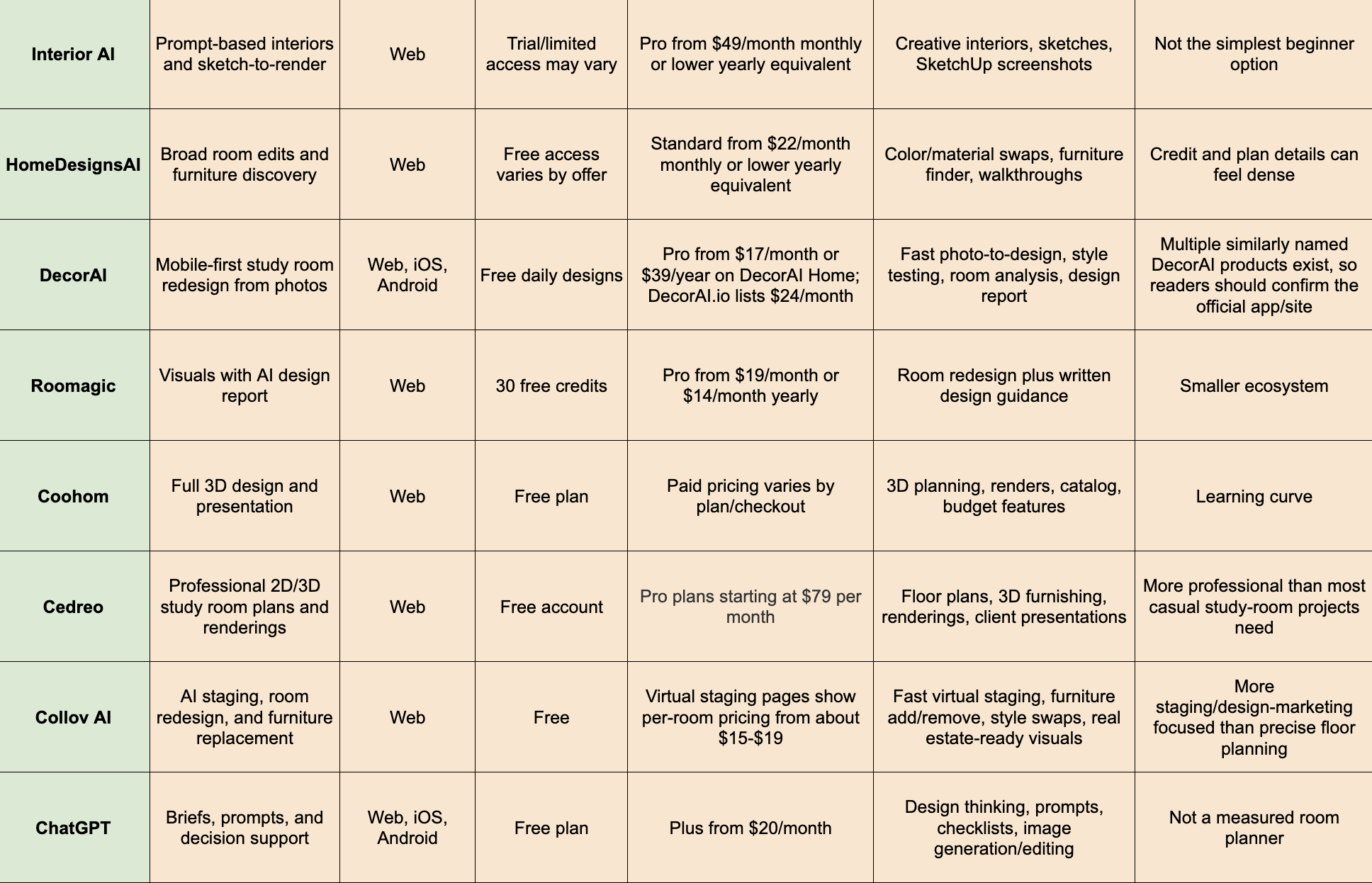
8. Interior AI - Best for Prompt-Based Interiors and Sketch-to-Render

Platform: Web
Pricing: Pro starts at $49/month monthly.
Interior AI is a strong creative tool for users who want prompt-based room concepts, uploaded room redesigns, sketch-to-image, SketchUp-to-render, virtual staging, and advanced editing on higher plans. It is not limited to study rooms, but it can be useful for home offices, libraries, and focused interior spaces.
The main advantage is creative range. If you can describe the study room you want, Interior AI can help turn that direction into visuals. It may be especially helpful for users who already have a rough sketch or SketchUp screenshot and want a more realistic render. Designers can also use it to create fast concept directions before building more precise plans elsewhere.
Why to choose:
- Choose Interior AI if you like prompt-driven creative control.
- It is useful for transforming sketches or SketchUp screenshots into visuals.
- It supports many interior styles and advanced design features.
- It can help generate more dramatic concept directions.
Reasons to avoid:
- It is not the cheapest beginner option.
- Some users may find it less straightforward than simple upload-and-redesign tools.
9. HomeDesignsAI - Best for Broad Room Edits and Furniture Discovery
Platform: Web
Pricing: Paid plans start at $22/month monthly.
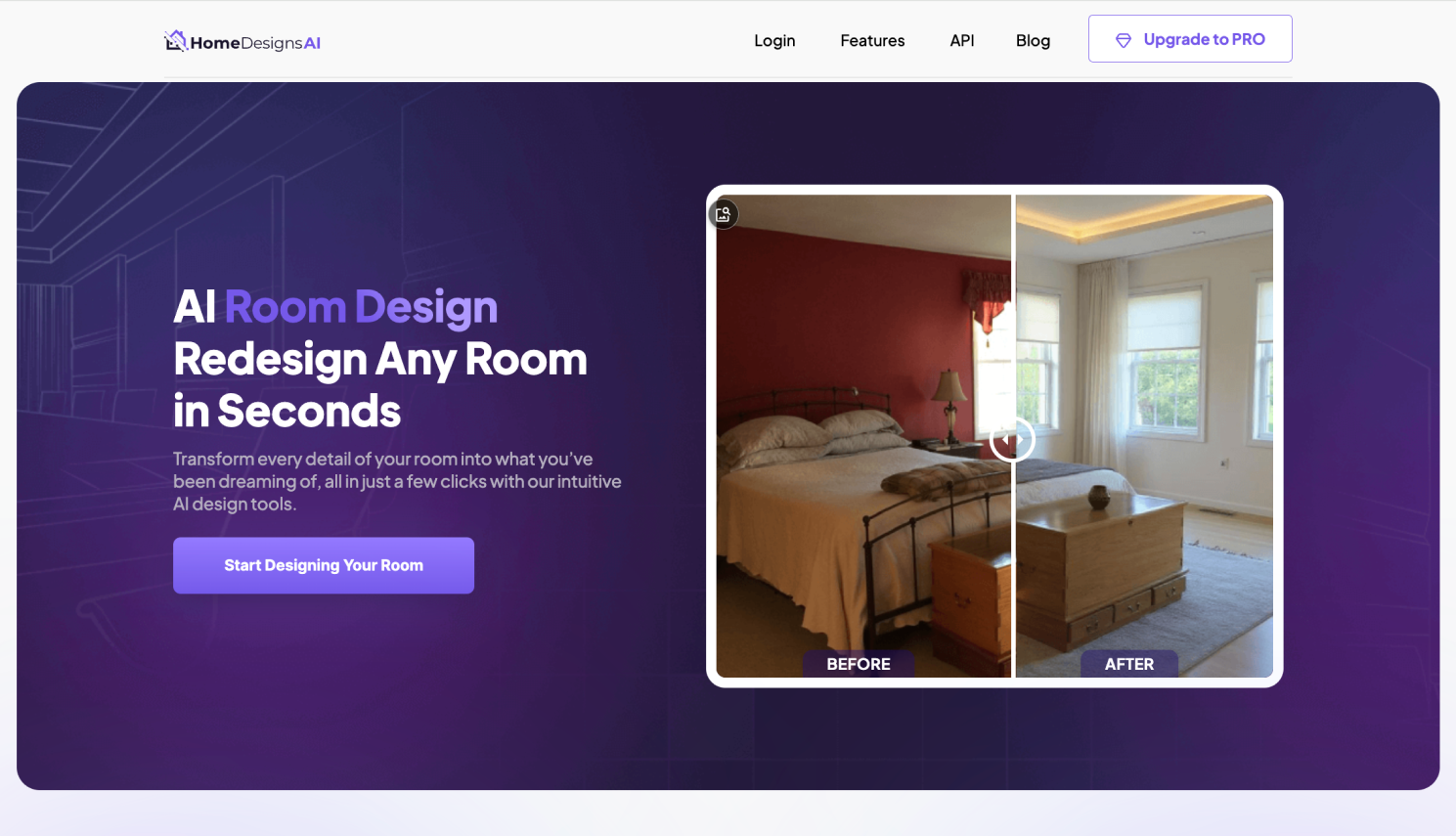
HomeDesignsAI is a broad AI home design platform that covers interiors, exteriors, gardens, color swaps, material swaps, object detection, furniture finding, video walkthroughs, and 2D-to-3D floor plan features on published plan descriptions. For study room design, that range is useful when the project involves more than one type of change.
Maybe your study room needs new paint, a different floor finish, better storage, a desk replacement, and a more mature style. A tool like HomeDesignsAI can help you explore those categories together. Its furniture finder and object-level features may also help users move from inspiration toward shopping.
Why to choose:
- Choose HomeDesignsAI if you want a broad AI design toolkit.
- It is useful for color, material, furniture, and style exploration.
- It supports many room and space types.
- It can help users who want design ideas and furniture discovery in one workflow.
Reasons to avoid:
- The number of modes and credit details can feel dense.
- If your goal is only quick study room inspiration, a simpler tool may be easier.
10. DecorAI - Best for Mobile-First Study Room Redesign From Photos
Platform: Web, iOS, Android
Pricing: Free daily designs available; Pro plans starts $17/month.
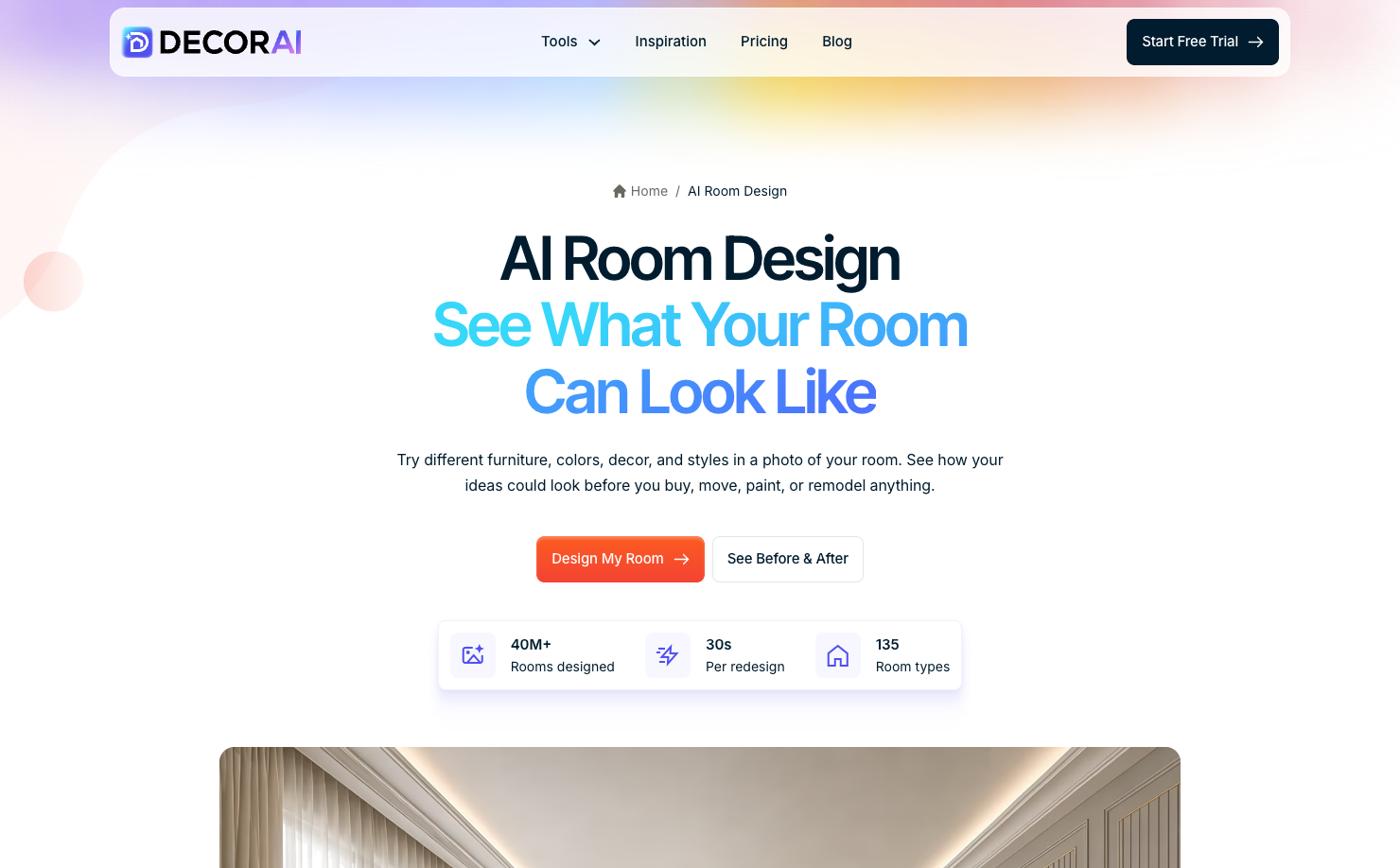
DecorAI is useful for readers who want quick AI study room ideas from a phone photo. It focuses on photo-to-design room makeovers, style exploration, room analysis, and design report features, which makes it a practical fit for early study room visualization. For a student bedroom corner, small home office, or spare-room study, it can help test whether a minimalist, Japandi, Scandinavian, or warmer library-style direction feels right before buying furniture.
Why to choose:
- Choose DecorAI if you want fast phone-friendly study room redesigns.
- It is useful for comparing room styles from a real photo.
- Pro features may include room analysis and design report exports.
- It works well for homeowners and renters who want quick visual clarity.
Reasons to avoid:
- There are several similarly named DecorAI products, so users should confirm they are using the intended official app or site.
- It is better for visual inspiration than exact measured layout planning.
11. Roomagic - Best for Study Room Visuals With an AI Design Report

Platform: Web
Pricing: Free sign-up credits available; Pro starts at $14/month.
Roomagic is interesting because it pairs AI room redesign with an AI design report. That can be useful for study room design because many users do not just need an image. They need help understanding what the image suggests: materials, colors, furniture direction, and possible budget implications.
For example, a generated study room may show a walnut desk, warm white walls, a low bookcase, and a brass task lamp. A design report can help turn that visual into more concrete planning language. This makes Roomagic a useful bridge between inspiration and action.
Why to choose:
- Choose Roomagic if you want visual output plus written design guidance.
- It is helpful for understanding materials and style direction.
- It supports real-room photo redesign.
- It can help users move beyond “that looks nice” toward practical decisions.
Reasons to avoid:
- It has a smaller ecosystem than larger 3D planning tools.
- It is still not a replacement for measured furniture planning.
12. Coohom - Best for Full 3D Study Room Design and Presentation

Platform: Web
Pricing: Free plan available; paid plans stat at $25 per month.
Coohom is a more advanced option for users who want a fuller 3D design workflow. Its official product pages describe floor plan tools, large branded 3D asset libraries, cloud rendering, AI assistant workflows, budget features, and presentation uses. For a study room, Coohom is helpful when you need to build a more complete model and present the room clearly.
This is a good fit for serious DIY planners, decorators, and professionals. If your study room includes custom storage, multiple furniture options, or a client-facing presentation, Coohom gives you more control than a simple AI image generator.
Why to choose:
- Choose Coohom if you want a full 3D room design workflow.
- It is strong for furniture catalogs, rendering, and presentation.
- It can support more serious planning than photo-only tools.
- Budget and catalog features can help connect design choices to real decisions.
Reasons to avoid:
- It has a learning curve.
- It may be too much if you only want fast study room inspiration.
13. Cedreo - Best for Professional 2D/3D Study Room Plans and Renderings

Platform: Web
Pricing: Free account available; paid plans start at $79 per month.
Cedreo is a strong replacement for Foyr Neo if the article needs a professional planning and presentation tool. It supports 2D floor plans, 3D floor plans, interior renderings, furnishing, materials, project presentations, and photorealistic 3D visuals. For study room design, Cedreo is best when the project needs more than inspiration: accurate layout, clear furniture zones, lighting views, client-ready visuals, or renovation communication.
Why to choose:
- Choose Cedreo if you need professional study room plans and renderings.
- It is useful for designers, remodelers, contractors, and serious home projects.
- It supports 2D planning, 3D furnishing, renderings, and presentation documents.
- It helps test room flow, furniture placement, materials, and lighting more clearly.
Reasons to avoid:
- It may be too advanced for a casual one-room refresh.
14. Collov AI - Best for AI Staging, Furniture Replacement, and Room Redesign

Platform: Web
Pricing: Free-try access available; paid plans start at $19 per month.
Collov AI is a useful study room design tool when the goal is visual staging, furniture add/remove, style swapping, or turning an empty or underused room into a more appealing study space. It is especially relevant for homeowners, real estate professionals, and designers who want fast staged visuals rather than manual 3D modeling. For example, it can help show how an empty bedroom could become a clean study room, how a furnished room might look with different furniture, or how a study corner could feel more polished.
Why to choose:
- Choose Collov AI if you want fast room staging and redesign visuals.
- It is useful for adding or removing furniture in room photos.
- It can help visualize different interior styles quickly.
- It is a good fit for real estate, rental, or presentation-oriented study room concepts.
Reasons to avoid:
- It is more staging and visual-marketing focused than technical floor planning.
15. ChatGPT - Best for Study Room Briefs, Prompts, and Design Decision Support

Platform: Web, iOS, Android
Pricing: Free plan available; Plus starts at $20/month.
ChatGPT is not a dedicated room planner, but it can still be useful in a study room design workflow. You can use it to create a design brief, compare room priorities, generate prompts for AI image tools, turn your preferred style into a shopping checklist, or ask for layout ideas based on room dimensions. ChatGPT Images also supports image generation and editing on supported tiers.
For study room design, ChatGPT is best used as the thinking layer. It can help you clarify needs before you open a design app. For example, you can describe your room size, user age, storage needs, lighting situation, and budget, then ask for three layout concepts or a prompt for a “small Japandi study room with wall-mounted shelves and a warm reading lamp.”
Why to choose:
- Choose ChatGPT if you need design ideas, prompts, or decision support.
- It is useful for translating vague goals into clear design briefs.
- It can help create shopping lists, lighting checklists, and tool prompts.
- It works well alongside visual tools such as DecAI, Planner 5D, or RoomSketcher.
Reasons to avoid:
- It is not a dedicated measured room planner.
- Any dimensions, layouts, or product suggestions should be manually verified.
FAQs
1.Is there an AI tool for room design?
Yes. There are many AI room design tools in 2026. Some tools, like DecAI™, let you upload a room photo and generate new visual ideas in just seconds.
2.What is the best AI tool for study room design?
Simply put, the best AI tool for study room design depends on your goal. For example, DecAI™ is a strong starting point if you want fast study room redesign ideas from a real photo. Planner 5D is better for 2D/3D layout planning. RoomSketcher is better for measurements and furniture fit, etc.
3.Can ChatGPT redesign my study room?
Yes. ChatGPT can help redesign your study room conceptually. It can create layout ideas, style prompts, shopping lists, lighting plans, ergonomic checklists, and AI image prompts. In short, it is good for text brainstorming and discussion. However, as with the visualization design, you might choose dedicated room design tools like DecAI™ to quickly see how different styles, colors or floors look on your real room photo and make a decision quickly.
So, the best solution is to use ChatGPT for idea discussion and then, use dedicated room design tools like DecAI™ to do fast visual iteration to decide on the design direction.
4.Are AI study room design tools accurate for real home spaces?
No, it depends. AI study room design tools can be visually helpful, but their accuracy depends on the tool. Photo-based generators are useful for style, color, mood, and early inspiration. Measurement-based planners are better for furniture fit and layout accuracy. Even when a render looks realistic, you should still measure your room and check product dimensions before buying furniture or starting renovation work.
5.Can AI help design a small study room?
Yes. AI can be especially useful for small study room design because it can quickly test space-saving ideas. You can explore floating desks, vertical shelves, light wall colors, compact storage, foldable furniture, built-in cabinets, or multi-use layouts. For small spaces, use AI visuals for inspiration, then confirm the actual furniture dimensions in a planning tool.
6.Can AI replace an interior designer for a study room?
No. AI can replace some early brainstorming and visualization work, but it cannot fully replace an interior designer for complex projects. If your study room only needs decor, paint, furniture ideas, or layout exploration, AI tools like DecAI™ could be enough. If you need custom built-ins, electrical planning, lighting installation, structural changes, or a high-end professional result, a designer or contractor may still be worth it.
------------------------------------
If you believe that any material on this site infringes your intellectual property rights, please contact the author at decaiwebteam@outlook.com with details of your claim.
Redesign any home interior, exterior & garden in seconds
Share this Post:
'%3e%3cpath%20d='M17.9995%2035.999C17.0317%2035.999%2016.0619%2035.9219%2015.1161%2035.7696C10.9414%2035.0973%207.11524%2032.9513%204.34408%2029.7273C1.54287%2026.4683%200%2022.3035%200%2017.9995C0%208.07403%208.07503%200%2017.9995%200C27.924%200%2036%208.07503%2036%2017.9995C36%2022.3696%2034.4151%2026.5835%2031.5357%2029.8646C28.6844%2033.1156%2024.7671%2035.2326%2020.5052%2035.8267C19.6806%2035.9419%2018.8371%2036%2017.9995%2036V35.999ZM17.9995%201.20123C8.73726%201.20123%201.20224%208.73626%201.20224%2017.9985C1.20224%2026.2919%207.13427%2033.2659%2015.3075%2034.5814C16.9546%2034.8469%2018.6808%2034.8659%2020.3389%2034.6345C28.5812%2033.4863%2034.7968%2026.334%2034.7968%2017.9985C34.7968%208.73626%2027.2617%201.20123%2017.9985%201.20123H17.9995Z'%20fill='%23FF0209'/%3e%3cpath%20d='M29.0557%2014.3621C28.9184%2013.0276%2028.6208%2011.5539%2027.5268%2010.7784C26.6782%2010.1773%2025.5642%2010.1553%2024.5242%2010.1563C22.3251%2010.1583%2020.126%2010.1603%2017.9269%2010.1623C15.812%2010.1643%2013.6971%2010.1663%2011.5821%2010.1683C10.6985%2010.1683%209.8399%2010.1002%209.01937%2010.4819C8.31406%2010.8105%207.76303%2011.4347%207.43241%2012.1289C6.97156%2013.0957%206.87438%2014.1898%206.81927%2015.2588C6.71708%2017.2044%206.7281%2019.156%206.85133%2021.0996C6.9405%2022.5193%207.16792%2024.0872%208.26496%2024.9919C9.23777%2025.7934%2010.6103%2025.8325%2011.8707%2025.8335C15.8741%2025.8365%2019.8776%2025.8395%2023.881%2025.8435C24.394%2025.8435%2024.93%2025.8345%2025.453%2025.7774C26.4829%2025.6661%2027.4637%2025.3716%2028.1249%2024.6092C28.7922%2023.8407%2028.9635%2022.7698%2029.0657%2021.7569C29.3121%2019.3003%2029.3091%2016.8177%2029.0557%2014.3621ZM15.6116%2021.4453V14.5545L21.5797%2017.9999L15.6116%2021.4453Z'%20fill='%23FF0209'/%3e%3c/g%3e%3cdefs%3e%3cclipPath%20id='clip0_13816_41422'%3e%3crect%20width='36'%20height='36'%20fill='white'/%3e%3c/clipPath%3e%3c/defs%3e%3c/svg%3e)
'%3e%3cpath%20d='M17.9995%2036C17.0327%2036%2016.0619%2035.9229%2015.1161%2035.7696C10.9414%2035.0973%207.11524%2032.9513%204.34408%2029.7273C1.54287%2026.4683%200%2022.3035%200%2017.9995C0%208.07403%208.07503%200%2017.9995%200C27.924%200%2036%208.07503%2036%2017.9995C36%2022.3696%2034.4151%2026.5835%2031.5357%2029.8646C28.6844%2033.1156%2024.7671%2035.2326%2020.5052%2035.8267C19.6806%2035.9419%2018.8371%2036%2017.9995%2036ZM17.9995%201.20224C8.73726%201.20224%201.20224%208.73726%201.20224%2017.9995C1.20224%2026.2919%207.13427%2033.2669%2015.3075%2034.5824C16.9556%2034.8479%2018.6808%2034.8669%2020.3389%2034.6355C28.5812%2033.4873%2034.7968%2026.335%2034.7968%2017.9995C34.7968%208.73726%2027.2617%201.20224%2017.9985%201.20224H17.9995Z'%20fill='url(%23paint0_linear_13816_41436)'/%3e%3cpath%20d='M23.4463%207.55469H12.549C9.53841%207.55469%207.08984%2010.0032%207.08984%2013.0138V22.9834C7.08984%2025.994%209.53841%2028.4426%2012.549%2028.4426H23.4463C26.4569%2028.4426%2028.9054%2025.994%2028.9054%2022.9834V13.0138C28.9054%2010.0032%2026.4569%207.55469%2023.4463%207.55469ZM9.01543%2013.0138C9.01543%2011.0652%2010.6004%209.48027%2012.549%209.48027H23.4463C25.3949%209.48027%2026.9799%2011.0652%2026.9799%2013.0138V22.9834C26.9799%2024.932%2025.3949%2026.517%2023.4463%2026.517H12.549C10.6004%2026.517%209.01543%2024.932%209.01543%2022.9834V13.0138Z'%20fill='url(%23paint1_linear_13816_41436)'/%3e%3cpath%20d='M17.9964%2023.0749C20.7966%2023.0749%2023.0749%2020.7966%2023.0749%2017.9964C23.0749%2015.1962%2020.7966%2012.918%2017.9964%2012.918C15.1962%2012.918%2012.918%2015.1962%2012.918%2017.9964C12.918%2020.7966%2015.1962%2023.0749%2017.9964%2023.0749ZM17.9964%2014.8446C19.7346%2014.8446%2021.1483%2016.2582%2021.1483%2017.9964C21.1483%2019.7347%2019.7346%2021.1483%2017.9964%2021.1483C16.2582%2021.1483%2014.8446%2019.7347%2014.8446%2017.9964C14.8446%2016.2582%2016.2582%2014.8446%2017.9964%2014.8446Z'%20fill='url(%23paint2_linear_13816_41436)'/%3e%3cpath%20d='M23.5482%2013.741C24.3026%2013.741%2024.9168%2013.1269%2024.9168%2012.3725C24.9168%2011.618%2024.3026%2011.0039%2023.5482%2011.0039C22.7938%2011.0039%2022.1797%2011.618%2022.1797%2012.3725C22.1797%2013.1269%2022.7938%2013.741%2023.5482%2013.741Z'%20fill='url(%23paint3_linear_13816_41436)'/%3e%3c/g%3e%3cdefs%3e%3clinearGradient%20id='paint0_linear_13816_41436'%20x1='5.27482'%20y1='30.7312'%20x2='30.7242'%20y2='5.28083'%20gradientUnits='userSpaceOnUse'%3e%3cstop%20stop-color='%23FAAD4F'/%3e%3cstop%20offset='0.35'%20stop-color='%23DD2A7B'/%3e%3cstop%20offset='0.62'%20stop-color='%239537B0'/%3e%3cstop%20offset='1'%20stop-color='%23515BD4'/%3e%3c/linearGradient%3e%3clinearGradient%20id='paint1_linear_13816_41436'%20x1='8.92225'%20y1='27.074'%20x2='27.073'%20y2='8.92324'%20gradientUnits='userSpaceOnUse'%3e%3cstop%20stop-color='%23FAAD4F'/%3e%3cstop%20offset='0.35'%20stop-color='%23DD2A7B'/%3e%3cstop%20offset='0.62'%20stop-color='%239537B0'/%3e%3cstop%20offset='1'%20stop-color='%23515BD4'/%3e%3c/linearGradient%3e%3clinearGradient%20id='paint2_linear_13816_41436'%20x1='14.4077'%20y1='21.5861'%20x2='21.5861'%20y2='14.4077'%20gradientUnits='userSpaceOnUse'%3e%3cstop%20stop-color='%23FAAD4F'/%3e%3cstop%20offset='0.35'%20stop-color='%23DD2A7B'/%3e%3cstop%20offset='0.62'%20stop-color='%239537B0'/%3e%3cstop%20offset='1'%20stop-color='%23515BD4'/%3e%3c/linearGradient%3e%3clinearGradient%20id='paint3_linear_13816_41436'%20x1='22.5814'%20y1='13.3393'%20x2='24.515'%20y2='11.4057'%20gradientUnits='userSpaceOnUse'%3e%3cstop%20stop-color='%23FAAD4F'/%3e%3cstop%20offset='0.35'%20stop-color='%23DD2A7B'/%3e%3cstop%20offset='0.62'%20stop-color='%239537B0'/%3e%3cstop%20offset='1'%20stop-color='%23515BD4'/%3e%3c/linearGradient%3e%3cclipPath%20id='clip0_13816_41436'%3e%3crect%20width='36'%20height='36'%20fill='white'/%3e%3c/clipPath%3e%3c/defs%3e%3c/svg%3e)
'%3e%3cpath%20d='M17.9995%2035.999C17.0317%2035.999%2016.0619%2035.9219%2015.1161%2035.7696C10.9414%2035.0973%207.11524%2032.9513%204.34408%2029.7273C1.54287%2026.4683%200%2022.3035%200%2017.9995C0%208.07403%208.07502%200%2017.9995%200C27.924%200%2036%208.07503%2036%2017.9995C36%2022.3696%2034.415%2026.5835%2031.5357%2029.8646C28.6844%2033.1156%2024.7671%2035.2326%2020.5052%2035.8267C19.6806%2035.9419%2018.8371%2036%2017.9995%2036V35.999ZM17.9995%201.20123C8.73725%201.20123%201.20224%208.73626%201.20224%2017.9985C1.20224%2026.2919%207.13427%2033.2659%2015.3075%2034.5814C16.9545%2034.8469%2018.6808%2034.8659%2020.3388%2034.6345C28.5812%2033.4863%2034.7968%2026.334%2034.7968%2017.9985C34.7968%208.73626%2027.2617%201.20123%2017.9985%201.20123H17.9995Z'%20fill='%23007EBB'/%3e%3cpath%20d='M9.06639%2012.124C8.60253%2011.6932%208.37109%2011.1602%208.37109%2010.526C8.37109%209.89184%208.60253%209.33481%209.06639%208.90401C9.53026%208.47321%2010.1274%208.25781%2010.8587%208.25781C11.5901%208.25781%2012.1642%208.47321%2012.627%208.90401C13.0909%209.33481%2013.3223%209.87581%2013.3223%2010.526C13.3223%2011.1762%2013.0909%2011.6932%2012.627%2012.124C12.1631%2012.5548%2011.5741%2012.7702%2010.8587%2012.7702C10.1434%2012.7702%209.52926%2012.5548%209.06639%2012.124ZM12.9326%2014.5946V27.7962H8.76182V14.5946H12.9326Z'%20fill='%23007EBB'/%3e%3cpath%20d='M26.8196%2015.9006C27.7283%2016.8875%2028.1832%2018.243%2028.1832%2019.9682V27.5663H24.2208V20.5042C24.2208%2019.6346%2023.9954%2018.9583%2023.5445%2018.4764C23.0937%2017.9945%2022.4876%2017.7541%2021.7262%2017.7541C20.9647%2017.7541%2020.3586%2017.9955%2019.9078%2018.4764C19.4569%2018.9583%2019.2315%2019.6346%2019.2315%2020.5042V27.5663H15.2461V14.5611H19.2315V16.2863C19.6353%2015.7113%2020.1793%2015.2574%2020.8636%2014.9228C21.5468%2014.5892%2022.3163%2014.4219%2023.1708%2014.4219C24.6937%2014.4219%2025.9099%2014.9158%2026.8186%2015.9016L26.8196%2015.9006Z'%20fill='%23007EBB'/%3e%3c/g%3e%3cdefs%3e%3cclipPath%20id='clip0_13816_41425'%3e%3crect%20width='36'%20height='36'%20fill='white'/%3e%3c/clipPath%3e%3c/defs%3e%3c/svg%3e)
'%3e%3cpath%20d='M18%2035.999C17.0322%2035.999%2016.0623%2035.9219%2015.1166%2035.7696C10.9417%2035.0973%207.11544%2032.9513%204.3442%2029.7273C1.54291%2026.4683%200%2022.3035%200%2017.9995C0%208.07403%208.07526%200%2018%200C27.9248%200%2036%208.07503%2036%2017.9995C36%2022.3696%2034.415%2026.5835%2031.5356%2029.8646C28.6842%2033.1156%2024.7668%2035.2326%2020.5047%2035.8267C19.6802%2035.9419%2018.8366%2036%2017.999%2036L18%2035.999ZM18%201.20123C8.73751%201.20123%201.20227%208.73626%201.20227%2017.9985C1.20227%2026.2919%207.13448%2033.2659%2015.3079%2034.5814C16.955%2034.8469%2018.6813%2034.8659%2020.3394%2034.6345C28.582%2033.4863%2034.7977%2026.334%2034.7977%2017.9985C34.7977%208.73626%2027.2625%201.20123%2018%201.20123Z'%20fill='black'/%3e%3cpath%20d='M7%208.09163H13.5067L19.521%2016.1816L27.0073%207.90625L28.786%207.93715L20.4078%2017.3454L29%2028.901H22.4959L16.8193%2021.362L9.8847%2029.0864H8.13428L15.9583%2020.26L7%208.09163ZM12.8931%209.28633H9.45676L23.2048%2027.6754H26.5793L12.8931%209.28633Z'%20fill='black'/%3e%3c/g%3e%3cdefs%3e%3cclipPath%20id='clip0_13886_43848'%3e%3crect%20width='36'%20height='36'%20fill='white'/%3e%3c/clipPath%3e%3c/defs%3e%3c/svg%3e)
'%3e%3cpath%20d='M17.9995%2035.999C17.0327%2035.999%2016.0619%2035.9219%2015.1161%2035.7686C10.9414%2035.0963%207.11524%2032.9503%204.34408%2029.7263C1.54287%2026.4673%200%2022.3025%200%2017.9995C0%208.07403%208.07503%200%2017.9995%200C27.924%200%2036%208.07503%2036%2017.9995C36%2022.3696%2034.415%2026.5835%2031.5357%2029.8646C28.6844%2033.1156%2024.7671%2035.2326%2020.5052%2035.8267C19.6806%2035.9419%2018.8371%2036%2017.9995%2036V35.999ZM17.9995%201.20123C8.73726%201.20123%201.20224%208.73626%201.20224%2017.9985C1.20224%2026.2909%207.13428%2033.2659%2015.3075%2034.5814C16.9556%2034.8469%2018.6808%2034.8659%2020.3389%2034.6345C28.5812%2033.4863%2034.7968%2026.334%2034.7968%2017.9985C34.7968%208.73626%2027.2617%201.20123%2017.9985%201.20123H17.9995Z'%20fill='%231877F7'/%3e%3cpath%20d='M20.5337%2014.9635V18.7536H25.2225L24.4801%2023.8601H20.5337V35.624C19.7423%2035.7342%2018.9328%2035.7913%2018.1112%2035.7913C17.1625%2035.7913%2016.2317%2035.7151%2015.324%2035.5689V23.8601H11V18.7536H15.324V14.1169C15.324%2011.2396%2017.6564%208.90625%2020.5347%208.90625V8.90926C20.5428%208.90926%2020.5508%208.90625%2020.5588%208.90625H25.2235V13.3215H22.1758C21.2691%2013.3215%2020.5347%2014.0558%2020.5347%2014.9625L20.5337%2014.9635Z'%20fill='%231877F7'/%3e%3c/g%3e%3cdefs%3e%3cclipPath%20id='clip0_13816_41433'%3e%3crect%20width='36'%20height='36'%20fill='white'/%3e%3c/clipPath%3e%3c/defs%3e%3c/svg%3e)
'%3e%3cpath%20d='M17.9995%2035.999C17.0327%2035.999%2016.0619%2035.9219%2015.1161%2035.7686C10.9414%2035.0963%207.11524%2032.9503%204.34408%2029.7263C1.54287%2026.4673%200%2022.3025%200%2017.9995C0%208.07403%208.07503%200%2017.9995%200C27.924%200%2036%208.07503%2036%2017.9995C36%2022.3696%2034.415%2026.5835%2031.5357%2029.8646C28.6844%2033.1156%2024.7671%2035.2326%2020.5052%2035.8267C19.6806%2035.9419%2018.8371%2036%2017.9995%2036V35.999ZM17.9995%201.20123C8.73726%201.20123%201.20224%208.73626%201.20224%2017.9985C1.20224%2026.2909%207.13428%2033.2659%2015.3075%2034.5814C16.9556%2034.8469%2018.6808%2034.8659%2020.3389%2034.6345C28.5812%2033.4863%2034.7968%2026.334%2034.7968%2017.9985C34.7968%208.73626%2027.2617%201.20123%2017.9985%201.20123H17.9995Z'%20fill='%232A91F7'/%3e%3cg%20clip-path='url(%23clip1_13816_41442)'%3e%3cpath%20d='M16.3345%2018.834C16.6924%2019.3124%2017.149%2019.7083%2017.6733%2019.9947C18.1976%2020.2812%2018.7774%2020.4516%2019.3734%2020.4942C19.9693%2020.5369%2020.5675%2020.4509%2021.1273%2020.2421C21.6871%2020.0333%2022.1954%2019.7065%2022.6178%2019.284L25.1178%2016.784C25.8768%2015.9981%2026.2968%2014.9456%2026.2873%2013.8531C26.2778%2012.7606%2025.8396%2011.7156%2025.0671%2010.943C24.2946%2010.1705%2023.2495%209.73231%2022.157%209.72281C21.0645%209.71332%2020.012%2010.1333%2019.2262%2010.8923L17.7928%2012.3173M19.6678%2017.1673C19.3099%2016.6889%2018.8533%2016.293%2018.329%2016.0065C17.8047%2015.7201%2017.2249%2015.5497%2016.6289%2015.507C16.033%2015.4643%2015.4348%2015.5503%2014.875%2015.7592C14.3152%2015.968%2013.8069%2016.2947%2013.3845%2016.7173L10.8845%2019.2173C10.1255%2020.0031%209.70551%2021.0557%209.715%2022.1481C9.72449%2023.2406%2010.1627%2024.2857%2010.9352%2025.0582C11.7078%2025.8307%2012.7528%2026.269%2013.8453%2026.2784C14.9378%2026.2879%2015.9903%2025.868%2016.7761%2025.109L18.2011%2023.684'%20stroke='%232A91F7'%20stroke-width='1.66667'%20stroke-linecap='round'%20stroke-linejoin='round'/%3e%3c/g%3e%3c/g%3e%3cdefs%3e%3cclipPath%20id='clip0_13816_41442'%3e%3crect%20width='36'%20height='36'%20fill='white'/%3e%3c/clipPath%3e%3cclipPath%20id='clip1_13816_41442'%3e%3crect%20width='20'%20height='20'%20fill='white'%20transform='translate(8%208)'/%3e%3c/clipPath%3e%3c/defs%3e%3c/svg%3e)
Redesign any home interior, exterior & garden in seconds