

12 Best Free Exterior Home Design Tools You Should Try for 2026

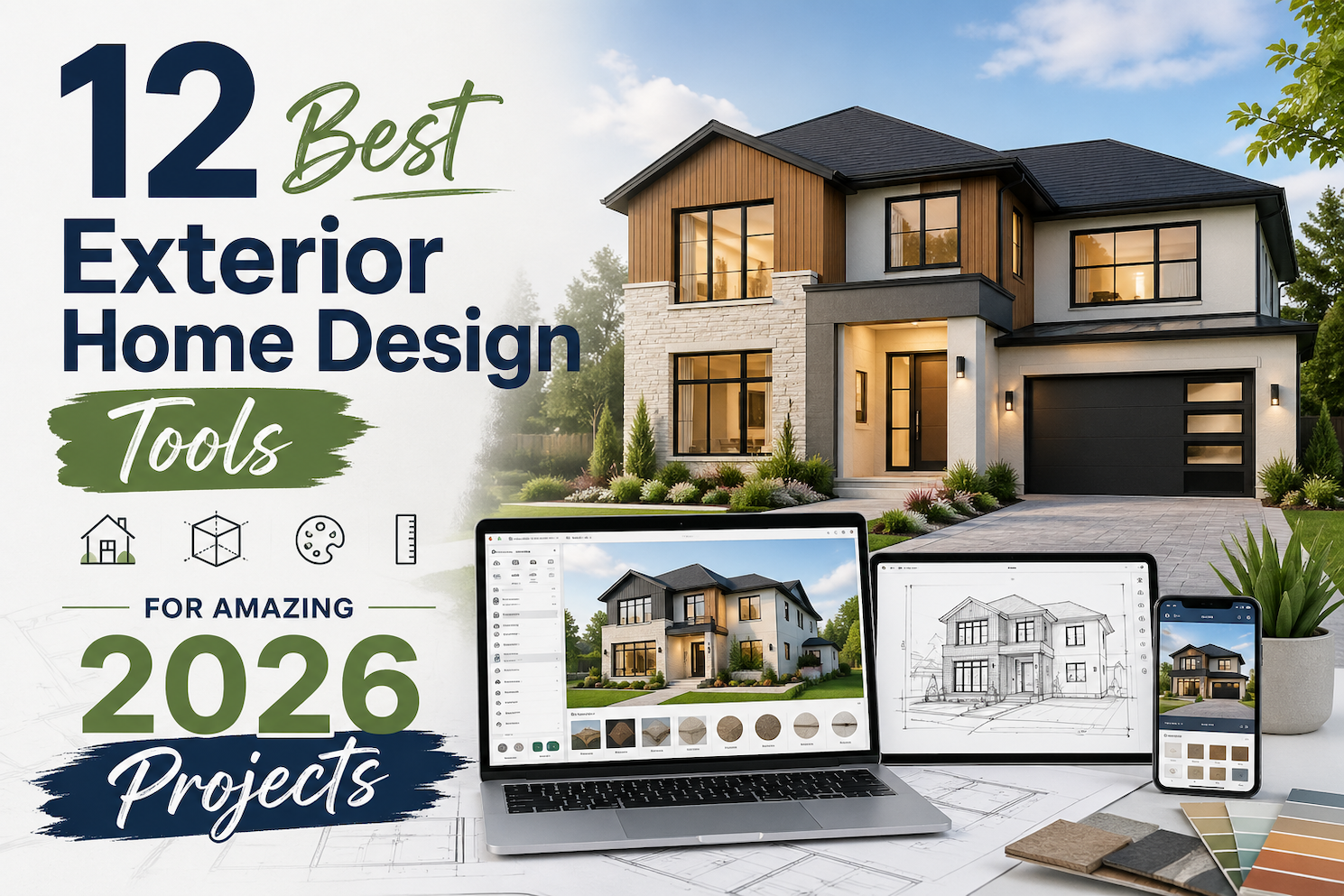
Changing the outside of a home is exciting, but it is also one of the easiest projects to overthink. That is why exterior home design tools have become so useful for homeowners, real estate teams, designers, remodelers, and contractors. The right tool can help you preview curb appeal ideas, test colors, compare materials, plan landscaping, or create a 3D model before work begins.
This guide compares 12 of the best exterior home design tools in 2026, including AI visualizers, 3D planning software, paint tools, landscaping software, and product-specific exterior visualizers.
Design any room, shop or space with DecAI in less 30 seconds! It's free!
What Are Exterior Home Design Tools?
Exterior home design tools are apps or software platforms that help you visualize changes to the outside of a house, building, garden, yard, deck, patio, storefront, or outdoor living area. Some tools are simple photo-based visualizers. Others are full 2D and 3D design platforms with measurements, renderings, roof tools, landscaping objects, and project exports.
The main types include:
- AI exterior design tools: Upload a real exterior photo and generate new facade, garden, patio, or curb appeal ideas quickly.
- 3D home design software: Build or edit a home model, adjust materials, add roofs, decks, windows, doors, and landscaping, then view the result in 3D.
- Paint visualizers: Test exterior paint colors on uploaded photos or sample homes before buying paint.
- Product visualizers: Preview siding, roofing, stone, doors, windows, trim, or other branded exterior products.
- Landscape design software: Plan yards, gardens, pools, patios, paths, plants, fencing, lighting, and outdoor structures.
- Contractor tools: Create accurate exterior models, measurements, proposals, estimates, and client-ready visuals.
The best exterior home design tool depends on what decision you are trying to make. If you want fast inspiration, a photo-first AI tool is usually enough. If you need exact measurements, estimates, or construction planning, you need a more structured platform.
How to Choose the Right Exterior Home Design Tool
Before choosing a tool, start with your project goal. Exterior design covers a wide range of decisions, and no single tool is best for every task.
Start with the decision you need to make
Ask what you are actually trying to solve:
- Do you want to see what your home could look like in a new style?
- Are you choosing exterior paint colors?
- Are you preparing visuals for a client or contractor?
- Do you need measurements, estimates, or technical exports?
If your goal is early inspiration, use a tool like DecAI. If your goal is measured planning, consider Planner 5D, RoomSketcher, Home Designer, Cedreo, or HOVER. If your goal is paint selection, Sherwin-Williams or Benjamin Moore tools may be more practical.
Choose photo-based AI or measured 3D planning
Photo-based tools are fast. You upload an image, choose a style, and get visual options. They are ideal when you want to test design direction, color mood, facade style, or curb appeal ideas.
Measured 3D tools take longer to set up, but they are better for scale, layout, rooflines, decks, site plans, and client presentations. They are more useful when the project is moving from inspiration into execution.
Check output quality
Some tools create beautiful concept images but do not provide editable plans. Others create practical plans but less photorealistic visuals. Think about how the output will be used.
For personal brainstorming, a realistic AI image may be enough. For a contractor conversation, you may want a measured 3D model, material list, or floor/site plan. For a sales presentation, high-quality renders and shareable visuals matter more.
Consider budget and project frequency
If you only need one weekend curb appeal project, a free or low-cost tool is probably enough. If you design exteriors for clients, listings, or renovations regularly, a paid tool with better exports, commercial use, collaboration, and support may save time.
The best approach is to use these tools for clarity, then validate the final choices in the real world.
12 Best Exterior Home Design Tools in 2026
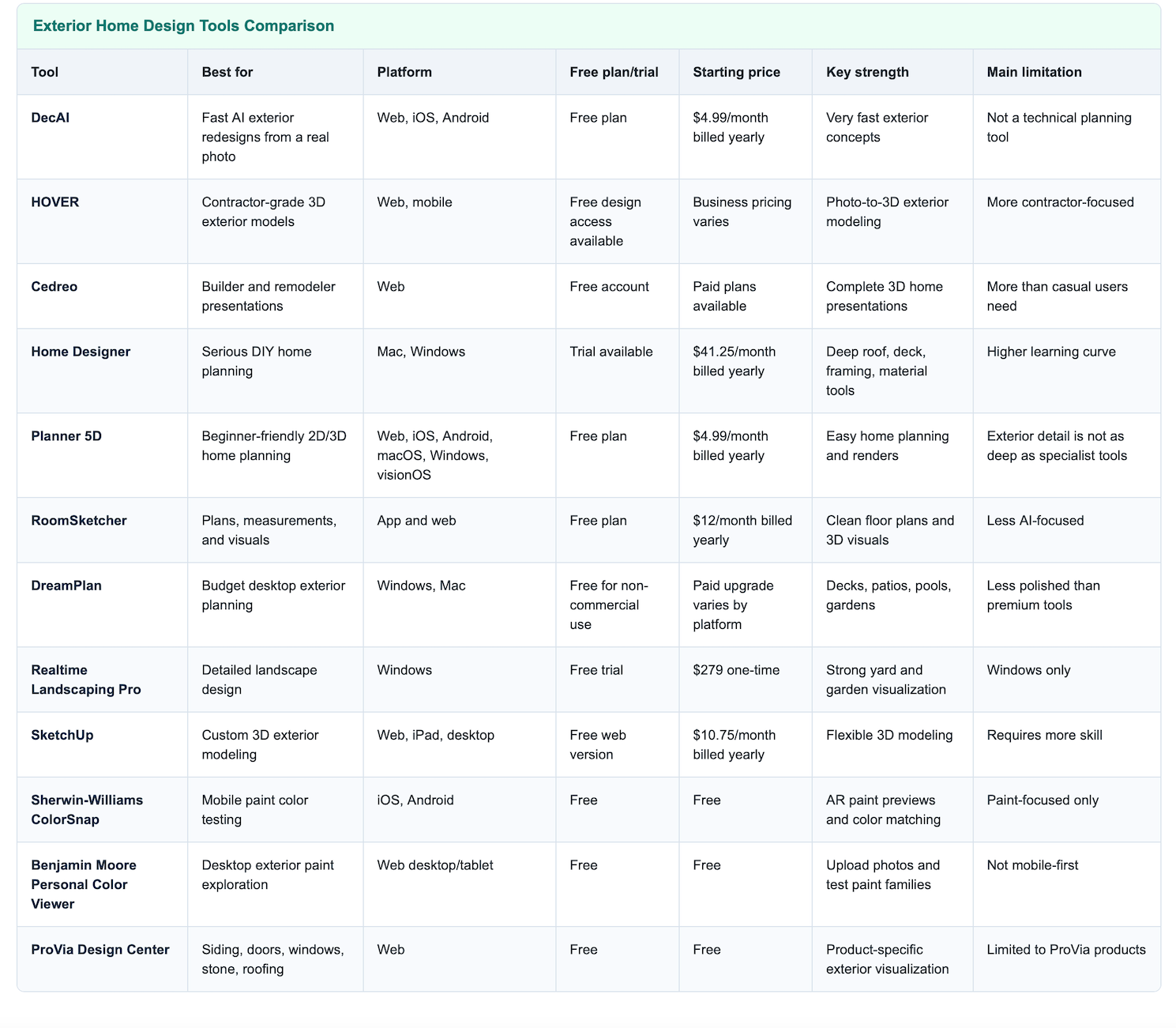
Quick comparison of exterior home design tools by best use case, platform, free access, starting price, key strength, and limitation.
AI Exterior Design Visualizers
1. DecAI - Best for fast AI exterior redesigns from a real photo
Platform: Web, iOS, Android
Pricing: Free plan available; paid plans from $4.99/month billed yearly or $19.99/month billed monthly
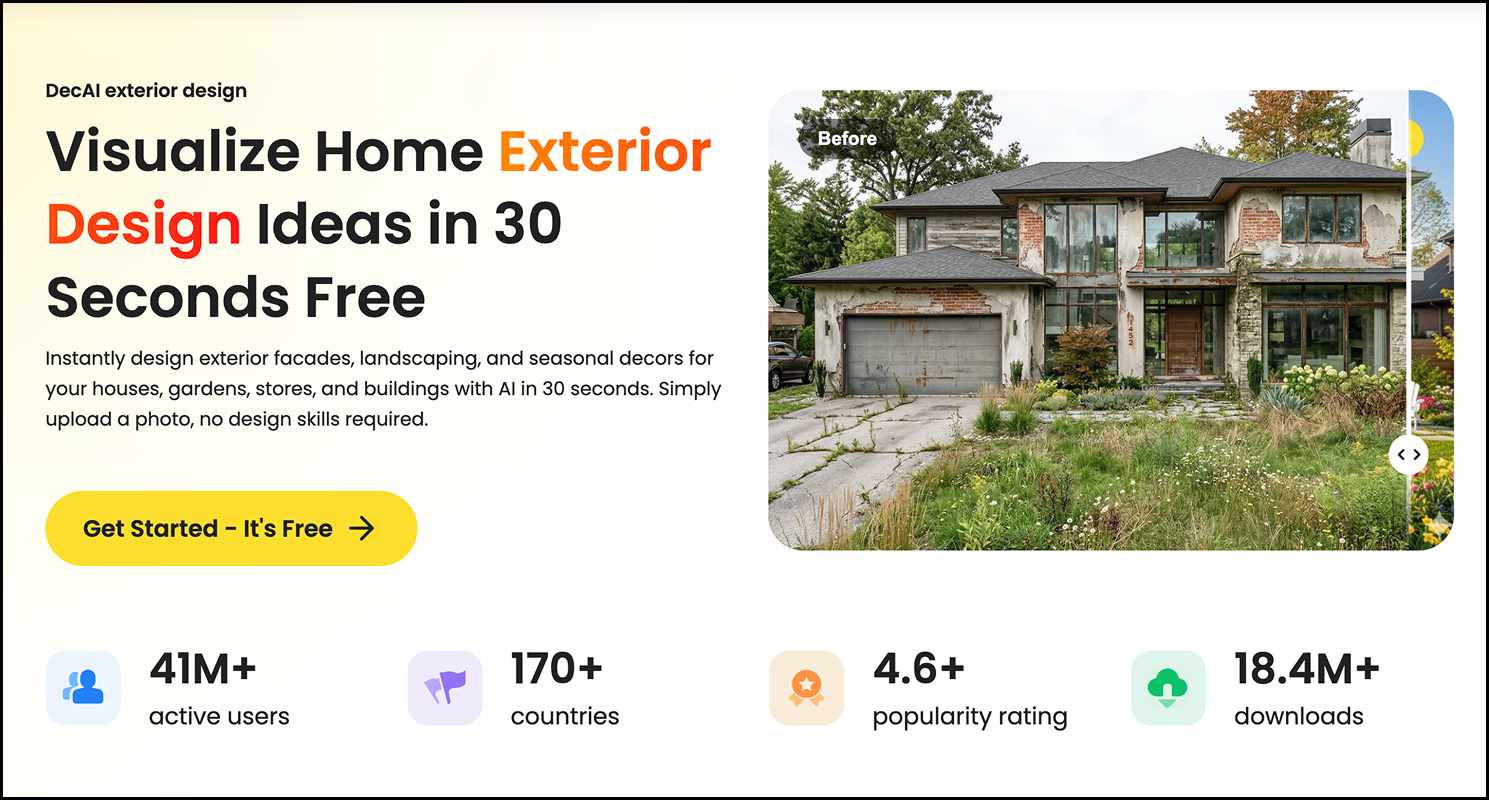
DecAI is one of the most practical exterior home design tools if you want quick visual ideas without learning complex software. Its AI exterior design tool lets you upload a photo and generate exterior facades, landscaping, patio, garden, storefront, or building concepts in about 30 seconds. That makes it especially useful at the earliest stage of a project, when you know the home needs improvement but are not sure which direction looks right.
The biggest advantage is speed. Instead of browsing hundreds of inspiration photos and hoping they translate to your own house, you can start from your actual exterior image. You can test different styles, building types, and color directions, then use the strongest results as a reference for deeper planning, paint sampling, or contractor conversations.
Key features:
- AI exterior design from uploaded photos
- Exterior facade, garden, patio, storefront, and building concepts
- Multiple exterior styles such as modern, farmhouse, rustic, minimalist, and more
- Web, iOS, and Android support
- Shareable AI-generated visuals
Pros:
- Very easy for beginners
- Fast enough for rapid curb appeal testing
- Useful for both homeowners and design professionals
- Strong first step before choosing paint, materials, or landscaping
Cons:
- Better for visual direction than exact measurements or construction planning
Why choose this tool:
Choose DecAI if you want the fastest way to visualize exterior home design ideas from a real photo. It is especially strong for homeowners, realtors, designers, and DIY users who want to explore curb appeal options before spending money.
3D Planning Software
2. HOVER - Best for contractor-grade 3D exterior models and estimates

Platform: Web, mobile
Pricing: Free design access available; business pricing may vary by use case
Hover is built for exterior construction and renovation workflows. It turns smartphone photos into scaled 3D exterior models that can be used to test materials, colors, trim, and project options. This makes it much more practical for contractors, remodelers, and homeowners who are working with exterior professionals.
Unlike a simple inspiration tool, HOVER connects design visualization with measurement and estimating workflows. You can capture the home, generate a model, customize materials, and share a more professional visual. That is useful when decisions involve siding, roofing, windows, or other expensive exterior upgrades.
Key features:
- Smartphone photo capture
- Scaled 3D exterior models
- Material and color visualization
- Remote measurements
- Contractor collaboration and estimating support
Pros:
- Strong for real renovation workflows
- Useful for contractors and homeowners working together
- More accurate than basic photo mockup tools
- Helps connect design decisions with project cost discussions
Cons:
- More business- and contractor-oriented than casual AI visualizers
Why choose this tool:
Choose HOVER if your exterior project needs more than inspiration and you want a 3D model that supports measurement, material selection, and contractor communication.
3. Cedreo - Best for builders and remodelers creating exterior presentations
Platform: Web
Pricing: Free account available; paid plans available for larger or professional workflows
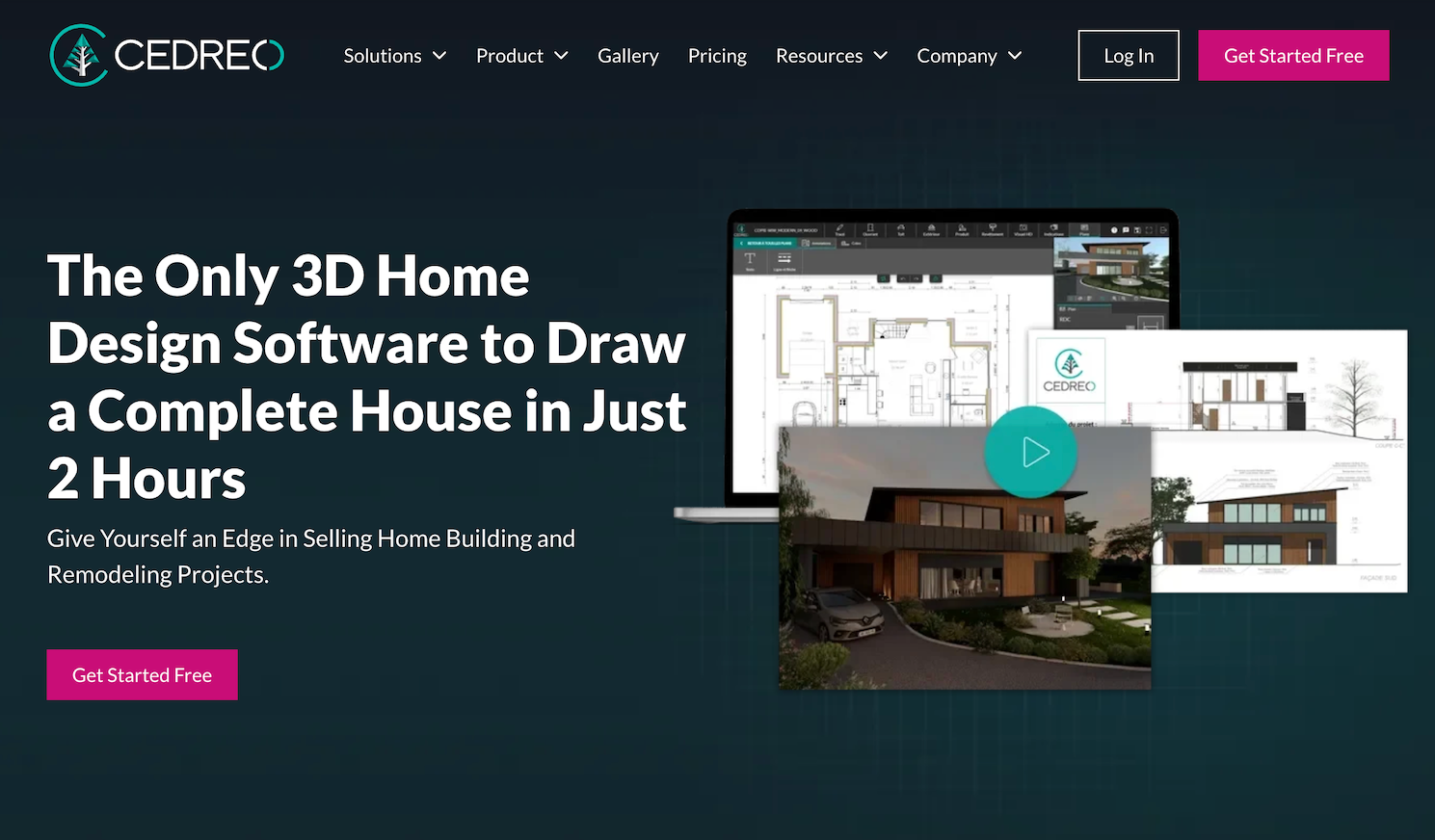
Cedreo is a 3D home design platform for home builders, remodelers, contractors, and designers who need polished project presentations. It supports site plans, floor plans, elevation plans, roof plans, terrain design, interior and exterior 3D visuals, and photorealistic renderings. For exterior design, that makes it especially useful when a project needs to look professional enough for client approval.
Cedreo is not just a quick idea generator. It helps users present a full home concept, including the surrounding lot and exterior environment. If you are planning a remodel, addition, new home, or client-facing exterior project, Cedreo can help turn a rough idea into a more persuasive visual presentation.
Key features:
- Site plans and terrain modeling
- Floor plans, elevations, and roof plans
- Interior and exterior 3D renderings
- 3D object library for home projects
- Browser-based workflow
Pros:
- Strong for professional presentations
- Good for remodelers, builders, and client-facing work
- Combines planning and visualization in one platform
- Free account makes it possible to test first
Cons:
- More advanced than most homeowners need for a simple paint or curb appeal project
Why choose this tool:
Choose Cedreo if you need exterior visuals that support home building, remodeling, or sales presentations rather than casual inspiration.
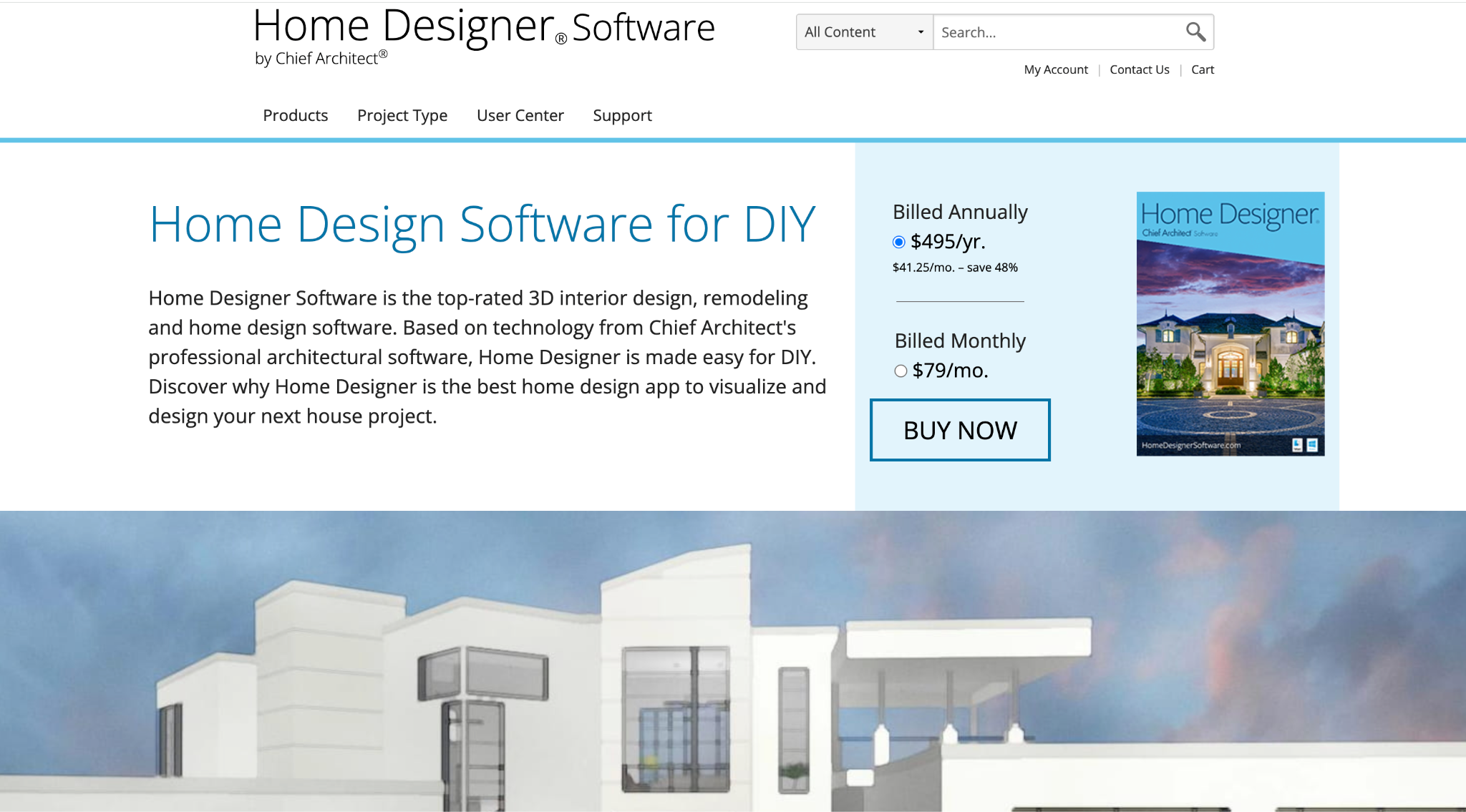
4. Home Designer by Chief Architect - Best for serious DIY exterior, roof, deck, and landscape planning
Platform: Mac, Windows
Pricing: Trial available; paid subscription from $41.25/month billed yearly or $79/month billed monthly
Home Designer by Chief Architect is a serious home design software option for DIY users who want more control over the full structure of a house. It includes advanced building tools for roofs, foundations, framing, materials, decks, landscaping, and remodeling. As you draw walls and add objects, the software creates a 3D model and updates connected elements.
This is a strong choice if your exterior design project is more technical. For example, if you are thinking about a new deck, roof change, exterior remodel, addition, or full home plan, Home Designer gives you deeper control than one-click AI visualizers. It also includes material lists, which can help with cost estimating and planning.
Key features:
- Roof, foundation, and framing tools
- Deck and landscaping project support
- 3D model generation from plans
- Material painter and material lists
- Mac and PC support
Pros:
- Very strong for serious DIY planning
- Useful for exterior structure, decks, and full home projects
- More technical control than lightweight visualizers
- Built on Chief Architect technology
Cons:
- More expensive and more complex than beginner tools
Why choose this tool:
Choose Home Designer if you want a deeper exterior home design software for planning structural changes, decks, rooflines, and whole-home remodeling ideas.
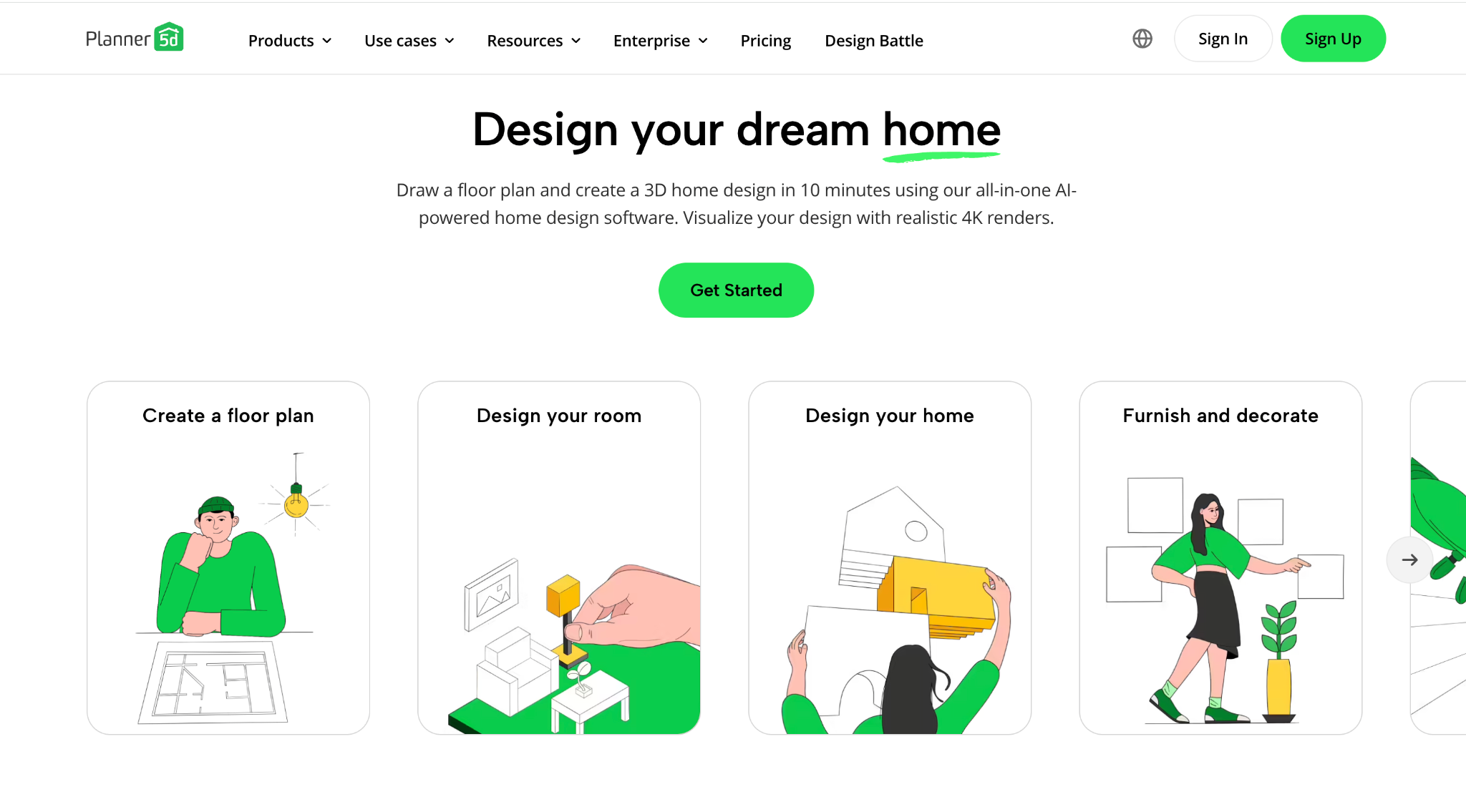
5. Planner 5D - Best for beginner-friendly 2D/3D home planning
Platform: Web, iOS, Android, macOS, Windows, visionOS
Pricing: Free plan available; Premium from $4.99/month billed yearly or $19.99/month billed monthly
Planner 5D is a popular home design tool that balances ease of use with practical 2D and 3D planning. It supports home design, floor plans, landscaping, deck design, garden planning, garage planning, realistic renders, AI floor plan recognition, and a large furniture/catalog library. For exterior work, it is most useful when you want to understand the relationship between the home, outdoor areas, and overall layout.
Planner 5D is easier to approach than many technical 3D tools. It is a good fit for homeowners who want to plan a home exterior, yard, garage, garden, or deck without starting from professional CAD software. It also works across many devices, which is useful if you want to sketch ideas on a laptop and review them later on mobile.
Key features:
- 2D and 3D home planning
- Landscape, deck, garden, and garage design use cases
- 4K renders on higher plans
- AI floor plan recognition
- Cross-platform support
Pros:
- Beginner-friendly
- Free plan available
- Good device support
- Useful for both indoor and outdoor planning
Cons:
- Not as exterior-specialized as dedicated facade or contractor tools
Why choose this tool:
Choose Planner 5D if you want an approachable all-purpose home design tool that can support exterior planning, basic landscaping, and 3D visualization.
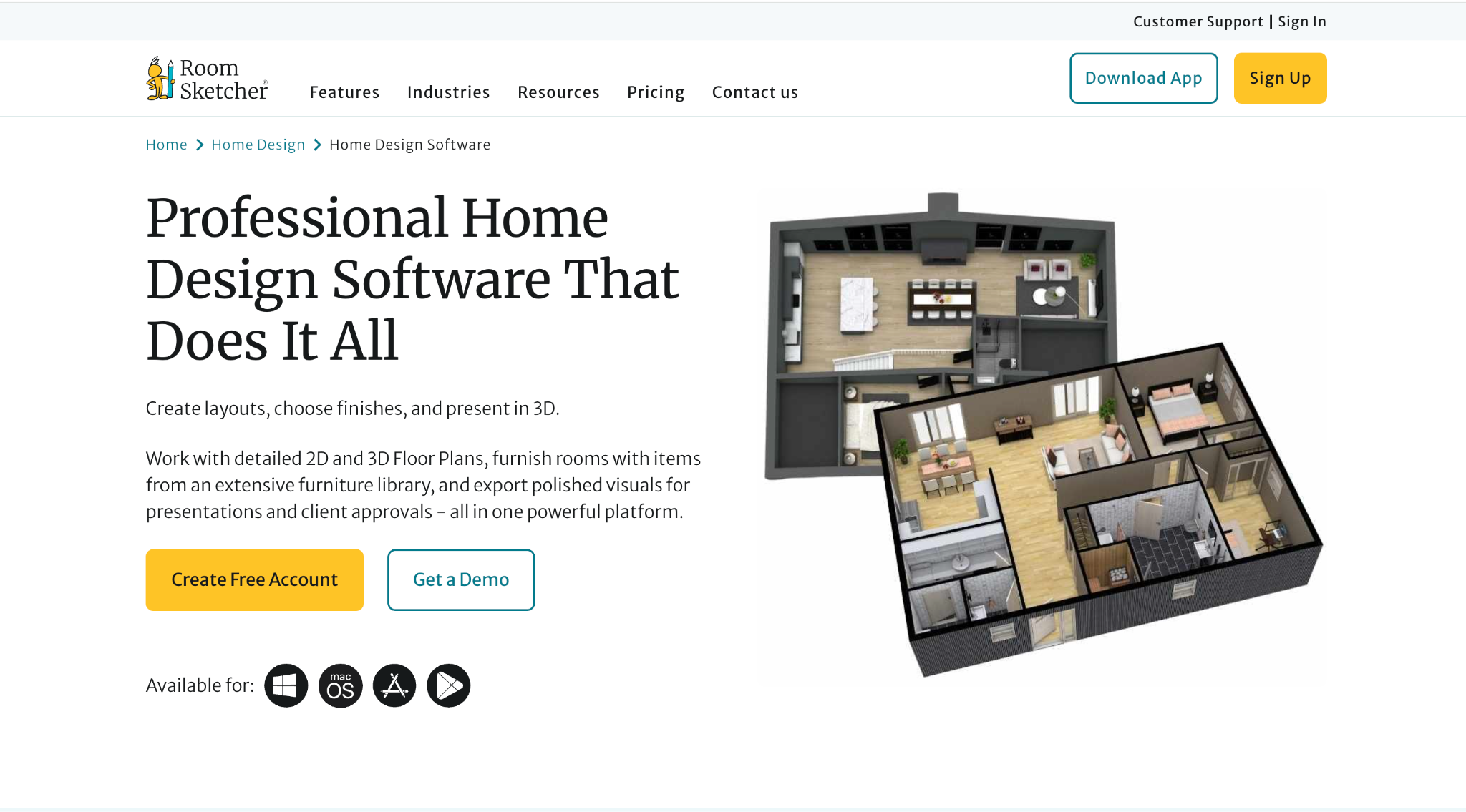
6. RoomSketcher - Best for site plans, measurements, and client-ready visuals
Platform: RoomSketcher app and web
Pricing: Free plan available; Pro from $12/month billed yearly; Team from $35/month billed yearly
RoomSketcher is a strong option for users who care about clean layouts, measurements, and presentation visuals. It helps users create detailed 2D and 3D floor plans, choose finishes, furnish spaces, and export polished visuals. While it is often used for interiors and floor plans, it is also valuable for home design projects where dimensions and presentation clarity matter.
For exterior home projects, RoomSketcher is especially useful when you need to communicate layouts and project ideas clearly. It is not the fastest AI visualizer, but it is practical for planning, sharing, and reviewing design options with family, clients, or contractors.
Key features:
- 2D and 3D floor plans
- Measurements and total area tools
- Live 3D and 360 views on paid plans
- Replace materials
- Client-ready visual exports
Pros:
- Easy learning curve
- Strong for measurements and layout clarity
- Useful for homeowners and professionals
- Free plan available
Design any room, shop or space with DecAI in less 30 seconds! It's free!
Cons:
- Less focused on instant AI exterior restyling
Why choose this tool:
Choose RoomSketcher if you need a clean planning and presentation tool for exterior-related projects where measurements and visual communication matter.
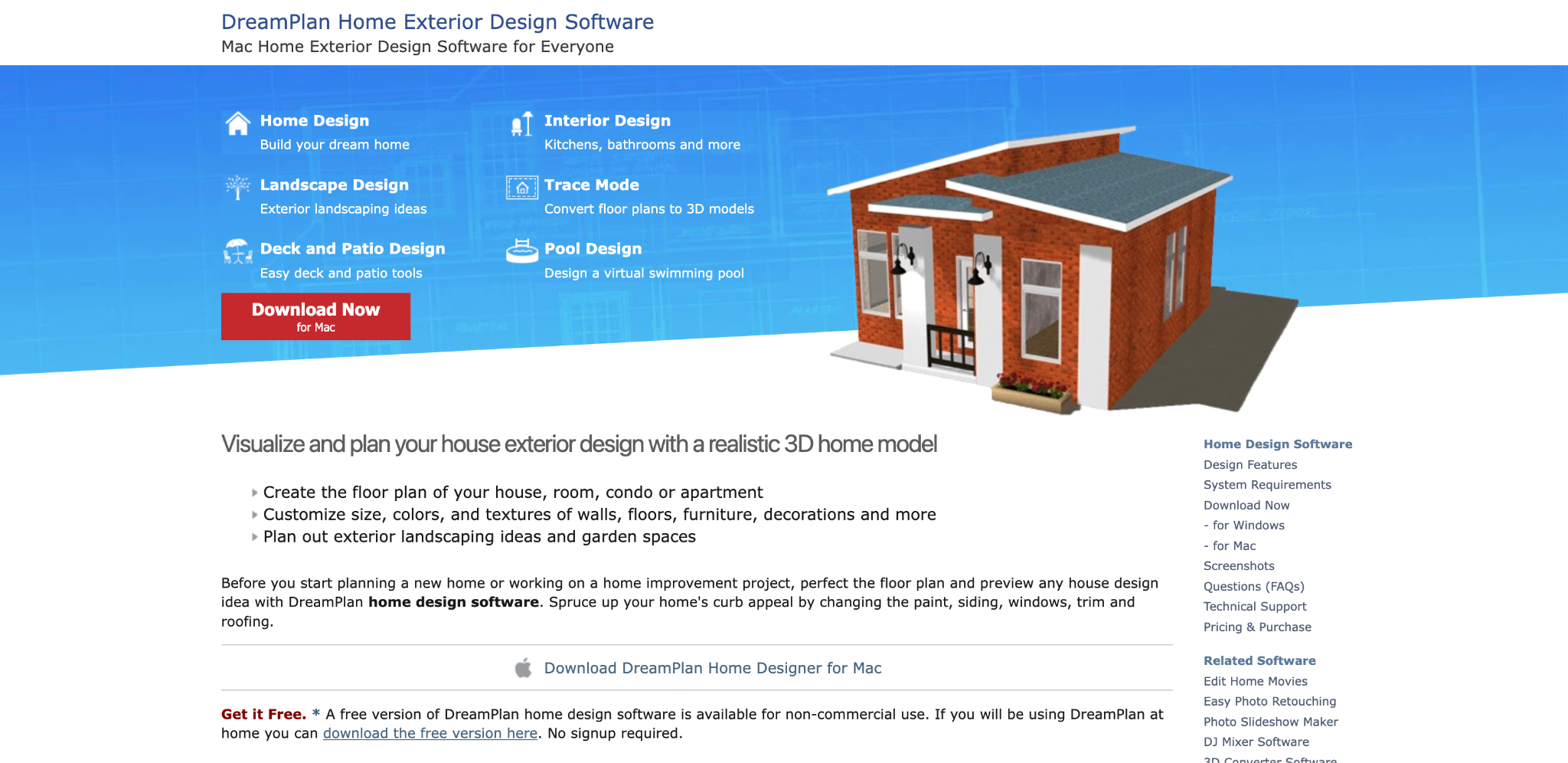
7. DreamPlan - Best budget desktop tool for exterior, patio, deck, and garden design
Platform: Windows, Mac
Pricing: Free version available for non-commercial home use; paid upgrade varies by platform
DreamPlan is a lightweight home design tool from NCH Software that supports home, floor plan, landscape, deck, patio, pool, garden, interior, and exterior design. It lets users switch between 3D, 2D rendered, and 2D blueprint views. It also supports floor plan tracing, custom textures, landscaping objects, decks, patios, pools, and exterior elements such as siding, windows, doors, trim, and roofing.
DreamPlan is not as polished as premium professional tools, but it is affordable and easy to try. For homeowners who want a simple desktop option for visualizing exterior updates, it can be a practical starting point.
Key features:
- 2D and 3D home design views
- Deck, patio, pool, garden, and landscape tools
- Exterior siding, windows, doors, trim, and roof visualization
- Trace mode for existing floor plans
- Export options for images and 3D files
Pros:
- Free for non-commercial home use
- Good for basic exterior and landscape planning
- Easy to download and try
- Useful for decks, patios, pools, and gardens
Cons:
- Visual quality and interface feel less modern than higher-end tools
Why choose this tool:
Choose DreamPlan if you want a budget-friendly desktop exterior design tool for small home, yard, deck, and patio projects.
8. Realtime Landscaping Pro - Best for detailed yard, garden, pool, and landscape design
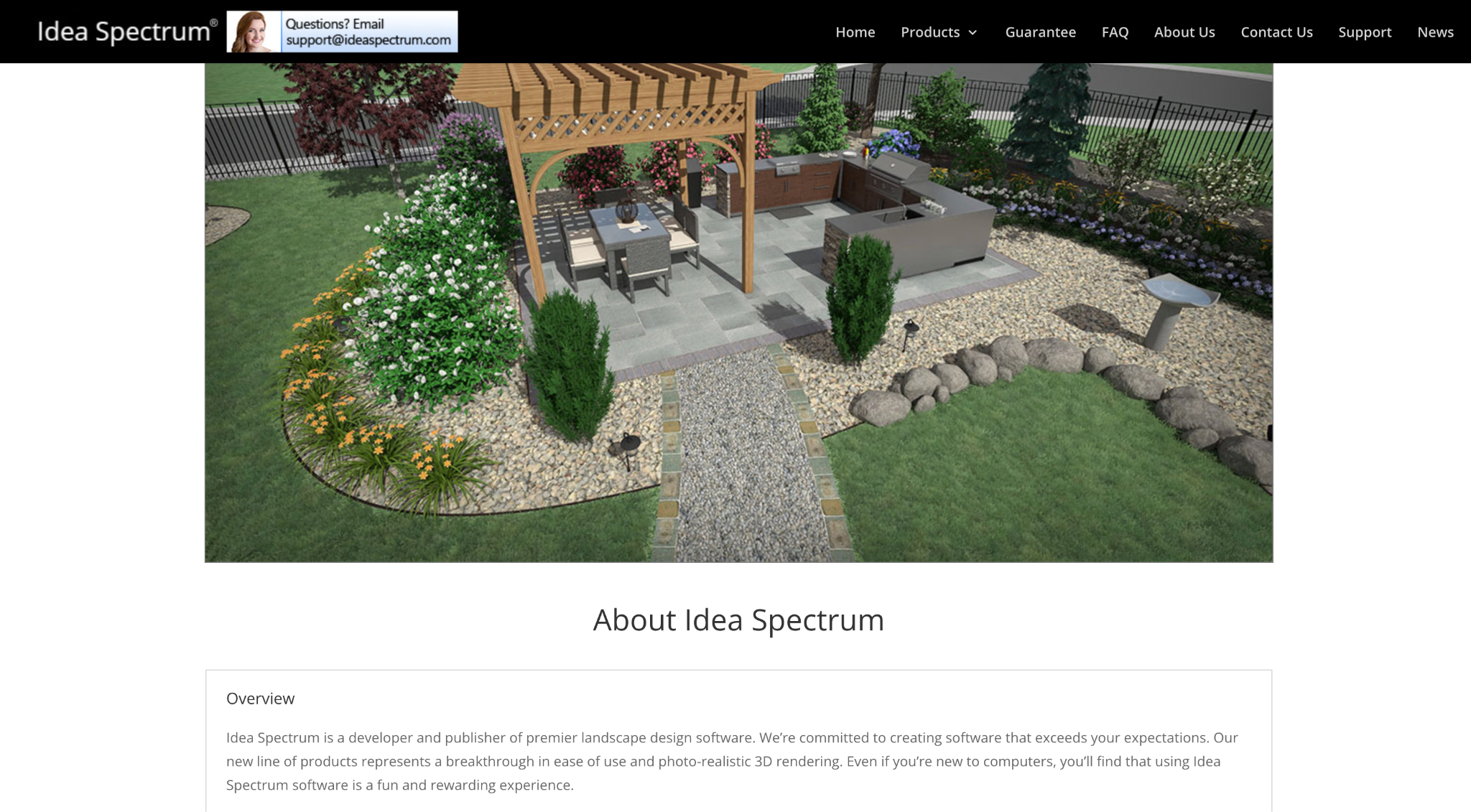
Platform: Windows
Pricing: Free trial available; Pro 2026 is $279 one-time purchase
Realtime Landscaping Pro is a dedicated landscape design software for homeowners, aspiring landscape designers, and smaller landscape companies. It supports professional-looking landscape designs for yards, gardens, decks, fencing, swimming pools, spas, patios, and outdoor environments. The 2026 version is available as a one-time purchase rather than a monthly subscription.
This tool is especially strong when the exterior design problem is not only the house facade but also the outdoor setting around it. If curb appeal depends on pathways, planting beds, trees, retaining walls, lighting, pool areas, or hardscaping, a landscape-specific tool gives more control than a general AI home visualizer.
Key features:
- 3D landscape design
- Yards, gardens, decks, fencing, pools, and spas
- Free trial
- One-time license
- Built for homeowners and landscape designers
Pros:
- Strong outdoor design depth
- No monthly subscription
- Good for realistic landscape planning
- Useful for more detailed yard and garden projects
Cons:
- Windows only
Why choose this tool:
Choose Realtime Landscaping Pro if your exterior project is heavily focused on the yard, garden, pool, patio, hardscape, or landscape plan.
Landscaping Software
9. SketchUp - Best for custom 3D exterior modeling
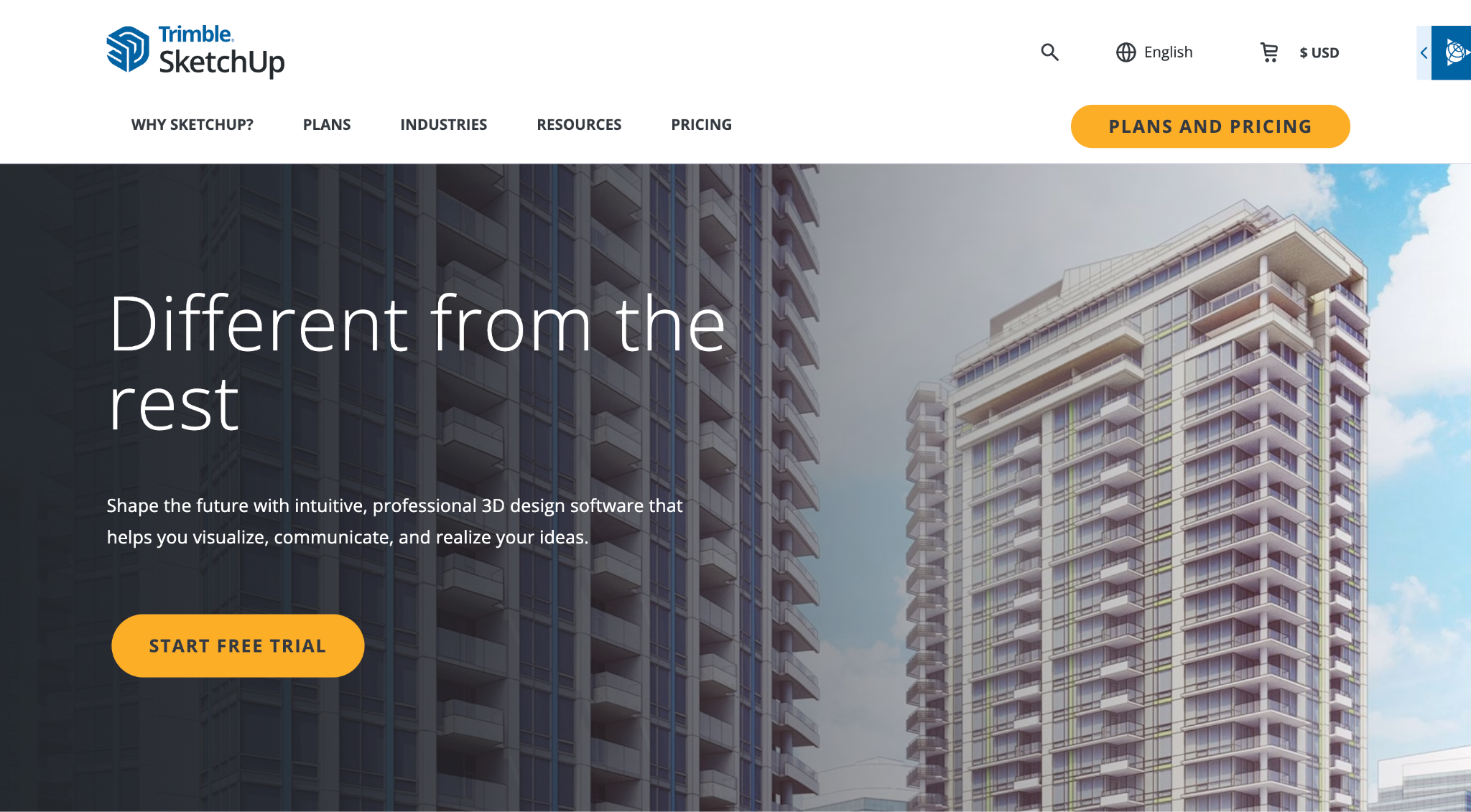
Platform: Web, iPad, Windows, Mac
Pricing: Free web version available; paid plans from $10.75/month billed yearly
SketchUp is one of the most flexible 3D modeling tools for exterior design. It is not limited to predefined home templates, so users can model custom facades, porches, rooflines, exterior details, site elements, and architectural concepts. The paid plans add more professional workflows, including desktop modeling, documentation, extensions, and broader import/export options.
SketchUp is powerful, but it requires more skill than most tools on this list. It is best for users who want custom 3D control and are willing to learn modeling logic. For architects, designers, advanced DIY users, and builders, that flexibility can be worth it.
Key features:
- Custom 3D modeling
- Web, iPad, and desktop options
- 3D Warehouse access
- Extensions on Pro plans
- Broad import/export options on paid plans
Pros:
- Very flexible
- Good for custom exterior concepts
- Useful for architecture and design workflows
- Free web version available
Cons:
- Higher learning curve than photo-based or template-based tools
Why choose this tool:
Choose SketchUp if you want full custom 3D control and are comfortable learning a more flexible modeling workflow.
Paint Tools
10. Sherwin-Williams ColorSnap Visualizer - Best for mobile paint color testing
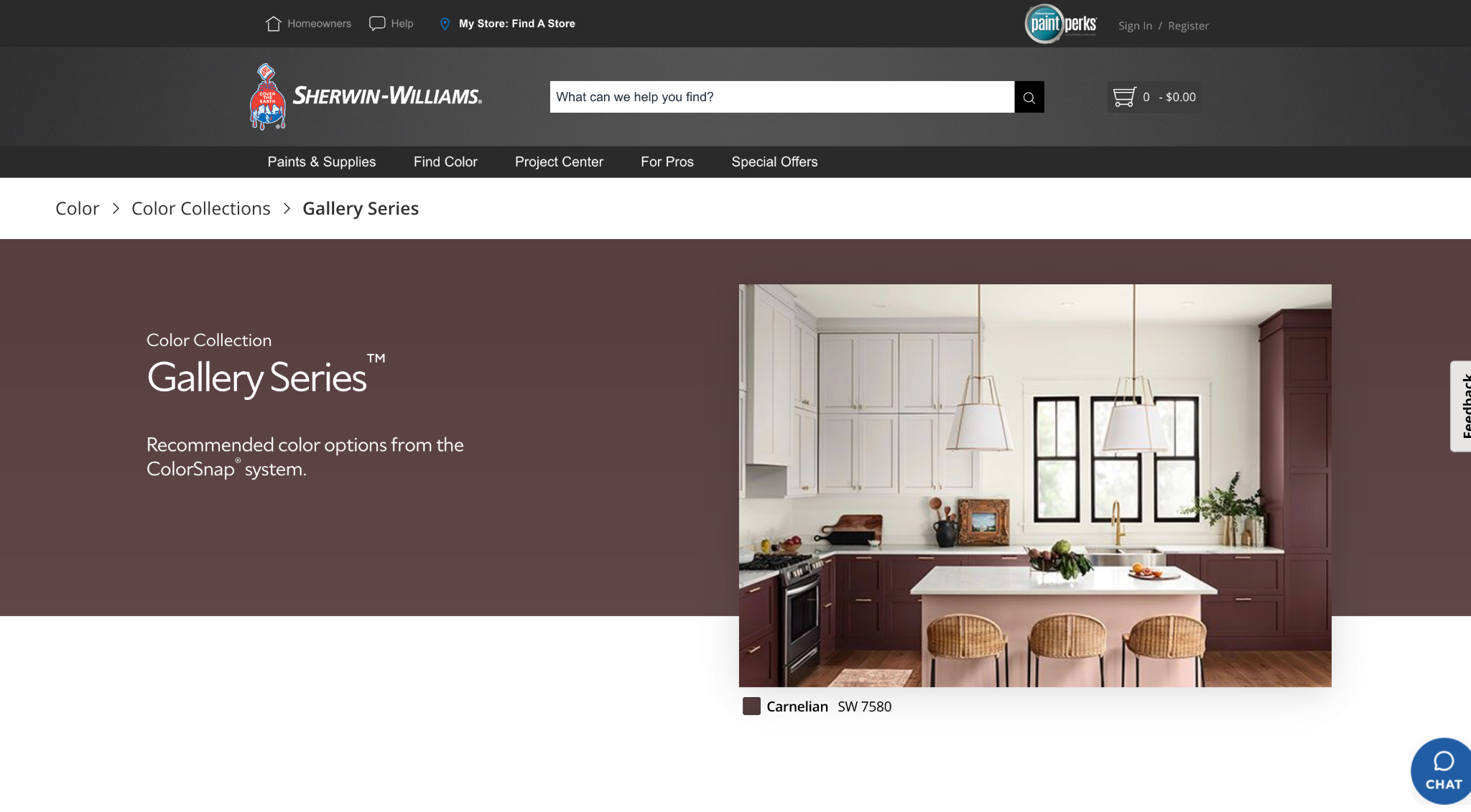
Platform: iPhone, Android
Pricing: Free
Sherwin-Williams ColorSnap Visualizer is a mobile paint color app that helps users test Sherwin-Williams colors in real time. Its Instant Paint feature uses AR to preview colors on walls, and users can also match colors from photos, create palettes, save colors, find stores, and estimate paint quantities.
For exterior home design, ColorSnap is most useful once you have narrowed down the overall direction and need to test paint options. It is not a full exterior remodeling tool, but it is very practical for siding color, trim color, accent color, and front door color decisions.
Key features:
- AR paint visualization
- Access to Sherwin-Williams colors
- Photo color matching
- Palette creation and saved colors
- Paint calculator and store finder
Pros:
- Free and mobile-friendly
- Strong for exterior paint testing
- Useful for comparing color families quickly
- Helps connect inspiration to real paint products
Cons:
- Focused on paint, not full exterior remodeling
Why choose this tool:
Choose Sherwin-Williams ColorSnap if your main exterior decision is paint color and you want a mobile way to test options before buying samples.
11. Benjamin Moore Personal Color Viewer - Best for desktop exterior paint exploration
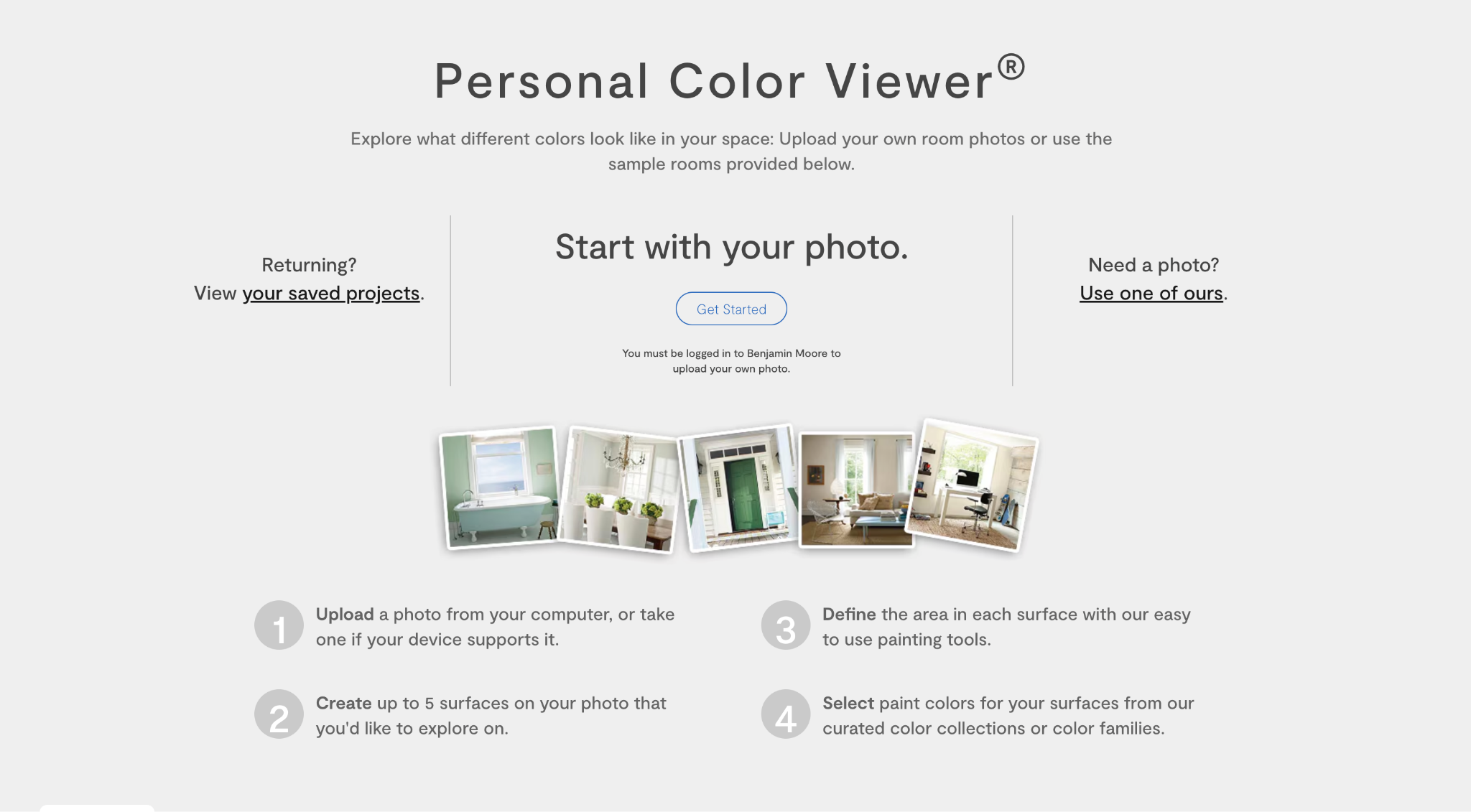
Platform: Web for desktop and large tablets
Pricing: Free
Benjamin Moore Personal Color Viewer lets users upload photos or use sample rooms to test paint colors. It supports exterior samples and allows users to create painted surfaces on a photo, then explore Benjamin Moore color collections and color families. It is designed for desktop and larger tablets rather than mobile-first use.
This tool is helpful for homeowners who prefer Benjamin Moore paints and want a more controlled desktop paint preview experience. It is especially useful when you want to compare body color, trim color, and front door color before ordering samples.
Key features:
- Upload your own photo
- Use exterior sample photos
- Create up to five surfaces on a photo
- Explore Benjamin Moore color families
- Free web-based tool
Pros:
- Free to use
- Strong for Benjamin Moore paint decisions
- Useful for exterior color exploration
- Good for desktop planning
Cons:
- Not designed for mobile use
Why choose this tool:
Choose Benjamin Moore Personal Color Viewer if you are testing Benjamin Moore exterior paint colors and want to compare options on a larger screen.
Product-Specific Exterior Visualizers
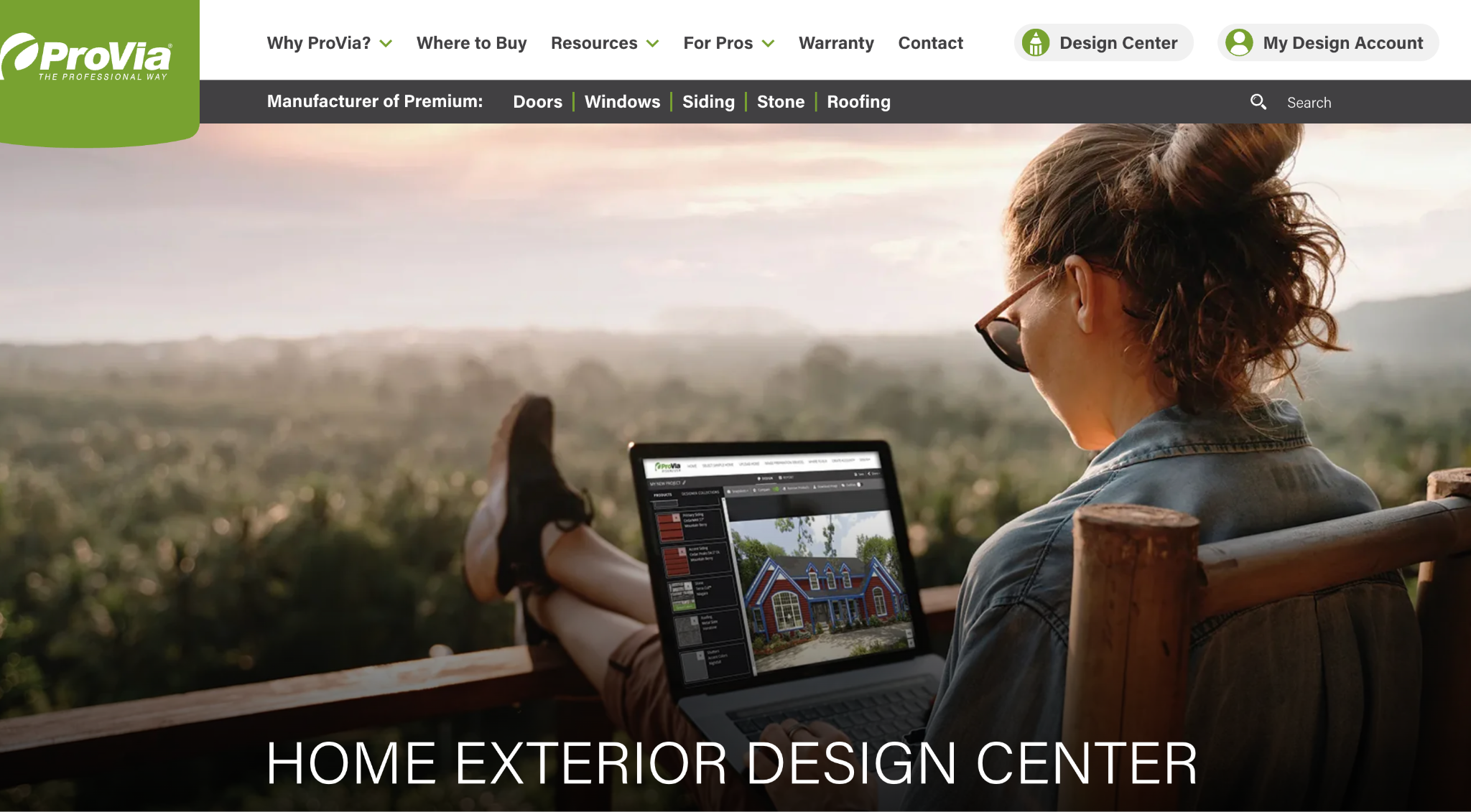
ProVia Design Center - Best for siding, doors, windows, stone, and roofing visualization
Platform: Web
Pricing: Free
ProVia Design Center is a product-focused exterior design tool for homeowners considering ProVia doors, windows, siding, stone, and roofing. Its envision tools include a 2D visualizer, 3D Pro Visualizer, and door and window configurators. Users can upload a photo, choose a sample home, apply ProVia products, explore palettes, and save ideas through a design account.
This is not a general-purpose AI exterior designer. Its strength is product realism. If you are seriously considering replacement doors, windows, siding, stone veneer, or roofing from ProVia, the Design Center helps you see those products together before contacting a dealer.
Key features:
- 2D home visualizer
- 3D Pro Visualizer
- Door and window configurators
- Siding, stone, roofing, doors, and windows
- Exterior palettes and vision boards
Pros:
- Free to use
- Excellent for product-specific decisions
- Helps coordinate multiple exterior materials
- Useful before speaking with a dealer
Cons:
- Limited to ProVia product options
Why choose this tool:
Choose ProVia Design Center if your exterior update involves doors, windows, siding, stone, or roofing and you want to visualize product combinations before buying.
Common Exterior Design Mistakes These Tools Can Help Avoid
Choosing paint without considering the roof
A paint color does not exist alone. It has to work with the roof, stone, brick, driveway, landscape, and neighboring surroundings. Exterior paint visualizers can help you test whether a color feels balanced with the fixed elements you are not changing.
Making the facade too busy
It is easy to add too many materials at once: stone, siding, shutters, bold trim, dark windows, and a statement door. Exterior design tools help you step back and see the full composition before the home starts to feel visually crowded.
Ignoring the home’s architecture
A farmhouse palette may not suit every colonial home. A modern black-and-white scheme may not work with every craftsman bungalow. AI tools like DecAI can help you test styles quickly, while planning tools help you check whether the design still respects the home’s structure.
Forgetting scale
A front door, porch light, planter, window trim, or landscape bed can look good in isolation but feel too small or too large on the actual house. 3D tools and measured planning platforms are especially useful for checking scale before buying.
Treating landscaping as an afterthought
Curb appeal depends on the relationship between the home and the yard. Landscape tools help you see whether plants, pathways, trees, lighting, fencing, and garden beds support the exterior instead of competing with it.
Relying only on one rendered image
One visual can be persuasive, but exterior decisions should be tested from different angles and lighting conditions. If possible, compare multiple versions and confirm colors with real samples before making final choices.
FAQs
1. Can AI design the exterior of my house?
Yes. AI exterior design tools can generate facade, garden, patio, curb appeal, and building concepts from a photo. They are best for inspiration and early visual direction, but you should still verify measurements, materials, and structural feasibility before construction.
2. What is the best free exterior home design tool?
DecAI is one of the best free exterior home design tools for most users because it lets you upload a real exterior photo and generate new facade, garden, patio, or curb appeal ideas quickly. It is especially useful if you want a simple AI exterior design tool to test styles, colors, and overall home exterior direction before making renovation decisions.
3. Can I upload a photo of my house and change the exterior?
Yes. Tools like DecAI allow photo-based visualization in different ways. Some focus on AI redesign, while others focus on paint, products, or 3D models.
4. Can exterior home design tools replace a designer?
Not completely. They can help you visualize options, reduce guesswork, and communicate ideas more clearly. However, a designer, architect, contractor, or landscape professional may still be needed for structural changes, permits, material specifications, and final execution.
5. Are exterior home design tools worth it?
Yes, especially if they help you avoid expensive mistakes. Even a simple visual preview can reveal whether a paint color, siding option, door style, or landscape idea fits your home before you commit.
--------------------------------------
If you believe that any material on this site infringes your intellectual property rights, please contact the author at decaiwebteam@outlook.com with details of your claim.
Redesign any home interior, exterior & garden in seconds
Share this Post:
'%3e%3cpath%20d='M17.9995%2035.999C17.0317%2035.999%2016.0619%2035.9219%2015.1161%2035.7696C10.9414%2035.0973%207.11524%2032.9513%204.34408%2029.7273C1.54287%2026.4683%200%2022.3035%200%2017.9995C0%208.07403%208.07503%200%2017.9995%200C27.924%200%2036%208.07503%2036%2017.9995C36%2022.3696%2034.4151%2026.5835%2031.5357%2029.8646C28.6844%2033.1156%2024.7671%2035.2326%2020.5052%2035.8267C19.6806%2035.9419%2018.8371%2036%2017.9995%2036V35.999ZM17.9995%201.20123C8.73726%201.20123%201.20224%208.73626%201.20224%2017.9985C1.20224%2026.2919%207.13427%2033.2659%2015.3075%2034.5814C16.9546%2034.8469%2018.6808%2034.8659%2020.3389%2034.6345C28.5812%2033.4863%2034.7968%2026.334%2034.7968%2017.9985C34.7968%208.73626%2027.2617%201.20123%2017.9985%201.20123H17.9995Z'%20fill='%23FF0209'/%3e%3cpath%20d='M29.0557%2014.3621C28.9184%2013.0276%2028.6208%2011.5539%2027.5268%2010.7784C26.6782%2010.1773%2025.5642%2010.1553%2024.5242%2010.1563C22.3251%2010.1583%2020.126%2010.1603%2017.9269%2010.1623C15.812%2010.1643%2013.6971%2010.1663%2011.5821%2010.1683C10.6985%2010.1683%209.8399%2010.1002%209.01937%2010.4819C8.31406%2010.8105%207.76303%2011.4347%207.43241%2012.1289C6.97156%2013.0957%206.87438%2014.1898%206.81927%2015.2588C6.71708%2017.2044%206.7281%2019.156%206.85133%2021.0996C6.9405%2022.5193%207.16792%2024.0872%208.26496%2024.9919C9.23777%2025.7934%2010.6103%2025.8325%2011.8707%2025.8335C15.8741%2025.8365%2019.8776%2025.8395%2023.881%2025.8435C24.394%2025.8435%2024.93%2025.8345%2025.453%2025.7774C26.4829%2025.6661%2027.4637%2025.3716%2028.1249%2024.6092C28.7922%2023.8407%2028.9635%2022.7698%2029.0657%2021.7569C29.3121%2019.3003%2029.3091%2016.8177%2029.0557%2014.3621ZM15.6116%2021.4453V14.5545L21.5797%2017.9999L15.6116%2021.4453Z'%20fill='%23FF0209'/%3e%3c/g%3e%3cdefs%3e%3cclipPath%20id='clip0_13816_41422'%3e%3crect%20width='36'%20height='36'%20fill='white'/%3e%3c/clipPath%3e%3c/defs%3e%3c/svg%3e)
'%3e%3cpath%20d='M17.9995%2036C17.0327%2036%2016.0619%2035.9229%2015.1161%2035.7696C10.9414%2035.0973%207.11524%2032.9513%204.34408%2029.7273C1.54287%2026.4683%200%2022.3035%200%2017.9995C0%208.07403%208.07503%200%2017.9995%200C27.924%200%2036%208.07503%2036%2017.9995C36%2022.3696%2034.4151%2026.5835%2031.5357%2029.8646C28.6844%2033.1156%2024.7671%2035.2326%2020.5052%2035.8267C19.6806%2035.9419%2018.8371%2036%2017.9995%2036ZM17.9995%201.20224C8.73726%201.20224%201.20224%208.73726%201.20224%2017.9995C1.20224%2026.2919%207.13427%2033.2669%2015.3075%2034.5824C16.9556%2034.8479%2018.6808%2034.8669%2020.3389%2034.6355C28.5812%2033.4873%2034.7968%2026.335%2034.7968%2017.9995C34.7968%208.73726%2027.2617%201.20224%2017.9985%201.20224H17.9995Z'%20fill='url(%23paint0_linear_13816_41436)'/%3e%3cpath%20d='M23.4463%207.55469H12.549C9.53841%207.55469%207.08984%2010.0032%207.08984%2013.0138V22.9834C7.08984%2025.994%209.53841%2028.4426%2012.549%2028.4426H23.4463C26.4569%2028.4426%2028.9054%2025.994%2028.9054%2022.9834V13.0138C28.9054%2010.0032%2026.4569%207.55469%2023.4463%207.55469ZM9.01543%2013.0138C9.01543%2011.0652%2010.6004%209.48027%2012.549%209.48027H23.4463C25.3949%209.48027%2026.9799%2011.0652%2026.9799%2013.0138V22.9834C26.9799%2024.932%2025.3949%2026.517%2023.4463%2026.517H12.549C10.6004%2026.517%209.01543%2024.932%209.01543%2022.9834V13.0138Z'%20fill='url(%23paint1_linear_13816_41436)'/%3e%3cpath%20d='M17.9964%2023.0749C20.7966%2023.0749%2023.0749%2020.7966%2023.0749%2017.9964C23.0749%2015.1962%2020.7966%2012.918%2017.9964%2012.918C15.1962%2012.918%2012.918%2015.1962%2012.918%2017.9964C12.918%2020.7966%2015.1962%2023.0749%2017.9964%2023.0749ZM17.9964%2014.8446C19.7346%2014.8446%2021.1483%2016.2582%2021.1483%2017.9964C21.1483%2019.7347%2019.7346%2021.1483%2017.9964%2021.1483C16.2582%2021.1483%2014.8446%2019.7347%2014.8446%2017.9964C14.8446%2016.2582%2016.2582%2014.8446%2017.9964%2014.8446Z'%20fill='url(%23paint2_linear_13816_41436)'/%3e%3cpath%20d='M23.5482%2013.741C24.3026%2013.741%2024.9168%2013.1269%2024.9168%2012.3725C24.9168%2011.618%2024.3026%2011.0039%2023.5482%2011.0039C22.7938%2011.0039%2022.1797%2011.618%2022.1797%2012.3725C22.1797%2013.1269%2022.7938%2013.741%2023.5482%2013.741Z'%20fill='url(%23paint3_linear_13816_41436)'/%3e%3c/g%3e%3cdefs%3e%3clinearGradient%20id='paint0_linear_13816_41436'%20x1='5.27482'%20y1='30.7312'%20x2='30.7242'%20y2='5.28083'%20gradientUnits='userSpaceOnUse'%3e%3cstop%20stop-color='%23FAAD4F'/%3e%3cstop%20offset='0.35'%20stop-color='%23DD2A7B'/%3e%3cstop%20offset='0.62'%20stop-color='%239537B0'/%3e%3cstop%20offset='1'%20stop-color='%23515BD4'/%3e%3c/linearGradient%3e%3clinearGradient%20id='paint1_linear_13816_41436'%20x1='8.92225'%20y1='27.074'%20x2='27.073'%20y2='8.92324'%20gradientUnits='userSpaceOnUse'%3e%3cstop%20stop-color='%23FAAD4F'/%3e%3cstop%20offset='0.35'%20stop-color='%23DD2A7B'/%3e%3cstop%20offset='0.62'%20stop-color='%239537B0'/%3e%3cstop%20offset='1'%20stop-color='%23515BD4'/%3e%3c/linearGradient%3e%3clinearGradient%20id='paint2_linear_13816_41436'%20x1='14.4077'%20y1='21.5861'%20x2='21.5861'%20y2='14.4077'%20gradientUnits='userSpaceOnUse'%3e%3cstop%20stop-color='%23FAAD4F'/%3e%3cstop%20offset='0.35'%20stop-color='%23DD2A7B'/%3e%3cstop%20offset='0.62'%20stop-color='%239537B0'/%3e%3cstop%20offset='1'%20stop-color='%23515BD4'/%3e%3c/linearGradient%3e%3clinearGradient%20id='paint3_linear_13816_41436'%20x1='22.5814'%20y1='13.3393'%20x2='24.515'%20y2='11.4057'%20gradientUnits='userSpaceOnUse'%3e%3cstop%20stop-color='%23FAAD4F'/%3e%3cstop%20offset='0.35'%20stop-color='%23DD2A7B'/%3e%3cstop%20offset='0.62'%20stop-color='%239537B0'/%3e%3cstop%20offset='1'%20stop-color='%23515BD4'/%3e%3c/linearGradient%3e%3cclipPath%20id='clip0_13816_41436'%3e%3crect%20width='36'%20height='36'%20fill='white'/%3e%3c/clipPath%3e%3c/defs%3e%3c/svg%3e)
'%3e%3cpath%20d='M17.9995%2035.999C17.0317%2035.999%2016.0619%2035.9219%2015.1161%2035.7696C10.9414%2035.0973%207.11524%2032.9513%204.34408%2029.7273C1.54287%2026.4683%200%2022.3035%200%2017.9995C0%208.07403%208.07502%200%2017.9995%200C27.924%200%2036%208.07503%2036%2017.9995C36%2022.3696%2034.415%2026.5835%2031.5357%2029.8646C28.6844%2033.1156%2024.7671%2035.2326%2020.5052%2035.8267C19.6806%2035.9419%2018.8371%2036%2017.9995%2036V35.999ZM17.9995%201.20123C8.73725%201.20123%201.20224%208.73626%201.20224%2017.9985C1.20224%2026.2919%207.13427%2033.2659%2015.3075%2034.5814C16.9545%2034.8469%2018.6808%2034.8659%2020.3388%2034.6345C28.5812%2033.4863%2034.7968%2026.334%2034.7968%2017.9985C34.7968%208.73626%2027.2617%201.20123%2017.9985%201.20123H17.9995Z'%20fill='%23007EBB'/%3e%3cpath%20d='M9.06639%2012.124C8.60253%2011.6932%208.37109%2011.1602%208.37109%2010.526C8.37109%209.89184%208.60253%209.33481%209.06639%208.90401C9.53026%208.47321%2010.1274%208.25781%2010.8587%208.25781C11.5901%208.25781%2012.1642%208.47321%2012.627%208.90401C13.0909%209.33481%2013.3223%209.87581%2013.3223%2010.526C13.3223%2011.1762%2013.0909%2011.6932%2012.627%2012.124C12.1631%2012.5548%2011.5741%2012.7702%2010.8587%2012.7702C10.1434%2012.7702%209.52926%2012.5548%209.06639%2012.124ZM12.9326%2014.5946V27.7962H8.76182V14.5946H12.9326Z'%20fill='%23007EBB'/%3e%3cpath%20d='M26.8196%2015.9006C27.7283%2016.8875%2028.1832%2018.243%2028.1832%2019.9682V27.5663H24.2208V20.5042C24.2208%2019.6346%2023.9954%2018.9583%2023.5445%2018.4764C23.0937%2017.9945%2022.4876%2017.7541%2021.7262%2017.7541C20.9647%2017.7541%2020.3586%2017.9955%2019.9078%2018.4764C19.4569%2018.9583%2019.2315%2019.6346%2019.2315%2020.5042V27.5663H15.2461V14.5611H19.2315V16.2863C19.6353%2015.7113%2020.1793%2015.2574%2020.8636%2014.9228C21.5468%2014.5892%2022.3163%2014.4219%2023.1708%2014.4219C24.6937%2014.4219%2025.9099%2014.9158%2026.8186%2015.9016L26.8196%2015.9006Z'%20fill='%23007EBB'/%3e%3c/g%3e%3cdefs%3e%3cclipPath%20id='clip0_13816_41425'%3e%3crect%20width='36'%20height='36'%20fill='white'/%3e%3c/clipPath%3e%3c/defs%3e%3c/svg%3e)
'%3e%3cpath%20d='M18%2035.999C17.0322%2035.999%2016.0623%2035.9219%2015.1166%2035.7696C10.9417%2035.0973%207.11544%2032.9513%204.3442%2029.7273C1.54291%2026.4683%200%2022.3035%200%2017.9995C0%208.07403%208.07526%200%2018%200C27.9248%200%2036%208.07503%2036%2017.9995C36%2022.3696%2034.415%2026.5835%2031.5356%2029.8646C28.6842%2033.1156%2024.7668%2035.2326%2020.5047%2035.8267C19.6802%2035.9419%2018.8366%2036%2017.999%2036L18%2035.999ZM18%201.20123C8.73751%201.20123%201.20227%208.73626%201.20227%2017.9985C1.20227%2026.2919%207.13448%2033.2659%2015.3079%2034.5814C16.955%2034.8469%2018.6813%2034.8659%2020.3394%2034.6345C28.582%2033.4863%2034.7977%2026.334%2034.7977%2017.9985C34.7977%208.73626%2027.2625%201.20123%2018%201.20123Z'%20fill='black'/%3e%3cpath%20d='M7%208.09163H13.5067L19.521%2016.1816L27.0073%207.90625L28.786%207.93715L20.4078%2017.3454L29%2028.901H22.4959L16.8193%2021.362L9.8847%2029.0864H8.13428L15.9583%2020.26L7%208.09163ZM12.8931%209.28633H9.45676L23.2048%2027.6754H26.5793L12.8931%209.28633Z'%20fill='black'/%3e%3c/g%3e%3cdefs%3e%3cclipPath%20id='clip0_13886_43848'%3e%3crect%20width='36'%20height='36'%20fill='white'/%3e%3c/clipPath%3e%3c/defs%3e%3c/svg%3e)
'%3e%3cpath%20d='M17.9995%2035.999C17.0327%2035.999%2016.0619%2035.9219%2015.1161%2035.7686C10.9414%2035.0963%207.11524%2032.9503%204.34408%2029.7263C1.54287%2026.4673%200%2022.3025%200%2017.9995C0%208.07403%208.07503%200%2017.9995%200C27.924%200%2036%208.07503%2036%2017.9995C36%2022.3696%2034.415%2026.5835%2031.5357%2029.8646C28.6844%2033.1156%2024.7671%2035.2326%2020.5052%2035.8267C19.6806%2035.9419%2018.8371%2036%2017.9995%2036V35.999ZM17.9995%201.20123C8.73726%201.20123%201.20224%208.73626%201.20224%2017.9985C1.20224%2026.2909%207.13428%2033.2659%2015.3075%2034.5814C16.9556%2034.8469%2018.6808%2034.8659%2020.3389%2034.6345C28.5812%2033.4863%2034.7968%2026.334%2034.7968%2017.9985C34.7968%208.73626%2027.2617%201.20123%2017.9985%201.20123H17.9995Z'%20fill='%231877F7'/%3e%3cpath%20d='M20.5337%2014.9635V18.7536H25.2225L24.4801%2023.8601H20.5337V35.624C19.7423%2035.7342%2018.9328%2035.7913%2018.1112%2035.7913C17.1625%2035.7913%2016.2317%2035.7151%2015.324%2035.5689V23.8601H11V18.7536H15.324V14.1169C15.324%2011.2396%2017.6564%208.90625%2020.5347%208.90625V8.90926C20.5428%208.90926%2020.5508%208.90625%2020.5588%208.90625H25.2235V13.3215H22.1758C21.2691%2013.3215%2020.5347%2014.0558%2020.5347%2014.9625L20.5337%2014.9635Z'%20fill='%231877F7'/%3e%3c/g%3e%3cdefs%3e%3cclipPath%20id='clip0_13816_41433'%3e%3crect%20width='36'%20height='36'%20fill='white'/%3e%3c/clipPath%3e%3c/defs%3e%3c/svg%3e)
'%3e%3cpath%20d='M17.9995%2035.999C17.0327%2035.999%2016.0619%2035.9219%2015.1161%2035.7686C10.9414%2035.0963%207.11524%2032.9503%204.34408%2029.7263C1.54287%2026.4673%200%2022.3025%200%2017.9995C0%208.07403%208.07503%200%2017.9995%200C27.924%200%2036%208.07503%2036%2017.9995C36%2022.3696%2034.415%2026.5835%2031.5357%2029.8646C28.6844%2033.1156%2024.7671%2035.2326%2020.5052%2035.8267C19.6806%2035.9419%2018.8371%2036%2017.9995%2036V35.999ZM17.9995%201.20123C8.73726%201.20123%201.20224%208.73626%201.20224%2017.9985C1.20224%2026.2909%207.13428%2033.2659%2015.3075%2034.5814C16.9556%2034.8469%2018.6808%2034.8659%2020.3389%2034.6345C28.5812%2033.4863%2034.7968%2026.334%2034.7968%2017.9985C34.7968%208.73626%2027.2617%201.20123%2017.9985%201.20123H17.9995Z'%20fill='%232A91F7'/%3e%3cg%20clip-path='url(%23clip1_13816_41442)'%3e%3cpath%20d='M16.3345%2018.834C16.6924%2019.3124%2017.149%2019.7083%2017.6733%2019.9947C18.1976%2020.2812%2018.7774%2020.4516%2019.3734%2020.4942C19.9693%2020.5369%2020.5675%2020.4509%2021.1273%2020.2421C21.6871%2020.0333%2022.1954%2019.7065%2022.6178%2019.284L25.1178%2016.784C25.8768%2015.9981%2026.2968%2014.9456%2026.2873%2013.8531C26.2778%2012.7606%2025.8396%2011.7156%2025.0671%2010.943C24.2946%2010.1705%2023.2495%209.73231%2022.157%209.72281C21.0645%209.71332%2020.012%2010.1333%2019.2262%2010.8923L17.7928%2012.3173M19.6678%2017.1673C19.3099%2016.6889%2018.8533%2016.293%2018.329%2016.0065C17.8047%2015.7201%2017.2249%2015.5497%2016.6289%2015.507C16.033%2015.4643%2015.4348%2015.5503%2014.875%2015.7592C14.3152%2015.968%2013.8069%2016.2947%2013.3845%2016.7173L10.8845%2019.2173C10.1255%2020.0031%209.70551%2021.0557%209.715%2022.1481C9.72449%2023.2406%2010.1627%2024.2857%2010.9352%2025.0582C11.7078%2025.8307%2012.7528%2026.269%2013.8453%2026.2784C14.9378%2026.2879%2015.9903%2025.868%2016.7761%2025.109L18.2011%2023.684'%20stroke='%232A91F7'%20stroke-width='1.66667'%20stroke-linecap='round'%20stroke-linejoin='round'/%3e%3c/g%3e%3c/g%3e%3cdefs%3e%3cclipPath%20id='clip0_13816_41442'%3e%3crect%20width='36'%20height='36'%20fill='white'/%3e%3c/clipPath%3e%3cclipPath%20id='clip1_13816_41442'%3e%3crect%20width='20'%20height='20'%20fill='white'%20transform='translate(8%208)'/%3e%3c/clipPath%3e%3c/defs%3e%3c/svg%3e)
Redesign any home interior, exterior & garden in seconds