
AI Tools for Home Gaming Room Design: 8 Best Picks for Designing Beyond RGB

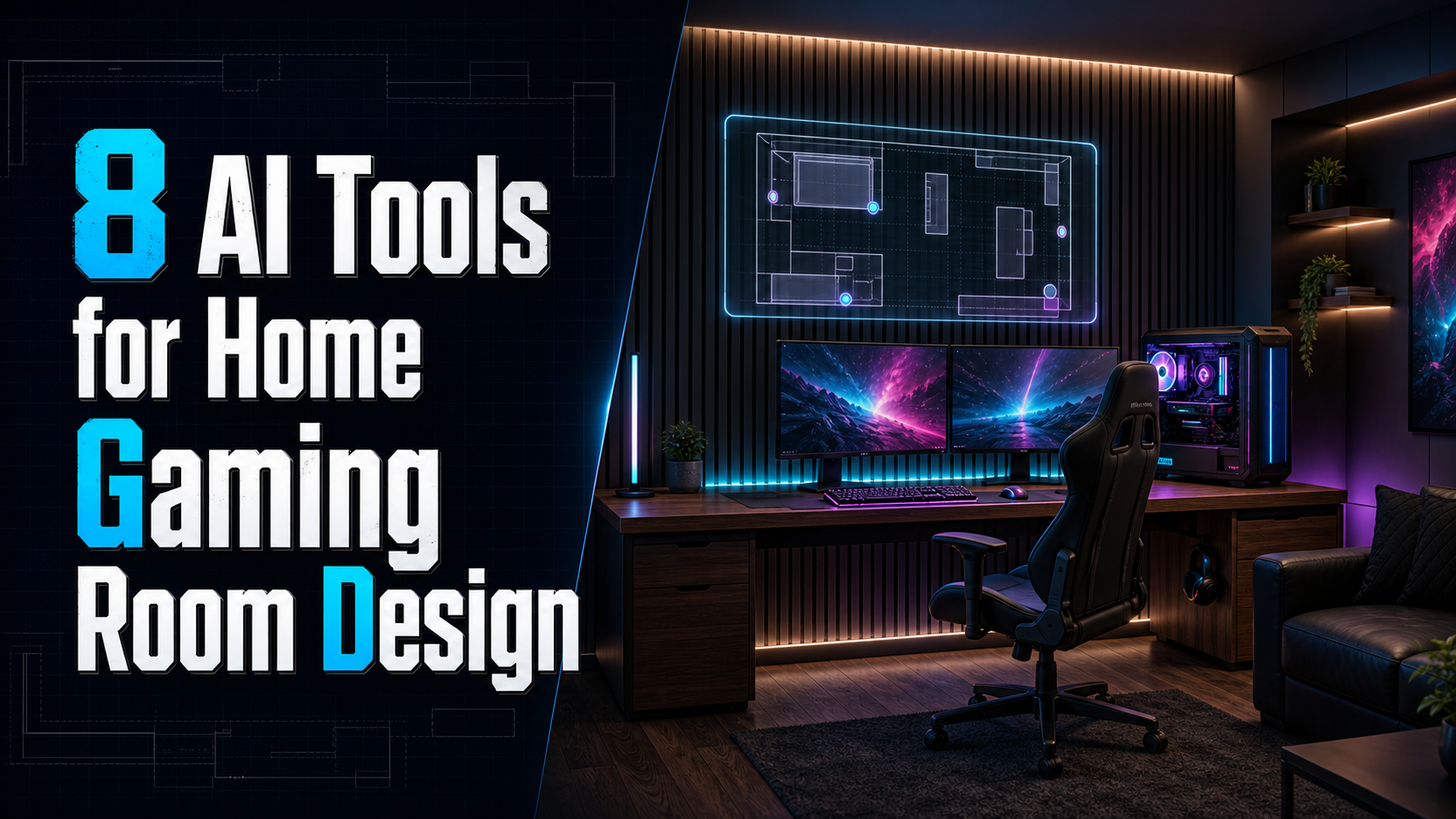
A great gaming room is about more than RGB lights and a powerful PC. Layout, comfort, lighting, storage, acoustics, and personal style all matter when creating a space you actually want to spend time in.
Smart AI gaming room design tools make it much easier to visualize and test any game room design ideas before buying furniture or rearranging your space.
So, in this article, we’ve tested and picked 8 best AI tools for home gaming room design to help you create a setup that goes beyond RGB with ease.
Design any room, shop or space with DecAI in less 30 seconds! It's free!
Why Gaming Room Design Needs More Than a Great AI Image
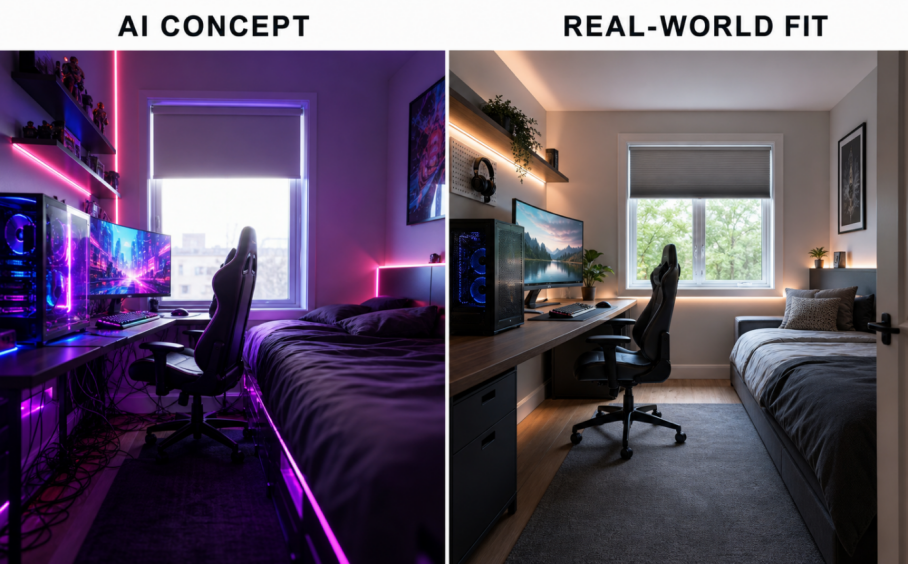
AI renders can make a gaming room look stunning, but they often gloss over critical practical details like clearance, desk dimensions, monitor placement, cable management, lighting, and ventilation. A visually impressive design may not work well in a real room.
Good gaming room design needs to balance aesthetics with functionality. Beyond generating beautiful images, the best AI tools should help you think through how the space will actually be used—from comfortable seating and ergonomic desk setups to storage, equipment placement, and enough room to move around.
That’s why choosing an AI gaming room design tool isn’t just about which one creates the most impressive render. It’s about finding a tool that can turn your ideas into a realistic, functional gaming space you can actually build and enjoy.
8 AI Tools for Home Gaming Room Design
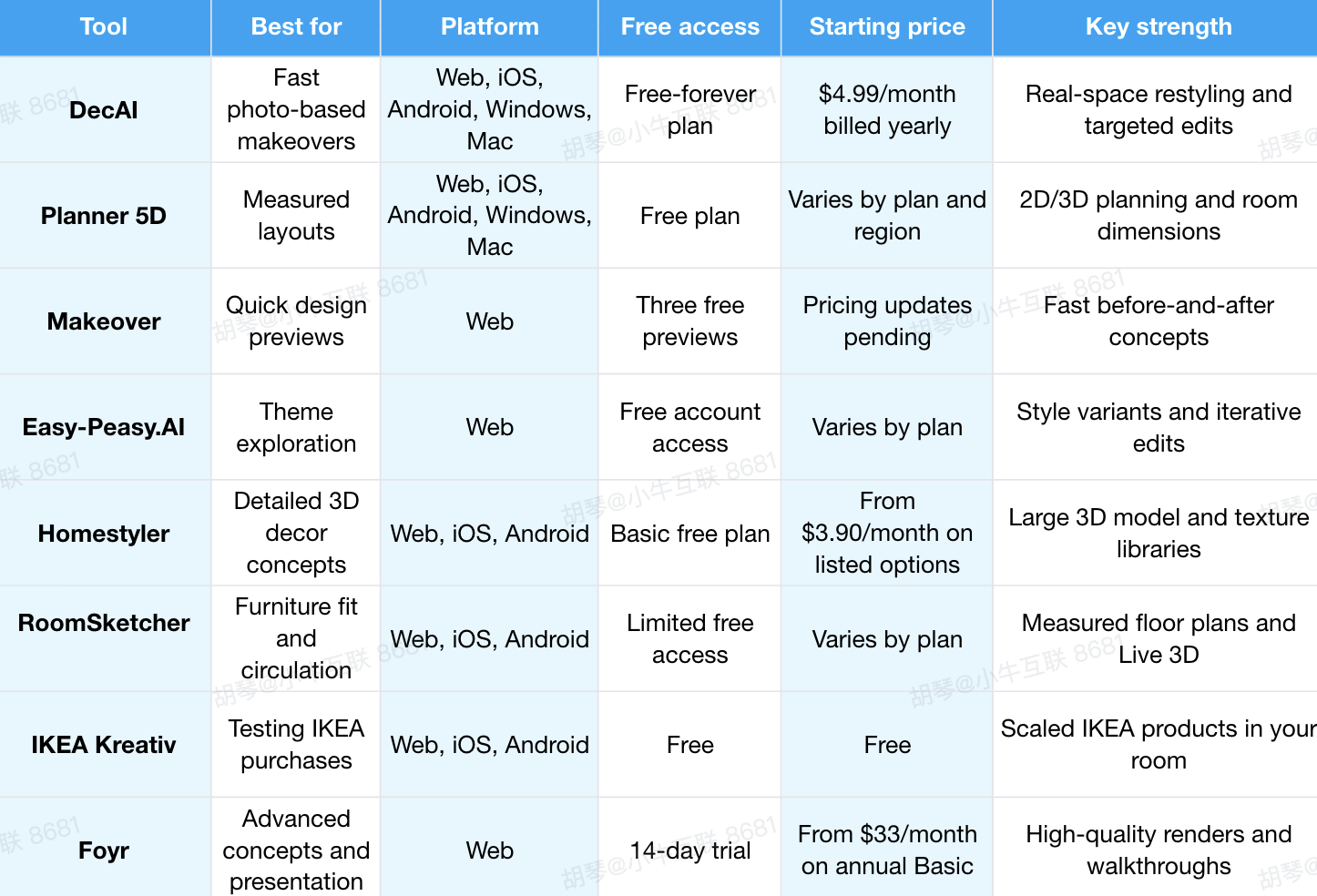
A quick overview of these 8 ai tools for home gaming room design
1.DecAI: Best for Fast Photo-Based Gaming Room Design

Platform: Web, iOS, Android, Windows, Mac
Pricing: Free-forever plan; paid web plans currently start at $4.99 per month; one-time payment credit package also available.
DecAI is the best starting point when you want to answer a simple but important question: What could my actual room become?
It is a free yet powerful game room interior design tool that let you see how your own room or design project could look in 30+ styles in under 30 seconds. Simply upload a photo, choose a design direction, and generate different concepts—no 3D modeling skills or professional design software required.
Beyond broad restyling, DecAI offers interior design, furniture replacement and cleanup, plus wall and floor redesign tools. That makes it especially useful when your gaming room is already partly furnished and you want to focus on the changes that will make the biggest difference: remove visual clutter, change the wall behind your monitor, test a different desk style, or see whether a new floor tone works with your RGB style.
Why: it is fast, beginner-friendly, and tied to a photo of your own room.Instead of trying to imagine how a gaming setup might look, you can preview different design directions on your own room first—making it easier to narrow down ideas before spending money on furniture, lighting, or décor.
The turn-offs: Don’t use a generated image as proof that a 180 cm desk, a second monitor arm, or a lounge chair will physically fit. DecAI is a visual decision-making tool, not measured CAD software.
Best for: Homeowners, gamers, and designers who want to quickly explore and compare realistic gaming-room concepts in their existing space before committing to furniture or lighting purchases.
2.Planner 5D: Best for Measured Gaming Room Layouts

Platform: Web, iOS, Android, Windows, Mac
Pricing: Free plan available; paid features and prices vary.
Planner 5D is for the moment after you choose a visual direction and ask whether it will work. It lets you map dimensions, arrange furniture in 2D, then inspect the result in 3D. That matters in a gaming room, where a desk can be deep, a chair needs a meaningful pull-back zone, and an open door can turn a promising layout into an annoying daily obstacle.
Start with the room shell: walls, doors, windows, radiator locations, and any immovable storage. Then draw the desk, chair, couch, TV unit, shelves, and display area at their real dimensions. Use the design view to explore whether the primary screen faces a bright window, whether a guest can reach seating without crossing cables, and whether the console zone needs a separate shelf.
Why: Planner 5D combines layout control with visual feedback. It works well for small bedrooms, shared media rooms, and larger basement setups alike.
The turn-offs: the first plan takes longer than uploading a photo, and some AI-assisted or advanced functions may sit behind a paid tier. It is less efficient when you only want a quick mood-board-style image.
Best for: gamers who must know what fits before they place an order.
3.Makeover: Best for Quick Gaming Room Style Previews
Platform: Web
Pricing: Three free previews are currently advertised; full pricing is still being updated.
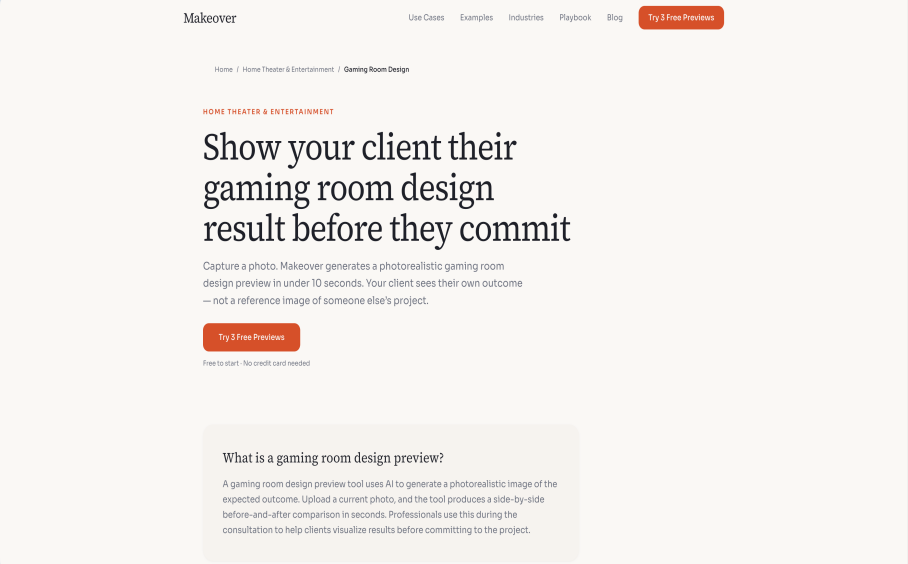
Makeover is built around speed. Upload a current photo and it creates a photorealistic before-and-after style concept in seconds. This is helpful when you have a room that feels plain or mismatched, but cannot yet name the style you want.
Try a focused brief rather than a pile of generic gaming terms. For example: “quiet charcoal streaming room, warm bias lighting, walnut desk, acoustic slat wall, no visible RGB strips.” Then run a contrasting brief, such as “clean white competitive PC setup with indirect blue lighting and closed storage.” Comparing two intentionally different directions is more useful than regenerating the same neon design repeatedly.
Why: the workflow is simple and its side-by-side preview is easy to share with a partner, contractor, or client.
The turn-offs: the product is an early-access visual preview, not a full measured planner or product catalog. Treat it as inspiration and confirm every real-world detail separately.
Best for: rapid style comparison when a photo is available.
4.Easy-Peasy.AI: Best for Fast Theme Exploration
Platform: Web
Pricing: Free account access; paid options vary.
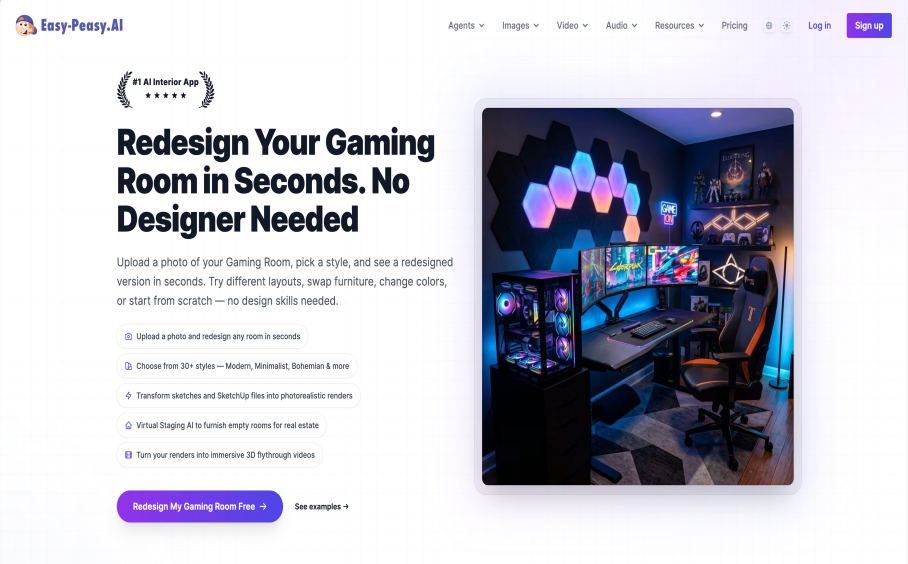
Easy-Peasy supports photo uploads, room restyling, and multi-turn edits. It can also transform sketches or model exports into more polished visuals. Its dedicated gaming-room page highlights more than 30 styles, making it useful for the earliest ideation stage.
The advantage here is iteration. Rather than starting from a blank prompt each time, refine a chosen concept: make the wall darker, remove the open shelving, add a compact second seat, replace the overhead RGB strip with indirect light, or make the room more suitable for both gaming and work. This is a sensible way to define a mood before you ask a planning tool to prove the layout.
Why: it is strong for theme comparison and prompt-led refinement, including retro-wave, industrial, minimalist, and cozy directions.
The turn-offs: it still cannot inspect your outlet load, chair ergonomics, or exact monitor distance. AI-generated variations can also overfill a small room, so keep your prompt specific about open floor area and storage.
Best for: gamers who need to narrow a broad aesthetic idea into a clear design brief.
5.Homestyler: Best for Detailed 3D Furniture and Decor Concepts
Design any room, shop or space with DecAI in less 30 seconds! It's free!
Platform: Web, iOS, Android
Pricing: Basic free plan; listed paid options start from $3.90 per month depending on billing.
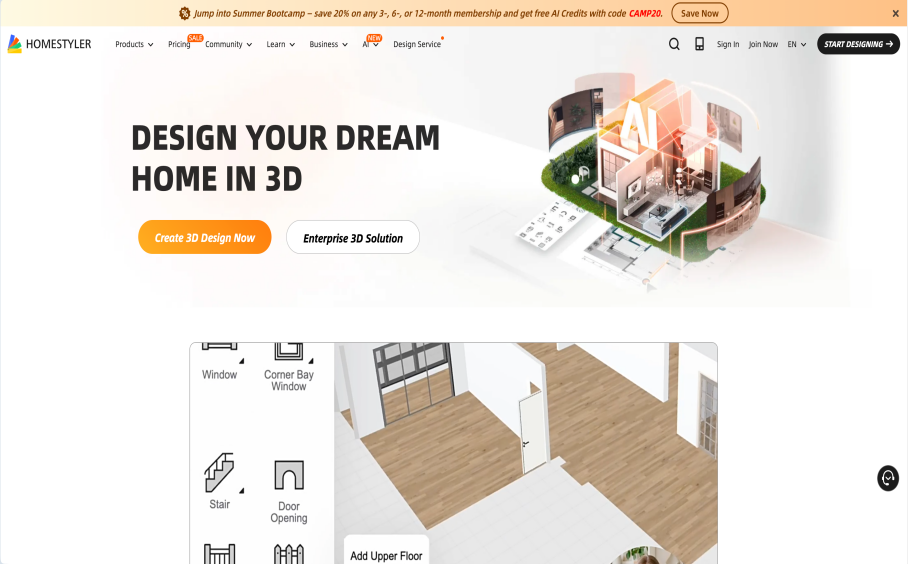
Homestyler sits between an instant AI image tool and a professional visualization platform. Its public model library, texture library, templates, AI features, and rendering workflow make it useful for a gaming room where furniture and finishes must feel intentional. This is where you can compare a wall-mounted desk with a deeper freestanding desk, test the visual weight of a media wall, or see whether acoustic panels look integrated rather than added as an afterthought.
Its advantage is specificity. A room may need monitor arms, a low storage unit, a display shelf, black-out curtains, a rug, and sound-softening materials. Homestyler gives you more control over how these elements relate than a single photo transformation does. Expect a more hands-on process, but also a more developed concept.
Why: it has strong furniture and material depth, plus better control for a polished 3D concept.
The turn-offs: a detailed model takes patience. If you only need to choose wall color or lighting mood, a photo visualizer is faster.
Best for: design-minded gamers who want a detailed 3D room concept before shopping.
6.RoomSketcher: Best for Practical Furniture Fit and Traffic Flow
Platform: Web, iOS, Android
Pricing: Limited free access; paid option $12 per month for one user, $35 per month for team(included 5 users)
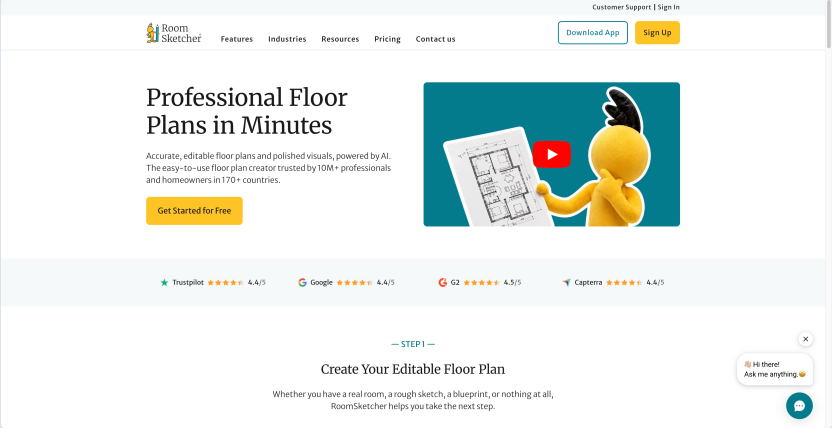
RoomSketcher earns its place because gaming rooms fail most often at the practical layer. A layout can look balanced in a render but leave no space to roll a chair, open a cabinet, or get behind a PC for maintenance. RoomSketcher makes it easier to create a floor plan, add measurements, inspect layouts in 3D, and keep circulation visible.
Build a simple clearance plan. Leave the chair’s travel zone clear. Check access to windows, closets, and doors. Make sure a seated person can leave the desk without trapping another person on a couch. Then add the “unseen” furniture: a UPS, cable basket, charging station, router shelf, or floor lamp. These objects are small, but they often determine whether a room remains calm or becomes a cable maze.
Why: it prioritizes scale, floor-plan clarity, and liveable flow over dramatic styling.
The turn-offs: it is not designed to generate fast theme concepts, and advanced outputs may require paid credits or a subscription.
Best for: anyone furnishing a small room, a multi-use bedroom, or a layout with several people moving through it.
7.IKEA Kreativ: Best for Testing IKEA Furniture Before You Buy

Platform: Web, iOS, Android
Pricing: Free.
IKEA Kreativ solves a very practical purchase decision. You can use a room photo or scan, remove existing items, and place products from IKEA’s catalog in the space. Its room-builder path also supports manual dimensions on the web; full 3D scanning has device-specific requirements.
For a budget-conscious gaming room, that is valuable. You can test actual desks, drawer units, shelves, cable-management accessories, task lighting, and storage before adding them to a cart. It also prevents a common mistake: choosing furniture that looks appropriately compact in a product image but overwhelms the room in context.
Why: it is free and links visual experimentation to a real, priced catalog.
The turn-offs: the catalog is IKEA-only, and it will not replace a general-purpose style generator or detailed professional renderer.
Best for: gamers who expect to buy most of their storage, desk components, or accessories from IKEA.
8.Foyr: Best for Advanced 3D Gaming Room Presentations
Platform: Web
Pricing: 14-day trial; annual-billing Basic plan currently listed from $33 per month.
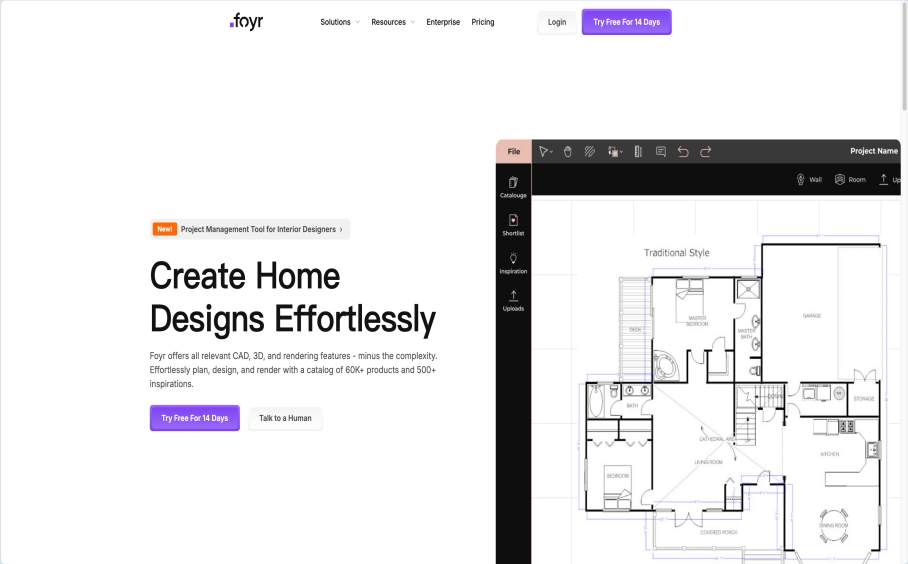
Foyr is the advanced option in this list. It supports editable plans, a large product library, 3D work, high-resolution renders, walkthroughs, and presentation-ready output. A serious streamer, creator, interior-design student, or homeowner working with a contractor may prefer this level of control when the gaming room is a meaningful renovation rather than a simple refresh.
Foyr works best after you have already made key decisions. Import or recreate the floor plan, model the desk and display zones, apply the chosen finishes, and make a few views that show the entry, seated position, and wider room. The walkthrough is particularly useful when the room has several zones—gaming, recording, console lounging, and storage—and you want to explain the plan to someone else.
Why: it produces a more polished, professional concept with a workflow that extends beyond inspiration.
The turn-offs: it costs more and requires more effort than a casual one-click tool. It is unnecessary for a single quick decor experiment.
Best for: creators and high-investment projects that need presentation-quality output.
How to Choose the Right AI Tool for Your Gaming Room
(How to Choose the Right AI Tool for Your Gaming Room)
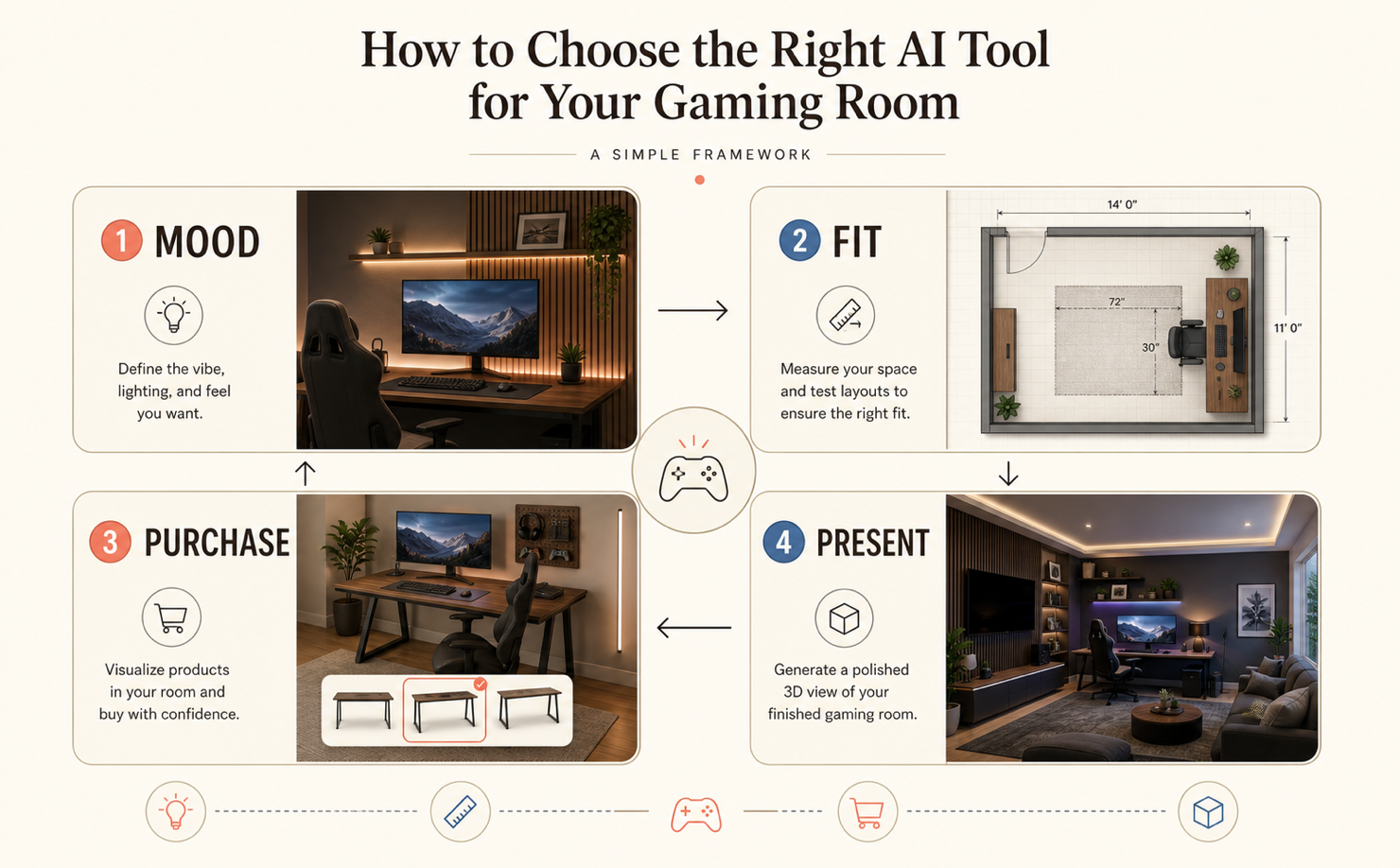
The right AI tool for a design task depends on the core question you need to answer—whether it's about mood, fit, purchase confidence, or communication.
- Choose a visualizer when mood is the question. DecAI, Makeover, and Easy-Peasy.AI are useful for color, theme, lighting feel, wall treatment, and the general personality of a room. Start here if you do not yet know whether you want cozy, competitive, cinematic, retro, or minimal.
- Choose a planner when fit is the question. Planner 5D and RoomSketcher are more appropriate once you have a preferred look but need to prove desk placement, chair clearance, window access, and traffic flow. Use real product dimensions; do not estimate from a product photo.
- Choose a catalog tool when purchase confidence is the question. IKEA Kreativ narrows the gap between inspiration and checkout because it lets you see specific catalog items in context.
- Choose a presentation tool when communication is the question. Homestyler and Foyr are better when you need a detailed concept to share, refine, or document. They are valuable for content creation and contractor conversations, but they do not remove the need to confirm electrical and construction requirements.
FAQs
1.What is the best AI tool for home gaming room design?
DecAI is a strong first choice for fast concepts in a real room photo, while Planner 5D is better if accurate layout is the priority. The best tool depends on whether you need style inspiration, scale verification, purchase testing, or a polished presentation.
2.Can AI design a gaming room from a photo?
Yes. Photo-based tools can restyle a room, alter colors and furniture, and generate multiple concept images. Use the result to choose a direction, then verify dimensions, ergonomic needs, electrical requirements, and ventilation in the actual room.
3.Can AI tools create an accurate gaming room layout?
Some planning tools can work with dimensions and 2D or 3D layouts. Accuracy depends on the measurements and product dimensions you enter. A generative photo image should never be treated as a measured floor plan.
4.What should a small gaming room include?
Prioritize a correctly sized desk, ergonomic chair, display setup, closed or vertical storage, and cable management. Keep the circulation path open and use layered lighting rather than filling every wall with decor or equipment.
5.How much space do I need behind a gaming chair?
Measure the chair at its maximum recline and pull-back position, then test it against the actual room and door swings. The correct clearance varies by chair and how people use the room, so verify the manufacturer’s dimensions rather than relying on a generic image.
6.Can AI help plan RGB lighting for a gaming room?
AI is useful for comparing lighting moods and color placement. It cannot determine safe wiring, outlet capacity, or whether a light source will cause monitor glare, so use it for concepting and verify the installation plan separately.
7.Are free AI gaming room design tools worth using?
Yes, especially at the exploration stage. Free plans can help you reject weak concepts before you purchase anything. Upgrade only if you need more iterations, higher-resolution exports, advanced layouts, or client-ready visuals.
--------------------------------------
If you believe that any material on this site infringes your intellectual property rights, please contact the author at decaiwebteam@outlook.com with details of your claim.
Redesign any home interior, exterior & garden in seconds
Share this Post:
'%3e%3cpath%20d='M17.9995%2035.999C17.0317%2035.999%2016.0619%2035.9219%2015.1161%2035.7696C10.9414%2035.0973%207.11524%2032.9513%204.34408%2029.7273C1.54287%2026.4683%200%2022.3035%200%2017.9995C0%208.07403%208.07503%200%2017.9995%200C27.924%200%2036%208.07503%2036%2017.9995C36%2022.3696%2034.4151%2026.5835%2031.5357%2029.8646C28.6844%2033.1156%2024.7671%2035.2326%2020.5052%2035.8267C19.6806%2035.9419%2018.8371%2036%2017.9995%2036V35.999ZM17.9995%201.20123C8.73726%201.20123%201.20224%208.73626%201.20224%2017.9985C1.20224%2026.2919%207.13427%2033.2659%2015.3075%2034.5814C16.9546%2034.8469%2018.6808%2034.8659%2020.3389%2034.6345C28.5812%2033.4863%2034.7968%2026.334%2034.7968%2017.9985C34.7968%208.73626%2027.2617%201.20123%2017.9985%201.20123H17.9995Z'%20fill='%23FF0209'/%3e%3cpath%20d='M29.0557%2014.3621C28.9184%2013.0276%2028.6208%2011.5539%2027.5268%2010.7784C26.6782%2010.1773%2025.5642%2010.1553%2024.5242%2010.1563C22.3251%2010.1583%2020.126%2010.1603%2017.9269%2010.1623C15.812%2010.1643%2013.6971%2010.1663%2011.5821%2010.1683C10.6985%2010.1683%209.8399%2010.1002%209.01937%2010.4819C8.31406%2010.8105%207.76303%2011.4347%207.43241%2012.1289C6.97156%2013.0957%206.87438%2014.1898%206.81927%2015.2588C6.71708%2017.2044%206.7281%2019.156%206.85133%2021.0996C6.9405%2022.5193%207.16792%2024.0872%208.26496%2024.9919C9.23777%2025.7934%2010.6103%2025.8325%2011.8707%2025.8335C15.8741%2025.8365%2019.8776%2025.8395%2023.881%2025.8435C24.394%2025.8435%2024.93%2025.8345%2025.453%2025.7774C26.4829%2025.6661%2027.4637%2025.3716%2028.1249%2024.6092C28.7922%2023.8407%2028.9635%2022.7698%2029.0657%2021.7569C29.3121%2019.3003%2029.3091%2016.8177%2029.0557%2014.3621ZM15.6116%2021.4453V14.5545L21.5797%2017.9999L15.6116%2021.4453Z'%20fill='%23FF0209'/%3e%3c/g%3e%3cdefs%3e%3cclipPath%20id='clip0_13816_41422'%3e%3crect%20width='36'%20height='36'%20fill='white'/%3e%3c/clipPath%3e%3c/defs%3e%3c/svg%3e)
'%3e%3cpath%20d='M17.9995%2036C17.0327%2036%2016.0619%2035.9229%2015.1161%2035.7696C10.9414%2035.0973%207.11524%2032.9513%204.34408%2029.7273C1.54287%2026.4683%200%2022.3035%200%2017.9995C0%208.07403%208.07503%200%2017.9995%200C27.924%200%2036%208.07503%2036%2017.9995C36%2022.3696%2034.4151%2026.5835%2031.5357%2029.8646C28.6844%2033.1156%2024.7671%2035.2326%2020.5052%2035.8267C19.6806%2035.9419%2018.8371%2036%2017.9995%2036ZM17.9995%201.20224C8.73726%201.20224%201.20224%208.73726%201.20224%2017.9995C1.20224%2026.2919%207.13427%2033.2669%2015.3075%2034.5824C16.9556%2034.8479%2018.6808%2034.8669%2020.3389%2034.6355C28.5812%2033.4873%2034.7968%2026.335%2034.7968%2017.9995C34.7968%208.73726%2027.2617%201.20224%2017.9985%201.20224H17.9995Z'%20fill='url(%23paint0_linear_13816_41436)'/%3e%3cpath%20d='M23.4463%207.55469H12.549C9.53841%207.55469%207.08984%2010.0032%207.08984%2013.0138V22.9834C7.08984%2025.994%209.53841%2028.4426%2012.549%2028.4426H23.4463C26.4569%2028.4426%2028.9054%2025.994%2028.9054%2022.9834V13.0138C28.9054%2010.0032%2026.4569%207.55469%2023.4463%207.55469ZM9.01543%2013.0138C9.01543%2011.0652%2010.6004%209.48027%2012.549%209.48027H23.4463C25.3949%209.48027%2026.9799%2011.0652%2026.9799%2013.0138V22.9834C26.9799%2024.932%2025.3949%2026.517%2023.4463%2026.517H12.549C10.6004%2026.517%209.01543%2024.932%209.01543%2022.9834V13.0138Z'%20fill='url(%23paint1_linear_13816_41436)'/%3e%3cpath%20d='M17.9964%2023.0749C20.7966%2023.0749%2023.0749%2020.7966%2023.0749%2017.9964C23.0749%2015.1962%2020.7966%2012.918%2017.9964%2012.918C15.1962%2012.918%2012.918%2015.1962%2012.918%2017.9964C12.918%2020.7966%2015.1962%2023.0749%2017.9964%2023.0749ZM17.9964%2014.8446C19.7346%2014.8446%2021.1483%2016.2582%2021.1483%2017.9964C21.1483%2019.7347%2019.7346%2021.1483%2017.9964%2021.1483C16.2582%2021.1483%2014.8446%2019.7347%2014.8446%2017.9964C14.8446%2016.2582%2016.2582%2014.8446%2017.9964%2014.8446Z'%20fill='url(%23paint2_linear_13816_41436)'/%3e%3cpath%20d='M23.5482%2013.741C24.3026%2013.741%2024.9168%2013.1269%2024.9168%2012.3725C24.9168%2011.618%2024.3026%2011.0039%2023.5482%2011.0039C22.7938%2011.0039%2022.1797%2011.618%2022.1797%2012.3725C22.1797%2013.1269%2022.7938%2013.741%2023.5482%2013.741Z'%20fill='url(%23paint3_linear_13816_41436)'/%3e%3c/g%3e%3cdefs%3e%3clinearGradient%20id='paint0_linear_13816_41436'%20x1='5.27482'%20y1='30.7312'%20x2='30.7242'%20y2='5.28083'%20gradientUnits='userSpaceOnUse'%3e%3cstop%20stop-color='%23FAAD4F'/%3e%3cstop%20offset='0.35'%20stop-color='%23DD2A7B'/%3e%3cstop%20offset='0.62'%20stop-color='%239537B0'/%3e%3cstop%20offset='1'%20stop-color='%23515BD4'/%3e%3c/linearGradient%3e%3clinearGradient%20id='paint1_linear_13816_41436'%20x1='8.92225'%20y1='27.074'%20x2='27.073'%20y2='8.92324'%20gradientUnits='userSpaceOnUse'%3e%3cstop%20stop-color='%23FAAD4F'/%3e%3cstop%20offset='0.35'%20stop-color='%23DD2A7B'/%3e%3cstop%20offset='0.62'%20stop-color='%239537B0'/%3e%3cstop%20offset='1'%20stop-color='%23515BD4'/%3e%3c/linearGradient%3e%3clinearGradient%20id='paint2_linear_13816_41436'%20x1='14.4077'%20y1='21.5861'%20x2='21.5861'%20y2='14.4077'%20gradientUnits='userSpaceOnUse'%3e%3cstop%20stop-color='%23FAAD4F'/%3e%3cstop%20offset='0.35'%20stop-color='%23DD2A7B'/%3e%3cstop%20offset='0.62'%20stop-color='%239537B0'/%3e%3cstop%20offset='1'%20stop-color='%23515BD4'/%3e%3c/linearGradient%3e%3clinearGradient%20id='paint3_linear_13816_41436'%20x1='22.5814'%20y1='13.3393'%20x2='24.515'%20y2='11.4057'%20gradientUnits='userSpaceOnUse'%3e%3cstop%20stop-color='%23FAAD4F'/%3e%3cstop%20offset='0.35'%20stop-color='%23DD2A7B'/%3e%3cstop%20offset='0.62'%20stop-color='%239537B0'/%3e%3cstop%20offset='1'%20stop-color='%23515BD4'/%3e%3c/linearGradient%3e%3cclipPath%20id='clip0_13816_41436'%3e%3crect%20width='36'%20height='36'%20fill='white'/%3e%3c/clipPath%3e%3c/defs%3e%3c/svg%3e)
'%3e%3cpath%20d='M17.9995%2035.999C17.0317%2035.999%2016.0619%2035.9219%2015.1161%2035.7696C10.9414%2035.0973%207.11524%2032.9513%204.34408%2029.7273C1.54287%2026.4683%200%2022.3035%200%2017.9995C0%208.07403%208.07502%200%2017.9995%200C27.924%200%2036%208.07503%2036%2017.9995C36%2022.3696%2034.415%2026.5835%2031.5357%2029.8646C28.6844%2033.1156%2024.7671%2035.2326%2020.5052%2035.8267C19.6806%2035.9419%2018.8371%2036%2017.9995%2036V35.999ZM17.9995%201.20123C8.73725%201.20123%201.20224%208.73626%201.20224%2017.9985C1.20224%2026.2919%207.13427%2033.2659%2015.3075%2034.5814C16.9545%2034.8469%2018.6808%2034.8659%2020.3388%2034.6345C28.5812%2033.4863%2034.7968%2026.334%2034.7968%2017.9985C34.7968%208.73626%2027.2617%201.20123%2017.9985%201.20123H17.9995Z'%20fill='%23007EBB'/%3e%3cpath%20d='M9.06639%2012.124C8.60253%2011.6932%208.37109%2011.1602%208.37109%2010.526C8.37109%209.89184%208.60253%209.33481%209.06639%208.90401C9.53026%208.47321%2010.1274%208.25781%2010.8587%208.25781C11.5901%208.25781%2012.1642%208.47321%2012.627%208.90401C13.0909%209.33481%2013.3223%209.87581%2013.3223%2010.526C13.3223%2011.1762%2013.0909%2011.6932%2012.627%2012.124C12.1631%2012.5548%2011.5741%2012.7702%2010.8587%2012.7702C10.1434%2012.7702%209.52926%2012.5548%209.06639%2012.124ZM12.9326%2014.5946V27.7962H8.76182V14.5946H12.9326Z'%20fill='%23007EBB'/%3e%3cpath%20d='M26.8196%2015.9006C27.7283%2016.8875%2028.1832%2018.243%2028.1832%2019.9682V27.5663H24.2208V20.5042C24.2208%2019.6346%2023.9954%2018.9583%2023.5445%2018.4764C23.0937%2017.9945%2022.4876%2017.7541%2021.7262%2017.7541C20.9647%2017.7541%2020.3586%2017.9955%2019.9078%2018.4764C19.4569%2018.9583%2019.2315%2019.6346%2019.2315%2020.5042V27.5663H15.2461V14.5611H19.2315V16.2863C19.6353%2015.7113%2020.1793%2015.2574%2020.8636%2014.9228C21.5468%2014.5892%2022.3163%2014.4219%2023.1708%2014.4219C24.6937%2014.4219%2025.9099%2014.9158%2026.8186%2015.9016L26.8196%2015.9006Z'%20fill='%23007EBB'/%3e%3c/g%3e%3cdefs%3e%3cclipPath%20id='clip0_13816_41425'%3e%3crect%20width='36'%20height='36'%20fill='white'/%3e%3c/clipPath%3e%3c/defs%3e%3c/svg%3e)
'%3e%3cpath%20d='M18%2035.999C17.0322%2035.999%2016.0623%2035.9219%2015.1166%2035.7696C10.9417%2035.0973%207.11544%2032.9513%204.3442%2029.7273C1.54291%2026.4683%200%2022.3035%200%2017.9995C0%208.07403%208.07526%200%2018%200C27.9248%200%2036%208.07503%2036%2017.9995C36%2022.3696%2034.415%2026.5835%2031.5356%2029.8646C28.6842%2033.1156%2024.7668%2035.2326%2020.5047%2035.8267C19.6802%2035.9419%2018.8366%2036%2017.999%2036L18%2035.999ZM18%201.20123C8.73751%201.20123%201.20227%208.73626%201.20227%2017.9985C1.20227%2026.2919%207.13448%2033.2659%2015.3079%2034.5814C16.955%2034.8469%2018.6813%2034.8659%2020.3394%2034.6345C28.582%2033.4863%2034.7977%2026.334%2034.7977%2017.9985C34.7977%208.73626%2027.2625%201.20123%2018%201.20123Z'%20fill='black'/%3e%3cpath%20d='M7%208.09163H13.5067L19.521%2016.1816L27.0073%207.90625L28.786%207.93715L20.4078%2017.3454L29%2028.901H22.4959L16.8193%2021.362L9.8847%2029.0864H8.13428L15.9583%2020.26L7%208.09163ZM12.8931%209.28633H9.45676L23.2048%2027.6754H26.5793L12.8931%209.28633Z'%20fill='black'/%3e%3c/g%3e%3cdefs%3e%3cclipPath%20id='clip0_13886_43848'%3e%3crect%20width='36'%20height='36'%20fill='white'/%3e%3c/clipPath%3e%3c/defs%3e%3c/svg%3e)
'%3e%3cpath%20d='M17.9995%2035.999C17.0327%2035.999%2016.0619%2035.9219%2015.1161%2035.7686C10.9414%2035.0963%207.11524%2032.9503%204.34408%2029.7263C1.54287%2026.4673%200%2022.3025%200%2017.9995C0%208.07403%208.07503%200%2017.9995%200C27.924%200%2036%208.07503%2036%2017.9995C36%2022.3696%2034.415%2026.5835%2031.5357%2029.8646C28.6844%2033.1156%2024.7671%2035.2326%2020.5052%2035.8267C19.6806%2035.9419%2018.8371%2036%2017.9995%2036V35.999ZM17.9995%201.20123C8.73726%201.20123%201.20224%208.73626%201.20224%2017.9985C1.20224%2026.2909%207.13428%2033.2659%2015.3075%2034.5814C16.9556%2034.8469%2018.6808%2034.8659%2020.3389%2034.6345C28.5812%2033.4863%2034.7968%2026.334%2034.7968%2017.9985C34.7968%208.73626%2027.2617%201.20123%2017.9985%201.20123H17.9995Z'%20fill='%231877F7'/%3e%3cpath%20d='M20.5337%2014.9635V18.7536H25.2225L24.4801%2023.8601H20.5337V35.624C19.7423%2035.7342%2018.9328%2035.7913%2018.1112%2035.7913C17.1625%2035.7913%2016.2317%2035.7151%2015.324%2035.5689V23.8601H11V18.7536H15.324V14.1169C15.324%2011.2396%2017.6564%208.90625%2020.5347%208.90625V8.90926C20.5428%208.90926%2020.5508%208.90625%2020.5588%208.90625H25.2235V13.3215H22.1758C21.2691%2013.3215%2020.5347%2014.0558%2020.5347%2014.9625L20.5337%2014.9635Z'%20fill='%231877F7'/%3e%3c/g%3e%3cdefs%3e%3cclipPath%20id='clip0_13816_41433'%3e%3crect%20width='36'%20height='36'%20fill='white'/%3e%3c/clipPath%3e%3c/defs%3e%3c/svg%3e)
'%3e%3cpath%20d='M17.9995%2035.999C17.0327%2035.999%2016.0619%2035.9219%2015.1161%2035.7686C10.9414%2035.0963%207.11524%2032.9503%204.34408%2029.7263C1.54287%2026.4673%200%2022.3025%200%2017.9995C0%208.07403%208.07503%200%2017.9995%200C27.924%200%2036%208.07503%2036%2017.9995C36%2022.3696%2034.415%2026.5835%2031.5357%2029.8646C28.6844%2033.1156%2024.7671%2035.2326%2020.5052%2035.8267C19.6806%2035.9419%2018.8371%2036%2017.9995%2036V35.999ZM17.9995%201.20123C8.73726%201.20123%201.20224%208.73626%201.20224%2017.9985C1.20224%2026.2909%207.13428%2033.2659%2015.3075%2034.5814C16.9556%2034.8469%2018.6808%2034.8659%2020.3389%2034.6345C28.5812%2033.4863%2034.7968%2026.334%2034.7968%2017.9985C34.7968%208.73626%2027.2617%201.20123%2017.9985%201.20123H17.9995Z'%20fill='%232A91F7'/%3e%3cg%20clip-path='url(%23clip1_13816_41442)'%3e%3cpath%20d='M16.3345%2018.834C16.6924%2019.3124%2017.149%2019.7083%2017.6733%2019.9947C18.1976%2020.2812%2018.7774%2020.4516%2019.3734%2020.4942C19.9693%2020.5369%2020.5675%2020.4509%2021.1273%2020.2421C21.6871%2020.0333%2022.1954%2019.7065%2022.6178%2019.284L25.1178%2016.784C25.8768%2015.9981%2026.2968%2014.9456%2026.2873%2013.8531C26.2778%2012.7606%2025.8396%2011.7156%2025.0671%2010.943C24.2946%2010.1705%2023.2495%209.73231%2022.157%209.72281C21.0645%209.71332%2020.012%2010.1333%2019.2262%2010.8923L17.7928%2012.3173M19.6678%2017.1673C19.3099%2016.6889%2018.8533%2016.293%2018.329%2016.0065C17.8047%2015.7201%2017.2249%2015.5497%2016.6289%2015.507C16.033%2015.4643%2015.4348%2015.5503%2014.875%2015.7592C14.3152%2015.968%2013.8069%2016.2947%2013.3845%2016.7173L10.8845%2019.2173C10.1255%2020.0031%209.70551%2021.0557%209.715%2022.1481C9.72449%2023.2406%2010.1627%2024.2857%2010.9352%2025.0582C11.7078%2025.8307%2012.7528%2026.269%2013.8453%2026.2784C14.9378%2026.2879%2015.9903%2025.868%2016.7761%2025.109L18.2011%2023.684'%20stroke='%232A91F7'%20stroke-width='1.66667'%20stroke-linecap='round'%20stroke-linejoin='round'/%3e%3c/g%3e%3c/g%3e%3cdefs%3e%3cclipPath%20id='clip0_13816_41442'%3e%3crect%20width='36'%20height='36'%20fill='white'/%3e%3c/clipPath%3e%3cclipPath%20id='clip1_13816_41442'%3e%3crect%20width='20'%20height='20'%20fill='white'%20transform='translate(8%208)'/%3e%3c/clipPath%3e%3c/defs%3e%3c/svg%3e)
Redesign any home interior, exterior & garden in seconds