

15 best free interior design software tools for beginners in 2026

These days, even completely new beginners, whether a college student or a housewife with no prior design experience, can create beautiful home interior design that rivals professional designers—and it all starts with the right design software.
That's exactly why we've assembled this list of the 15 best free interior design software tools for beginners in 2026. Whether you are looking for quick sketching tools, AI-powered design assistants, intuitive 2D and 3D planners or similar, you'll find options tailored to your specific needs, goals, and skill levels.
These tools are free, user-friendly, and powerful enough to deliver professional results. And we also include extra home design blogs and resources to fuel your inspiration and help you learn faster and sharpen your design skills.
Design any room, shop or space with DecAI in less 30 seconds! It's free!
What makes an interior design software tool beginner-friendly?
Before diving into our top picks, let's clarify what actually makes interior design software suitable for beginners:
1.Easy-to-use interfaces
Let's imagine: if you are a home design beginner who simply wants to renovate a bedroom on your own, you may not be so familiar with design theory or professional design tools—whether physical or digital. That’s why easy to use is kind of your top priority.
So, always try to choose a tool with a clean, uncluttered workspace, drag-and-drop functionality, simple controls, and minimal technical settings, which allows you to get started immediately with little to no learning curve, so you can focus on visualizing your ideas—not learning how the software works.
2.Templates and inspiration libraries
Pre-made templates and design-sharing communities provide a rich source of inspiration and help you quickly visualize your dream living room renovation. They make it easier to explore styles, experiment with layouts, and get started even if you don’t have a clear idea yet.
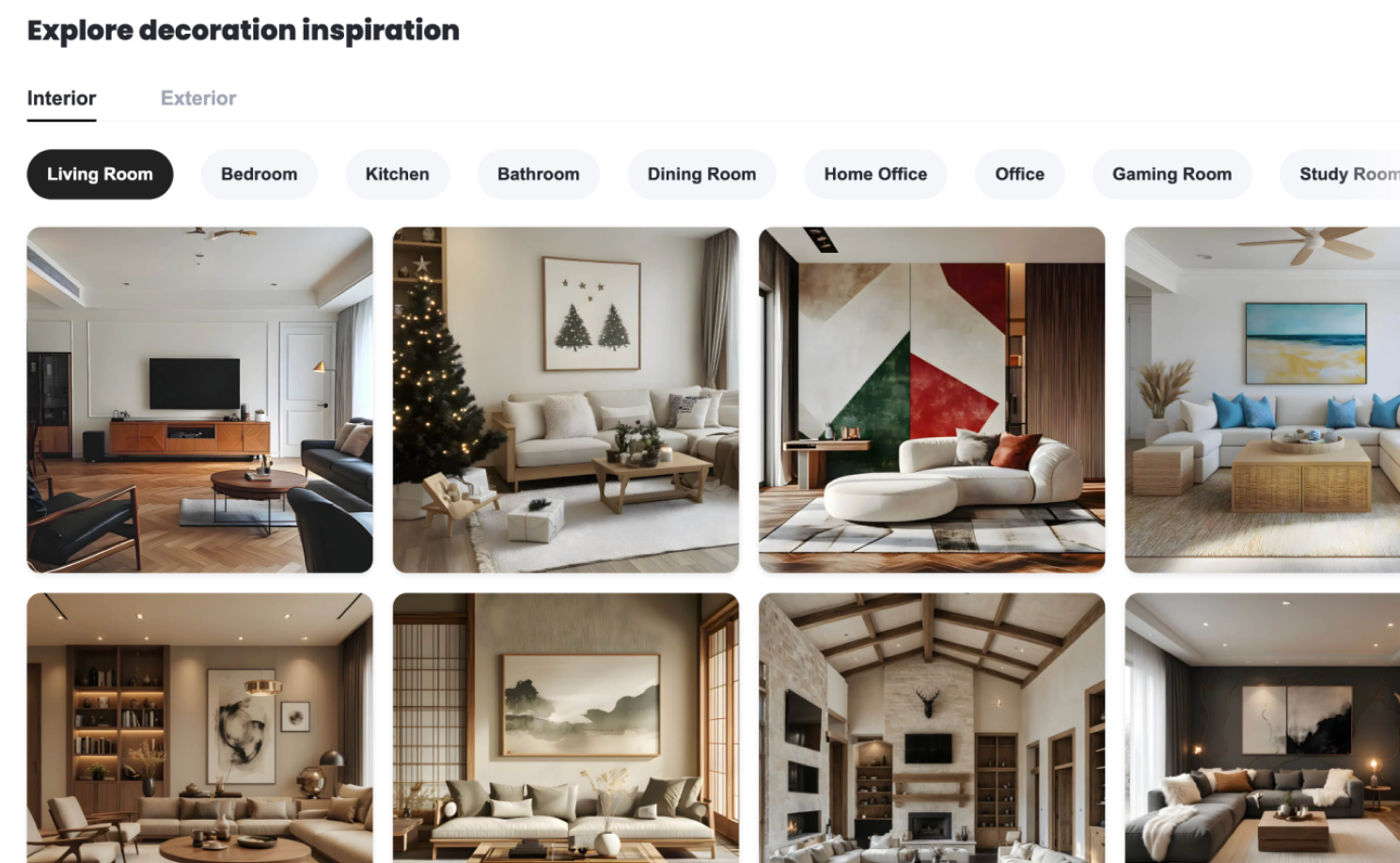
The inspiration library from DecAI™
3.AI-powered and also allow for customization, if possible
AI can help beginners quickly generate layouts, styles, and color schemes when designing a room or shop, saving time and effort, while AI alone may also limit creativity and customization.
The best beginner-friendly tools strike a balance—using AI to speed up the process while still giving you enough manual control to personalize and refine your designs.
4.Free plans or trials, and also affordable
A good interior design tool for beginners should offer a free plan or trial that provides access to core features before you commit. Even when they decide to upgrade for premium features, the pricing should remain affordable and easy to work with.
5. Helpful tutorials and guidelines
For a beginner in home design, it’s normal to run into questions or get stuck during a project. That’s where clear tutorials, walkthroughs, and in-app tips make a big difference. Step-by-step guidance helps users learn faster, solve problems more easily, and build confidence as they design their spaces.
Of course, there are many other factors that can make a design tool beginner-friendly. Well, my advice is that, firstly list your priorities, and then choose the one that best fits your needs and scenarios.
15 best free interior design software tools for beginners in 2026
To help you quickly choose the perfect tool for your actual needs, skill levels and different stages of the design process, we’ll introduce these 15 best free tools in the following categories:
- Free sketching tools for instant idea visualizations
- Free AI tools for instant design and inspiration
- Free 2D & 3D floor & space planning tools
- Free 3D modeling & rendering software tools
- Free furniture replacement & cleanup tools
- Free home styling & decoration tools
- Far more tools that you might like to improve your efficiency
Free sketching tools for instant idea visualizations
These tools are ideal for quickly sketching layouts, décor, furniture placement, or rough design concepts as soon as ideas strike. They’re best used at the very early stages of the design workflow.
1.Canva

Platforms: Web
Canva is a free, user-friendly visual design tool that helps you quickly draw out your room design ideas. With premade templates and drag-and-drop elements, it is quite fast and simple for you to flesh out your raw house design ideas and create dedicated room design mood boards.
Why to choose:
- Easy-to-use, drag-and-drop editor
- Premade design template libraries
- Works directly in most web browsers
Reasons to avoid:
- Free plan has some limitations
- Design outputs are relatively basic and raw
- Still requires some design skills and a small learning curve for beginners
2.Sketchpad
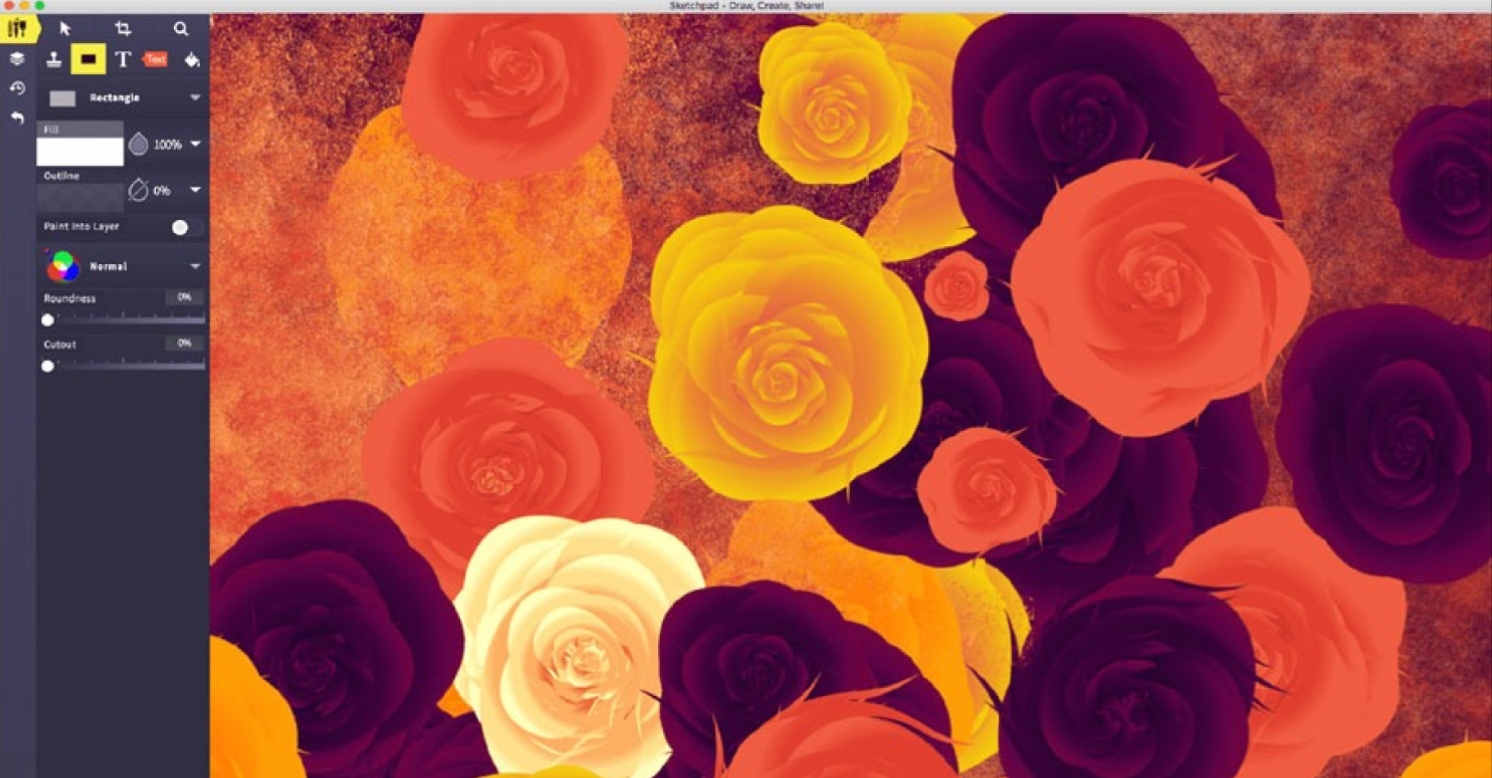
Platform: Web and iOS de
Sketchpad is a free, browser-based drawing tool that helps you sketch out any interior design ideas on a customized whiteboard, exactly as you do with pen and paper.
It’s well suited for rough layouts, quick floor plan drafts, and early-stage visual concepts when speed matters more than detail. Best for people who get used to the freehand drawing feel on a whiteboard, even when using a digital tool.
Why to choose:
- Extremely simple and lightweight interface
- No installation required, works directly in the browser
- Ideal for fast, freehand sketching and brainstorming
- An iOS mobile app available for mobile devices
Reasons to avoid:
- No templates or pre-made design elements
- Limited tools for detailed interior design work
- Not suitable for polished or presentation-ready designs
If digital sketching tools still feel a bit troublesome, you can always fall back on good old pencil and paper to sketch out whatever comes to mind—quickly and without any technical barriers.
3.Procreate
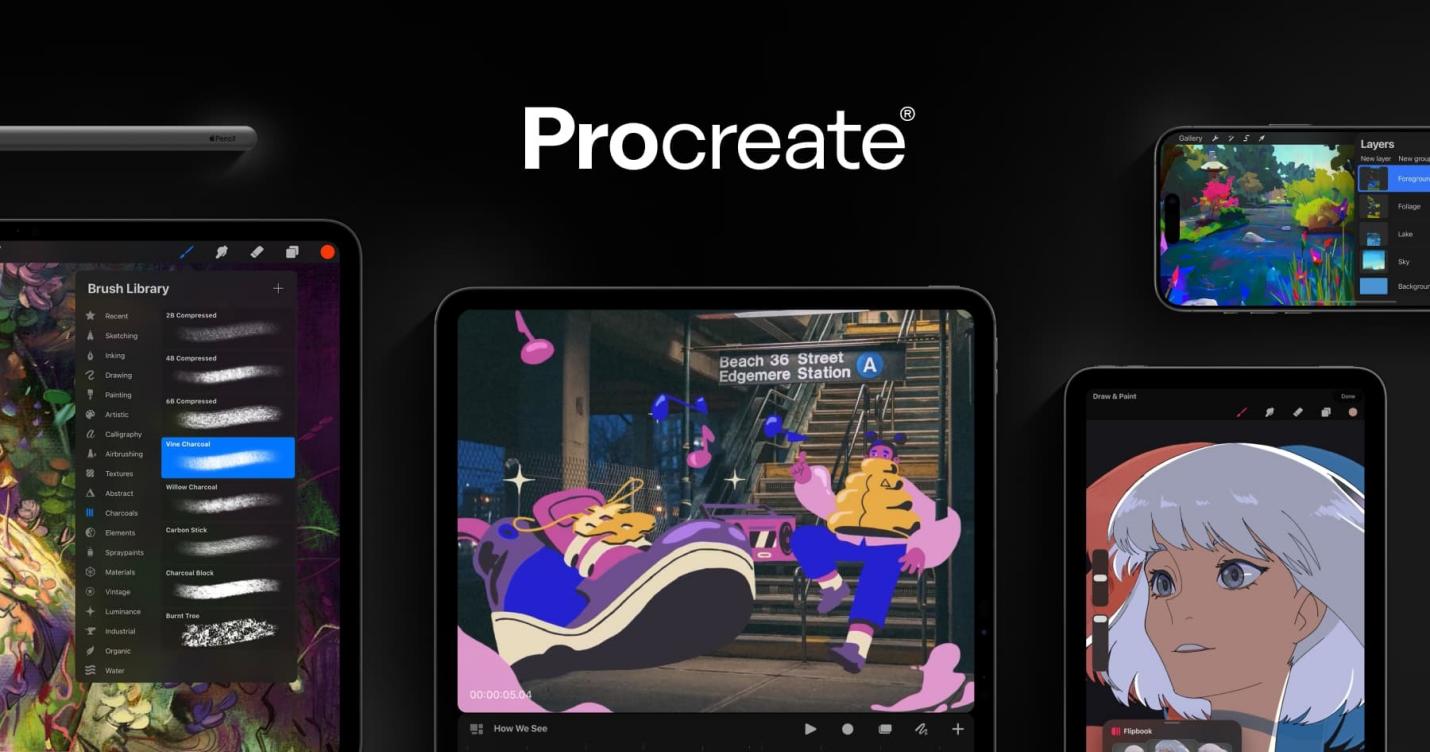
Platform: Only for iPad
If you like capturing ideas on your iPad as soon as inspiration strikes, Procreate is a great choice. This sketching tool lets you quickly create detailed sketches, layouts, and mood boards for interior design projects.
It’s especially useful for beginners who want more control over their sketches while exploring digital drawing.
Why to choose:
- Professional ketching brushes and tools
- Allows layers, custom palettes, and advanced sketching teaches
- Works seamlessly with Apple Pencil for precise drawing
Reasons to avoid:
- Only available on iPad
- A bit overwhelming for complete beginners
If digital sketching tools still feel a bit troublesome, you can always fall back on good old pencil and paper to sketch out whatever comes to mind—quickly and without any technical barriers.
Free AI tools for instant design and inspiration
The following tools are all AI-powered, which would help beginners quickly generate interior design ideas, layouts, color schemes and more. They’re perfect for brainstorming, exploring different styles, and getting inspiration in seconds—especially when you want to move faster than traditional sketching.
4. DecAI™
Platform: Web, iOS and Android
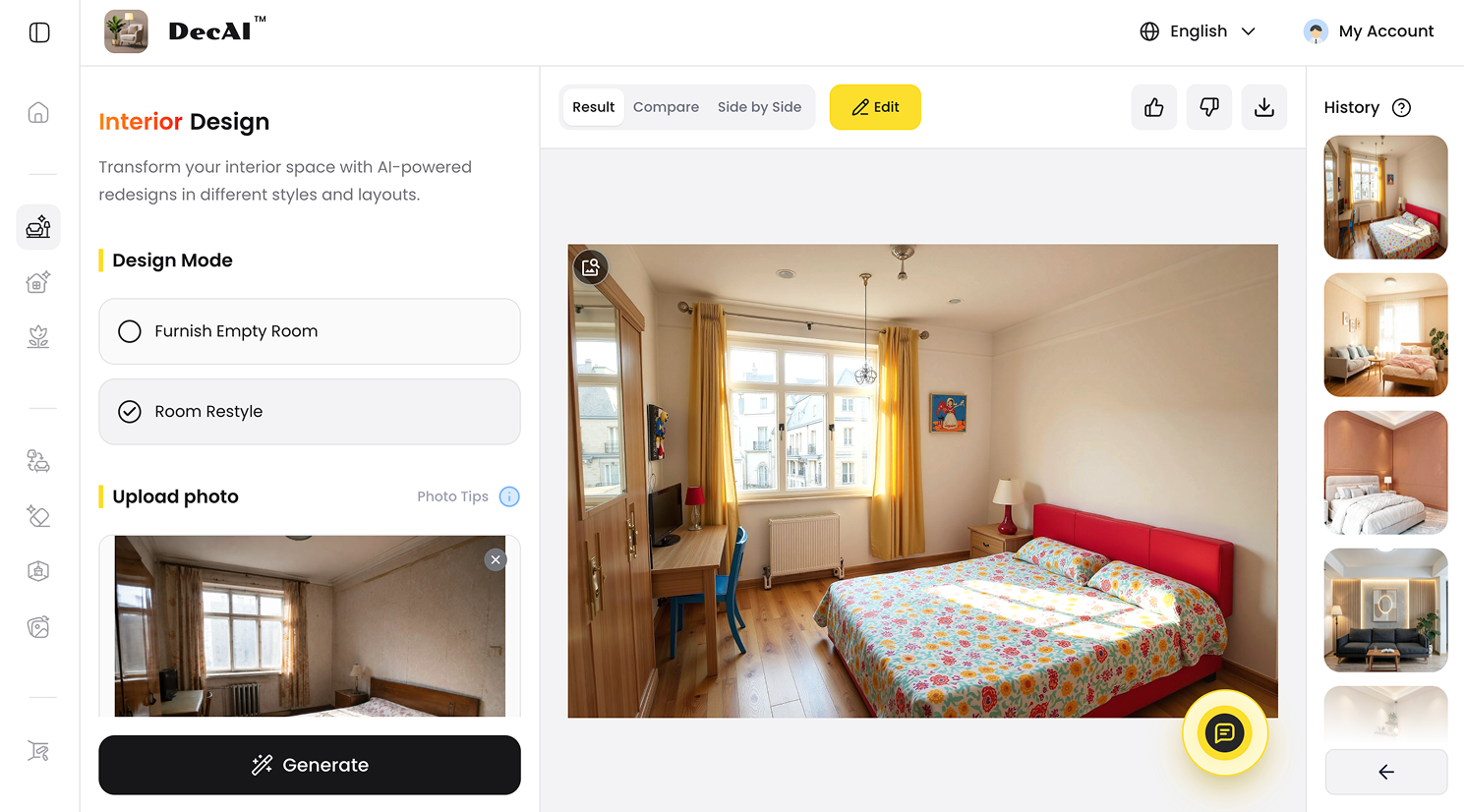
DecAI™ is a free, AI-powered interior design tool that transforms any room or space into your dream version in under 30 seconds.
As an all-in-one solution, it lets you redesign or renovate your home or store from start to finish— helping to design your interiors, floors, walls, furniture, décor, and even outdoor spaces like gardens and yards—all within a single platform. Simply upload a photo, and DecAI™ do the rest in seconds.
It is quite good for beginners who want fast inspiration, quick room makeovers, or to experiment with different design styles without spending hours manually planning.
Why to choose:
- 30 seconds only to generate your home designs
- Over 30 design styles and 15 room types
- Photo-based set makes it quite beginner-friendly
- Vast library of design examples and inspirations
- Full of customization even with AI generations
- Quite good for fast inspiration, brainstorming, design presentation & exploring different design styles
Reasons to avoid:
- Limited free plan
5. RoomGPT
Platform: Web (browser‑based) and iPad (via app)
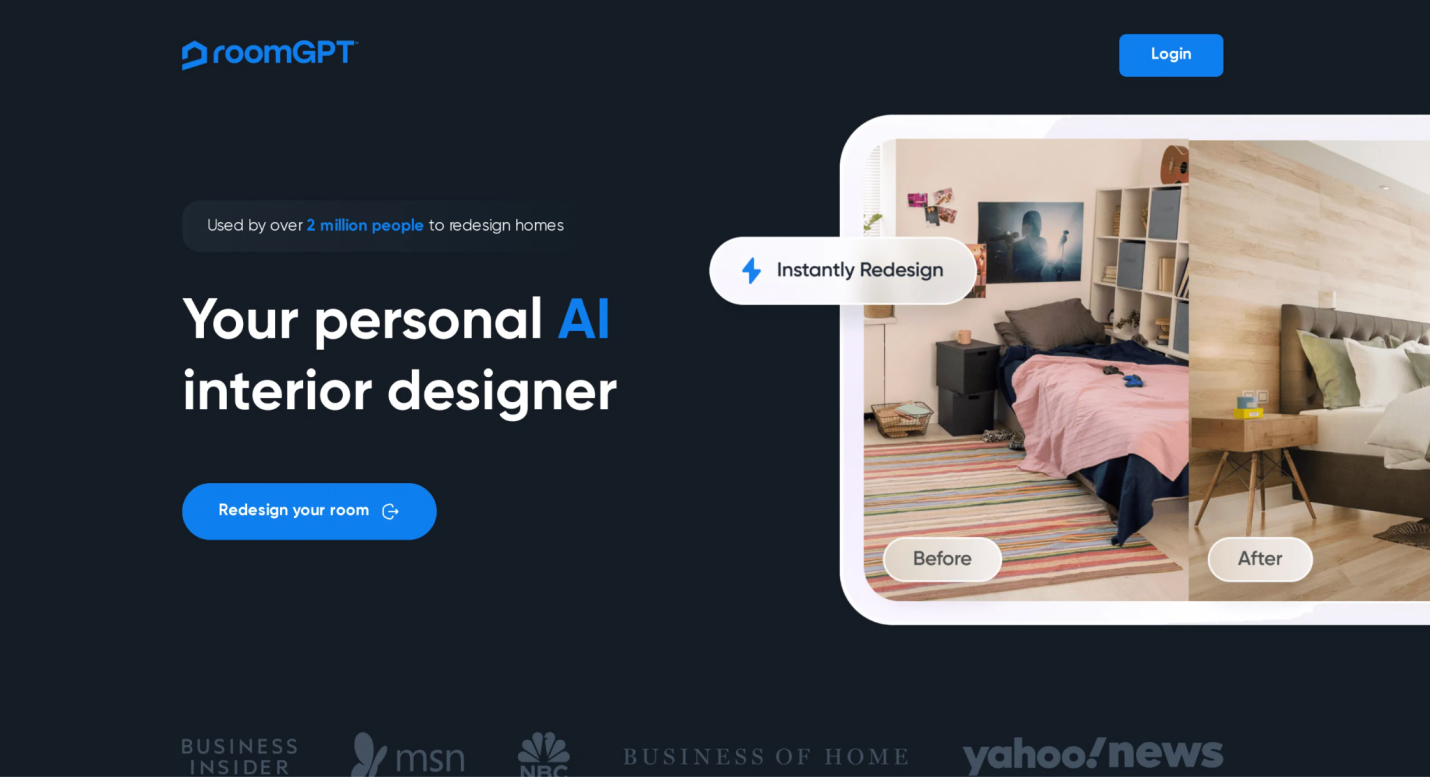
RoomGPT is a free, photo-based room design generator that helps to create realistic room design based on your input with AI. Simply upload your photo, select a style and its AI will do the rest. It’s ideal for visualizing different styles and layouts in seconds without needing design experience.
Why to choose:
- Generates multiple room design options instantly
- Easy to use with just a photo or basic room description
- Great for visual inspiration and quick concept testing
Reasons to avoid:
- Limited free plan, like restricted generation credits and style options
- AI outputs may not always match exact room dimensions
6.VisualGPT
Platform: Web
Pricing: Free plan; Premium plans starting at $19.9 per month;
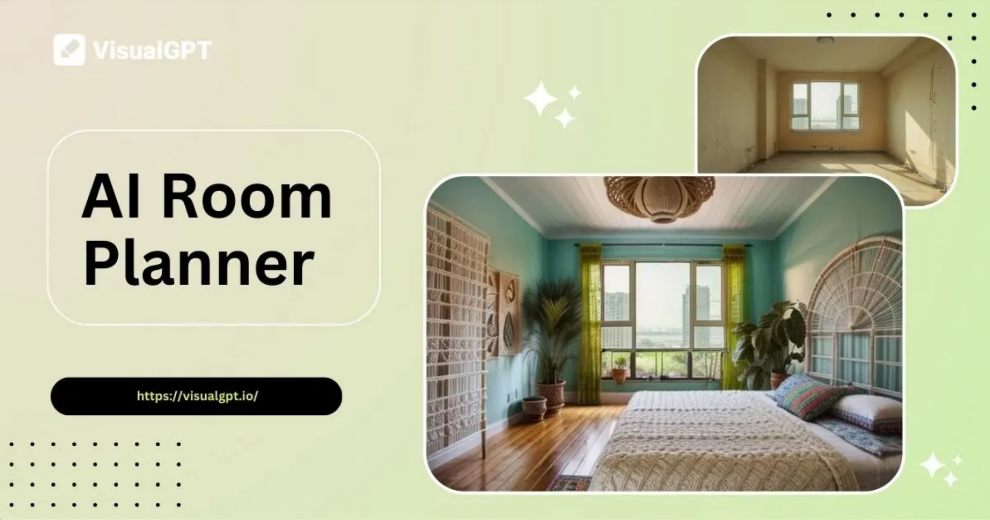
VisualGPT is a free, web-based room design tool with no installation and registrations. It is a quite fast AI tool that helps you generate interior design ideas and visual inspirations from text descriptions or uploaded photos.
Simply describe your room or upload a picture, and VisualGPT will create multiple design variations to spark your creativity. It’s ideal for beginners who want instant inspiration and multiple style options without complex software.
Why choose VisualGPT:
- Generates interior design ideas from simple text or photo input
- Offers multiple style variations to explore
- Great for early‑stage brainstorming and inspiration
Reasons to avoid:
- Outputs can be more conceptual than precise layouts
- Limited customization compared to full design tools
- Free usage may be restricted by quotas or credits
Free 2D & 3D planning tools
And now, let’s move on to some tools created for detailed room or floor planning, 2D layouts, and 3D visualizations of your space.
They all are perfect for beginners or newbies who do have some design experiences and skills, wanting to plan the room layout, plan furniture placement, room flow, and overall interior design before moving to the actual renovation or decoration stage.
7.Planner5D
Platform: Web, iOS and Android
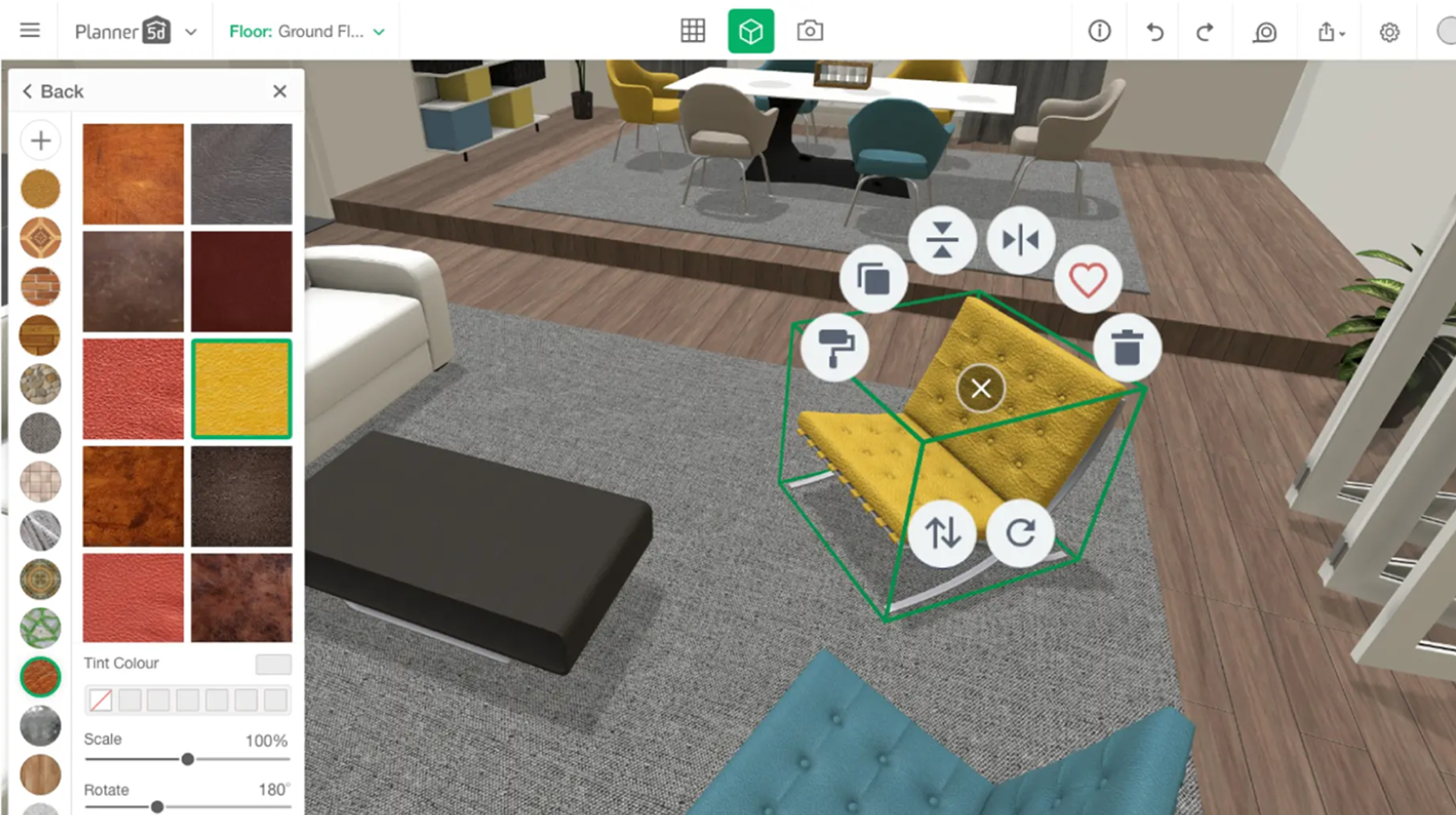
Planner 5D is a free, browser-based tool for creating both 2D floor plans and 3D room designs. Its drag-and-drop interface makes it easy to layout rooms, add furniture, and experiment with colors and textures.
Planner5D offers a lot of design freedom—you can start a room or floor plan from scratch or choose a template. Using its AI Smart Wizard, you can also get a fully furnished room based on your selected dimensions and style quickly.
Ideal for users who love to start designing by adjusting the room or floor shape, size, materials and colours.
Why to choose:
- Good for 2D and 3D layout design
- Intuitive drag-and-drop interface
- Beginner-friendly with pre-built furniture and décor items
- Suitable for users with or without prior design experience
Reasons to avoid:
- Free version with limited features, like high-resolution exports
- It can be time-consuming to work on a complex projects
8.Floorplanner
Platform: Web
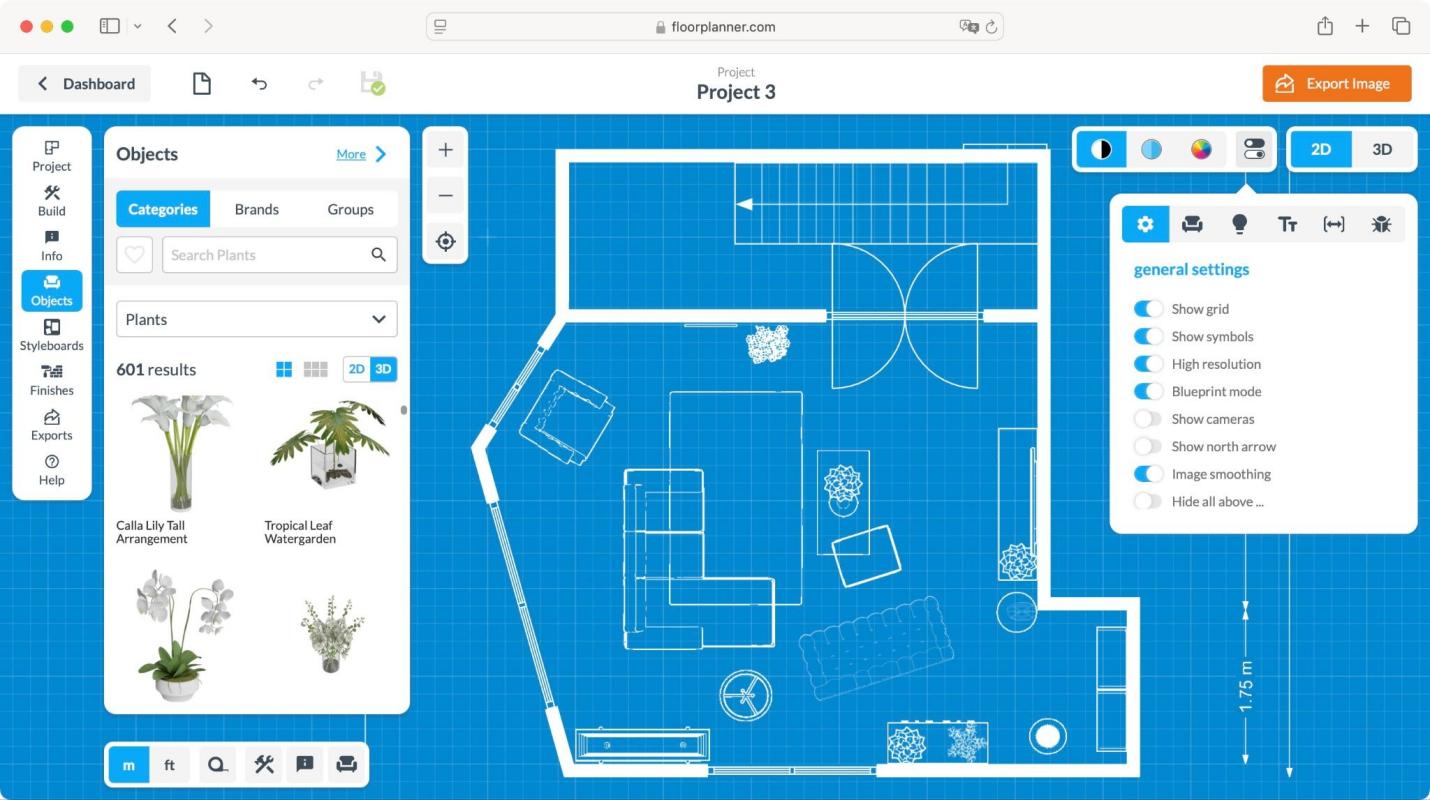
Floorplanner, as its name implies, is a free floor planning tool that helps you to draw detailed 2D floor plans and decorate them with over 150,000 3D visual pieces for instant preview.
Its intuitive interface makes it easy to layout rooms, place furniture, and experiment with different styles and layouts—also ideal for beginners, students or anyone who take home design as a hobby.
Why to choose:
- Easy to use
- Switch easily between 2D and 3D views
- Over 150,000 3D items
- Works with most web browsers
- Ideal for visualizing room layouts and furniture arrangements
Reasons to avoid:
- Limited free plan, like the number of projects or exports
9.Roomstyler
Platform: Web
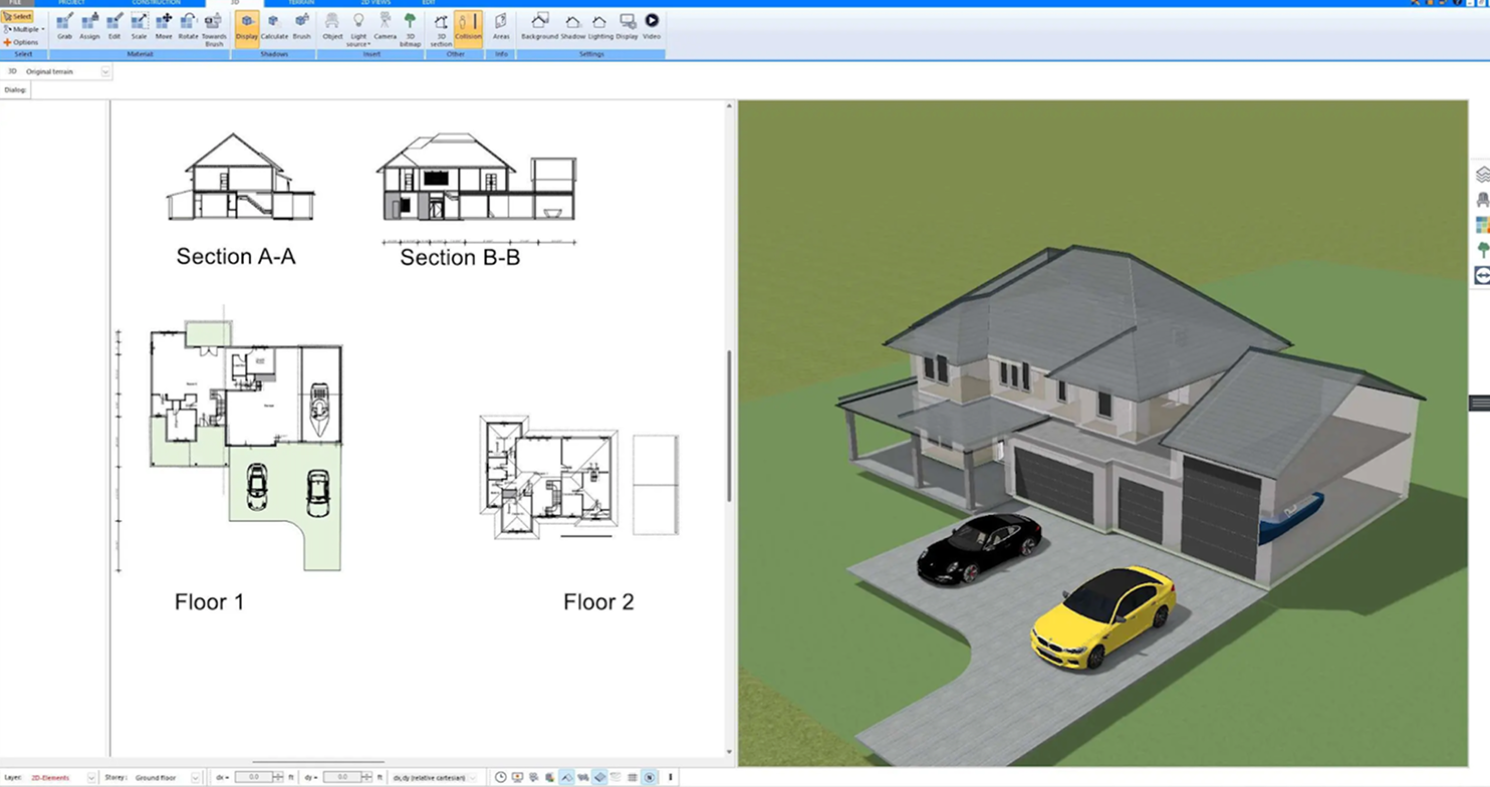
Roomstyler 3D is a free, powerful cloud-based 3D home planning tool for both professionals and amateurs. You can easily create room layouts from scratch, add furniture, and try out different décor styles without a steep learning curve.
What really sets Roomstyler apart is its huge library of over 300,000 realistic 3D furniture models from real brands, which allows you to quickly see how actual products will look in your space and preview the 2D and 3D results.
Why to choose:
- Very easy for new users to get started, even without tutorials and guides
- Large library of decors and furniture from real brands
- Quick for concept sketches, mood boards, and layout experimentation
Reasons to avoid:
- Limited modeling or customization options
- Limited free version, like restricted access to design assets
- Not so good for highly detailed or professional-level home plans
Arcadium3D
Platform: Web
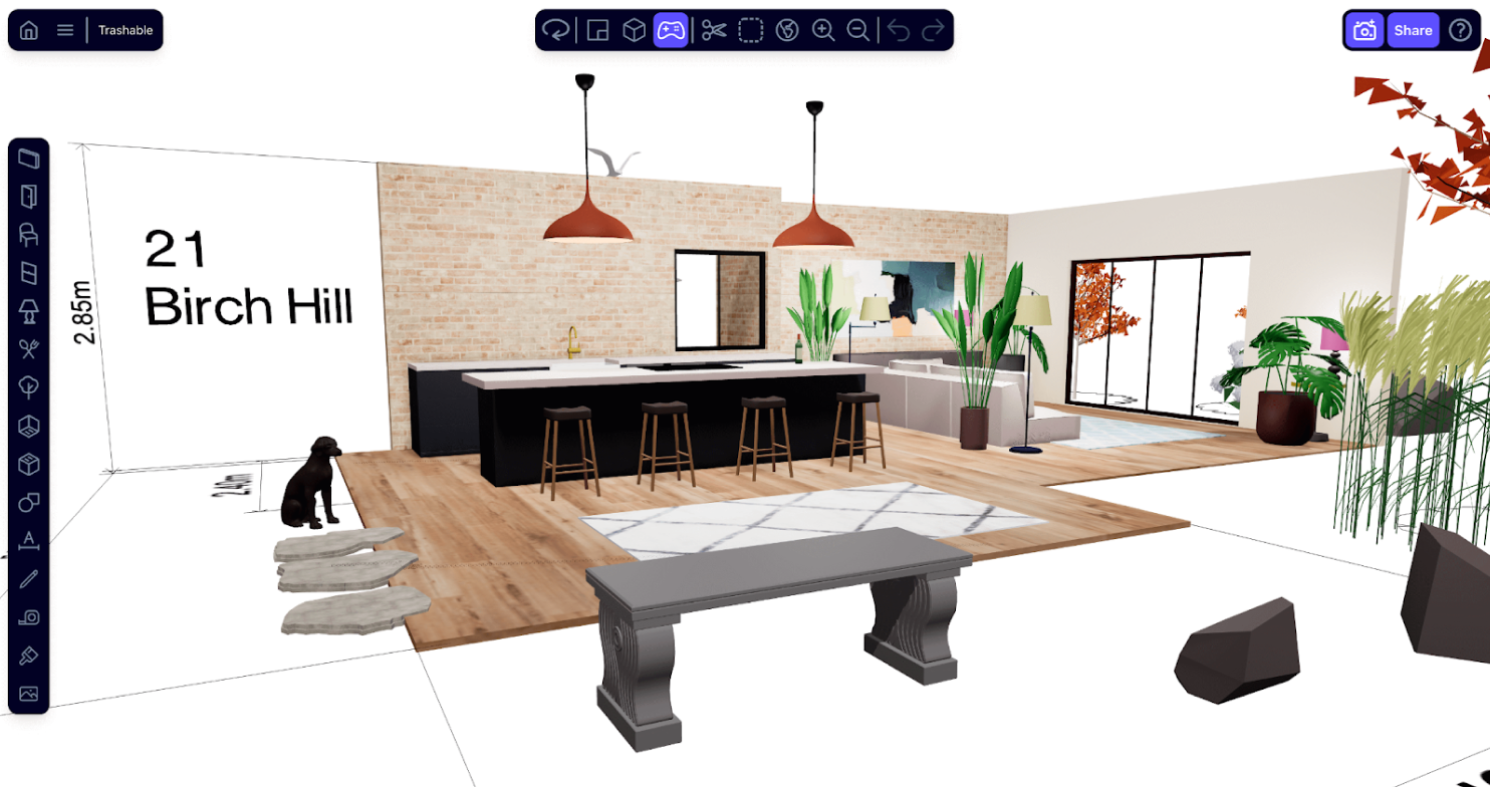
Arcadium3D is a fast, web-based 3D room planning tool that features AI styling. With Arcadium3D, whether you are a DIY enthusiast or professional, you can feel free to quickly create room layouts, adjust dimensions, and place furniture to see how a space might look before making any real-world actions.
It stands out for its speed, ease of use and smart AI styling. It is especially useful for early-stage space planning, helping users test different layouts and furniture arrangements without dealing with complex modeling tools.
Why to choose:
- Fast setup for 3D room layouts
- Dynamic 3D modeling
- Simple and intuitive interface
- A vast library of built-in furniture, kitchen units and more elements
- Helpful for quick space planning and layout testing
Reasons to avoid:
- Limited modeling features
- Limited customization options compared to professional tools
Free 3D modeling & rendering software tools
Even as a complete beginner, you may want to explore professional-grade tools to practice and improve your design skills. In this category, we’ve picked tools that let you create more precise 3D models and produce realistic renders—perfect once you move beyond basic layouts and simple concept sketches.
11.SketchUp Free
Design any room, shop or space with DecAI in less 30 seconds! It's free!
Platform: Web
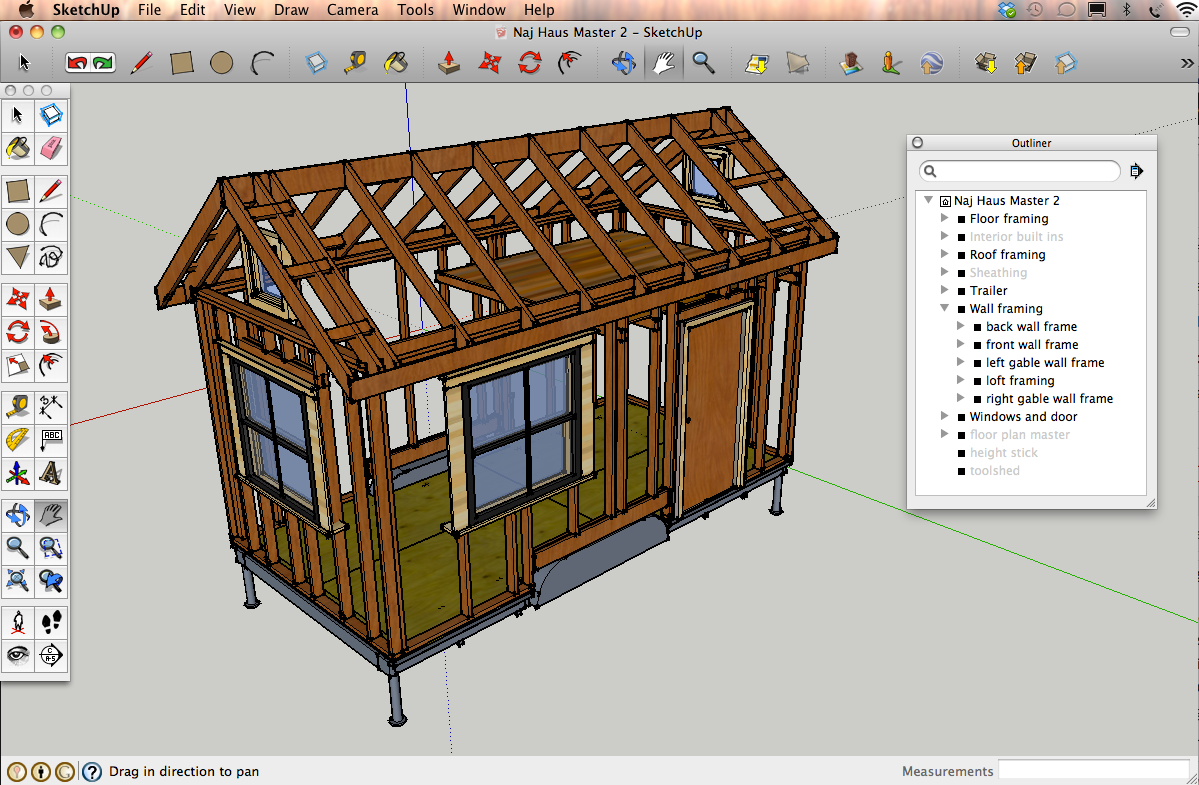
Sketchup free is a must-have tool for anyone looking to learn 3D modeling and architectural design. It lets you create floor plans, build room layouts, and visualize spaces in three dimensions from scratch.
With its intuitive interface, browser-based setup, and detailed 3D design capabilities, SketchUp Free is perfect for students and beginners who want a professional tool to practice and improve their interior design skills.
A good tool that you should always master when learning home or interior design.
Why to choose:
- High-quality, real-time 3D rendering
- Beginner-friendly with intuitive controls
- Perfect for bringing 3D designs to life, not just home or interior design
Reasons to avoid:
- Free version comes with limited assets and features
- Some users find it demanding on computer hardware
12.Sweet Home 3D
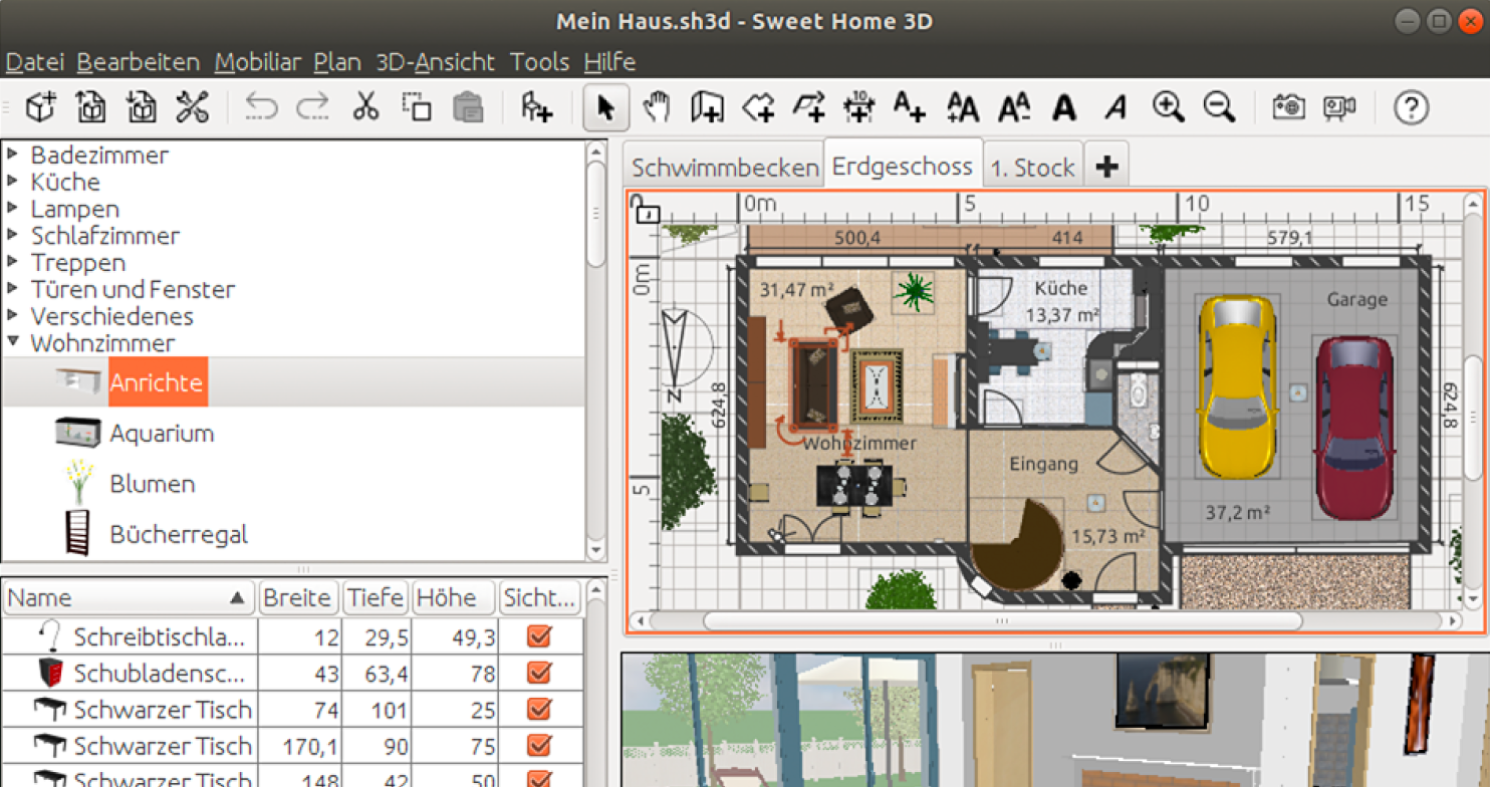
Platform: Web, iOS and Android
Sweet Home 3D is a free, open-source home 3D design tool that allows you to draw floor plans, arrange furniture, and view your designs in 3D. It features a split-screen interface that allows you to plan your room in 2D and also view the effect in 3D in just one screen. This intuitive setup has made it a favorite among beginners and hobbyist designers. Quite interesting, right?
Why to choose:
- Easy-to-use editor
- Instant 3D visualization
- Interesting split-screen interface
- Furniture imports and custom textures
- Good for both beginners and intermediate users
Reasons to avoid:
- Rendering is not as realistic as professional software
- The interface looks a bit outdated
- Some features may require manual setup or tweaks
13. D5 Render
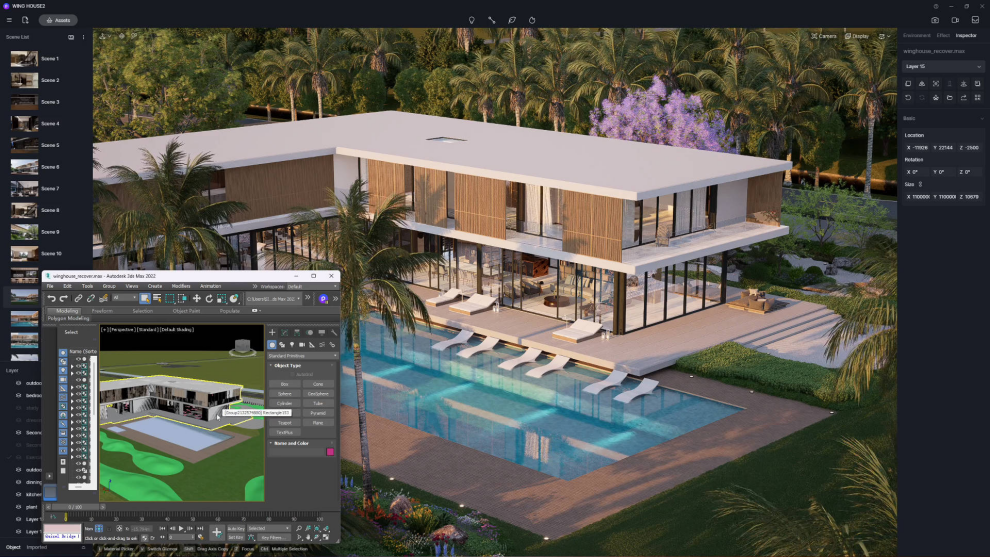
Platform: Windows only
D5 Render is a free, real-time rendering software that lets you quickly create photorealistic interior and exterior visuals. It’s beginner-friendly yet powerful enough for more advanced projects, letting you combine 3D models with realistic lighting, materials, and effects.
It is perfect for architects and interior designers who want high-quality, “Hollywood-grade” visuals without a steep learning curve.
Why to choose:
- Professional 3D rendering
- Real-time visualization
- AI-driven design suits
- Massive asset library with over 16,000 models, materials, and particles
Reasons to avoid
- Only available on Windows
- High-quality renders can create very large files
- Free version comes with some feature limitations
Free home styling & decoration tools
For now, you might simply want to restyle, restage, or redecorate your home or space for the coming festival or special shopping seasons, these home styling and decoration tools would help you save a lot of effort.
14.DecorAI

Platform: Web, iOS and Android
DecorAI is a free AI-powered interior decorating assistant that instantly redesigns your room just by uploading a photo. It offers a variety of décor styles—from modern to farmhouse—and lets you experiment with paint colors, furniture placement, and décor ideas before making any real purchases.
It’s especially useful for anyone who wants to quickly compare different styles and see what works best in their space.
Why to choose:
- Instant photo-to-design set
- Works directly from your room photo
Reasons to avoid:
- Limited free plan
- Focused more on décor, not detailed room or floor plans
15.RoomToDo
Platform: Web
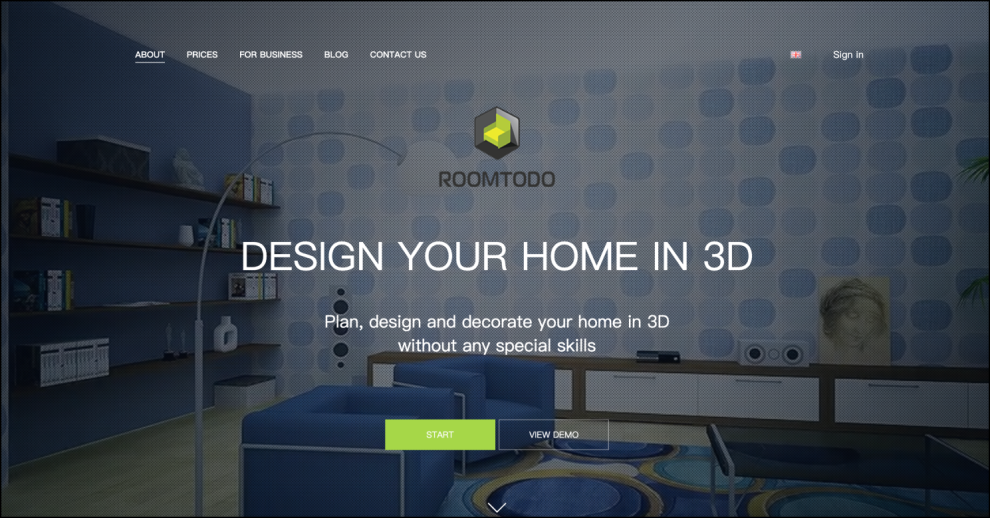
Roomtodo is a free, web-based interior design and decoration tool that lets you create and style your space in both 2D and 3D. You can draw room plans, apply finishes to walls and floors, and place furniture and décor items.
One of its best features is that it lets you preview your redesigned space virtually before taking any action in the real-world.
Why to choose:
- Easy-to-grasp drawing tools
- 2D & 3D views
- Customizable finishes like wallpaper, tiles, and wood
- Material & furniture library
Reasons to avoid:
- Interface may feel a bit complex for total beginners
- Limited free version
The above-mentioned AI tools, like DecAI™, also help to restyle or redecorate your room or space based on your needs.
Far more tools that you might like to improve your efficiency
For project management:
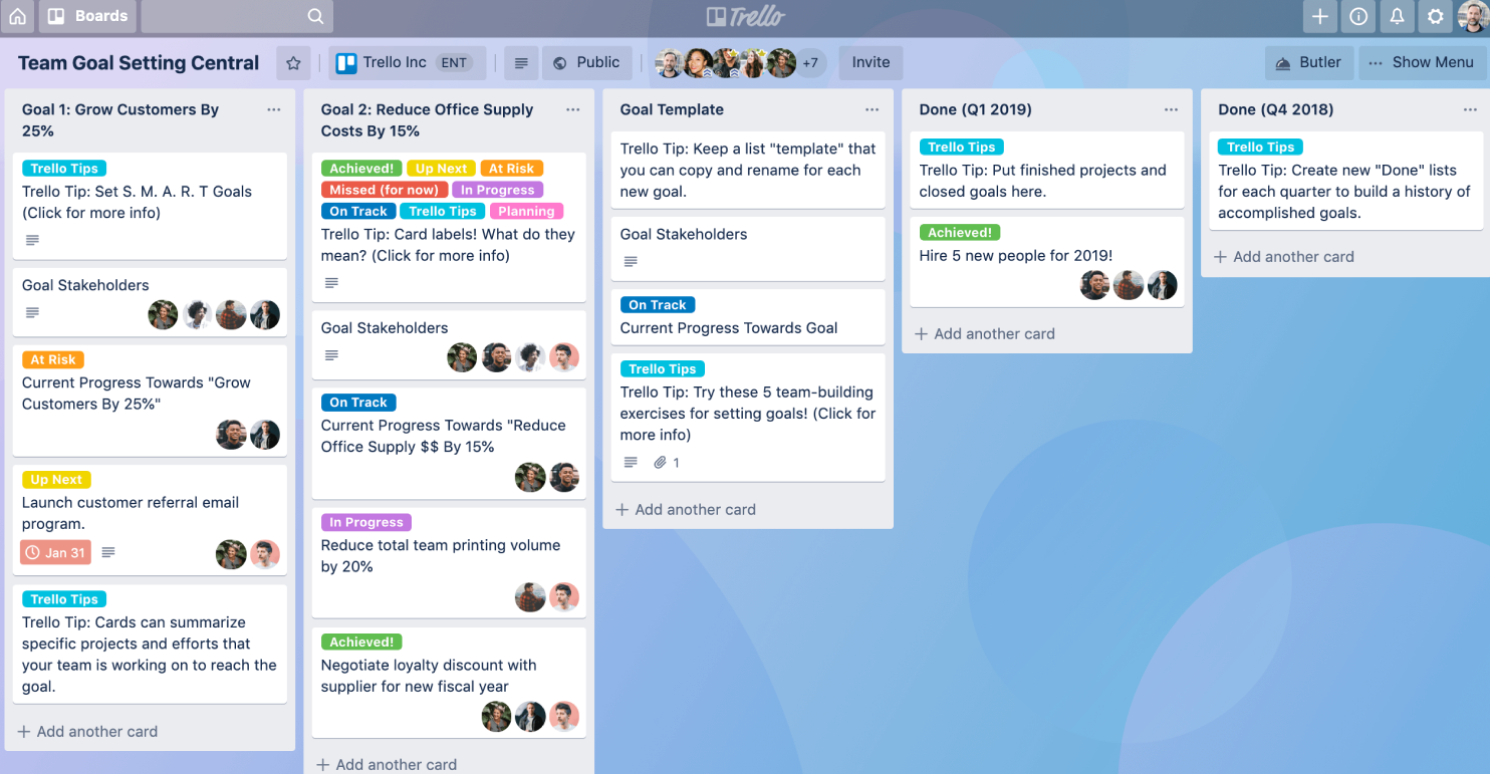
Trello - a free, visual project management tool that uses boards, lists, and cards to organize tasks. If you and your team or classmates are working on an interior design project collaboratively, this project management tool would help you to create boards for each room, track tasks like furniture selection, budget, or renovation steps, and collaborate with clients or team members.
For team collaboration
Notion - a flexible workspace that combines notes, databases, task tracking, and project management. For interior design, you can track room layouts, budgets, inspirations, and timelines all in one place.
Slack - a free team communication and collaboration tool that lets you and your team share updates, discuss key decisions, and keep track of design project timelines in one place. It’s especially useful for coordinating tasks, sharing files, and staying aligned on every stage of an interior design project.
For mood boards and presentations:
Morpholio - a free tool for creating professional-quality mood boards and presentations. You can combine images, sketches, color palettes, materials, and furniture ideas into a single board to visualize your design concept.
Figma - a free, web-based design and collaboration tool widely used for UI/UX, but also excellent for interior design mood boards and presentations. You can create boards with images, colors, text, and layouts, and collaborate in real-time with team members or clients.
5 tips for beginners using free interior design software
While using these tools recommended above, it is good for you to also keep the following tips in mind:
1.Always begin with a single room, not your entire home
Whether you’re redesigning your own space or practicing your interior design skills, it’s best to focus on one room at a time. So, you can fully experiment with layouts, colors, and furniture, practice your skills in detail, and avoid feeling overwhelmed.
2.Always master one tool before exploring others
If you’re a student or hobbyist aiming to learn interior design seriously, this tip is especially useful. You are recommended to focus on mastering at least one software before moving on to others, since it helps you build confidence, understand key design principles, and work more efficiently. Most importantly, mastering at least one tool can serve as a basic standard when applying for part-time or full-time interior design jobs in the future.
3.Always use a template if possible
Inspiring templates not only helps you to get started quickly without having to design from scratch, and also help you get new inspiration to create a much better result. And they’re a great way to learn layout, style, and design principles while you practice.
4.Always find a mentor for help or guide if possible
As a beginner, you will surely have lots of questions when learning interior design. Having a mentor—whether it’s a teacher, an experienced designer, or even an active online community—can be invaluable for guidance and support.
From my perspective, there are many ways to find a mentor: follow experienced home designers on social media, join design communities to ask questions, or enroll in online courses. Whatever path you choose, having someone to guide you can accelerate your learning and help you avoid many mistakes.
5.Always keep learning and practicing
Practice makes perfect. No matter what you’re learning, continually practicing your skills and exploring new techniques will make a big difference. The more you experiment and try out ideas, the better you will master interior design skills.

6.Always choose an AI tool as your all-around design assistant
One of the biggest advantages beginners have in 2026 is access to AI. Instead of struggling to figure everything out on your own, choose at least one AI tool—such as ChatGPT, Gemini, Claude, or an AI interior design tool—as your all-around design assistant throughout your learning journey.
AI can help with far more than simply answering questions. For example, you can ask it to:
- Explain software features step by step
- Recommend beginner-friendly tutorials and learning resources
- Generate practice projects and design exercises
- Review your layouts and offer improvement suggestions
- Troubleshoot design or software issues whenever you get stuck
As your skills grow, AI becomes even more valuable. It can help you explore different interior design styles, discover inspiring websites and real-world case studies, turn reference images into mood boards, and even generate realistic design visualizations before you begin a project.
Learning how to collaborate effectively with AI is quickly becoming an essential skill for modern interior designers. The better you use AI alongside your design software, the faster you'll learn new tools, strengthen your design thinking, and bring your ideas to life.
So, while learning interior design, make it a habit to work with at least one AI tool. Becoming comfortable with AI-assisted workflows today will not only improve your learning efficiency but also better prepare you for the future of the design industry.
5 best interior design blogs you should follow
Here are 5 of the best interior design blogs to follow if you want to stay up to date with the latest design trends, techniques, and creative ideas:
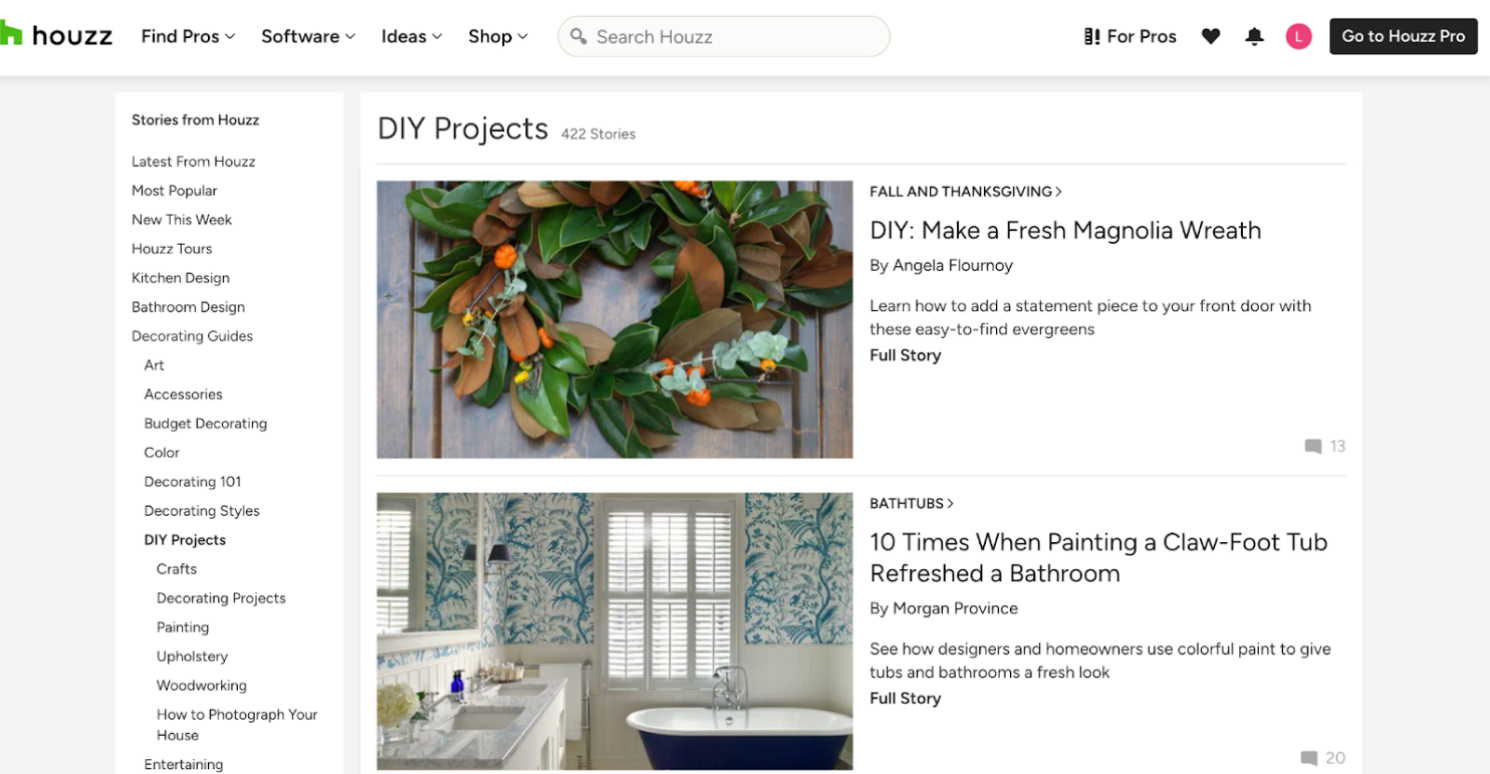
1.Houzz - a well-known home and interior design blog which shares a huge library of home design photos, expert design advice and DIY guides. A great place for you to find design inspiration and practical solutions.
2. Apartment Therapy is a go-to source for home décor inspiration, DIY projects, and practical interior design tips. From small apartment makeovers to full home renovations, this blog offers ideas that are easy to implement and beginner-friendly.
3.Home Dector focuses on high-end interiors, trends, and lifestyle design. It’s ideal if you want to explore luxury styles, innovative décor ideas, and professional-level interior concepts.
4.Design Milk is perfect for those who love modern and contemporary design. It showcases architecture, furniture, art, and décor trends, helping you stay inspired and up-to-date with the latest in the design world.
5.Dezeen is one of the world’s most influential online magazines covering architecture, interiors, and design. It shares curated stories, trend reports, and lookbooks featuring inspiring residential interiors, décor ideas, and global design projects.
6 best websites to find and download free design resources
You can also check out the following websites to search for and download free design resources for your projects:
1.Behance - a well-known design community where you can explore the latest interior design work for inspiration and discover free design resources shared by designers. Of course, if you want to showcase your own interior design projects there to collect feedback and guidance from the community, also share yours there.
2.Freepik - offers thousands of free vectors, photos, and PSD files that can be used for mood boards, presentations, or design mockups. It hosts a huge collection of design resources across many categories each year. Just make sure to check whether a specific design asset is free or requires a commercial use license before downloading.
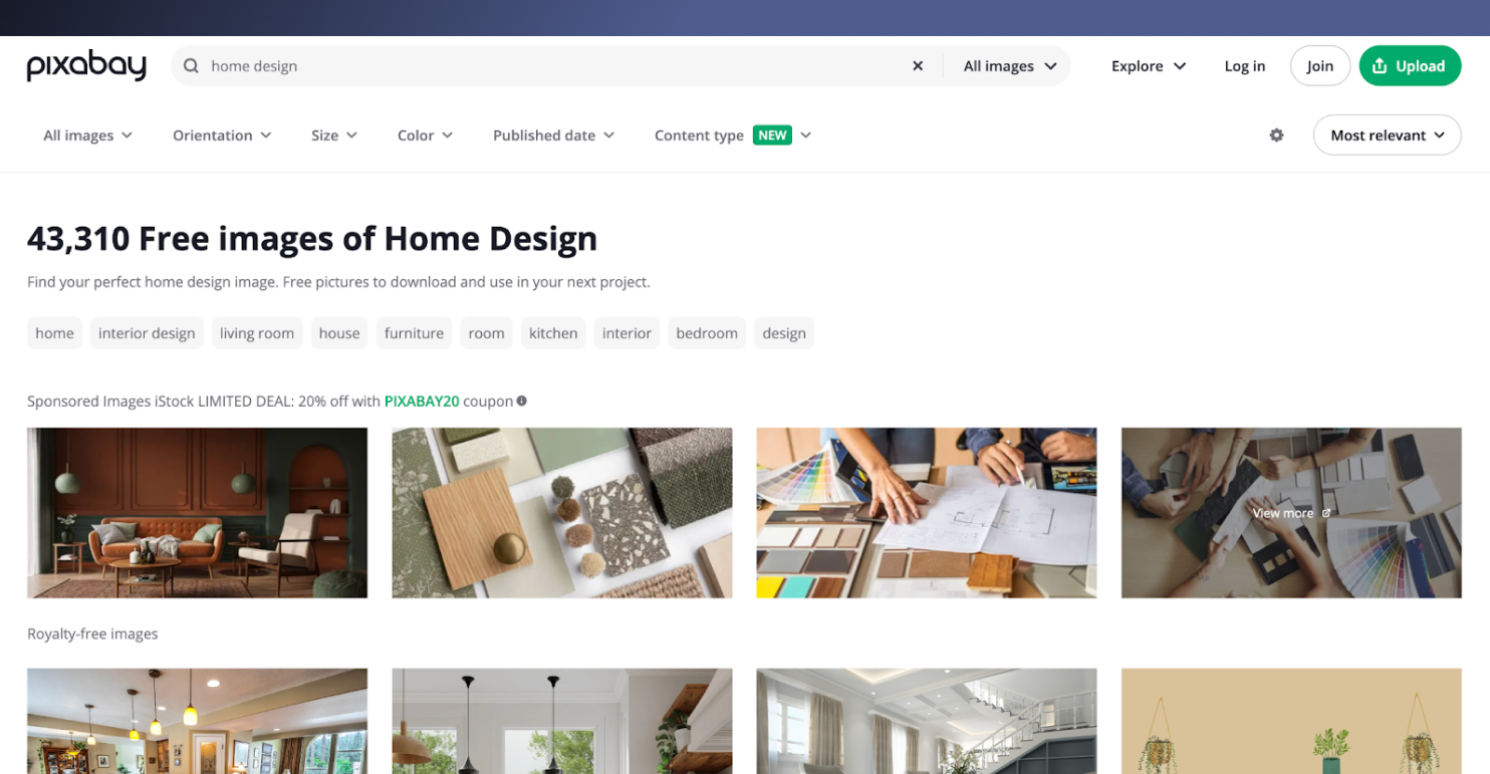
3.Pixabay - offers 5.9 millions of free images, illustrations, vector graphics, and even videos all in one place — a great one-stop resource for visual assets, including home interior design resources. Simply switch between the tabs, like home, interior design, living room, furniture and many more to narrow down your searches.
4.DesignBundles.net - shares a curated hub of free SVGs, icon packs, templates, backgrounds, textures, and more, often available with generous commercial licenses. While working on your home redesign project, you can feel free to search for the desired assets to accelerate your design process.
5. Archibase Planet - allows you to search and download free 3D models, high‑quality textures, CAD drawings, and architectural documentation you can use in interior design projects. Our colleagues quite love its 3D furniture and decor assets shared there.
6.Template.net - offers downloadable interior design plan templates in editable formats (Word, PDF, Google Docs) that you can customize for planning layouts, budgets, and project details. A nice place that you should check for inspiration and free assets before you start designing your project.
FAQs
1.What is the best software to use for interior design?
It depends—there’s no single “best” interior design software for everyone. The right tool depends on your specific needs and project goals. For example, if you want instant AI-generated interior designs, DecAI™ is a great option. If you just need to quickly sketch out ideas, even simple tools like pencil and paper can work perfectly.
So, firstly figure out your needs.
2.Do I need any design experience to use these tools?
No. Most tools on this list are beginner-friendly and require little to no prior design experience. Many include templates, drag-and-drop interfaces, and step-by-step guidance to help you get started.
3.Can I use these tools for actual renovation projects, or are they just for practice?
Yes. You can use many of these free tools to plan real renovation projects. While some are better suited for quick concepting and visualization, others provide accurate layouts, dimensions, and exportable plans that can support actual renovations
4.What is the best AI tool for interior design?
Obviously, if you simply need an AI tool to quickly visualize your home or store interior design for inspiration or presentation, DecAI™ would be the fastest and cost-effective ones that you should never miss out on.
5.Is this tool collection also good for students?
Absolutely yes! Many tools on this list are ideal for students, offering intuitive interfaces, free plans or trials, and learning resources that make them great for coursework and practice.
6.Can I really create professional-looking designs with free software?
Yes. Absolutely. Whether software is free or paid doesn't determine the quality of your output—the features and your skill in using them do. So, free test it first before you make a decision.
Conclusion
The right tool doesn't just save you hours—it saves you weeks of frustration, costly mistakes, and endless second-guessing about whether that sofa will actually work in your space.
We hope this collection of the 15 best free interior design tools, blogs, and resources are useful for you to quickly design your interiors, and improve your design skills.
--------------------------------------
If you believe that any material on this site infringes your intellectual property rights, please contact the author at decaiwebteam@outlook.com with details of your claim.
Redesign any home interior, exterior & garden in seconds
Share this Post:
'%3e%3cpath%20d='M17.9995%2035.999C17.0317%2035.999%2016.0619%2035.9219%2015.1161%2035.7696C10.9414%2035.0973%207.11524%2032.9513%204.34408%2029.7273C1.54287%2026.4683%200%2022.3035%200%2017.9995C0%208.07403%208.07503%200%2017.9995%200C27.924%200%2036%208.07503%2036%2017.9995C36%2022.3696%2034.4151%2026.5835%2031.5357%2029.8646C28.6844%2033.1156%2024.7671%2035.2326%2020.5052%2035.8267C19.6806%2035.9419%2018.8371%2036%2017.9995%2036V35.999ZM17.9995%201.20123C8.73726%201.20123%201.20224%208.73626%201.20224%2017.9985C1.20224%2026.2919%207.13427%2033.2659%2015.3075%2034.5814C16.9546%2034.8469%2018.6808%2034.8659%2020.3389%2034.6345C28.5812%2033.4863%2034.7968%2026.334%2034.7968%2017.9985C34.7968%208.73626%2027.2617%201.20123%2017.9985%201.20123H17.9995Z'%20fill='%23FF0209'/%3e%3cpath%20d='M29.0557%2014.3621C28.9184%2013.0276%2028.6208%2011.5539%2027.5268%2010.7784C26.6782%2010.1773%2025.5642%2010.1553%2024.5242%2010.1563C22.3251%2010.1583%2020.126%2010.1603%2017.9269%2010.1623C15.812%2010.1643%2013.6971%2010.1663%2011.5821%2010.1683C10.6985%2010.1683%209.8399%2010.1002%209.01937%2010.4819C8.31406%2010.8105%207.76303%2011.4347%207.43241%2012.1289C6.97156%2013.0957%206.87438%2014.1898%206.81927%2015.2588C6.71708%2017.2044%206.7281%2019.156%206.85133%2021.0996C6.9405%2022.5193%207.16792%2024.0872%208.26496%2024.9919C9.23777%2025.7934%2010.6103%2025.8325%2011.8707%2025.8335C15.8741%2025.8365%2019.8776%2025.8395%2023.881%2025.8435C24.394%2025.8435%2024.93%2025.8345%2025.453%2025.7774C26.4829%2025.6661%2027.4637%2025.3716%2028.1249%2024.6092C28.7922%2023.8407%2028.9635%2022.7698%2029.0657%2021.7569C29.3121%2019.3003%2029.3091%2016.8177%2029.0557%2014.3621ZM15.6116%2021.4453V14.5545L21.5797%2017.9999L15.6116%2021.4453Z'%20fill='%23FF0209'/%3e%3c/g%3e%3cdefs%3e%3cclipPath%20id='clip0_13816_41422'%3e%3crect%20width='36'%20height='36'%20fill='white'/%3e%3c/clipPath%3e%3c/defs%3e%3c/svg%3e)
'%3e%3cpath%20d='M17.9995%2036C17.0327%2036%2016.0619%2035.9229%2015.1161%2035.7696C10.9414%2035.0973%207.11524%2032.9513%204.34408%2029.7273C1.54287%2026.4683%200%2022.3035%200%2017.9995C0%208.07403%208.07503%200%2017.9995%200C27.924%200%2036%208.07503%2036%2017.9995C36%2022.3696%2034.4151%2026.5835%2031.5357%2029.8646C28.6844%2033.1156%2024.7671%2035.2326%2020.5052%2035.8267C19.6806%2035.9419%2018.8371%2036%2017.9995%2036ZM17.9995%201.20224C8.73726%201.20224%201.20224%208.73726%201.20224%2017.9995C1.20224%2026.2919%207.13427%2033.2669%2015.3075%2034.5824C16.9556%2034.8479%2018.6808%2034.8669%2020.3389%2034.6355C28.5812%2033.4873%2034.7968%2026.335%2034.7968%2017.9995C34.7968%208.73726%2027.2617%201.20224%2017.9985%201.20224H17.9995Z'%20fill='url(%23paint0_linear_13816_41436)'/%3e%3cpath%20d='M23.4463%207.55469H12.549C9.53841%207.55469%207.08984%2010.0032%207.08984%2013.0138V22.9834C7.08984%2025.994%209.53841%2028.4426%2012.549%2028.4426H23.4463C26.4569%2028.4426%2028.9054%2025.994%2028.9054%2022.9834V13.0138C28.9054%2010.0032%2026.4569%207.55469%2023.4463%207.55469ZM9.01543%2013.0138C9.01543%2011.0652%2010.6004%209.48027%2012.549%209.48027H23.4463C25.3949%209.48027%2026.9799%2011.0652%2026.9799%2013.0138V22.9834C26.9799%2024.932%2025.3949%2026.517%2023.4463%2026.517H12.549C10.6004%2026.517%209.01543%2024.932%209.01543%2022.9834V13.0138Z'%20fill='url(%23paint1_linear_13816_41436)'/%3e%3cpath%20d='M17.9964%2023.0749C20.7966%2023.0749%2023.0749%2020.7966%2023.0749%2017.9964C23.0749%2015.1962%2020.7966%2012.918%2017.9964%2012.918C15.1962%2012.918%2012.918%2015.1962%2012.918%2017.9964C12.918%2020.7966%2015.1962%2023.0749%2017.9964%2023.0749ZM17.9964%2014.8446C19.7346%2014.8446%2021.1483%2016.2582%2021.1483%2017.9964C21.1483%2019.7347%2019.7346%2021.1483%2017.9964%2021.1483C16.2582%2021.1483%2014.8446%2019.7347%2014.8446%2017.9964C14.8446%2016.2582%2016.2582%2014.8446%2017.9964%2014.8446Z'%20fill='url(%23paint2_linear_13816_41436)'/%3e%3cpath%20d='M23.5482%2013.741C24.3026%2013.741%2024.9168%2013.1269%2024.9168%2012.3725C24.9168%2011.618%2024.3026%2011.0039%2023.5482%2011.0039C22.7938%2011.0039%2022.1797%2011.618%2022.1797%2012.3725C22.1797%2013.1269%2022.7938%2013.741%2023.5482%2013.741Z'%20fill='url(%23paint3_linear_13816_41436)'/%3e%3c/g%3e%3cdefs%3e%3clinearGradient%20id='paint0_linear_13816_41436'%20x1='5.27482'%20y1='30.7312'%20x2='30.7242'%20y2='5.28083'%20gradientUnits='userSpaceOnUse'%3e%3cstop%20stop-color='%23FAAD4F'/%3e%3cstop%20offset='0.35'%20stop-color='%23DD2A7B'/%3e%3cstop%20offset='0.62'%20stop-color='%239537B0'/%3e%3cstop%20offset='1'%20stop-color='%23515BD4'/%3e%3c/linearGradient%3e%3clinearGradient%20id='paint1_linear_13816_41436'%20x1='8.92225'%20y1='27.074'%20x2='27.073'%20y2='8.92324'%20gradientUnits='userSpaceOnUse'%3e%3cstop%20stop-color='%23FAAD4F'/%3e%3cstop%20offset='0.35'%20stop-color='%23DD2A7B'/%3e%3cstop%20offset='0.62'%20stop-color='%239537B0'/%3e%3cstop%20offset='1'%20stop-color='%23515BD4'/%3e%3c/linearGradient%3e%3clinearGradient%20id='paint2_linear_13816_41436'%20x1='14.4077'%20y1='21.5861'%20x2='21.5861'%20y2='14.4077'%20gradientUnits='userSpaceOnUse'%3e%3cstop%20stop-color='%23FAAD4F'/%3e%3cstop%20offset='0.35'%20stop-color='%23DD2A7B'/%3e%3cstop%20offset='0.62'%20stop-color='%239537B0'/%3e%3cstop%20offset='1'%20stop-color='%23515BD4'/%3e%3c/linearGradient%3e%3clinearGradient%20id='paint3_linear_13816_41436'%20x1='22.5814'%20y1='13.3393'%20x2='24.515'%20y2='11.4057'%20gradientUnits='userSpaceOnUse'%3e%3cstop%20stop-color='%23FAAD4F'/%3e%3cstop%20offset='0.35'%20stop-color='%23DD2A7B'/%3e%3cstop%20offset='0.62'%20stop-color='%239537B0'/%3e%3cstop%20offset='1'%20stop-color='%23515BD4'/%3e%3c/linearGradient%3e%3cclipPath%20id='clip0_13816_41436'%3e%3crect%20width='36'%20height='36'%20fill='white'/%3e%3c/clipPath%3e%3c/defs%3e%3c/svg%3e)
'%3e%3cpath%20d='M17.9995%2035.999C17.0317%2035.999%2016.0619%2035.9219%2015.1161%2035.7696C10.9414%2035.0973%207.11524%2032.9513%204.34408%2029.7273C1.54287%2026.4683%200%2022.3035%200%2017.9995C0%208.07403%208.07502%200%2017.9995%200C27.924%200%2036%208.07503%2036%2017.9995C36%2022.3696%2034.415%2026.5835%2031.5357%2029.8646C28.6844%2033.1156%2024.7671%2035.2326%2020.5052%2035.8267C19.6806%2035.9419%2018.8371%2036%2017.9995%2036V35.999ZM17.9995%201.20123C8.73725%201.20123%201.20224%208.73626%201.20224%2017.9985C1.20224%2026.2919%207.13427%2033.2659%2015.3075%2034.5814C16.9545%2034.8469%2018.6808%2034.8659%2020.3388%2034.6345C28.5812%2033.4863%2034.7968%2026.334%2034.7968%2017.9985C34.7968%208.73626%2027.2617%201.20123%2017.9985%201.20123H17.9995Z'%20fill='%23007EBB'/%3e%3cpath%20d='M9.06639%2012.124C8.60253%2011.6932%208.37109%2011.1602%208.37109%2010.526C8.37109%209.89184%208.60253%209.33481%209.06639%208.90401C9.53026%208.47321%2010.1274%208.25781%2010.8587%208.25781C11.5901%208.25781%2012.1642%208.47321%2012.627%208.90401C13.0909%209.33481%2013.3223%209.87581%2013.3223%2010.526C13.3223%2011.1762%2013.0909%2011.6932%2012.627%2012.124C12.1631%2012.5548%2011.5741%2012.7702%2010.8587%2012.7702C10.1434%2012.7702%209.52926%2012.5548%209.06639%2012.124ZM12.9326%2014.5946V27.7962H8.76182V14.5946H12.9326Z'%20fill='%23007EBB'/%3e%3cpath%20d='M26.8196%2015.9006C27.7283%2016.8875%2028.1832%2018.243%2028.1832%2019.9682V27.5663H24.2208V20.5042C24.2208%2019.6346%2023.9954%2018.9583%2023.5445%2018.4764C23.0937%2017.9945%2022.4876%2017.7541%2021.7262%2017.7541C20.9647%2017.7541%2020.3586%2017.9955%2019.9078%2018.4764C19.4569%2018.9583%2019.2315%2019.6346%2019.2315%2020.5042V27.5663H15.2461V14.5611H19.2315V16.2863C19.6353%2015.7113%2020.1793%2015.2574%2020.8636%2014.9228C21.5468%2014.5892%2022.3163%2014.4219%2023.1708%2014.4219C24.6937%2014.4219%2025.9099%2014.9158%2026.8186%2015.9016L26.8196%2015.9006Z'%20fill='%23007EBB'/%3e%3c/g%3e%3cdefs%3e%3cclipPath%20id='clip0_13816_41425'%3e%3crect%20width='36'%20height='36'%20fill='white'/%3e%3c/clipPath%3e%3c/defs%3e%3c/svg%3e)
'%3e%3cpath%20d='M18%2035.999C17.0322%2035.999%2016.0623%2035.9219%2015.1166%2035.7696C10.9417%2035.0973%207.11544%2032.9513%204.3442%2029.7273C1.54291%2026.4683%200%2022.3035%200%2017.9995C0%208.07403%208.07526%200%2018%200C27.9248%200%2036%208.07503%2036%2017.9995C36%2022.3696%2034.415%2026.5835%2031.5356%2029.8646C28.6842%2033.1156%2024.7668%2035.2326%2020.5047%2035.8267C19.6802%2035.9419%2018.8366%2036%2017.999%2036L18%2035.999ZM18%201.20123C8.73751%201.20123%201.20227%208.73626%201.20227%2017.9985C1.20227%2026.2919%207.13448%2033.2659%2015.3079%2034.5814C16.955%2034.8469%2018.6813%2034.8659%2020.3394%2034.6345C28.582%2033.4863%2034.7977%2026.334%2034.7977%2017.9985C34.7977%208.73626%2027.2625%201.20123%2018%201.20123Z'%20fill='black'/%3e%3cpath%20d='M7%208.09163H13.5067L19.521%2016.1816L27.0073%207.90625L28.786%207.93715L20.4078%2017.3454L29%2028.901H22.4959L16.8193%2021.362L9.8847%2029.0864H8.13428L15.9583%2020.26L7%208.09163ZM12.8931%209.28633H9.45676L23.2048%2027.6754H26.5793L12.8931%209.28633Z'%20fill='black'/%3e%3c/g%3e%3cdefs%3e%3cclipPath%20id='clip0_13886_43848'%3e%3crect%20width='36'%20height='36'%20fill='white'/%3e%3c/clipPath%3e%3c/defs%3e%3c/svg%3e)
'%3e%3cpath%20d='M17.9995%2035.999C17.0327%2035.999%2016.0619%2035.9219%2015.1161%2035.7686C10.9414%2035.0963%207.11524%2032.9503%204.34408%2029.7263C1.54287%2026.4673%200%2022.3025%200%2017.9995C0%208.07403%208.07503%200%2017.9995%200C27.924%200%2036%208.07503%2036%2017.9995C36%2022.3696%2034.415%2026.5835%2031.5357%2029.8646C28.6844%2033.1156%2024.7671%2035.2326%2020.5052%2035.8267C19.6806%2035.9419%2018.8371%2036%2017.9995%2036V35.999ZM17.9995%201.20123C8.73726%201.20123%201.20224%208.73626%201.20224%2017.9985C1.20224%2026.2909%207.13428%2033.2659%2015.3075%2034.5814C16.9556%2034.8469%2018.6808%2034.8659%2020.3389%2034.6345C28.5812%2033.4863%2034.7968%2026.334%2034.7968%2017.9985C34.7968%208.73626%2027.2617%201.20123%2017.9985%201.20123H17.9995Z'%20fill='%231877F7'/%3e%3cpath%20d='M20.5337%2014.9635V18.7536H25.2225L24.4801%2023.8601H20.5337V35.624C19.7423%2035.7342%2018.9328%2035.7913%2018.1112%2035.7913C17.1625%2035.7913%2016.2317%2035.7151%2015.324%2035.5689V23.8601H11V18.7536H15.324V14.1169C15.324%2011.2396%2017.6564%208.90625%2020.5347%208.90625V8.90926C20.5428%208.90926%2020.5508%208.90625%2020.5588%208.90625H25.2235V13.3215H22.1758C21.2691%2013.3215%2020.5347%2014.0558%2020.5347%2014.9625L20.5337%2014.9635Z'%20fill='%231877F7'/%3e%3c/g%3e%3cdefs%3e%3cclipPath%20id='clip0_13816_41433'%3e%3crect%20width='36'%20height='36'%20fill='white'/%3e%3c/clipPath%3e%3c/defs%3e%3c/svg%3e)
'%3e%3cpath%20d='M17.9995%2035.999C17.0327%2035.999%2016.0619%2035.9219%2015.1161%2035.7686C10.9414%2035.0963%207.11524%2032.9503%204.34408%2029.7263C1.54287%2026.4673%200%2022.3025%200%2017.9995C0%208.07403%208.07503%200%2017.9995%200C27.924%200%2036%208.07503%2036%2017.9995C36%2022.3696%2034.415%2026.5835%2031.5357%2029.8646C28.6844%2033.1156%2024.7671%2035.2326%2020.5052%2035.8267C19.6806%2035.9419%2018.8371%2036%2017.9995%2036V35.999ZM17.9995%201.20123C8.73726%201.20123%201.20224%208.73626%201.20224%2017.9985C1.20224%2026.2909%207.13428%2033.2659%2015.3075%2034.5814C16.9556%2034.8469%2018.6808%2034.8659%2020.3389%2034.6345C28.5812%2033.4863%2034.7968%2026.334%2034.7968%2017.9985C34.7968%208.73626%2027.2617%201.20123%2017.9985%201.20123H17.9995Z'%20fill='%232A91F7'/%3e%3cg%20clip-path='url(%23clip1_13816_41442)'%3e%3cpath%20d='M16.3345%2018.834C16.6924%2019.3124%2017.149%2019.7083%2017.6733%2019.9947C18.1976%2020.2812%2018.7774%2020.4516%2019.3734%2020.4942C19.9693%2020.5369%2020.5675%2020.4509%2021.1273%2020.2421C21.6871%2020.0333%2022.1954%2019.7065%2022.6178%2019.284L25.1178%2016.784C25.8768%2015.9981%2026.2968%2014.9456%2026.2873%2013.8531C26.2778%2012.7606%2025.8396%2011.7156%2025.0671%2010.943C24.2946%2010.1705%2023.2495%209.73231%2022.157%209.72281C21.0645%209.71332%2020.012%2010.1333%2019.2262%2010.8923L17.7928%2012.3173M19.6678%2017.1673C19.3099%2016.6889%2018.8533%2016.293%2018.329%2016.0065C17.8047%2015.7201%2017.2249%2015.5497%2016.6289%2015.507C16.033%2015.4643%2015.4348%2015.5503%2014.875%2015.7592C14.3152%2015.968%2013.8069%2016.2947%2013.3845%2016.7173L10.8845%2019.2173C10.1255%2020.0031%209.70551%2021.0557%209.715%2022.1481C9.72449%2023.2406%2010.1627%2024.2857%2010.9352%2025.0582C11.7078%2025.8307%2012.7528%2026.269%2013.8453%2026.2784C14.9378%2026.2879%2015.9903%2025.868%2016.7761%2025.109L18.2011%2023.684'%20stroke='%232A91F7'%20stroke-width='1.66667'%20stroke-linecap='round'%20stroke-linejoin='round'/%3e%3c/g%3e%3c/g%3e%3cdefs%3e%3cclipPath%20id='clip0_13816_41442'%3e%3crect%20width='36'%20height='36'%20fill='white'/%3e%3c/clipPath%3e%3cclipPath%20id='clip1_13816_41442'%3e%3crect%20width='20'%20height='20'%20fill='white'%20transform='translate(8%208)'/%3e%3c/clipPath%3e%3c/defs%3e%3c/svg%3e)
Redesign any home interior, exterior & garden in seconds