
12 Best Free AI Tools for Dining Room Design in 2026 (Features, Pros, Cons & More)


Dining rooms are deceptively hard to design well.
Unlike a living room, everything in a dining space has to work together around one anchor piece — the table — while chairs, lighting, flooring, and the accent wall all compete for attention in a relatively small footprint. That makes it a great solution to test out with AI tools before committing to a chandelier, a paint color, or a new table.
The good news is that there are now plenty of AI-powered design tools that let you quickly visualize and compare different dining room ideas with just a few clicks.
In this article, we've tested and researched 12 of the best free AI tools for dining room design in 2026. You'll find each tool's key features, pros and cons, pricing, and more to help you choose the right one for your next project.
Design any room, shop or space with DecAI in less 30 seconds! It's free!
What to Look for in a Free AI for Your Dining Room Design?
Before jumping into the list, a few things worth checking for any tool you try:
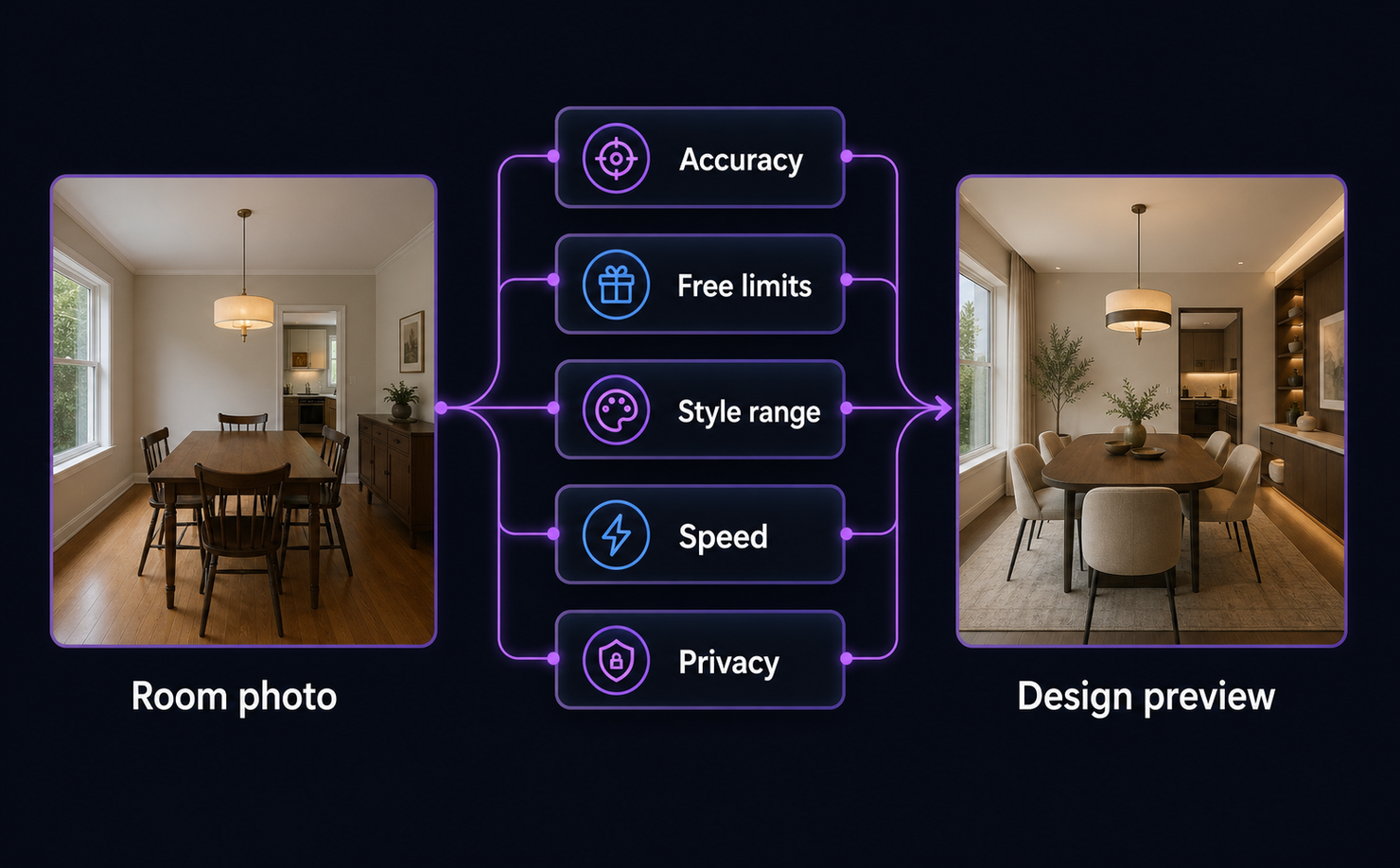
- Photo-to-design accuracy — does it keep your room's actual layout, windows, and architecture, or does it generate a generic dining room that doesn't match your space?
- How "free" the free tier really is — some tools require a credit card upfront, limit you to one generation, or slap a watermark on the result.
- Style variety — a good tool should cover more than two or three aesthetics, since dining room styles range from farmhouse to minimalist to formal traditional.
- Speed and ease of use — the best tools return a result in well under a minute with no design experience required.
- What happens to your photo — always check a tool's privacy policy before uploading images of your home.
With that in mind, here are 12 free AI tools worth trying for your next dining room project.
12 Best Free AI Tools for Your Dining Room Design
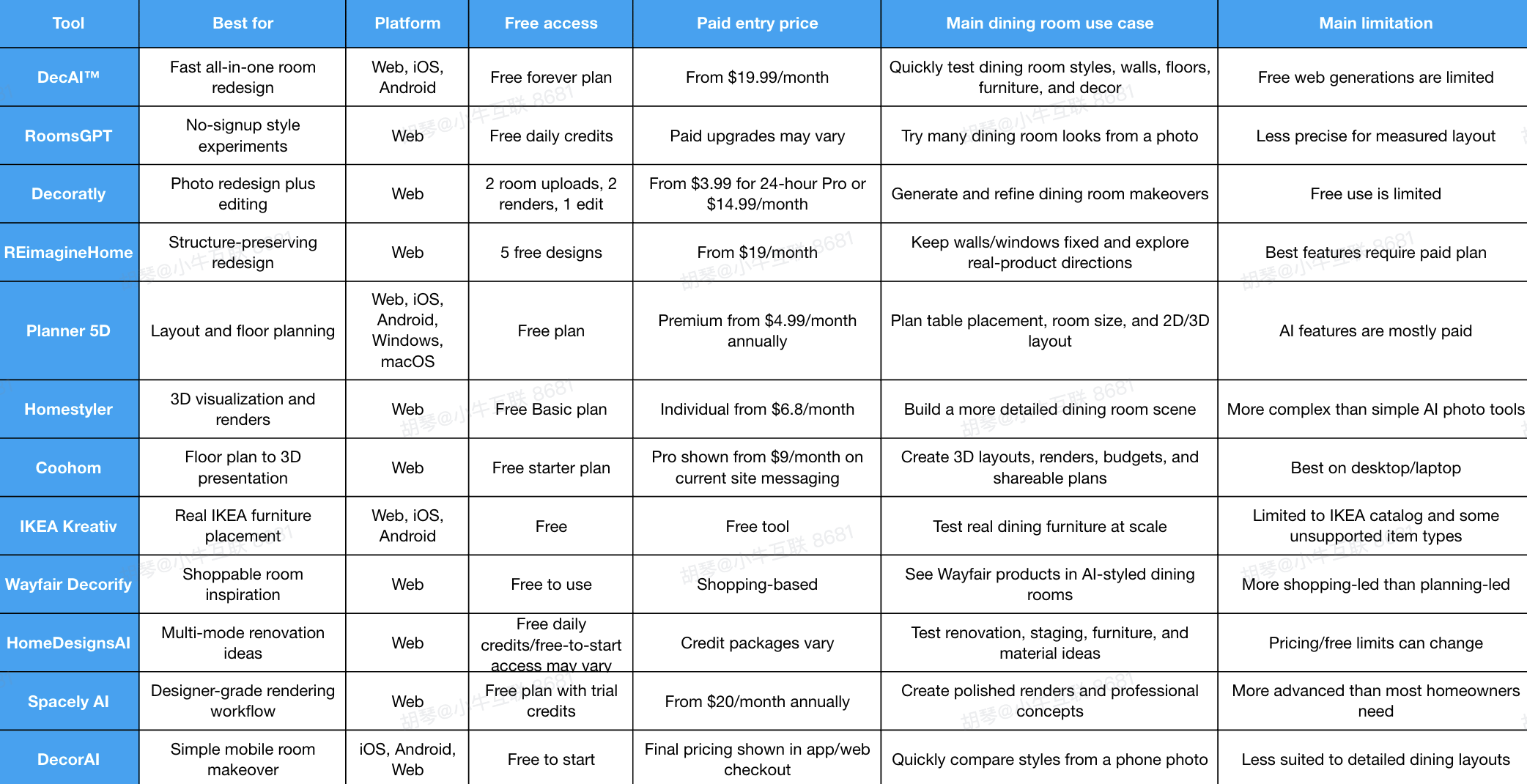
1. DecAI - Best for Fast All-in-One Dining Room Redesign
Platform: Web, iOS, Android
Pricing: Free forever plan available; Plus starts at $15.99/month, with higher plans available.
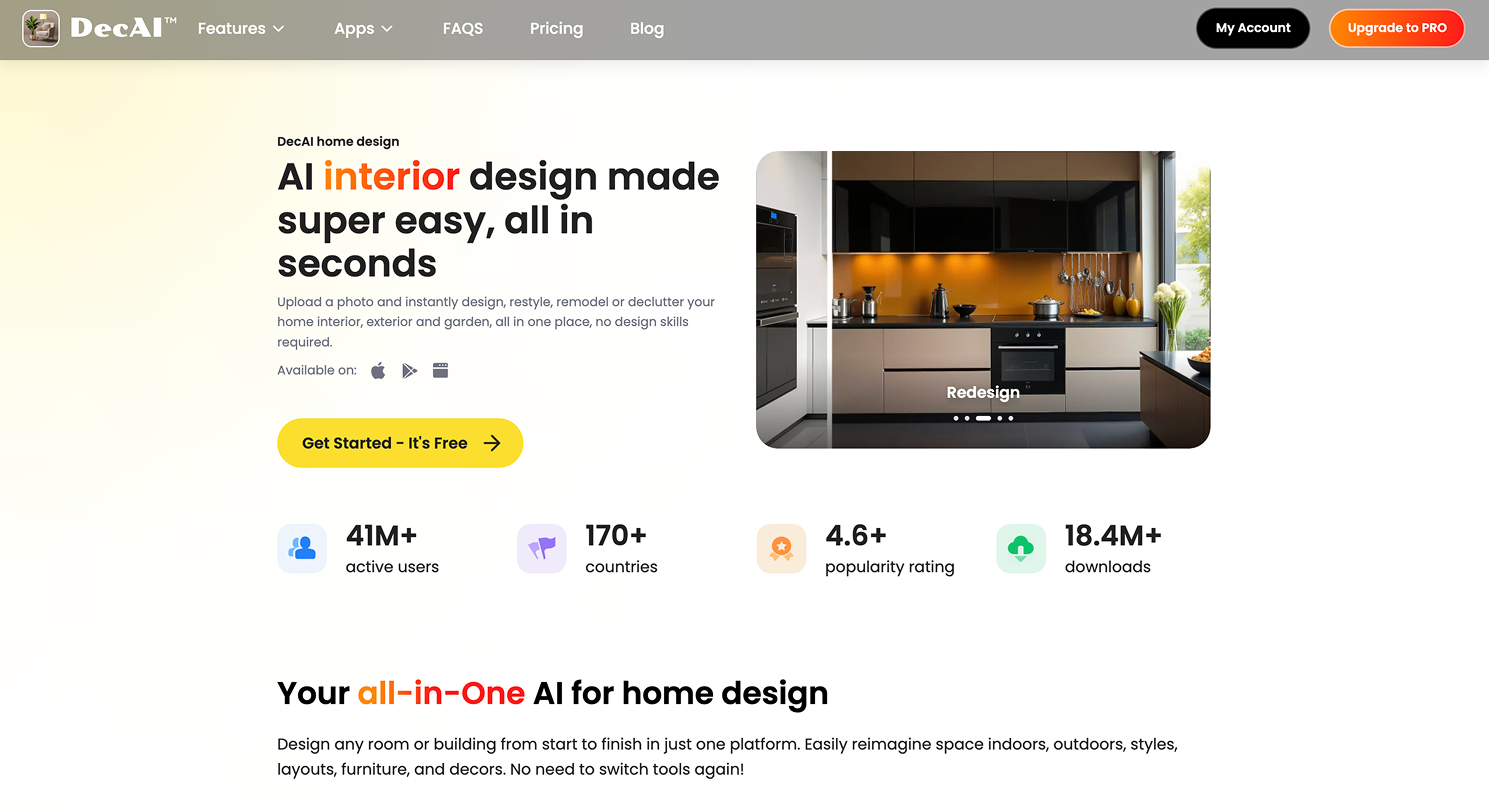
DecAI™ is a strong first-stop tool when you want to see what your dining room could become before spending time on detailed planning. You upload a room photo, choose a style or design direction, and DecAI™ generates a redesigned version of the space quickly. For dining rooms, its biggest advantage is that it can support more than a basic furniture makeover: you can explore interior redesign, wall changes, floor ideas, furniture replacement, furniture removal, and style transfer in one workflow. That makes it useful for homeowners who are still deciding whether the room needs a new table, warmer walls, better flooring, or a completely different mood.
Key features:
- AI interior design from room photos
- Wall, floor, furniture, and style updates
- 30+ design styles on higher plans
- Web and mobile access
- Export and sharing support
Pros:
- Very beginner-friendly
- Fast enough for trying multiple dining room directions
- Useful for both full-room redesign and specific surface updates
- Works across web and mobile
- Natural fit for early inspiration and visual comparison
Cons:
- The free web plan includes limited generations and watermarked images.
Why choose this tool:
Choose DecAI™ if you want to start with a real dining room photo and quickly compare style directions before moving into measurements, shopping, or renovation details.
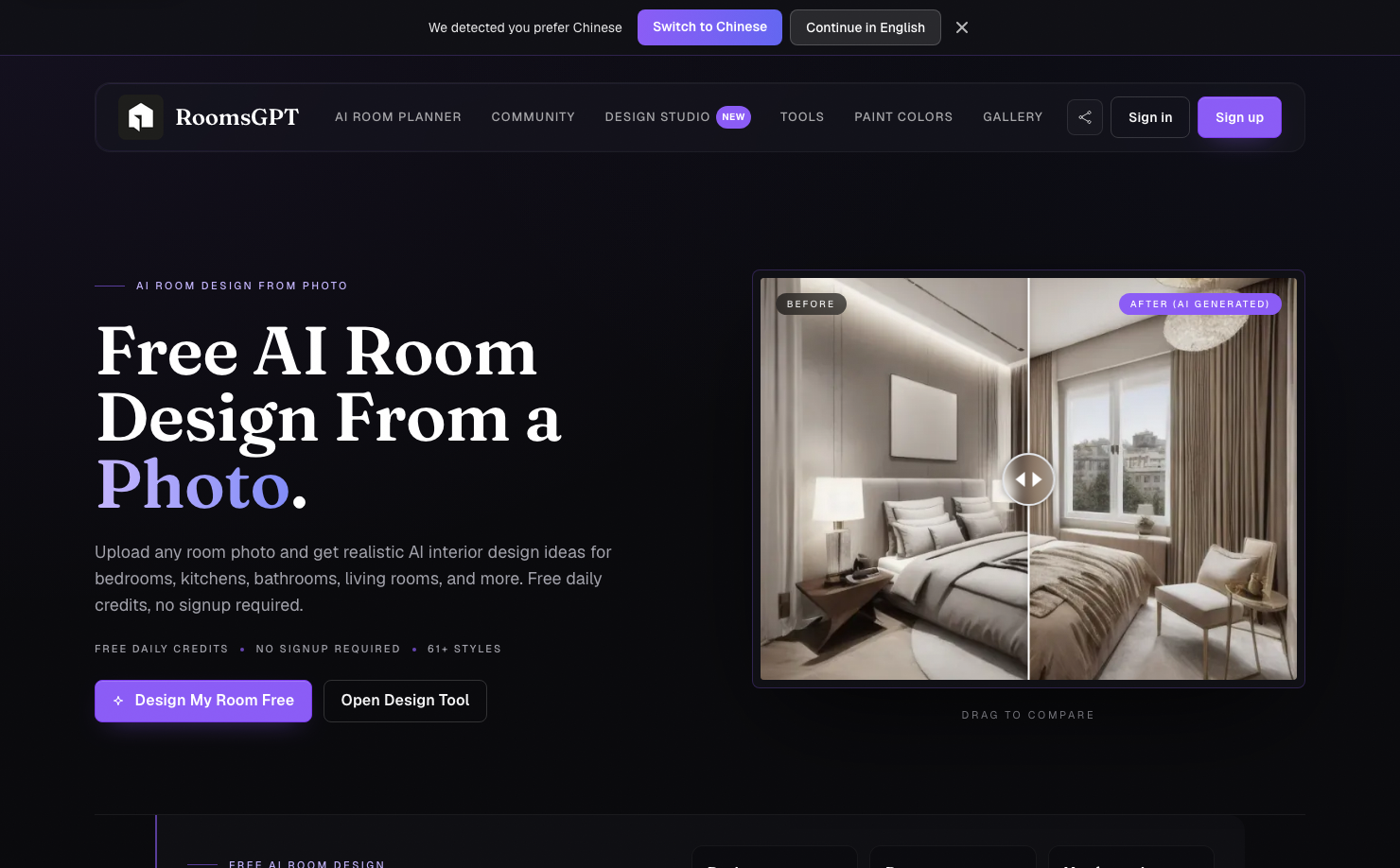
2. RoomsGPT - Best for No-Signup Dining Room Style Experiments
Platform: Web
Pricing: Free daily credits available; paid options may vary depending on usage and upgraded features.
RoomGPT is useful when you want a low-friction way to redesign a dining room from a photo. It supports free daily credits and no-signup usage, which makes it easy to test ideas without committing to an account immediately. The tool offers many style options and room-specific inspiration pages, including dining room-related use cases. It is best for the first creative stage, when you want to see whether your dining area should feel more Scandinavian, rustic, modern, art deco, or minimalist.
Key features:
- Photo-based AI room redesign
- Free daily credits
- No signup required for starting
- 60+ design styles
- Room-specific inspiration pages
Pros:
- Very easy to start
- Good for testing many visual directions
- Helpful before buying furniture or paint
- Works directly in the browser
Cons:
- It is not a precise measured floor planner.
Why choose this tool: Choose RoomsGPT if you want to quickly explore dining room style ideas without signing up or learning a design program.
3. Decoratly - Best for Photo-Based Redesign Plus Editing

Platform: Web
Pricing: Free plan includes 2 room uploads, 2 AI renders, and 1 edit; paid access starts at $3.99 for 24-hour Pro or $14.99/month.
Decoratly is a good fit for users who want an AI dining room redesign but also want some refinement after the first image. Its free plan is small but practical: two room uploads, two renders, and one edit are enough to test whether the tool understands your dining area. Decoratly also includes AI chat and Google Shopping integration, which can help bridge the gap between an inspiring render and real furniture options. For dining rooms, that is useful because you often need to compare table shapes, chair styles, wall colors, and lighting mood before narrowing the final look.
Key features:
- AI room redesign from a photo
- Makeover and enhancement-style workflows
- 30+ styles
- AI chat designer
- Google Shopping integration
Pros:
- Good balance of inspiration and refinement
- Free plan does not require a credit card
- Shopping integration helps move toward real products
- Useful for quick before-and-after concepts
Cons:
- Free usage is limited to a small number of renders and edits.
Why choose this tool:
Choose Decoratly if you want a photo-based dining room redesign and a simple way to edit or shop around the result.
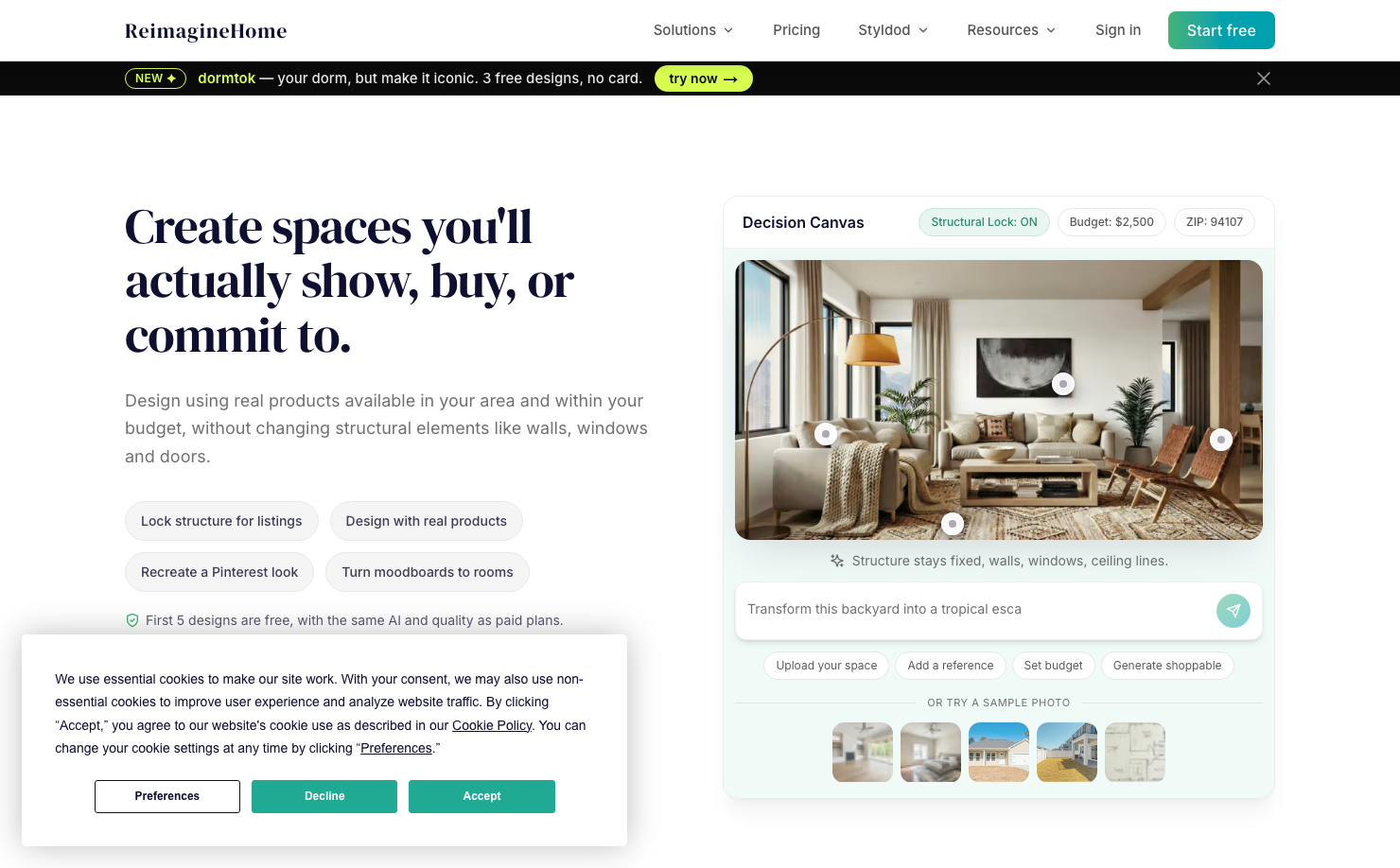
4. REimagineHome - Best for Structure-Preserving Redesign and Real Products
Platform: Web
Pricing: 5 free designs for new users; paid plans start at $19/month.
REimagineHome is built around decision-making rather than just image generation. It can preserve structural elements such as walls, windows, and doors while redesigning the room, which matters when you are working with a real dining area that cannot be rebuilt from scratch. Its newer workflow also emphasizes real products, budgets, and shoppable design directions. That makes it especially useful when your dining room project is moving from “what style do I like?” to “what set of items could actually work here?”
Key features:
- Structure lock for realistic redesigns
- Real product discovery and visualization
- Budget-aware design direction
- Conversational design flow on higher plans
- Before-and-after outputs
Pros:
- Strong for realistic room decisions
- Good when architectural features must stay fixed
- Useful for product and budget planning
- Free designs do not require a credit card
Cons:
- Full control and product workflows are stronger on paid plans.
Why choose this tool:
Choose REimagineHome if you want AI ideas that respect the actual structure of your dining room and help you think about real furniture options.
5. Planner 5D - Best for Dining Room Layout and Floor Planning
Platform: Web, iOS, Android, Windows, macOS
Pricing: Free plan available; Premium starts at $4.99/month when billed annually, with monthly and professional plans also available.
Planner 5D is one of the better choices when dining room layout matters more than a single pretty image. You can build a 2D or 3D room, place furniture, adjust walls and floors, and see how the dining set sits in the space. For dining rooms, this is important because table clearance and walking paths are often where AI renders become misleading. Planner 5D also includes AI features on paid plans, but the free plan is still useful for basic layout thinking and early space planning.
Key features:
- 2D and 3D room planning
- Furniture catalog
- Cross-device project access
- Floor and wall customization
- AI design and floor plan features on paid tiers
Pros:
- Better for spatial planning than image-only tools
- Good for checking table placement and circulation
- Works across many platforms
- Free plan supports basic project creation
Cons:
- Many advanced AI, catalog, and rendering features require Premium or Pro.
Why choose this tool:
Choose Planner 5D when you need to test whether a dining table, chairs, cabinet, or rug layout actually fits the room.
6. Homestyler - Best for 3D Dining Room Visualization
Platform: Web
Pricing: Free Basic plan available; paid Individual plan starts from $6.8/month.
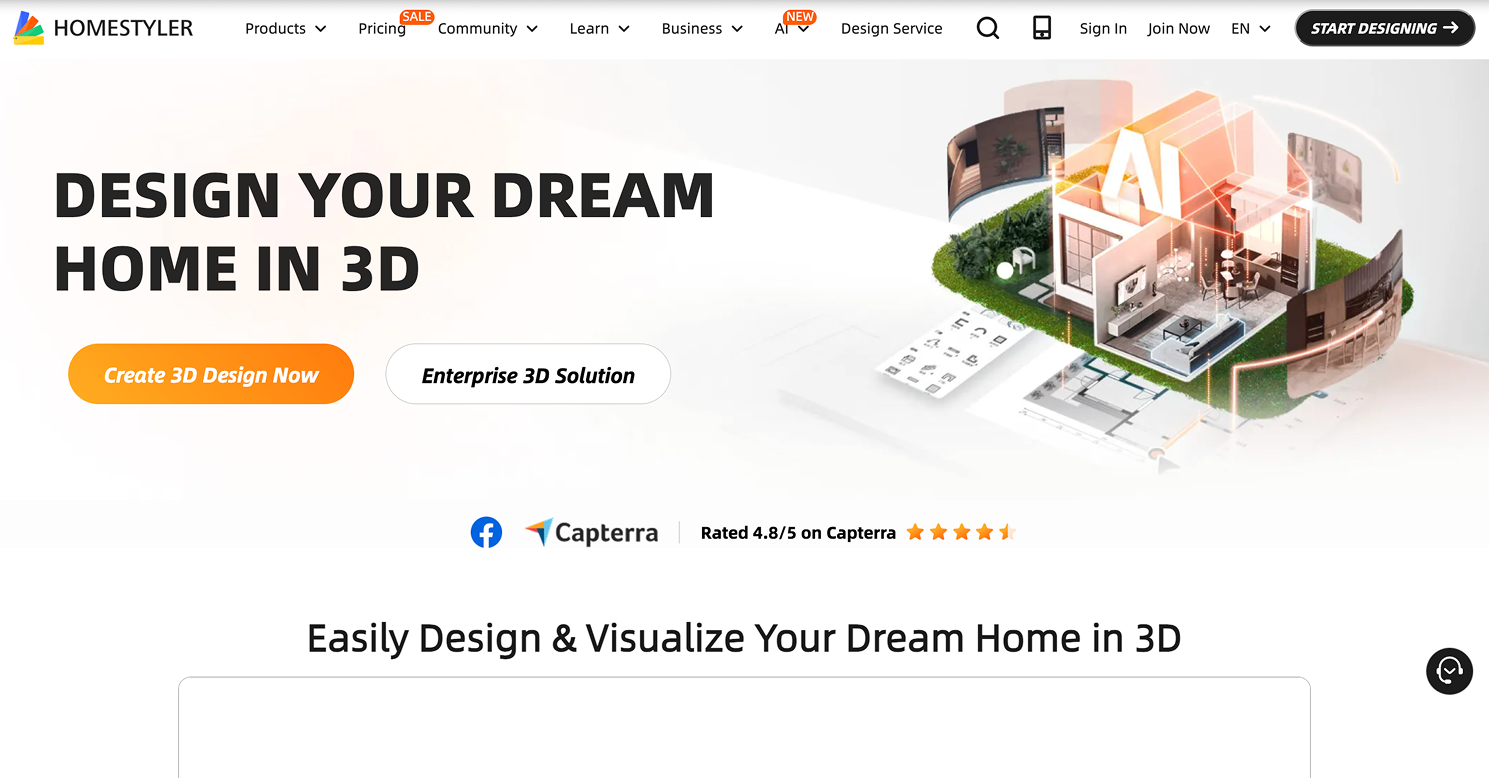
Homestyler is a more detailed 3D design tool for users who want to build and view a dining room with greater control. Its free Basic plan includes cloud-based 3D floor planning, a large library of free 3D models and materials, and unlimited 1K rendering. It also offers limited free access to AI features through credits and Home Copilot usage. For dining rooms, Homestyler is useful once you have a style direction and want to experiment with furniture placement, materials, lighting, and rendered perspectives.
Key features:
- Cloud-based 3D floor planner
- Large 3D model and material library
- Unlimited 1K renders on Basic plan
- AI credits and Home Copilot access
- Higher-quality renders on paid plans
Pros:
- Strong visual detail
- Good for testing furniture, materials, and room perspective
- Free plan is useful for basic projects
- More flexible than simple one-click AI tools
Cons:
- It has a learning curve compared with photo-only AI redesign apps.
Why choose this tool:
Choose Homestyler if you want to move from a dining room concept into a more controlled 3D visualization.
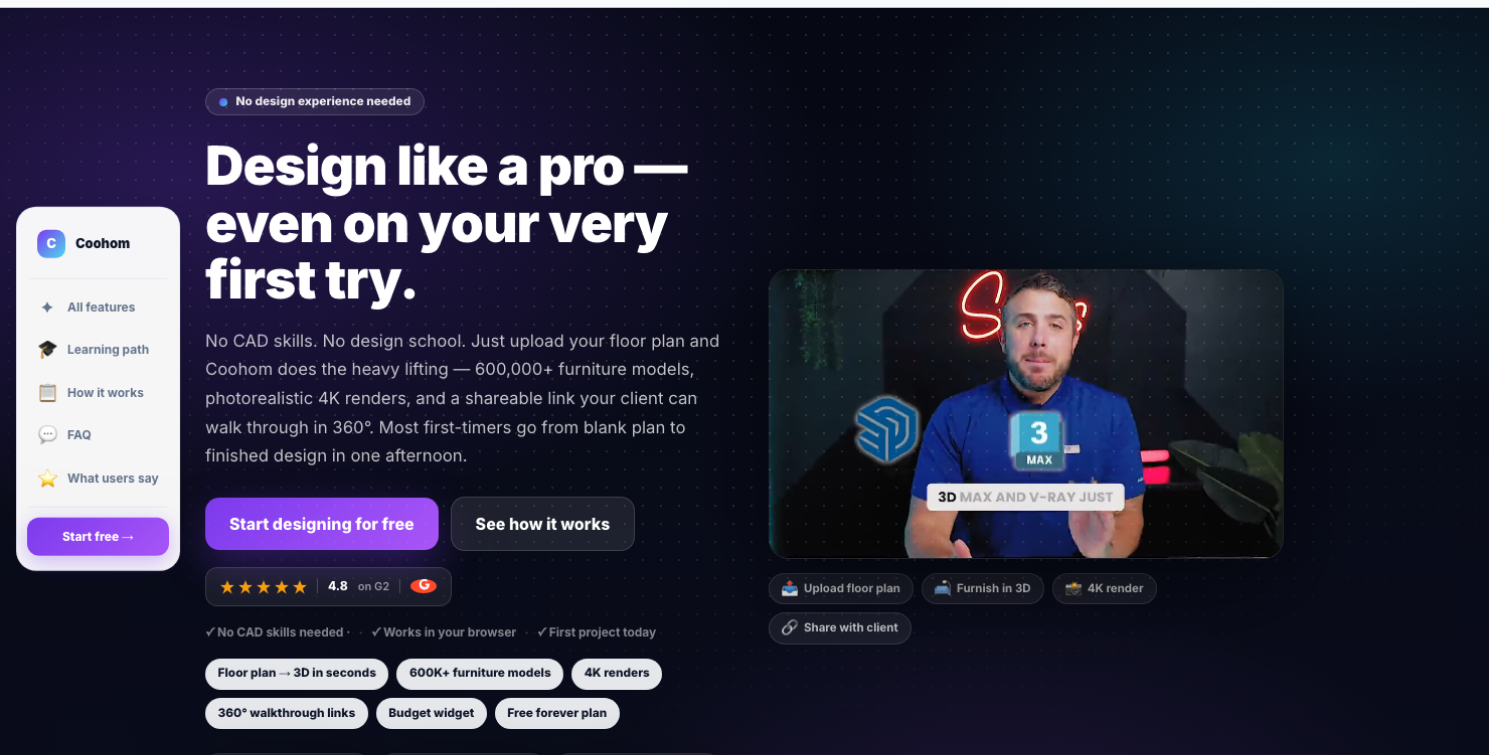
7. Coohom - Best for Floor Plan to 3D Dining Room Presentations
Platform: Web
Pricing: Free starter plan available; current site messaging shows Pro from $9/month, with pricing and availability subject to checkout.
Coohom is helpful when you want a more complete planning workflow: floor plan, furniture placement, rendering, budget tracking, and shareable presentation links. Its free plan includes core planning features, a furniture catalog, budget widget, and limited monthly renders. For dining rooms, this is valuable because you can think beyond the table and chairs: sideboards, traffic paths, brand dimensions, and the cost of the full setup all matter. It is especially useful for users who want something closer to a design proposal than a casual AI image.
Key features:
- Floor plan to 3D workflow
- Furniture catalog with real dimensions
- Budget widget
- Free monthly renders
- Shareable walkthrough/presentation links
Pros:
- Strong for realistic room planning
- Useful for budget-conscious dining room projects
- Good presentation tools
- Helpful for both beginners and design professionals
Cons:
- Designing is best on a desktop or laptop, not a phone.
Why choose this tool:
Choose Coohom if your dining room project needs layout, product dimensions, cost awareness, and a shareable 3D presentation.
8. IKEA Kreativ - Best for Testing Real Dining Furniture at Scale
Platform: IKEA app on iOS and Android; IKEA.com on web
Design any room, shop or space with DecAI in less 30 seconds! It's free!
Pricing: Free
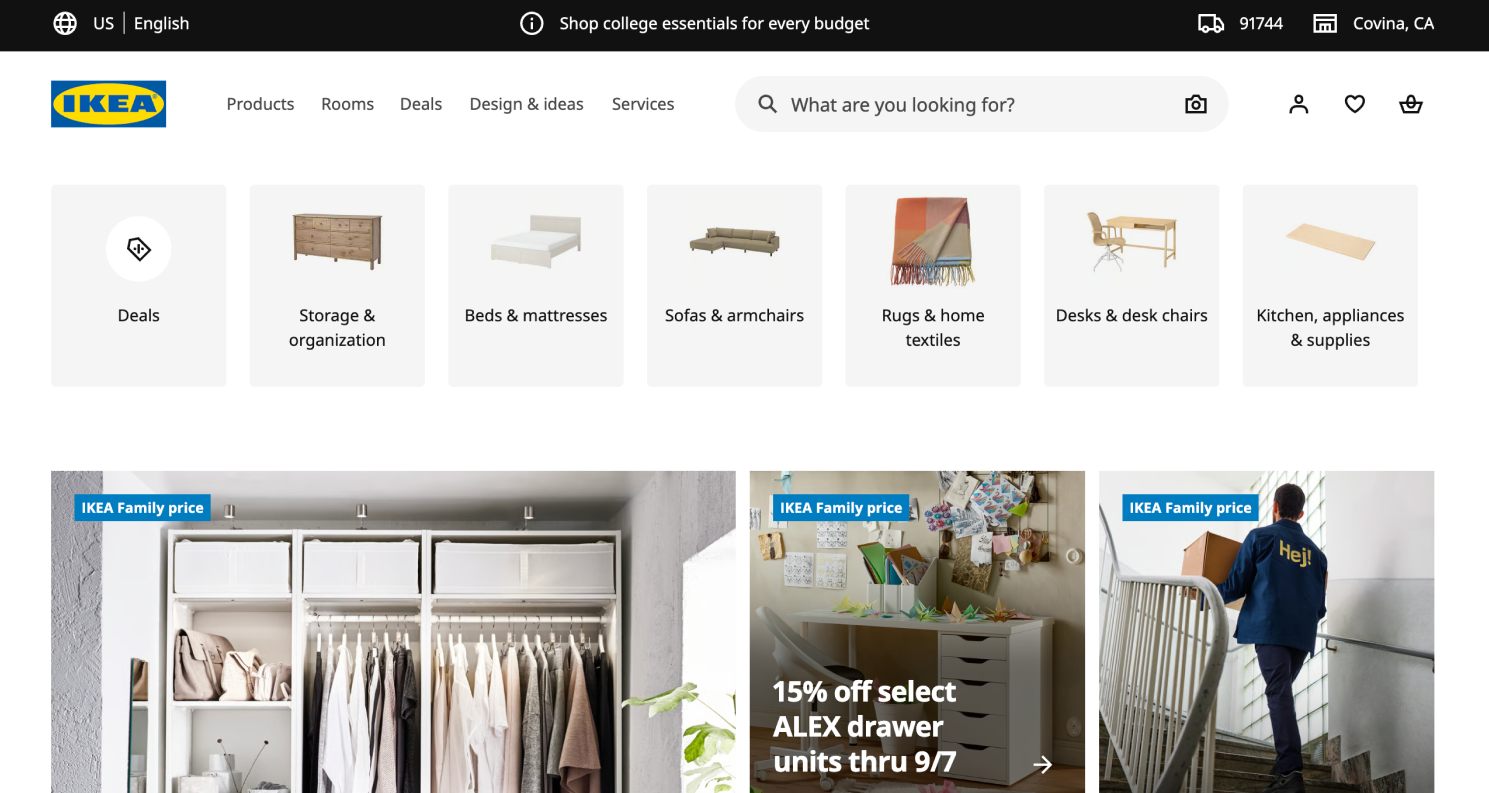
IKEA Kreativ is not a general-purpose AI design generator, but it is extremely practical for dining room furniture decisions. You can upload or capture your space, erase existing furniture, and add IKEA products at scale. This is helpful when you are comparing dining tables, chairs, storage cabinets, wall art, or accessories and want to see whether they feel right in your actual room. It is especially useful for shoppers who already like IKEA or want budget-friendly dining furniture options.
Key features:
- Room photo upload or mobile room capture
- Furniture erasing
- Scaled IKEA product placement
- 3D room builder
- Virtual showroom inspiration
Pros:
- Completely free
- Uses real shoppable IKEA products
- Good for scale and placement confidence
- Useful on both app and web
Cons:
- It is limited to the IKEA catalog, and some categories such as textiles and ceiling-mounted items may not be fully supported.
Why choose this tool:
Choose IKEA Kreativ if you are considering IKEA dining furniture and want to test real products in your space before buying.
9. Wayfair Decorify - Best for Shoppable Dining Room Inspiration

Platform: Web, mobile browser, desktop browser
Pricing: Free to use; purchases are made through Wayfair if you buy products.
Wayfair Decorify is a generative AI room styling tool designed around shopping discovery. You upload a room photo, ask for a style, and see your space reimagined with product-linked inspiration. For dining rooms, this is useful when you want to explore different looks and then browse real tables, chairs, rugs, lighting, or decor from Wayfair. It is less about exact technical planning and more about connecting a style vision to purchasable items.
Key features:
- Upload your own room photo
- Generative AI room restyling
- Style-based room concepts
- Wayfair catalog shopping links
- Browser access on mobile and desktop
Pros:
- Good for shoppers ready to compare products
- Free to try
- Connects inspiration with real furniture
- Useful for quick dining room style discovery
Cons:
- It is more shopping-focused than layout-focused.
Why choose this tool:
Choose Wayfair Decorify if your main goal is to discover shoppable dining room furniture and decor from a visual AI concept.
10. HomeDesignsAI - Best for Multi-Mode Dining Room Renovation Ideas

Platform: Web
Pricing: Free-to-start access or free daily credits may vary; paid credit packages and plans are shown by the platform and may change.
HomeDesignsAI is useful for users who want more than one kind of dining room design output. It supports broader home redesign and renovation workflows, including interior redesign, virtual staging, furniture-related ideas, and material updates. For dining rooms, that flexibility helps when you are unsure whether the biggest change should be furniture, color palette, flooring, wall treatment, or staging. It can be especially useful for comparing multiple renovation directions before committing to a measured planning tool.
Key features:
- AI room redesign
- Virtual staging-style workflows
- Material and surface inspiration
- Furniture-related design support
- Multiple room and style options
Pros:
- Flexible for different design needs
- Good for comparing renovation directions
- Useful for both furnished and empty dining rooms
- Helpful before deeper planning
Cons:
- Free limits and paid pricing can change, so users should check the current account page before relying on a specific allowance.
Why choose this tool:
Choose HomeDesignsAI if you want a flexible AI design environment for testing several dining room renovation ideas, not just one finished render.
11. Spacely AI - Best for Designers Using Rendering or 3D Workflows
Platform: Web
Pricing: Free plan includes trial credits; paid plans start from $20/month when billed annually.
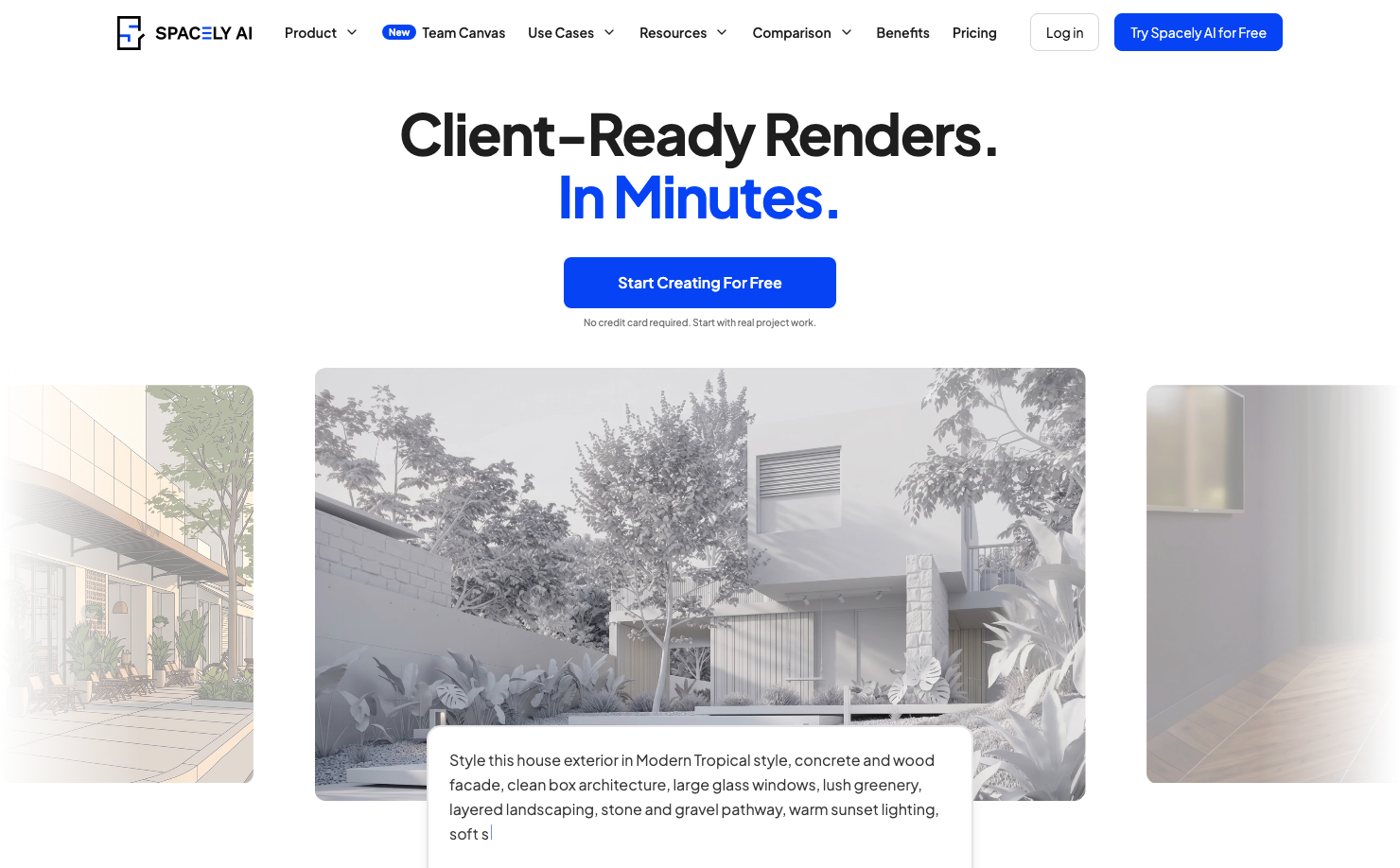
Spacely AI is more professional-facing than many tools in this list. It supports rendering, image editing, style transfer, auto furnishing, and integrations with design software such as SketchUp, Revit, AutoCAD, and Rhino on paid plans. For dining room design, it makes the most sense when the project needs polished visuals, client-facing concepts, or iteration beyond a simple homeowner inspiration image. Casual users may find it more than they need, but designers and advanced DIY users can get stronger presentation value from it.
Key features:
- Free trial credits
- Realistic rendering workflows
- Style transfer and auto furnishing
- Professional software integrations
- High-resolution and watermark-free options
Pros:
- Strong for polished visual output
- Useful for designers and real estate workflows
- Supports more advanced design processes
- Free credits let users test the platform
Cons:
- It may feel too advanced for a simple one-room dining makeover.
Why choose this tool:
Choose Spacely AI if your dining room concept needs professional-quality rendering, iteration, or integration with a broader design workflow.
12. DecorAI - Best for Simple Mobile Dining Room Makeovers

Platform: iOS, Android, Web
Pricing: Free to start; premium pricing and feature details are shown inside the app stores or web app.
DecorAI is built for quick room redesign from a phone photo. You take or upload a picture, choose a style, and the app generates a redesigned room in seconds. For dining rooms, it is a good casual inspiration tool when you want to compare several visual directions quickly without learning a 3D planner. It is especially useful for renters, homeowners, and apartment dwellers who want a fast “what could this room look like?” answer.
Key features:
- Photo-based room redesign
- iPhone, Android, and web access
- Multiple interior styles
- Fast generation
- Beginner-friendly workflow
Pros:
- Very simple to use
- Good for quick mobile inspiration
- Works with real room photos
- Free to start
Cons:
- It is not designed for detailed table clearance, measured layout, or technical planning.
Why choose this tool:
Choose DecorAI if you want the easiest mobile-first way to test dining room styles from a real photo.
Which AI Dining Room Design Tool Should You Choose?
You should always make the decision based on your own needs. For example:
- If you want the fastest inspiration, start with DecAI™, RoomsGPT, Decoratly, or DecorAI. These tools help you see several dining room directions before you spend time on dimensions or shopping.
- If layout accuracy matters, move to Planner 5D, Homestyler, or Coohom. These tools are more useful when you need to check whether a rectangular table, round table, sideboard, rug, or traffic path works in the actual room.
- If you are ready to shop, use REimagineHome, IKEA Kreativ, or Wayfair Decorify. These platforms are more practical when your question becomes, “Which real products should I buy, and how might they look in my space?”
- If you are preparing a polished design presentation, consider Spacely AI, Coohom, Homestyler, or Planner 5D. These are better suited for detailed rendering, client sharing, or more advanced project development.
In short, there's no one-size-fits-all answer—you can use one or several of these tools together, as long as you choose the right tool for the right stage of your design process.
Common Mistakes Avoid When Using These AI Tools for Dining Room Design
Well, choosing the right tool is just the beginning. To get most of these AI tools, you should also try to avoid some common mistakes:
Mistake 1:Trust a beautiful render without checking scale and dimensions
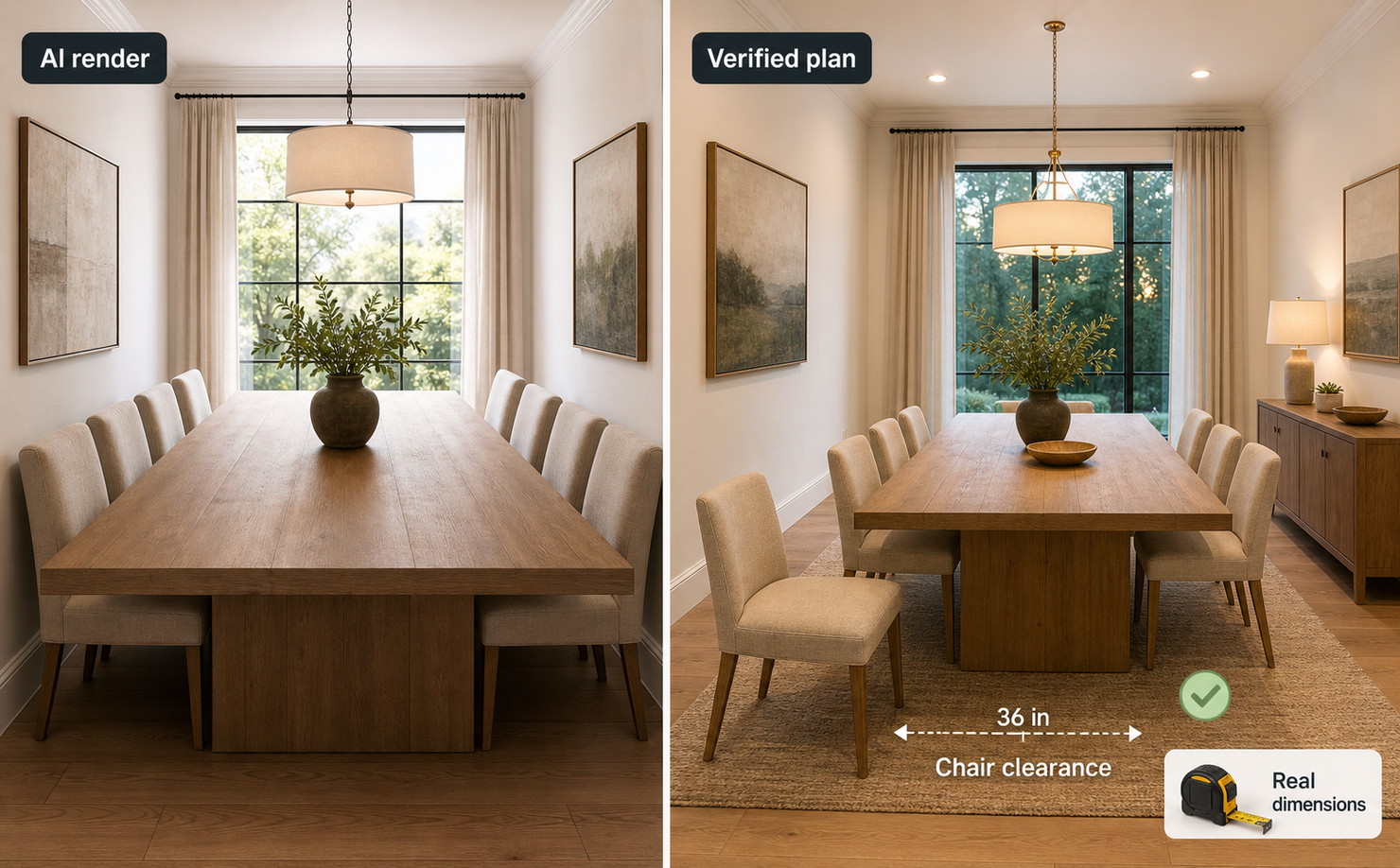
AI can generate a dining table that looks elegant but is too large for the room. Always verify the table dimensions and leave enough space for chairs and walking paths.
Mistake 2: Choosing furniture based only on appearance
AI tools often generate attractive dining tables and chairs without confirming whether they are available to purchase or suitable for the room.
Treat AI-generated furniture as design inspiration rather than an exact shopping recommendation. Always verify the real dimensions, materials, availability, and price before buying.
Mistake 3: Forget chair pull-out clearance
A table may technically fit inside the room but still leave too little space for people to sit down or walk behind the chairs.
When planning the layout, consider the space required to:
- Pull chairs out
- Walk around seated guests
- Open nearby doors
- Access cabinets or sideboards
- Move between the dining area and kitchen
This is especially important in small dining rooms and open-plan spaces.
Mistake 4: Ignore lighting at different times of day
A dining room that looks beautiful in a bright daytime rendering may feel completely different at night.
Consider natural daylight, overhead lighting, wall lights, lamps, and dimming options. Test both daytime and evening concepts whenever the tool supports different lighting conditions.
Mistake 5: Shop from the render too literally
AI images are inspiration, not construction documents. Use them to clarify direction, then verify furniture sizes, materials, return policies, and real product availability.
Mistake 6: Buying before verifying the design
AI helps you explore possibilities, but it cannot guarantee that every idea will work in the real room.
Before purchasing furniture or beginning construction, confirm:
- Dimensions
- Chair clearance
- Electrical requirements
- Material durability
- Product availability
- Installation needs
- Building or safety requirements
The best approach is to use AI for inspiration and comparison, then verify every important decision with real measurements and product specifications.
FAQs
1.What is the best free AI tool for dining room design?
The best tool depends on the workflow. If you are looking quick design inspiration, tools like DecAI™, would help you a lot, for its quick style and idea visualization.
2.Can AI design my dining room from a photo?
Yes. Many AI tools, like DecAI™, can redesign a dining room from a photo. Simply upload a clear photo, set up your needs and the AI would generate the design based on your needs in under 30 seconds.
3.Are free AI dining room design tools accurate?
They can be useful for inspiration, but they are not always accurate for measurements. AI photo redesign tools may preserve the overall room structure, but you should still check table size, chair clearance, rug dimensions, and lighting placement with a floor planner or real measurements.
4.Which AI tool is best for dining room layout?
Planner 5D, Homestyler, and Coohom are better for dining room layout because they let you work with 2D or 3D planning instead of only AI-generated images. Use them when table placement, room dimensions, and walking paths matter.
5.Can AI help choose dining tables and chairs?
Yes. Shopping-linked tools such as IKEA Kreativ, Wayfair Decorify, REimagineHome, and Decoratly can help you visualize real or similar products in your room. Still, you should confirm exact product dimensions before buying.
6.Do AI room design tools show real furniture products?
Some do. IKEA Kreativ uses IKEA products, Wayfair Decorify connects room ideas with Wayfair items, and REimagineHome emphasizes real-product discovery on supported workflows. Other tools may generate furniture that looks realistic but is not tied to a specific purchasable item.
7.Can I use AI dining room designs for renovation decisions?
Yes, but use AI as a decision-support tool, not the final authority. AI is excellent for comparing styles, color palettes, furniture moods, and rough layouts. For renovation work involving construction, electrical changes, custom millwork, or major spending, verify measurements and consult qualified professionals when needed.
8.What photo should I upload for the best dining room result?
Use a clear, well-lit photo that shows the full dining area. A corner angle is often best because it captures walls, floor, windows, table position, and traffic paths. Remove visual clutter if possible, but do not hide important fixed elements such as doors, radiators, windows, or built-in storage.
--------------------------------------
If you believe that any material on this site infringes your intellectual property rights, please contact the author at decaiwebteam@outlook.com with details of your claim.
Redesign any home interior, exterior & garden in seconds
Share this Post:
'%3e%3cpath%20d='M17.9995%2035.999C17.0317%2035.999%2016.0619%2035.9219%2015.1161%2035.7696C10.9414%2035.0973%207.11524%2032.9513%204.34408%2029.7273C1.54287%2026.4683%200%2022.3035%200%2017.9995C0%208.07403%208.07503%200%2017.9995%200C27.924%200%2036%208.07503%2036%2017.9995C36%2022.3696%2034.4151%2026.5835%2031.5357%2029.8646C28.6844%2033.1156%2024.7671%2035.2326%2020.5052%2035.8267C19.6806%2035.9419%2018.8371%2036%2017.9995%2036V35.999ZM17.9995%201.20123C8.73726%201.20123%201.20224%208.73626%201.20224%2017.9985C1.20224%2026.2919%207.13427%2033.2659%2015.3075%2034.5814C16.9546%2034.8469%2018.6808%2034.8659%2020.3389%2034.6345C28.5812%2033.4863%2034.7968%2026.334%2034.7968%2017.9985C34.7968%208.73626%2027.2617%201.20123%2017.9985%201.20123H17.9995Z'%20fill='%23FF0209'/%3e%3cpath%20d='M29.0557%2014.3621C28.9184%2013.0276%2028.6208%2011.5539%2027.5268%2010.7784C26.6782%2010.1773%2025.5642%2010.1553%2024.5242%2010.1563C22.3251%2010.1583%2020.126%2010.1603%2017.9269%2010.1623C15.812%2010.1643%2013.6971%2010.1663%2011.5821%2010.1683C10.6985%2010.1683%209.8399%2010.1002%209.01937%2010.4819C8.31406%2010.8105%207.76303%2011.4347%207.43241%2012.1289C6.97156%2013.0957%206.87438%2014.1898%206.81927%2015.2588C6.71708%2017.2044%206.7281%2019.156%206.85133%2021.0996C6.9405%2022.5193%207.16792%2024.0872%208.26496%2024.9919C9.23777%2025.7934%2010.6103%2025.8325%2011.8707%2025.8335C15.8741%2025.8365%2019.8776%2025.8395%2023.881%2025.8435C24.394%2025.8435%2024.93%2025.8345%2025.453%2025.7774C26.4829%2025.6661%2027.4637%2025.3716%2028.1249%2024.6092C28.7922%2023.8407%2028.9635%2022.7698%2029.0657%2021.7569C29.3121%2019.3003%2029.3091%2016.8177%2029.0557%2014.3621ZM15.6116%2021.4453V14.5545L21.5797%2017.9999L15.6116%2021.4453Z'%20fill='%23FF0209'/%3e%3c/g%3e%3cdefs%3e%3cclipPath%20id='clip0_13816_41422'%3e%3crect%20width='36'%20height='36'%20fill='white'/%3e%3c/clipPath%3e%3c/defs%3e%3c/svg%3e)
'%3e%3cpath%20d='M17.9995%2036C17.0327%2036%2016.0619%2035.9229%2015.1161%2035.7696C10.9414%2035.0973%207.11524%2032.9513%204.34408%2029.7273C1.54287%2026.4683%200%2022.3035%200%2017.9995C0%208.07403%208.07503%200%2017.9995%200C27.924%200%2036%208.07503%2036%2017.9995C36%2022.3696%2034.4151%2026.5835%2031.5357%2029.8646C28.6844%2033.1156%2024.7671%2035.2326%2020.5052%2035.8267C19.6806%2035.9419%2018.8371%2036%2017.9995%2036ZM17.9995%201.20224C8.73726%201.20224%201.20224%208.73726%201.20224%2017.9995C1.20224%2026.2919%207.13427%2033.2669%2015.3075%2034.5824C16.9556%2034.8479%2018.6808%2034.8669%2020.3389%2034.6355C28.5812%2033.4873%2034.7968%2026.335%2034.7968%2017.9995C34.7968%208.73726%2027.2617%201.20224%2017.9985%201.20224H17.9995Z'%20fill='url(%23paint0_linear_13816_41436)'/%3e%3cpath%20d='M23.4463%207.55469H12.549C9.53841%207.55469%207.08984%2010.0032%207.08984%2013.0138V22.9834C7.08984%2025.994%209.53841%2028.4426%2012.549%2028.4426H23.4463C26.4569%2028.4426%2028.9054%2025.994%2028.9054%2022.9834V13.0138C28.9054%2010.0032%2026.4569%207.55469%2023.4463%207.55469ZM9.01543%2013.0138C9.01543%2011.0652%2010.6004%209.48027%2012.549%209.48027H23.4463C25.3949%209.48027%2026.9799%2011.0652%2026.9799%2013.0138V22.9834C26.9799%2024.932%2025.3949%2026.517%2023.4463%2026.517H12.549C10.6004%2026.517%209.01543%2024.932%209.01543%2022.9834V13.0138Z'%20fill='url(%23paint1_linear_13816_41436)'/%3e%3cpath%20d='M17.9964%2023.0749C20.7966%2023.0749%2023.0749%2020.7966%2023.0749%2017.9964C23.0749%2015.1962%2020.7966%2012.918%2017.9964%2012.918C15.1962%2012.918%2012.918%2015.1962%2012.918%2017.9964C12.918%2020.7966%2015.1962%2023.0749%2017.9964%2023.0749ZM17.9964%2014.8446C19.7346%2014.8446%2021.1483%2016.2582%2021.1483%2017.9964C21.1483%2019.7347%2019.7346%2021.1483%2017.9964%2021.1483C16.2582%2021.1483%2014.8446%2019.7347%2014.8446%2017.9964C14.8446%2016.2582%2016.2582%2014.8446%2017.9964%2014.8446Z'%20fill='url(%23paint2_linear_13816_41436)'/%3e%3cpath%20d='M23.5482%2013.741C24.3026%2013.741%2024.9168%2013.1269%2024.9168%2012.3725C24.9168%2011.618%2024.3026%2011.0039%2023.5482%2011.0039C22.7938%2011.0039%2022.1797%2011.618%2022.1797%2012.3725C22.1797%2013.1269%2022.7938%2013.741%2023.5482%2013.741Z'%20fill='url(%23paint3_linear_13816_41436)'/%3e%3c/g%3e%3cdefs%3e%3clinearGradient%20id='paint0_linear_13816_41436'%20x1='5.27482'%20y1='30.7312'%20x2='30.7242'%20y2='5.28083'%20gradientUnits='userSpaceOnUse'%3e%3cstop%20stop-color='%23FAAD4F'/%3e%3cstop%20offset='0.35'%20stop-color='%23DD2A7B'/%3e%3cstop%20offset='0.62'%20stop-color='%239537B0'/%3e%3cstop%20offset='1'%20stop-color='%23515BD4'/%3e%3c/linearGradient%3e%3clinearGradient%20id='paint1_linear_13816_41436'%20x1='8.92225'%20y1='27.074'%20x2='27.073'%20y2='8.92324'%20gradientUnits='userSpaceOnUse'%3e%3cstop%20stop-color='%23FAAD4F'/%3e%3cstop%20offset='0.35'%20stop-color='%23DD2A7B'/%3e%3cstop%20offset='0.62'%20stop-color='%239537B0'/%3e%3cstop%20offset='1'%20stop-color='%23515BD4'/%3e%3c/linearGradient%3e%3clinearGradient%20id='paint2_linear_13816_41436'%20x1='14.4077'%20y1='21.5861'%20x2='21.5861'%20y2='14.4077'%20gradientUnits='userSpaceOnUse'%3e%3cstop%20stop-color='%23FAAD4F'/%3e%3cstop%20offset='0.35'%20stop-color='%23DD2A7B'/%3e%3cstop%20offset='0.62'%20stop-color='%239537B0'/%3e%3cstop%20offset='1'%20stop-color='%23515BD4'/%3e%3c/linearGradient%3e%3clinearGradient%20id='paint3_linear_13816_41436'%20x1='22.5814'%20y1='13.3393'%20x2='24.515'%20y2='11.4057'%20gradientUnits='userSpaceOnUse'%3e%3cstop%20stop-color='%23FAAD4F'/%3e%3cstop%20offset='0.35'%20stop-color='%23DD2A7B'/%3e%3cstop%20offset='0.62'%20stop-color='%239537B0'/%3e%3cstop%20offset='1'%20stop-color='%23515BD4'/%3e%3c/linearGradient%3e%3cclipPath%20id='clip0_13816_41436'%3e%3crect%20width='36'%20height='36'%20fill='white'/%3e%3c/clipPath%3e%3c/defs%3e%3c/svg%3e)
'%3e%3cpath%20d='M17.9995%2035.999C17.0317%2035.999%2016.0619%2035.9219%2015.1161%2035.7696C10.9414%2035.0973%207.11524%2032.9513%204.34408%2029.7273C1.54287%2026.4683%200%2022.3035%200%2017.9995C0%208.07403%208.07502%200%2017.9995%200C27.924%200%2036%208.07503%2036%2017.9995C36%2022.3696%2034.415%2026.5835%2031.5357%2029.8646C28.6844%2033.1156%2024.7671%2035.2326%2020.5052%2035.8267C19.6806%2035.9419%2018.8371%2036%2017.9995%2036V35.999ZM17.9995%201.20123C8.73725%201.20123%201.20224%208.73626%201.20224%2017.9985C1.20224%2026.2919%207.13427%2033.2659%2015.3075%2034.5814C16.9545%2034.8469%2018.6808%2034.8659%2020.3388%2034.6345C28.5812%2033.4863%2034.7968%2026.334%2034.7968%2017.9985C34.7968%208.73626%2027.2617%201.20123%2017.9985%201.20123H17.9995Z'%20fill='%23007EBB'/%3e%3cpath%20d='M9.06639%2012.124C8.60253%2011.6932%208.37109%2011.1602%208.37109%2010.526C8.37109%209.89184%208.60253%209.33481%209.06639%208.90401C9.53026%208.47321%2010.1274%208.25781%2010.8587%208.25781C11.5901%208.25781%2012.1642%208.47321%2012.627%208.90401C13.0909%209.33481%2013.3223%209.87581%2013.3223%2010.526C13.3223%2011.1762%2013.0909%2011.6932%2012.627%2012.124C12.1631%2012.5548%2011.5741%2012.7702%2010.8587%2012.7702C10.1434%2012.7702%209.52926%2012.5548%209.06639%2012.124ZM12.9326%2014.5946V27.7962H8.76182V14.5946H12.9326Z'%20fill='%23007EBB'/%3e%3cpath%20d='M26.8196%2015.9006C27.7283%2016.8875%2028.1832%2018.243%2028.1832%2019.9682V27.5663H24.2208V20.5042C24.2208%2019.6346%2023.9954%2018.9583%2023.5445%2018.4764C23.0937%2017.9945%2022.4876%2017.7541%2021.7262%2017.7541C20.9647%2017.7541%2020.3586%2017.9955%2019.9078%2018.4764C19.4569%2018.9583%2019.2315%2019.6346%2019.2315%2020.5042V27.5663H15.2461V14.5611H19.2315V16.2863C19.6353%2015.7113%2020.1793%2015.2574%2020.8636%2014.9228C21.5468%2014.5892%2022.3163%2014.4219%2023.1708%2014.4219C24.6937%2014.4219%2025.9099%2014.9158%2026.8186%2015.9016L26.8196%2015.9006Z'%20fill='%23007EBB'/%3e%3c/g%3e%3cdefs%3e%3cclipPath%20id='clip0_13816_41425'%3e%3crect%20width='36'%20height='36'%20fill='white'/%3e%3c/clipPath%3e%3c/defs%3e%3c/svg%3e)
'%3e%3cpath%20d='M18%2035.999C17.0322%2035.999%2016.0623%2035.9219%2015.1166%2035.7696C10.9417%2035.0973%207.11544%2032.9513%204.3442%2029.7273C1.54291%2026.4683%200%2022.3035%200%2017.9995C0%208.07403%208.07526%200%2018%200C27.9248%200%2036%208.07503%2036%2017.9995C36%2022.3696%2034.415%2026.5835%2031.5356%2029.8646C28.6842%2033.1156%2024.7668%2035.2326%2020.5047%2035.8267C19.6802%2035.9419%2018.8366%2036%2017.999%2036L18%2035.999ZM18%201.20123C8.73751%201.20123%201.20227%208.73626%201.20227%2017.9985C1.20227%2026.2919%207.13448%2033.2659%2015.3079%2034.5814C16.955%2034.8469%2018.6813%2034.8659%2020.3394%2034.6345C28.582%2033.4863%2034.7977%2026.334%2034.7977%2017.9985C34.7977%208.73626%2027.2625%201.20123%2018%201.20123Z'%20fill='black'/%3e%3cpath%20d='M7%208.09163H13.5067L19.521%2016.1816L27.0073%207.90625L28.786%207.93715L20.4078%2017.3454L29%2028.901H22.4959L16.8193%2021.362L9.8847%2029.0864H8.13428L15.9583%2020.26L7%208.09163ZM12.8931%209.28633H9.45676L23.2048%2027.6754H26.5793L12.8931%209.28633Z'%20fill='black'/%3e%3c/g%3e%3cdefs%3e%3cclipPath%20id='clip0_13886_43848'%3e%3crect%20width='36'%20height='36'%20fill='white'/%3e%3c/clipPath%3e%3c/defs%3e%3c/svg%3e)
'%3e%3cpath%20d='M17.9995%2035.999C17.0327%2035.999%2016.0619%2035.9219%2015.1161%2035.7686C10.9414%2035.0963%207.11524%2032.9503%204.34408%2029.7263C1.54287%2026.4673%200%2022.3025%200%2017.9995C0%208.07403%208.07503%200%2017.9995%200C27.924%200%2036%208.07503%2036%2017.9995C36%2022.3696%2034.415%2026.5835%2031.5357%2029.8646C28.6844%2033.1156%2024.7671%2035.2326%2020.5052%2035.8267C19.6806%2035.9419%2018.8371%2036%2017.9995%2036V35.999ZM17.9995%201.20123C8.73726%201.20123%201.20224%208.73626%201.20224%2017.9985C1.20224%2026.2909%207.13428%2033.2659%2015.3075%2034.5814C16.9556%2034.8469%2018.6808%2034.8659%2020.3389%2034.6345C28.5812%2033.4863%2034.7968%2026.334%2034.7968%2017.9985C34.7968%208.73626%2027.2617%201.20123%2017.9985%201.20123H17.9995Z'%20fill='%231877F7'/%3e%3cpath%20d='M20.5337%2014.9635V18.7536H25.2225L24.4801%2023.8601H20.5337V35.624C19.7423%2035.7342%2018.9328%2035.7913%2018.1112%2035.7913C17.1625%2035.7913%2016.2317%2035.7151%2015.324%2035.5689V23.8601H11V18.7536H15.324V14.1169C15.324%2011.2396%2017.6564%208.90625%2020.5347%208.90625V8.90926C20.5428%208.90926%2020.5508%208.90625%2020.5588%208.90625H25.2235V13.3215H22.1758C21.2691%2013.3215%2020.5347%2014.0558%2020.5347%2014.9625L20.5337%2014.9635Z'%20fill='%231877F7'/%3e%3c/g%3e%3cdefs%3e%3cclipPath%20id='clip0_13816_41433'%3e%3crect%20width='36'%20height='36'%20fill='white'/%3e%3c/clipPath%3e%3c/defs%3e%3c/svg%3e)
'%3e%3cpath%20d='M17.9995%2035.999C17.0327%2035.999%2016.0619%2035.9219%2015.1161%2035.7686C10.9414%2035.0963%207.11524%2032.9503%204.34408%2029.7263C1.54287%2026.4673%200%2022.3025%200%2017.9995C0%208.07403%208.07503%200%2017.9995%200C27.924%200%2036%208.07503%2036%2017.9995C36%2022.3696%2034.415%2026.5835%2031.5357%2029.8646C28.6844%2033.1156%2024.7671%2035.2326%2020.5052%2035.8267C19.6806%2035.9419%2018.8371%2036%2017.9995%2036V35.999ZM17.9995%201.20123C8.73726%201.20123%201.20224%208.73626%201.20224%2017.9985C1.20224%2026.2909%207.13428%2033.2659%2015.3075%2034.5814C16.9556%2034.8469%2018.6808%2034.8659%2020.3389%2034.6345C28.5812%2033.4863%2034.7968%2026.334%2034.7968%2017.9985C34.7968%208.73626%2027.2617%201.20123%2017.9985%201.20123H17.9995Z'%20fill='%232A91F7'/%3e%3cg%20clip-path='url(%23clip1_13816_41442)'%3e%3cpath%20d='M16.3345%2018.834C16.6924%2019.3124%2017.149%2019.7083%2017.6733%2019.9947C18.1976%2020.2812%2018.7774%2020.4516%2019.3734%2020.4942C19.9693%2020.5369%2020.5675%2020.4509%2021.1273%2020.2421C21.6871%2020.0333%2022.1954%2019.7065%2022.6178%2019.284L25.1178%2016.784C25.8768%2015.9981%2026.2968%2014.9456%2026.2873%2013.8531C26.2778%2012.7606%2025.8396%2011.7156%2025.0671%2010.943C24.2946%2010.1705%2023.2495%209.73231%2022.157%209.72281C21.0645%209.71332%2020.012%2010.1333%2019.2262%2010.8923L17.7928%2012.3173M19.6678%2017.1673C19.3099%2016.6889%2018.8533%2016.293%2018.329%2016.0065C17.8047%2015.7201%2017.2249%2015.5497%2016.6289%2015.507C16.033%2015.4643%2015.4348%2015.5503%2014.875%2015.7592C14.3152%2015.968%2013.8069%2016.2947%2013.3845%2016.7173L10.8845%2019.2173C10.1255%2020.0031%209.70551%2021.0557%209.715%2022.1481C9.72449%2023.2406%2010.1627%2024.2857%2010.9352%2025.0582C11.7078%2025.8307%2012.7528%2026.269%2013.8453%2026.2784C14.9378%2026.2879%2015.9903%2025.868%2016.7761%2025.109L18.2011%2023.684'%20stroke='%232A91F7'%20stroke-width='1.66667'%20stroke-linecap='round'%20stroke-linejoin='round'/%3e%3c/g%3e%3c/g%3e%3cdefs%3e%3cclipPath%20id='clip0_13816_41442'%3e%3crect%20width='36'%20height='36'%20fill='white'/%3e%3c/clipPath%3e%3cclipPath%20id='clip1_13816_41442'%3e%3crect%20width='20'%20height='20'%20fill='white'%20transform='translate(8%208)'/%3e%3c/clipPath%3e%3c/defs%3e%3c/svg%3e)
Redesign any home interior, exterior & garden in seconds