

Top 20 free AI Room Design Tools for Any Space in 2026 (Tested & Compared)


"Imagination is more important than knowledge.”
— Albert Einstein
Since AI entered the world of room design, Einstein's words couldn’t be more true.
With the right AI room design tools, even a complete beginner can just unleash their imagination and see the dream room come to life in minutes—or sometimes even seconds. Designing or decorating a room or space is no longer about having skills or hiring expensive professionals. It's all about having the right tools.
However, with tons of AI room design tools out there, finding the perfect one is quite tough for you? No worries! We’ve got you covered!
After weeks of testing and comparing, we’ve compiled a curated list of the top 20 free AI room design tools. From photo-to-design generators and floor plan planners to 3D rendering and decoration tools, every AI tool you might need to design or refresh your home or office is included.
Design any room, shop or space with DecAI in less 30 seconds! It's free!
What should you look for in AI tools for room design?
Before diving into specific tools, let’s firstly confirm what factors you should consider when choosing the right AI for your room or office design:
- Customization level - these days, even the most advanced AI tools today, including ChatGPT, can’t deliver a perfect result in just one shot. That’s why customization matters. Whether you can customize your needs and how deep the customization goes will finally determine how well you can fine-tune layouts, furniture combinations, and styles to match your personal preferences.
- AI automation level - do you want the AI to do everything for you or just assist you in some aspects? It’s best for you to first list the problems you want to solve, then identify which ones an AI tool can help you automate—fully or partially—to save time and effort. Once you’re clear on that, it becomes much easier to choose the tool that fits you best.
- Learning curve - the right AI tools should always lower the design barriers. Ease of use is kind of crucial—features like drag-and-drop or one-click interfaces, clear navigation, and plain-language prompts, all can make a difference.
- Imports & exports - let’s imagine, after completing the long registration journey, just find that your room image format is not compatible or the design outputs are exported in a format you cannot use. Things will become pretty troublesome and frustrating, right? So, also check the imports and exports in advance.

DecAI room design tool allows you to import photos of your rooms in the most-widely used image formats, like PNG, JPG, JPEG, and WEBP. So, you can easily upload real photos of your space or store to get the best design results—all without worrying about file compatibility issues.
- Cost & device support - When evaluating an AI room design tool, it’s important to consider both cost and how you can access it. Is there a free plan or trial? How much will the paid version cost? What devices can you use—web, iOS, Android, or desktop? Always clarify these details in advance.
- Fully test with free plans or trials - whether you should choose one tool finally decide on whether it matches your needs. So, personally sign up there and fully try all AI tools to choose the best fit.
Overall, there is no such an “one-size-fit-all” AI tool. You should always take all possible factors into consideration and then choose the one that best fits your needs, workflow and budget.
Top 20 free AI room design tools for your room or rental houses
For now, let’s dive into the 20 best free AI room design tools you should never miss out. To allow you to better choose the best fit, we’ll illustrate them in the following categories:
- Free AI photo-to-design tools (simply upload a photo & get instant results )
- Free AI room & floor planning tools for layout design
- Free AI virtual staging tool for empty room or offices
- Free AI 3D interior design and rendering tools
- Free AI interior styling & decoration tools
- Non-AI room design tools also worth trying
Free AI photo-to-design tools (Upload a photo and get instant results)
Want to quickly see a fresh version of your room design and easily share it with clients, renovation teams or similar? These AI photo-to-design tools let you do it in a quite short time. Perfect for beginners, renters, homeowners, or anyone who wants fast visual ideas without manual drawing.
1.DecAI

Rating: ★★★★★
Platform: Web, iOS and Android
Pricing: Free-forever plan; Premium plans start at $0.16 per day.
DecAI is a free, powerful AI-driven room design tool that you can use to create mature room redesigns, restaging and decoration plans in just under 30 seconds. Simply upload a photo of your real room, office or café and the AI will do the rest - no 3D rendering or manual editing required.
As an all-in-one tool, DecAI also lets you redesign floors, walls, gardens, and outdoor spaces, experimenting with different styles, colors, materials, and décor—all in one platform.
Up to now, over 5 million users and teams worldwide rely on DecAI to speed up their home and room design workflows.
Key features:
- Advanced AI-driven capabilities & analysis
- 30 design styles
- 15 room styles
- Design example and inspiration library
- Easy to use, export and share
Pros:
- Extremely fast and beginner-friendly
- Wide variety of styles and room types
- All-in-one platform for interiors and exteriors
- Fully automated, no skills and manual drafting required
- Corss-platform update
- Budget-friendly and time-saving
Cons:
- The Free-forever plan comes with limitations
- Limited customization compared with traditional design software
2. RoomGPT
Rating: ★★★★☆
Platform: Web, iOS and Android
Pricing: Free plan with 3 designs per day; Premium plans start at $9 per month
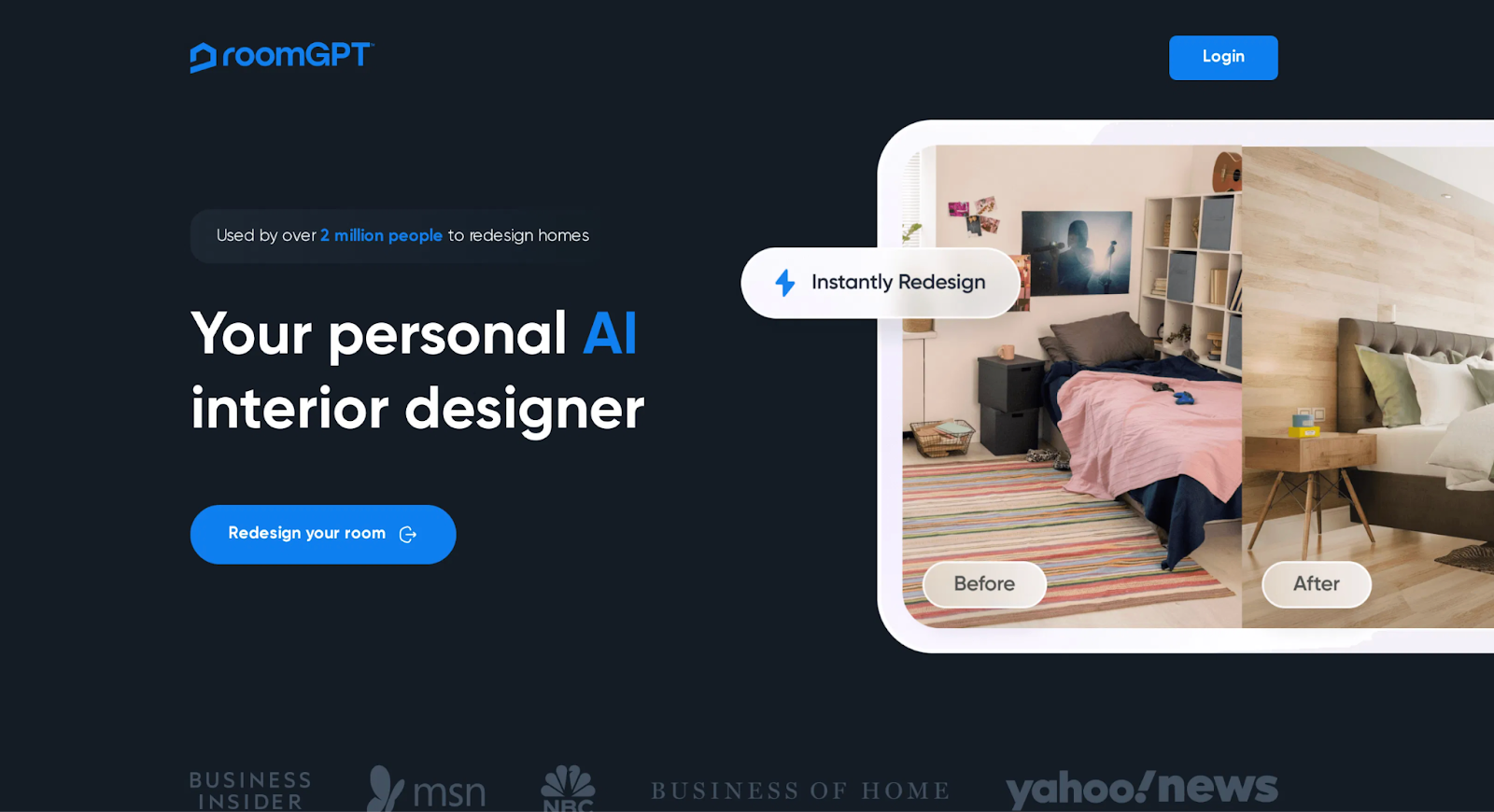
RoomGPT is another photo-based AI room design tool to redesign your existing living space. Upload a photo, select a style, and then you can get four variation results at one go. It is fully AI-driven and perfect for exploring dozens of possibilities in a short time without any design skills.
Key features:
- Instant room redesign generation
- Multiple theme and variation options
- Before/after comparison view
- Great for inspiration boards
Pros:
- Fast room visualization
- Great for inspiration and quick ideas
Cons:
- Limited customization control as an AI tool
- Output quality depends on photo input
- Much fewer style options than premium tools like DecAI
3.Home AI
Rating: ★★★★☆
Platform: iOS and Android devices
Pricing: Free plan with 2 designs per day; Premium plans start at $12.99/month
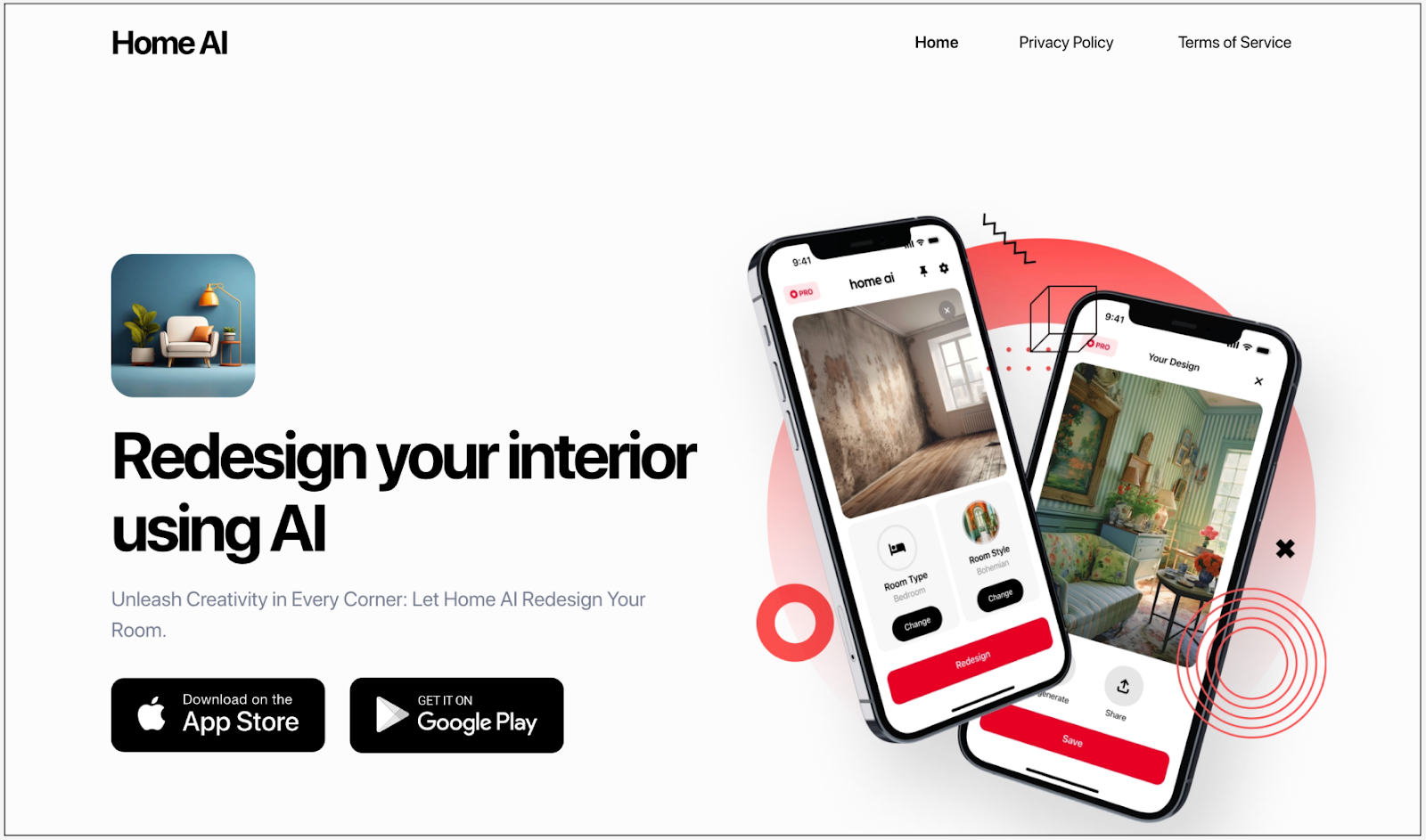
If you want to use AI room design on your mobile device, Home AI is a great choice—it works on both iOS and Android. Simply take a photo of your room, and the AI will generate personalized redesigns with furniture and color recommendations in just seconds.
Not so detailed and professional, but super good for quick creativity sparking and idea presentation, even on the go.
Key features:
- Photo-to-design generation
- Multiple interior style option
- Furniture & décor optimization
- Smart lighting & palette suggestions
Pros:
- Instant results with no learning curve
- Intuitive one-click operation
- Works on real room images
- Good for quick inspiration and early design decisions
Cons:
- Free tier has limited downloads and number of designs
- Not as precise for detailed floor planning or architectural edits
- Commercial-specific templates requires premium access
- Mobile devices only
4.Restyle AI

Rating: ★★★★☆
Platform: Web, iOS and Android devices
Pricing: Free plan with 10 renders per month; Premium plans start at $9/month; Also available to pay for AI generation credits, 6 credits per $3.
Restyle AI is another free, photo-based room design tool that takes a more direct, prompt-driven approach. After uploading a photo of your room, you don’t need to manually select styles, room types, or color palettes. Instead, you simply describe what you want—just like chatting with ChatGPT—and the AI generates the design for you.
This makes Restyle AI especially handy for beginners or anyone who wants quick room design ideas without any design experience.
Key features:
- 20+ interior design styles
- One-click style transformations
- Photo upload and instant redesign
- Multiple resolution and quality mode options
Pros:
- Fast generation
- Flexible output options
- Beginner-friendly interfaces
Cons:
- Free plan has limit number of designs per day
- Not as precise for exact floor planning or architectural adjustments
Free AI room and floor planning tools for layout design
Have an empty room or space and want to quickly plan its layout in 2D or 3D? These tools help you design room structures, organize space efficiently, and visualize furniture placement with smart, AI-assisted planning. Perfect for early layout planning, renovations, or space optimization.
5.Planner 5D

Rating: ★★★★★
Platform: Web, iOS, Android, Win, Mac
Pricing: Free plan and Premium plans start at $4.99 per month
If you don’t want to deal with back-and-forth edits or complex design workflows, Planner 5D is a great option. This AI-assisted room design tool lets you quickly create layouts, add furniture from a large library, and preview your designs in both 2D and 3D. Its built-in AI suggestions for layouts and décor are also quite cool.
Best for people without a design learning experience to create professional-looking room or floor plans quickly.
Key features:
- 2D / 3D switching with furniture and décor
- AI-assisted layout suggestions
- Large furniture & object catalog
- Snapshots and virtual tours
- Photo-realistic render and snapshot tools
Pros:
- Beginner-friendly
- Perfect balance of manual & AI features
- Strong multi-platform support
- Large item catalog and customization
Cons:
- Limited free plan
- AI suggestions can be generic
6.GetFloorPlan

Rating: ★★★★☆
Platform: Web only
Pricing: Free plan and Premium plans start at $25 per month
GetFloorPlan, as its name suggests, is a free, virtual floor planner that can transform your sketches or photos into 2D and 3D floor plan with AI interpretation of walls and spatial boundaries. It’s ideal for quick layout generation without manual drafting — perfect for students, real estate snapshots, or design planning.
Key features:
- AI floor plan generation from sketches or photos
- 2D and 3D generation
- Virtual staging and 360° tours
- High-resolution outputs
- Fast turnaround time (typically 30 minutes)
Pros:
- Quick AI generation of clean room or floor layouts
- Extremely fast processing
- Good for assignments or concept validation
Cons:
- Limited free credits for full outputs
- Not able to create detailed interior styling
7.Floorplanner

Rating: ★★★★☆
Platform: Web
Pricing: Free plan and Premium plans start at $5 per month
Floorplanner is a popular web-based floor planning tool that lets you draw room layouts in 2D and instantly preview the final effect in 3D. It comes with over 150,000 3D visual pieces to decorate your room when previewing the 3D effect. Ideal for planning space structure, understanding proportions, and testing basic layouts before moving on to more detailed design stages.
Key features:
- Simple drag-and-drop interface
- Automatic area calculations
- 2D and 3D viewing modes
- Furniture library with measurements
- Export to various formats
Pros:
- Intuitive and beginner-friendly interface
- Good for beginner to learn and practice basic layout logic and spatial planning
- Over 150,000 3D items
- 2D and 3D views
Cons:
- Limited free plan, like the number of projects or exports
8.Magicplan

Rating: ★★★★☆
Platform: iOS and Android only
Pricing: Free plan and Premium plans start at $9.99 per month
Magicplan is a free, mobile-only floor planning tool that adopts a different way to create the floor layout for your room and project.
Simply scan your room or office with your mobile device, and Magicplan uses AI and augmented reality (AR) to create a floor plan as if it had visited your space, measured everything, and crafted a dedicated layout just for you.
It is really worth a try if you quickly get a suitable floor plan directly on your mobile devices.
Key features:
- Advanced AR room scanning
- 2D/3D floor plan generation
- Automatic wall detection and measurements
- Multi-floor and multi-room support
- Object library for furniture placement
- Various export options
Pros:
- Very accurate room measurement
- Mobile-friendly
- Multi-language support
Cons:
- Limited free plan
- Some users feedback that it more focused on measurements than design aesthetics
Free AI virtual staging tools for empty rooms or offices
If you don’t mean to plan a full floor or room layout of your empty rooms and offices, you might need some AI alternatives to stage, furnish and decorate your room instead. We got you covered and also picked several virtual AI staging tools for you here.
9.Virtual Staging AI

Design any room, shop or space with DecAI in less 30 seconds! It's free!
Rating: ★★★★☆
Platform: Web, iOS and Android
Pricing: Free plan and Premium plans start at $16 per month
Virtual staging AI is a fully automated AI tool that lets you upload a photo and quickly add, remove, or swap furniture and décor for instant room restaging. It stands out for its multi-view staging, which lets you view the staged space from multiple angles.
Perfect for real estate agents, hobbyists, and anyone who needs fast listings, presentations, or visual inspiration, even when they have mobile devices available.
Key features:
- Instant staging in less 15 seconds
- Before and after gallery
- Multi-view staging
- Specifically designed for real estate listings
- High-resolution output for listings and marketing
Pros:
- Quite fast processing
- Extremely realistic furniture placement
- Fully AI automated
- Good result preview
Cons:
- Just good for staging, not for all room interior design
- Limited free plans
10.InstantDecoAI

Rating: ★★★★☆
Platform: Web
Pricing: Free plan and Premium plans start at $10 per month
If you work as a real estate agent and need an AI staging tool to enhance room or house listings and client presentations, InstantDecoAI is worth trying. Though its interface is a bit cluttered as an AI tool, it offers a full range of staging features, including fast empty-room furnishing, multiple room styles, high-quality photo outputs and more.
Thanks to its speed and efficiency, it’s a popular choice among realtors.
Key features:
- Instant staging with no design skills
- 50 staging styles
- 10 room types
- 4K render downloads
- 360 virtual tour generator
- Good for realtors and anyone who has staging needs
Pros:
- User-friendly
- Instant staging
- Rich style and room type support
Cons:
- Free plan may limit number of staged uploads
- No manual tweaks
11.Collov AI

Rating: ★★★★☆
Platform: Web
Pricing: Free plan and Premium plans start at $19 per month
Collov AI instantly transforms your empty or plain room photos into fully staged interior designs with furniture, lighting, textures, and décor that feel natural and well-balanced. With smart style suggestions and multiple staging concepts generated from a single photo, Collov AI makes it easy to visualize potential layouts without manual design tools.
Key features:
- Transform empty rooms into fully furnished spaces
- Multiple staging iterations from a single photo
- Style transformations
- Smart furniture placement
- Realistic shadows, lighting, and perspective matching
Pros:
- User-friendly interface
- Multiple variation generation
- Fast speed
- High-quality outputs
Cons:
- Limited free plans
- Lack customization
Free AI 3D interior design and rendering tools
If you’re looking for AI design tools that can turn floor plans or layouts into immersive 3D views —or enhance your design concepts with realistic rendering—you’re in the right place. These following tools are ideal for presentations, portfolios, client reviews, and exploring design ideas in greater depth.
12.Homestyler

Rating: ★★★★★
Platform: Web
Pricing: Free plan and Premium plans start at $4.9 per month
If you already have some basic design knowledge and want a user-friendly tool to create 3D room interior designs, Homestyler is a great choice. It lets you quickly draw your room layout and add real-brand furniture or décor to preview the full design in realistic 3D views.
With a rich library of furniture, décor items, templates, and 3D models, Homestyler makes it easy to visualize and refine your room design ideas in a quick way.
Key features:
- Drag-and-drop interface
- 300,000+ real-brand furniture items
- Vast 3D model options
- Unlimited 1K resolution renders
- 500 templates
Pros:
- Easy to use
- Vast templates and inspiration
- Real product visualization
- 2D and 3D views
Cons:
- Require manual layout work
- Require basic design skills
- Limited free plan
13.Live Home 3D

Rating: ★★★★☆
Platform: iOS, Windows and Mac
Pricing: Free plan with free AI credits and Premium plans start at $15 per month
Get used to creating all room or interior designs on your iPad or iPhone, Live Home 3D is a great go-to option. It’s a free, multi-platform 3D design tool that lets you build detailed 3D models of rooms with realistic furniture, textures, and lighting.
While testing, our team especially loved its advanced AR and VR views, which let you experience your designs at real-world scale. If you’re interested in immersive design previews, this tool is definitely worth trying.
Key features:
- instant 2D to 3D view
- 3D model and texture library
- AR and VR preview
Pros:
- Beginner-friendly 3D editings
- Good for Mac and iOS devices
- Ideal for intermediate learners
Cons:
- Not fully AI-powered
- Limited export options in free plan
14. Foyr Neo

Rating: ★★★★☆
Platform: Web
Pricing: 14-day free trial and Premium plans start at $29 per month
Foyr Neo is a free, professional-grade 3D interior design tool that helps designers create complex home layouts and interior designs with high-quality 4K renders, ready-made templates, a rich library of 3D models and similar.
Though it might require some basic interior design knowledge, the workflow is intuitive and efficient, making it especially useful for professionals who want powerful results without a steep learning curve.
Key features:
- AI-powered room generation
- 2D floor planning, 3D modeling, and 4K rendering
- Auto-lighting and auto-docking
- 50,000 3D model library
- Preset design templates
- Extensive 3D product library
- 360° panoramic views
Pros:
- All-in-one tool
- Extremely high-quality renders
- Professional results
- Large furniture, 3D and template library
- Good for presentations
Cons:
- Good for professionals
- 14-day free trial only
Free AI interior styling and decoration tools
If you nearly want a room styling or decoration plan, you should check these following tools.
15.DecorAI
Alt: DecorAI room decorating tool
Rating: ★★★★☆
Platform: Web, iOS and Android
Pricing: Free plan and Premium plans start at $24 per month
DecorAI takes an existing room photo and automatically applies fresh design concepts, including furniture, color schemes, and décor styles. Rather than rebuilding full floor plans, it focuses on restyling the space, making it ideal for seasonal, festive, or quick room refreshes.
It’s especially useful for living rooms, bedrooms, offices, or rental spaces when you want a new look without committing to a full remodel.
Key features:
- Instant AI room styling
- Furniture and décor restyling
- Various design style options
- Before and after comparison
Pros:
- Instant generation, no manual editing
- User-friendly
- Good for décor exploration and quick inspiration
Cons:
- Limited free plan
- Focused more on décor, not detailed interior design
16.REimagineHome

Rating: ★★★★☆
Platform: Web
Pricing: Free plan with 3 designs and Premium plans start at $14 per month
REimagineHome lets you upload a photo of any room and instantly receive AI-generated interior styling concepts based on your chosen theme. Unlike full 3D modeling tools, it emphasizes decor and ambiance, making it ideal for exploring looks and décor ideas without deep design effort.
Key features:
- Theme selections
- Furniture and décor suggestions
- Before and after view
Pros:
- Fast generation
- Multiple room types
- Beginner-friendly interface
- Great for décor ideas without layout edits
Cons:
- Limited free plan
- Present style options may vary when choosing different room types
If you need more AI tools for restyling or redecorating, DecAI would also be worth a try, which helps to restyle, refresh, redecorate and even refurnish your space with ease.
Non-AI room design tools worth trying
While searching for the AI tools over the internet, a lot of users also recommend many useful room design tools without AI incorporated. You might also check and see whether they are workable for you or your team.
17.SketchUp Free
SketchUp Free - a widely used free 3D modeling tool trusted by professionals across many design fields, not just interior design. It’s kind of a must-have tool that designers should at least learn and understand for precise room layouts and structural planning.
Beyond basic 3D modeling, SketchUp can be extended with plugins and extensions for lighting, rendering, and design enhancements, allowing you to customize the workflow based on your specific needs and use cases.
18.HomeByMe
HomeByMe - a free, web-based 3D home design tool that helps you create and visualize room layouts with realistic results. You can draw floor plans from scratch, furnish rooms using a large library of real-brand furniture, and instantly view your design in both 2D and 3D views. Even without professional design skills, you can quickly build complete interior scenes and generate lifelike renders with ease.
19.AutoCAD
AutoCAD - a professional-grade design and drafting tool widely used by architects, interior designers, and engineers to create precise room layouts and technical drawings. It emphasizes accuracy and control, making it ideal for detailed floor plans, elevations, and construction-ready documents rather than quick visual styling.
With its exact measurements, layer-based workflow, and industry-standard tools, AutoCAD is extremely powerful—but it also comes with a steep learning curve for new users.
20.RoomSketcher
RoomSketcher - a user-friendly room and floor plan design tool that helps you easily create accurate layouts and visualize spaces in both 2D and 3D. You can draw from scratch or use templates, add furniture from a built-in library, and instantly preview the design in realistic 3D views.
FAQs
1.What is the best free AI for room interior design in 2026?
There is no such “one-fit-all” answer. The best one is always the one that best suits your needs. For instance, if you’re a complete beginner in room interior design and want an AI tool to quickly visualize your ideas, DecAI is one of the best options. It’s a photo-to-design tool that lets you upload a picture of your room and instantly see multiple design concepts and decor styles in just seconds. No design skill or experiences required.
2.Are free AI room design tools accurate enough for renovation planning?
Yes. Many free AI tools are accurate enough for initial planning and visualization, especially for layouts, furniture placement, and style exploration.
3.Do I need design skills to use these tools?
It depends. Most of these AI tools can be used directly, all without any design skills, like DecAI. However, as with these tools without AI, like SketchUp Free or AutoCAD, are good for professionals. If you do not have a design knowledge base, please try others instead.
4.Which free AI tools are best for living rooms?
Most of these 20 design tools introduced above are good for living rooms, like DecAI.
5.Are AI designs better than manual interior design tools?
It depends on your needs. If you tend to get the quick design for inspiration, presentation or showcase, such AI tools would help to save a lot of time and effort. However, if you need to create the detailed design version for the actual building or renovation, a professional and manual interior design tool, like AutoCA, would be good.
6.Will these AI tools respect my room’s dimensions and lighting?
Yes. At least, if you are using DecAI, its AI will auto measure and analyze the dimensions and lighting to generate realistic designs that perfectly match with your needs.
Wrap up
With the help of these AI home design tools, the biggest barrier between you and the best room design or decorating plan is simply how far your imagination takes you. We hope this carefully tested and compared collection of the 20 best free AI room design tools helps you find the perfect one that matches your needs, style, and budget—making room design easier, faster, and more enjoyable than ever.
------------------------------------------------------------
If you believe that any material on this site infringes your intellectual property rights, please contact the author at decaidesignteam@gmail.com with details of your claim.

Share this Post:


